What Do Tsa Scanners See
TSA scanners show you stylized outlines of objects on your body and in your bags, not detailed photos of your anatomy. They detect shapes and materials—metal, dense organics, powders—and flag anomalies for secondary checks. Millimeter‑wave units map surface contours; X‑ray highlights density and layering in luggage. Images are usually anonymized, not retained, and access is restricted. If you want specifics about technologies, privacy controls, and what can trigger alerts, keep going.
What TSA Scanners Actually Show (Quick Answer)
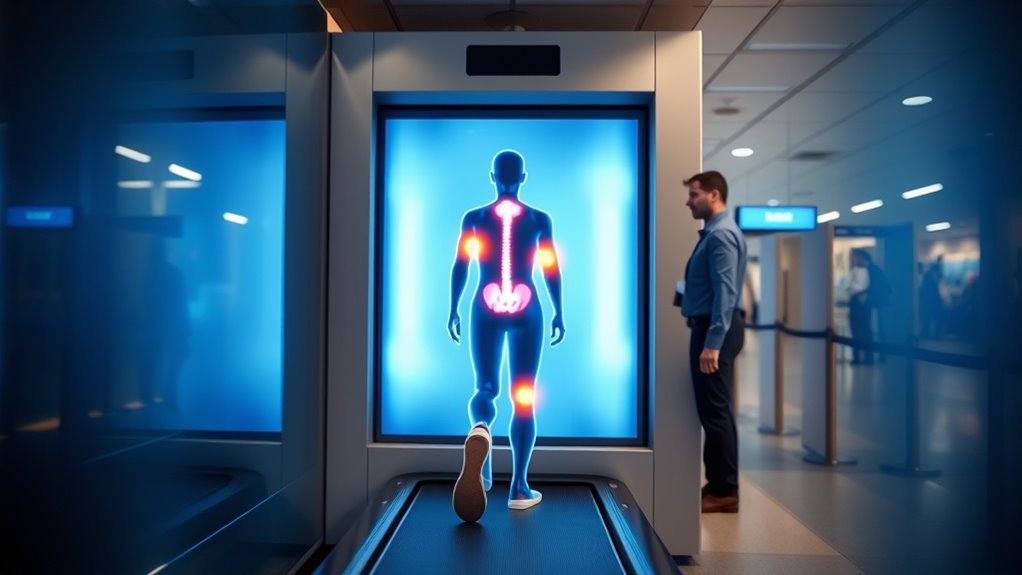
While TSA scanners use millimeter-wave or backscatter X-ray technology, they don’t produce detailed anatomical images. They highlight objects and anomalies on or under clothing so officers can spot potential threats quickly.
You’ll see outlines, shapes, and density differences that indicate concealed items—metal, dense plastics, gels, or irregular masses. The images emphasize contrasts rather than fine detail, so personal features aren’t visible.
Alerts point you to zones needing secondary inspection, not to identify you. You might be asked to step aside, undergo a pat-down, or have belongings rechecked when a scanner flags something unusual.
What Types Of TSA Scanners Are Used Today
Now that you know what scanners display and why images emphasize contrasts over detail, it helps to understand the different machines that produce those images. You’ll encounter primarily two TSA technologies: walk‑through metal detectors and advanced imaging technology (AIT) units.
Metal detectors flag metallic items quickly; they don’t show body contours.
AIT units include backscatter X‑ray systems (now largely retired) and current millimeter‑wave scanners, which detect anomalies without revealing fine anatomical detail.
You may also see handheld scanners and baggage X‑rays. Each device targets different risks, so you might pass through multiple systems during screening.
How Millimeter‑Wave Body Scanners Work
If you’ve ever stepped into a full‑body scanner, you’ve probably wondered how it spots hidden items without producing a photo‑realistic image. Millimeter‑wave scanners emit harmless, high‑frequency radio waves that bounce off your body and any objects you might conceal.
Arrays of antennas collect the reflected signals; software reconstructs a generic, stylized surface map highlighting anomalies that differ from your expected body shape. You stay clothed, and the system flags areas needing manual inspection rather than revealing anatomical detail.
Rapid processing and automated threat detection prioritize safety and privacy while detecting weapons, explosives, and dense contraband materials.
How Backscatter And X‑Ray Body Scanners Work
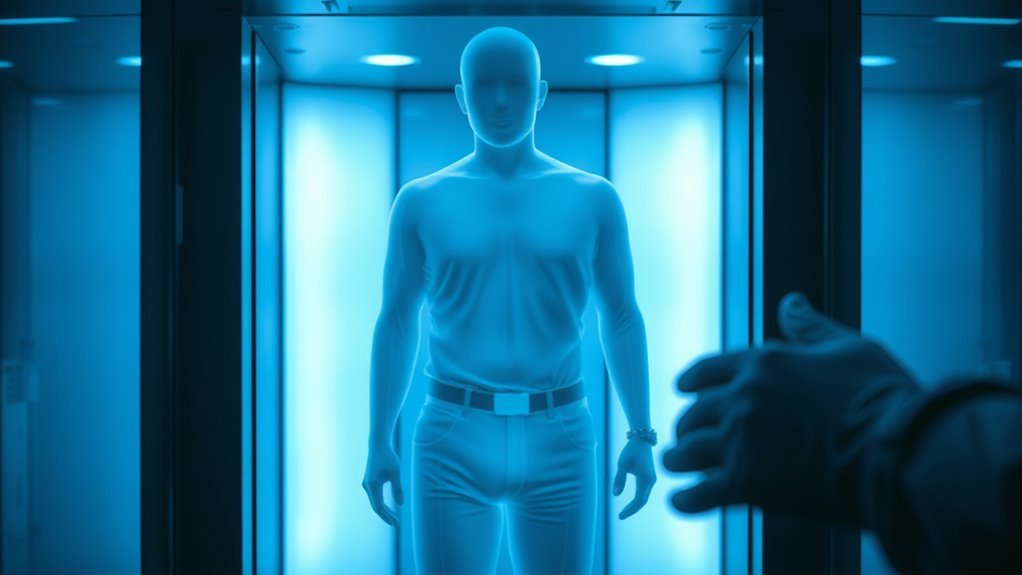
Because they rely on ionizing radiation or very‑high‑energy photons, backscatter and X‑ray body scanners work differently from millimeter‑wave systems. You stand while a beam or fan of photons scans your surface and silhouette; detectors measure scattering or transmission to form an image showing objects and density contrasts.
You’ll notice:
- Backscatter highlights surface and low‑density items by measuring reflected photons.
- Transmission X‑rays show denser materials by measuring absorbed photons.
- Both require shielding, exposure controls, and regulated doses.
- Images reveal shape and density but not fine chemical composition.
You’ll be screened faster, but operators balance image clarity with minimal radiation.
What Carry‑On X‑Ray Machines Reveal (TSA)
While your bag moves through the conveyor, the carry‑on X‑ray machine creates a high‑contrast silhouette that highlights shape, density, and layering, letting TSA officers spot electronics, batteries, liquids, and potential threats by their outlines and relative absorption.
You’ll see operators interpret colorized or monochrome images to distinguish organic from inorganic materials, identify packed layers, and detect concealed items by unusual geometry or overlapping densities.
You should remove electronics and liquids to reduce clutter so inspectors can rapidly assess contents.
If something’s ambiguous, your bag may be pulled aside for manual inspection, where handlers open and verify items.
What TSA Scanners Display About Your Body
When you step into a TSA scanner, it creates a simple outline of your body to show shape and posture.
The system then overlays any detected anomalies as highlighted spots or a map tied to specific body areas.
You’ll usually see the outline first and the anomaly indicators where an agent should take a closer look.
Body Outline Image
If you’ve ever stood in front of a TSA scanner, you might’ve noticed the outline it creates of your body—an abstract silhouette that highlights contours and nearby objects rather than revealing detailed features. You see a smooth, anonymized shape that preserves privacy while indicating where items sit on or near you.
That outline helps officers assess potential risks quickly without exposing identity. It emphasizes form, not faces. You can expect clarity about bulk and placement, not texture or color.
Key points to note:
- Shows general body contours
- Highlights external objects and accessories
- Keeps facial detail obscured
- Aids quick visual assessment
Detected Anomalies Map
Because the scanner can’t display fine detail, it instead generates a detected-anomalies map that flags items and shapes needing attention: you see colored highlights over areas where the algorithm detects unusual density or geometry.
The map doesn’t show identity, skin, or intimate detail; it marks potential threats like metal, dense plastics, or oddly shaped objects that might conceal contraband.
You and the officer use it to focus secondary screening, not to expose you. If an area lights up, you’ll be asked to clarify or remove items.
The map’s goal is efficiency and safety—rapidly directing attention while minimizing unnecessary intrusion.
How Scanners Represent Clothing And Accessories
Although airport scanners use similar physics for all items, they portray clothing and accessories differently depending on material, thickness, and shape. You’ll notice varied contrasts and outlines: dense fabrics show stronger signatures, thin garments appear faint, and layered items alter shapes. Accessories stand out by edges and density changes, not by labels.
Airport scanners reveal materials by contrast and edges: dense fabrics and metals show strong signatures, thin layers appear faint.
- Metal buttons and belt buckles create bright, sharp highlights.
- Thick leather or heavy coats produce denser, darker regions.
- Scarves and thin shirts render as low-contrast veils.
- Jewelry chains give repeating linear patterns.
You can use this to anticipate how items display on the scanner.
How Scanners Detect Electronics And Batteries
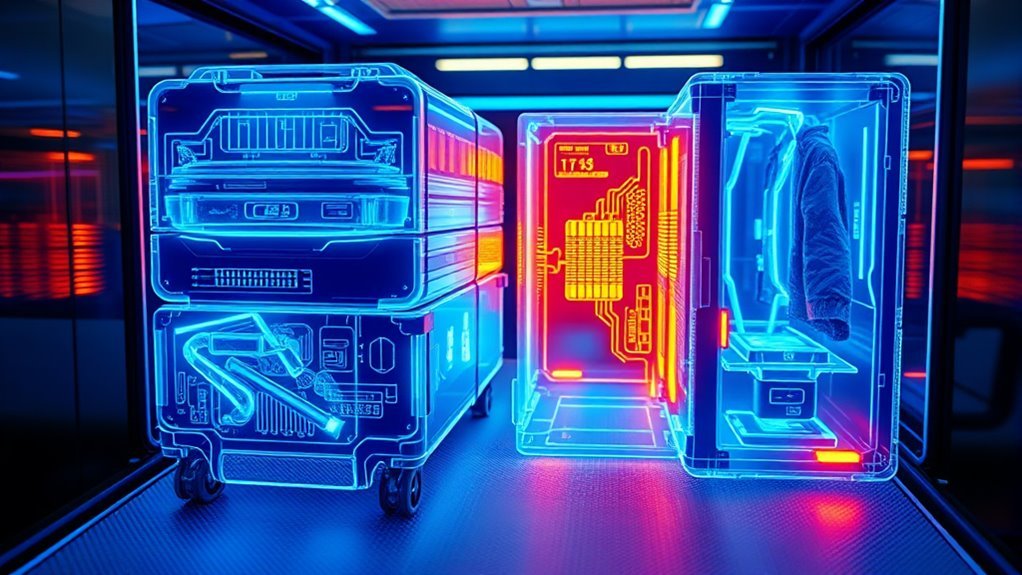
When you pass electronics and batteries through a scanner, the machines pick up on contrasts in material density and the distinct geometric signatures of components, so items like circuit boards, screens, and battery cells stand out clearly against softer materials.
You’ll see dense metals, layered PCBs, and cylindrical or rectangular battery shapes rendered sharply; software highlights unusual densities and specific contours. Operators can zoom and rotate images to inspect solder joints, connectors, and battery packs.
You should remove loose electronics from bags to reduce overlap and false positives. Proper placement and separation speed up screening and lower the chance of additional checks.
How Scanners Find Liquids, Gels, And Aerosols
If you want to know how scanners spot liquids, gels, and aerosols, start with the physics: X-ray and millimeter-wave systems detect differences in density, atomic composition, and material homogeneity, so containers with uniform, low-density contents look different from those holding dense or layered substances.
You learn to read scanner images by noting shape, fill level, and signal texture. Transparent bottles, sealed tubes, and aerosol cans each produce characteristic signatures. Operators use automated alerts and manual review to flag anomalies.
- Fill height and uniformity reveal liquid vs. air gaps
- Signal attenuation indicates density
- Texture shows particulate or emulsions
- Container materials affect contrast
How Scanners Identify Weapons And Explosives
Because scanners combine physics-based imaging with pattern recognition, you can learn how they spot weapons and explosives by focusing on shape, material signatures, and contextual clues. You’ll see algorithms flag shapes matching blades, guns, or device housings, and materials like metals, dense organics, or powders show distinct contrast. Context matters: placement, concealment, and accompanying items raise alerts. Operators verify flagged images, isolating suspicious objects for secondary inspection. You should know scanners balance sensitivity and false alarms, refining detection with threat libraries and adaptive thresholds to catch varied concealment methods while minimizing disruptions.
| Feature | Detection clue |
|---|---|
| Shape | Contour match |
| Material | Density/contrast |
| Context | Location/anomalies |
| Pattern | Repeated elements |
| Size | Proportional alerts |
Automated Detection Vs. Human Image Review
You’ll see both automated threat identification and human image interpretation working together at checkpoints.
Automated systems flag anomalies fast, but they can miss context that a trained screener catches.
Understanding how the two balance speed and judgment helps you evaluate scanner performance.
Automated Threat Identification
While machines flag potential threats by quickly scanning for predefined shapes and densities, human image reviewers bring context, judgment, and the ability to spot novel or cleverly concealed items.
You rely on automated threat identification to rapidly triage large volumes of scans, reducing human workload and catching routine patterns. Algorithms highlight anomalies, prioritize alerts, and learn from labeled examples, but they also generate false positives and miss unseen concealment methods.
Key aspects include:
- Pattern recognition speed and consistency
- Machine learning model updates and training data quality
- Threshold tuning to balance sensitivity and nuisance alerts
- Integration with operator workflows for escalation
Human Image Interpretation
When automated systems flag an image, human reviewers step in to interpret context, resolve ambiguities, and catch anything the algorithms missed.
You assess shapes, textures, and positioning against experience, distinguishing benign items from threats. You’ll question false positives caused by luggage overlap, body contours, or dense fabrics.
You apply judgment where algorithms can’t gauge intent or medical devices. You work quickly, guided by protocols and confidence scores, and you can request secondary scans or passenger screening.
Your role reduces missed detections and unnecessary alarms, balancing security with efficiency while protecting privacy through minimized image handling.
What Image Resolution And Detail Mean For Privacy
Because resolution determines how much fine detail a scanner captures, it directly shapes what others can see of your body and belongings. You should care because higher resolution reveals textures, small items, and contours that can identify medical devices or personal effects.
Higher scanner resolution reveals fine textures, small items, and contours—exposing medical devices and personal details.
Lower resolution obscures specifics but may still show silhouettes and object placement. Consider trade-offs: image usefulness for threat detection versus your expectation of privacy.
- High resolution: clearer shapes, more identifying detail
- Low resolution: limited specifics, preserved anonymity
- Compression: may hide or distort items
- Operator zoom: increases perceived detail and risk
How TSA Anonymizes And Filters Body Images
You’ll see that scanners use automated threat highlighting to mark suspicious areas so operators can focus quickly.
Systems also apply privacy masking techniques to blur or replace body details before any human review.
You’ll still have operator review controls that limit what reviewers can view and log their actions for accountability.
Automated Threat Highlighting
As scanners flag potential threats, the system strips identifying details and paints only the suspect areas on a generic outline so you never see an actual body image. You’ll notice highlighted zones instead of photos; software scores anomalies and forwards only essentials to officers.
Algorithms prioritize threat type and location, reducing signal clutter while keeping accuracy.
- Color-coded markings show severity
- Location tags reference body zones, not faces
- Confidence scores guide secondary checks
- Only cropped threat data transmits to reviewers
You’ll benefit from faster screening and fewer privacy intrusions, since images remain abstracted and purpose-limited.
Privacy Masking Techniques
When scanners detect an anomaly, the system immediately replaces identifiable features with a standardized, non-photographic outline so you never see a real body image; this privacy masking combines pixelation, region masking, and synthetic overlays to hide faces, skin tone, and other personal details while preserving threat location and size. You’ll see simplified shapes indicating where screening flagged items are, not a lifelike picture. Algorithms blur or swap regions, apply neutral silhouettes, and keep resolution low outside threat zones. These steps reduce personal data exposure while keeping detection cues clear and actionable for reviewers.
| Technique | Purpose |
|---|---|
| Pixelation | Obscure detail |
| Region Masking | Block identifiable areas |
| Synthetic Overlay | Standardize appearance |
| Low Resolution | Limit recognizability |
| Neutral Silhouette | Preserve shape only |
Operator Review Controls
Although screeners need enough information to spot threats, the TSA limits what operators actually see by default. You’ll see anonymized outlines, color-coded alerts, and no explicit anatomical detail unless software highlights a potential risk.
Controls let supervisors adjust filters, but operators use restricted views to protect privacy. You won’t view raw images; review modes focus on suspicious regions and suggested action.
- Automated masking obscures identifying features
- Threat indicators replace body detail with symbols
- Time-limited access logs track image review
- Supervisory overrides are audited and minimal
These measures balance detection with passenger privacy.
Why Some Checkpoint Images Look Like Outlines
If your TSA checkpoint image looks like an outline rather than a detailed photo, that’s usually because the scanner is showing material contrast instead of surface detail. You’re seeing differences in density and atomic composition: dense metals block more X-rays and appear bright or dark outlines, while low-density materials let more X-rays pass and create faint areas.
Algorithms map those attenuation patterns to simplified shapes so operators can quickly spot anomalies. The system filters out texture, color, and fine contours to prioritize threat-relevant contrasts. That outline view reduces clutter and speeds decision-making without trying to reproduce a photographic image.
Examples Of False Positives And False Negatives In Images
Because scanners prioritize density and shape over surface detail, you’ll sometimes see objects flagged that aren’t threats (false positives) and miss items that are (false negatives).
You’ll notice everyday things can trigger alerts or hide risky items depending on placement, overlap, or material composition. Here are common examples to watch for:
- Dense clothing folds or electronics appearing like concealed objects
- Layered food or toiletries mimicking solid masses
- Thin metallic pieces blending into background and escaping detection
- Small nonmetallic threats obscured by denser items
Understanding these patterns helps you pack and arrange belongings to reduce unnecessary alarms.
How Operators Are Trained To Interpret Images
When you watch a trained operator at work, you’ll see they combine technical rules with pattern recognition honed through repeated practice. You learn to read contrasts, shapes, and densities quickly, linking visual cues to threat profiles.
Training uses simulated images, graduated difficulty, and instant feedback so you correct errors and build speed. You practice distinguishing benign items from anomalies, apply checklists, and follow escalation protocols when uncertain.
Regular proficiency tests and refresher drills keep skills sharp. In the cabin of decision-making, you rely on clear procedures, experience, and ongoing monitoring to make consistent, defensible image judgments.
Who Can Access Raw TSA Scanner Images
You’ll want to know who can actually see the raw images those scanners produce and under what conditions. Generally, trained TSA personnel view them, but law enforcement can request access for investigations.
Let’s look at the policies and safeguards governing that access.
Who Can View Images
Who gets to see raw TSA scanner images, and why they can be accessed matters for privacy and accountability. You should know that viewing is tightly controlled: operators see anonymized images, supervisors review for quality, and vendors may access images under strict contracts for maintenance or training. You won’t have public access.
- Certified TSA operators perform routine screening with privacy filters.
- Supervisors audit images to ensure procedures and training.
- Authorized contractors access images only under safeguards.
- Audit logs and access controls record who viewed what and when.
You can request privacy policies, but raw-image access remains limited.
Law Enforcement Access
Beyond routine screening and contractor oversight, law enforcement can sometimes request access to raw TSA scanner images, but that access is tightly regulated. If you’re involved in an investigation, you’ll need formal legal process—warrants, subpoenas, or written requests tied to specific threats or crimes.
Agencies don’t get blanket access; TSA reviews each request for scope, relevance, and privacy impact. You’ll find images are retained briefly and protected under federal rules, so misuse carries consequences.
If you want access, coordinate through proper channels, document the necessity, and be prepared for oversight and possible denial if standards aren’t met.
How Long TSA Stores Scanner Images (If At All)
Although most travelers assume airport scanners keep detailed images, the TSA says it doesn’t retain passenger-specific full-body images from modern machines. Instead, devices either never produce a visible image tied to your identity or automatically remove any generated image after screening.
You should know retention practices vary by technology and policy: older systems could store images briefly for troubleshooting, while newer systems emphasize automated detection and immediate deletion. Check local airport notices for details.
Key points:
- Most modern scanners don’t create identifiable stored images
- Temporary images, if any, are purged quickly
- Retention policies differ by equipment
- Ask TSA for specifics
Legal Limits On Image Use And Sharing
You have a right to expect your scanned image won’t be used or shared without clear consent. Laws and TSA policies restrict how those images can be distributed and sometimes carry penalties for misuse.
Let’s examine what privacy protections exist and what legal limits apply to image sharing.
Privacy And Consent
When a TSA scanner produces an image of your body, laws and agency policies immediately limit how that image can be used and shared, and you should know what protections apply. You don’t consent to public display; images are handled as sensitive security data. You can expect restricted access, routine deletion schedules, and procedures for addressing misuse. Know your limited rights and how to ask questions.
- Access is limited to trained officers for screening purposes.
- Images aren’t retained longer than allowed by policy.
- Sharing outside official channels is prohibited.
You can report suspected violations to TSA or oversight bodies.
Legal Restrictions On Distribution
Beyond restricted access and routine deletion, specific laws and agency rules set firm limits on how TSA images can be used and shared. You can’t distribute raw or altered scanner images outside authorized channels, and federal statutes protect certain screening records from public disclosure.
Agencies limit retention periods, require secure storage, and prohibit commercial or journalistic exploitation without clear legal basis. If you’re a contractor or employee, you face additional contractual and criminal penalties for misuse.
Even inadvertent sharing can trigger investigations. To stay compliant, follow agency directives, request legal guidance before disclosing anything, and report potential breaches immediately.
Radiation Exposure: Health Concerns And Facts
Although TSA scanners use ionizing and millimeter-wave technologies differently, their radiation doses are extremely low compared with medical imaging, and they pose minimal risk for the general public.
You might still wonder about long-term effects, pregnancy, or cumulative exposure. Officials monitor doses and studies show no measurable harm from routine screening.
If you want to reduce any theoretical risk, consider options and behaviors.
- Ask for a pat-down alternative if concerned
- Limit repeated scans when feasible
- Pregnant travelers can request alternatives though risk is low
- Children receive proportionally lower exposure than adults
Stay informed and choose what makes you comfortable.
Safety Standards Scanners Must Meet
If you’re reassured by the low radiation risk, the next question is what standards keep scanners safe in the first place. You should know agencies like the FAA, FDA, and TSA set limits for radiation emission, image quality, and operator training.
Scanners undergo certification, regular calibration, and maintenance checks to guarantee consistent output and minimal exposure. Manufacturers must comply with federal performance standards and provide shielding and failsafes.
You’ll also find privacy protections: automated threat detection reduces human viewing of raw images. Audits and incident reporting help enforce compliance and prompt corrective actions when needed.
What To Expect During A Secondary Screening
If your bag or body triggers an alarm, you’ll be directed to a secondary screening area where an agent will explain the process.
You’ll have your carry-ons rechecked, possibly undergo a pat-down or targeted swab, and be asked a few brief questions.
Stay cooperative and ask for clarification if you’re unsure about any step.
What To Expect
What should you expect during a TSA secondary screening? You’ll be asked calmly to step aside for a private follow-up. Agents will explain why and what happens next, keeping things routine and professional.
- You’ll remove specific items (shoes, belts, electronics) for closer inspection.
- You might undergo a targeted pat-down or a hand-held scanner check.
- Officers may swab belongings or your hands for trace detection; results are quick.
- You can request a private screening or a witness if you prefer.
Cooperate, ask short questions, and keep ID ready; the process is usually brief and focused.
Screening Process Steps
After officers explain the reason for the secondary screening, they’ll guide you through a clear, step-by-step process so you know what to expect.
You’ll be asked to remove items—shoes, belts, electronics—and place them on a tray.
An officer may swab your hands or belongings for explosives; those swabs are quick and noninvasive.
You might undergo a pat-down if needed; officers will explain and offer a private room for that.
If you go through a handheld scanner, you’ll be asked to slowly turn while they pass it over you.
Once cleared, you’ll collect your items and be free to continue.
How To Prepare To Minimize TSA Scanner Alerts
Since TSA scanners flag unfamiliar shapes and materials, you can cut down on delays by organizing and choosing what you bring and how you pack it. Remove bulky jewelry, empty pockets, and place electronics in their own bin so images are clear. Wear shoes you can slip off quickly. Keep liquids in a single, clear quart bag and follow the 3-1-1 rule.
- Separate laptops and tablets from bags
- Stow metal belts and large accessories in carry-on
- Pack medications and medical devices with labels visible
- Place spare batteries and chargers together
Be proactive and you’ll move through screening faster.
Passenger Privacy Rights At TSA Checkpoints
Although TSA screening aims to keep travel safe, you still have privacy rights at checkpoints. You can expect respectful treatment, limited exposure, and explanations if a secondary search is needed.
If imaging reveals an anomaly, officers should use procedures that minimize revealing intimate details—like lowering resolution or using automated target recognition when available.
You can request a private screening or a same-gender officer for pat-downs. You should be informed about why additional screening is required and can ask questions.
If you feel your rights were violated, you can file a complaint with TSA or seek guidance from airport authorities.
How TSA Balances Security And Privacy
You’ll want to understand how different screening technology types—millimeter-wave, backscatter, and X-ray—affect what’s visible and what’s hidden.
Notice the privacy protection measures in place, like automated target recognition and private viewing booths, that limit exposure of personal images.
Also check TSA’s data handling policies to see what information is stored, who can access it, and how long it’s kept.
Screening Technology Types
When you step up to a TSA checkpoint, agents use a mix of imaging systems—millimeter-wave scanners, backscatter X‑rays, and explosive trace detection—to spot threats while trying to protect travelers’ privacy.
You’ll encounter different tools that each play a role:
- Millimeter-wave: detects objects on the body surface without revealing anatomical detail.
- Backscatter X‑ray: images carry-on contents to find hidden items.
- Explosive trace detection: swabs surfaces for chemical residues.
- Metal detectors: quickly flag metallic threats for targeted screening.
You’ll see layered screening so agents can focus inspections efficiently while minimizing intrusion.
Privacy Protection Measures
Those imaging tools work together to catch threats, but they also raise privacy questions that TSA addresses through specific safeguards. You’ll find features like automated target recognition that displays a generic human outline instead of detailed images, minimizing what you see.
Officers get limited, view-only access and can’t save or transmit scans, and procedures require a secondary, private screening if anomalies appear. Audits, training, and clear signage inform you about rights and options.
You can request a private pat-down, and officials must follow protocols to protect dignity while keeping travel safe and efficient.
Data Handling Policies
Because security depends on data as much as on screens and pat-downs, the TSA has clear policies governing how imaging and screening information’s collected, accessed, and retained to protect both travelers and privacy. You should know these rules so you can understand limits and protections.
Access is restricted to authorized personnel, images aren’t stored for routine screening, and retention follows strict legal requirements. You’ll find oversight, auditing, and redress options if policies are breached.
- Limited access controls and role-based permissions
- Non-storage for routine passenger scans
- Defined retention schedules for exceptions
- Independent audits and complaint procedures
Differences In International TSA And Airport Practices
Although airports around the world share the goal of keeping travelers safe, your experience at security checkpoints can vary widely depending on local laws, technology choices, and cultural norms.
You’ll find some countries use millimeter-wave scanners similar to TSA, others rely on backscatter, and many still emphasize manual searches or explosive trace detection.
Privacy safeguards differ: some operators blur images, store none, or use automated threat algorithms; others retain scans under national rules.
Queue procedures, pat-down frequency, and liquid restrictions change too.
Knowing local policies before you travel helps you prepare, speed screening, and avoid surprises at different airports.
Common Myths About TSA Scanners: Debunked
When you hear alarming claims about TSA scanners—from radiation risks to secret image storage—it’s easy to assume the worst, but many of those myths don’t hold up against official policies and independent testing. You should know what’s false and what’s accurate.
- Scanners emit negligible radiation; exposure is far below everyday sources.
- Images aren’t stored or shared; protocols and software blur or use generic outlines.
- Scanners don’t read minds or reveal medical details beyond surface items.
- Operators don’t get identifiable photos; privacy safeguards and audits limit access.
Trust verified sources, ask questions, and follow screening instructions for a smoother experience.
What To Ask TSA Staff About Scanner Images And Privacy
If you’re unsure about what a scanner displays or how images are handled, ask TSA staff directly and clearly so you get specific answers about privacy, storage, and who can view images. Tell them you want to know: whether images are identifiable, if images are stored, who reviews them, and what recourse you have. Ask for plain answers and policy references. Use the table below to note responses.
| Question | Expected Answer | Staff Response |
|---|---|---|
| Identifiable image? | No | |
| Stored? | No/limited | |
| Who views? | Operator only | |
| Retention policy? | Short-term |
Future Passenger‑Facing Imaging Tech At Airports
As airports adopt next‑generation screening, you’ll start seeing systems that blend automated, noninvasive sensing with real‑time analytics to speed lines while focusing on targeted threats rather than people.
You’ll notice quieter checkpoints, fewer pat‑downs, and software that flags anomalies, not bodies.
Quieter checkpoints, reduced pat‑downs, and smarter scanners that flag threats—not people—making screening faster and less invasive.
Expect clearer signage explaining scans and options to opt for alternatives when available. These tech shifts aim to protect you while respecting privacy and reducing delays.
- Millimeter‑wave scanners with improved threat algorithms
- Contactless biometric matching for faster ID verification
- AI triage that prioritizes alerts, not profiles
- Portable screening pods for remote or overflow gates
Frequently Asked Questions
Can TSA Scanners Detect Medical Implants Like Pacemakers or Insulin Pumps?
Yes — TSA scanners and metal detectors can detect many implants like pacemakers or insulin pumps. You should inform security, request screening adjustments or alternative checks, and follow medical identification procedures to guarantee safe, accurate screening.
Can Children or Pregnant Travelers Opt Out of Scanner Use?
Yes — you can opt out; you’ll get a private pat-down instead. For children, parents choose; pregnant travelers can request alternative screening. Let TSA officers know, and they’ll accommodate your preference respectfully and professionally.
Do TSA Images Ever Get Used in Criminal Investigations Unrelated to Aviation Security?
Yes — in rare cases your TSA images can be used in criminal investigations unrelated to aviation security if legal processes like warrants or subpoenas require them; agencies coordinate with TSA and follow privacy and retention rules.
How Do Cultural or Religious Dress Accommodations Work With Scanners?
You’ll request a private screening or opt for a pat-down; TSA accommodates religious or cultural dress, uses same-gender officers when available, and will minimize exposure while ensuring security, keeping dignity and privacy as much as possible.
Are There Penalties for Tampering With or Disabling TSA Scanning Equipment?
Yes — you’ll face serious consequences if you tamper with or disable TSA scanners, including criminal charges, fines, arrest, and possible imprisonment; you’ll also risk civil penalties and being banned from airports or future travel privileges.
Conclusion
Now you know TSA scanners don’t show naked, detailed images but instead produce generic, nonidentifying outlines or threat indicators; they mainly detect objects, not bodies. You’ll encounter millimeter‑wave units, backscatter/x‑ray in some places, and carry‑on x‑ray machines that highlight dense materials. Ask TSA about image handling and privacy if you’re worried. Expect continued tech improvements—more automated detection and privacy protections—so screening should stay focused on safety, not exposure.