Can You Bring Luggage on Uber Rules and Tips
Yes — you can bring suitcases and backpacks on Uber, but they must fit safely in the vehicle and not block exits. Compact cars have limited space, so tell your driver if you’ve got oversized or multiple bags and consider requesting UberXL or another larger option. Pack and stack neatly, secure fragile items, and use reusable bags for liquids. Report any loss or damage through the app. Keep going to learn practical vehicle, airport, and alternative tips.
Can You Bring Luggage on Uber?
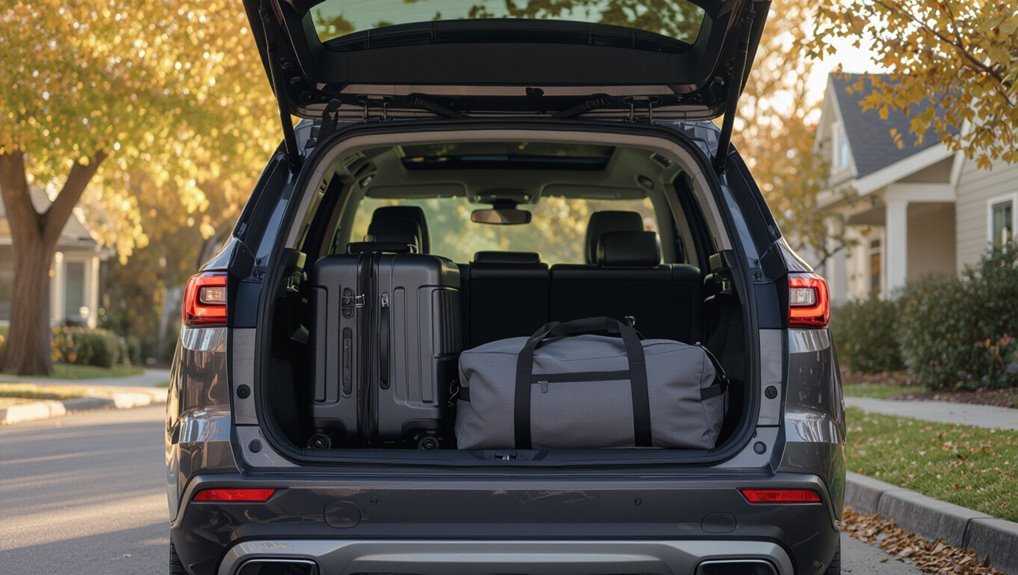
Wondering if you can bring luggage on an Uber? You can — most drivers accept suitcases, backpacks, and small boxes.
Be mindful of vehicle size: compact cars handle limited bags, SUVs and vans fit more.
Communicate with your driver beforehand if you have oversized or numerous items. Offer to help load and secure items to avoid damage and delays.
What Uber’s Official Luggage Policy Says
Uber’s official guidance lets you bring typical suitcases and carry-ons but expects bags to fit comfortably in the vehicle without obstructing entry or exits.
It also notes limits to driver liability for damaged or lost items, so you should secure valuable or fragile belongings.
Finally, check service-specific rules—like UberXL or Black—since vehicle size and driver preferences can affect what’s acceptable.
Allowable Bag Size
Most Uber rides let you bring a reasonable amount of luggage, but the company doesn’t publish a strict size or weight limit; instead, it expects your bags to fit safely in the vehicle without blocking exits or creating a hazard.
- Use compact suitcases or duffels when possible.
- Keep carry-ons under seat or in trunk.
- Avoid oversized items like surfboards without driver agreement.
- Stack neatly; don’t obstruct doors.
- Ask driver in advance for space confirmation.
Driver Liability Limits
If you’re careful about what you pack and how you load it, the next practical question is who’s responsible if something gets damaged or lost.
Uber generally says drivers aren’t liable for passenger luggage; you’re expected to secure items.
If loss or damage occurs, report it through the app promptly—Uber’s support will review and may offer remedies case-by-case, not guaranteed compensation.
Service-Specific Rules
Because different Uber services serve different needs, each has its own luggage expectations you should know before you ride.
You should check the app’s service description and choose one that fits your bags. Drivers can refuse excessive or hazardous items.
Pack compactly, collapse strollers, and be ready to load. Consider upgrading if you travel heavy.
- UberX limits standard carry-ons
- UberXL fits multiple suitcases
- Uber Comfort favors smaller bags
- Uber Black expects professional presentation
- Uber Assist accommodates mobility equipment
How Drivers Usually Handle Suitcases and Carry-Ons
Expect drivers to be practical: they’ll usually help load and unload larger suitcases when they can, but you should be ready to handle smaller carry-ons yourself. Communicate politely about space, place bulky items in the trunk, and keep valuables with you. If trunks are full, be prepared to adjust.
| Driver action | Your role |
|---|---|
| Help with trunk | Lift carry-on |
| Ask about space | Consolidate bags |
What Drivers Consider Oversized or Heavy Luggage
When drivers size up your bags, they’re looking for items that won’t fit comfortably in a sedan trunk or that could strain them to lift—think oversized suitcases, ski or golf bags, moving boxes, and anything heavier than about 50–70 pounds.
You should expect drivers to decline or request a larger vehicle if bags could damage interiors or cause injury.
- Ski or snowboard bags
- Golf bags
- Large moving boxes
- Oversized trunked suitcases
- Heavy duffels (50+ lb)
How to Choose the Right Uber Vehicle for Your Bags
If your bag list includes anything a driver might consider oversized or heavy, pick a ride that gives you the space and handling you need.
Check trunk and interior capacity mentally, count suitcases, and factor fragile items.
Choose options with flat cargo areas or foldable seats, confirm with the driver if unsure, and avoid overloading smaller sedans for safety and comfort.
When Should You Request UberXL or Uber SUV?
Need more space? You should request UberXL or Uber SUV when your luggage or group exceeds a standard ride’s capacity.
Choose larger options for bulky items, multiple suitcases, sports gear, family trips, or airport transfers. Drivers can usually accommodate extra bags in these vehicles, so pick them to avoid cramped rides and last-minute refusals.
- Bulky suitcases
- Multiple travelers
- Sports equipment
- Family with kids
- Airport transfers
How to Describe Your Luggage in the App or to the Driver
Tell the driver and note in the app how many bags you have and their approximate sizes (carry-on, medium suitcase, or large trunk).
Say whether the luggage needs to fit in the trunk, back seat, or requires help loading so the driver can confirm space.
Mention any special needs like fragile items, oversized gear, or pets so everyone’s prepared.
Bag Size And Count
One clear way to avoid confusion is to count and size your bags before you request a ride, then describe them simply in the app or to the driver (for example: “two medium suitcases and one small backpack”).
Keep it brief and precise so drivers know what to expect.
- Number of items
- Size (small/medium/large)
- Hard vs. soft case
- Carry-on vs. checked
- Any fragile items
Fit In Vehicle
Start by saying whether your bags will fit in the trunk, back seat, or only upright in the doorway—this helps drivers picture the load quickly.
Then list counts and sizes: two medium suitcases and a backpack, one oversized box, or a single carry‑on.
Mention if items are soft/foldable and whether you’d load them yourself to speed pickup.
Communicate Special Needs
If you’ve got anything unusual, say it plainly in the app and to your driver—briefly note counts, dimensions, and weight so they know whether it fits in the trunk, back seat, or needs upright handling.
Be concise, polite, and specific so drivers can prepare or decline.
- Number of bags
- Bag type (suitcase, box, stroller)
- Dimensions or “oversized”
- Approximate weight
- Need for upright or fragile handling
Packing and Loading Tips to Avoid Damage or Mess
When you pack for an Uber trip, secure fragile items in the center of your bag and use clothing or bubble wrap as padding so nothing shifts during loading and unloading.
Close zippers and straps, then place heavier bags low and near the vehicle’s center.
Use reusable grocery bags for spills, keep liquids sealed, and carry a small cloth or wipes to clean any mess promptly.
What to Do if a Bag Won’t Fit in the Trunk
A tight trunk doesn’t have to derail your trip — first check whether you can fold or collapse the offending bag, unzip expanders, or remove rigid items to make it fit more easily.
- Ask the driver if you can use rear seats
- Shift other items to create space
- Compress soft bags with straps
- Use a roof rack or carrier if available
- Consider leaving nonessentials behind
Handling Multiple Passengers With Multiple Bags
Although packing for multiple riders can feel chaotic, you can keep things orderly by coordinating before everyone arrives.
Ask each passenger to list bag sizes and who’s carrying what. Assign trunk, backseat floor, and lap placements to maximize space.
Stack soft items, keep valuables with riders, and load largest pieces first. Confirm everyone’s comfortable with the arrangement before driving.
When and Why Drivers May Decline a Ride Because of Luggage
If you’re carrying more or larger bags than a driver can safely stow, they may decline the ride to protect you, themselves, and their vehicle.
Drivers also refuse trips when luggage:
- Blocks exits or visibility
- Risks damage to upholstery
- Exceeds vehicle capacity
- Creates safety or liability concerns
- Delays other passengers or scheduled rides
How and When to Tip for Help With Bags
When a driver agrees to handle your luggage, it’s courteous to offer a tip for that extra assistance; tipping amounts vary with effort, distance, and local norms.
Offer cash directly when help is provided, or add a tip in the app after the trip.
Increase the amount for heavy or time-consuming handling, but don’t feel pressured—tip what feels fair and reasonable.
Bringing Fragile or Valuable Items : Rules and Etiquette
Because rideshare drivers aren’t responsible for damage or loss, you should keep fragile or valuable items with you or securely packed and clearly labeled before handing them over.
Since drivers aren’t liable, keep valuables with you or pack and label fragile items securely before handing them over.
Handle them personally when possible, ask drivers about trunk space, and confirm placement.
- Cushion with bubble wrap or clothing
- Use hard cases
- Label “Fragile”
- Keep receipts/photos
- Offer to load/unload
Airport Pickups and Drop-Offs: Luggage-Specific Advice
Shifting from protecting fragile or valuable items, you’ll also want a clear plan for airport pickups and drop-offs since these trips usually involve more bags, tighter timing, and stricter curb rules.
Confirm driver acceptance, request a larger vehicle if needed, and share terminal and curb details.
Meet at designated pickup zones, communicate delays, tip for heavy handling, and load luggage efficiently to save time.
Alternatives When Uber Won’t Work for Your Luggage
If Uber won’t fit your bags, consider other ride-share options that allow larger vehicles or offer extra-luggage help.
You can also arrange to ship bulky items ahead with a carrier that handles door-to-door or airport delivery.
We’ll compare pros, costs, and timing so you can pick the simplest solution.
Use Ride-Share Alternatives
When Uber can’t handle your bags, look into alternative transport options that match your luggage size, budget, and timing—think local taxis with roomy trunks, airport shuttles, trains with luggage racks, or dedicated luggage delivery services.
You can compare costs, schedules, and capacity, then book the option that minimizes transfers and damage risk.
- Local taxi
- Airport shuttle
- Train service
- Minivan hire
- Luggage courier
Ship Your Luggage
Because hauling oversized or fragile bags in a rideshare can be risky, shipping luggage ahead often makes sense—especially for long trips or tight connections.
You can use specialized courier or airline excess-baggage services to send suitcases directly to your destination or hotel. Compare costs, delivery windows, and insurance.
Pack valuables separately, track shipments, and schedule deliveries to arrive after you do to avoid delays or lost items.
Common Luggage Scenarios and Quick Fixes
Though travel plans can change in a flash, you can handle the most common luggage headaches with a few quick moves and the right expectations.
Pack a small bag for essentials, consolidate soft items, use compact rolling, confirm trunk space in chat, and politely ask for help with heavy pieces. Quick fixes save time and avoid surprises.
- Tight trunk? Ask driver before loading
- Heavy bag? Offer a tip
- Bulky items? Collapse when possible
- Multiple bags? Stack efficiently
- Fragile? Carry on or label clearly
Pre-Ride Checklist: What to Do Before Requesting an Uber
1 quick check before you tap “Request”: confirm your luggage plan so you’re not scrambling at the curb.
Choose the right vehicle (XL if you’ve got big bags), note pickup location for easy loading, collapse strollers or secure loose items, message the driver if you need help, estimate trunk space, and be ready to load quickly when they arrive to keep the ride smooth.
Frequently Asked Questions
Can I Leave Luggage in an Uber After the Driver Drops Me Off?
Yes — you can leave luggage in an Uber, but you shouldn’t assume it’ll stay there. If you do, contact the driver or use Uber’s lost-and-found through the app right away to arrange retrieval politely.
Are Small Pets Counted as Luggage by Uber Drivers?
No, small pets aren’t counted as luggage by Uber drivers; you’ll need to follow local regulations and the driver’s pet policy, carry pets in carriers when required, and ask the driver’s permission before boarding with your animal.
Do Uber Drivers Charge Extra Cash for Heavy Bags at Pickup?
No, drivers generally won’t charge extra cash for heavy bags; you’ll be billed through the app for any surge or trip fare, but a driver might politely ask for help or refuse service if bags are unsafe, bulky, or excessive.
Can I Store Luggage in the Trunk During a Multi-Stop Trip?
Yes — you can store luggage in the trunk during a multi-stop trip, as long as the driver agrees and the trunk fits your bags. Don’t leave valuables, and confirm any driver preferences or space limits beforehand.
Will Uber Reimburse Damage to My Luggage Caused by a Driver?
Yes — Uber may reimburse damage if the driver caused it and you file a claim promptly with photos, receipts, and details; you’ll work through Uber’s support or insurance, so keep evidence and follow their instructions closely.
Conclusion
You can usually bring luggage on Uber, but you should plan ahead and communicate with your driver. Confirm the size and number of bags before the ride, choose a larger vehicle if needed (UberXL or an SUV), offer to help load and secure heavy items, and be prepared to pay extra or find another option if the driver refuses for safety reasons. For airports, follow pickup rules and allow extra time. Have a backup plan like a taxi or rideshare van.