What Is Smart Luggage Features Benefits and Travel Tips
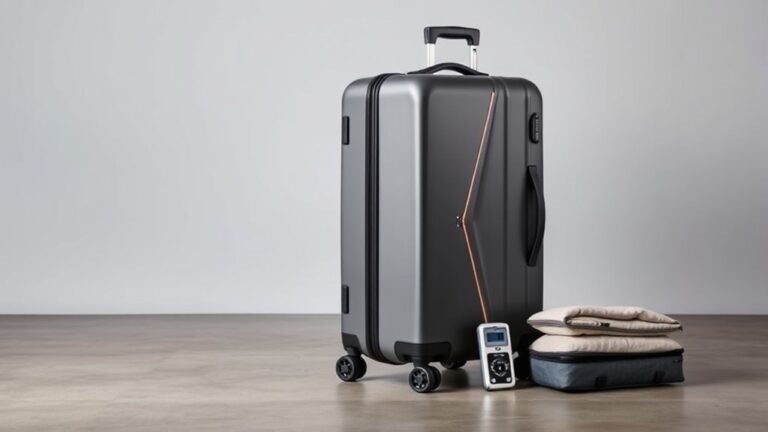
Smart luggage is your suitcase with built-in tech—GPS tracking, USB ports and battery packs, electronic locks, weight sensors, and RFID protection—so you can charge devices, find lost bags, avoid overweight fees, and boost security. It’s great if you travel often and want convenience, but check airline battery rules and privacy settings first. Use TSA‑approved locks, disable unnecessary Bluetooth, and fully charge before you go; keep going to learn practical buying, packing, and airport tips.
What Is Smart Luggage? Quick Definition
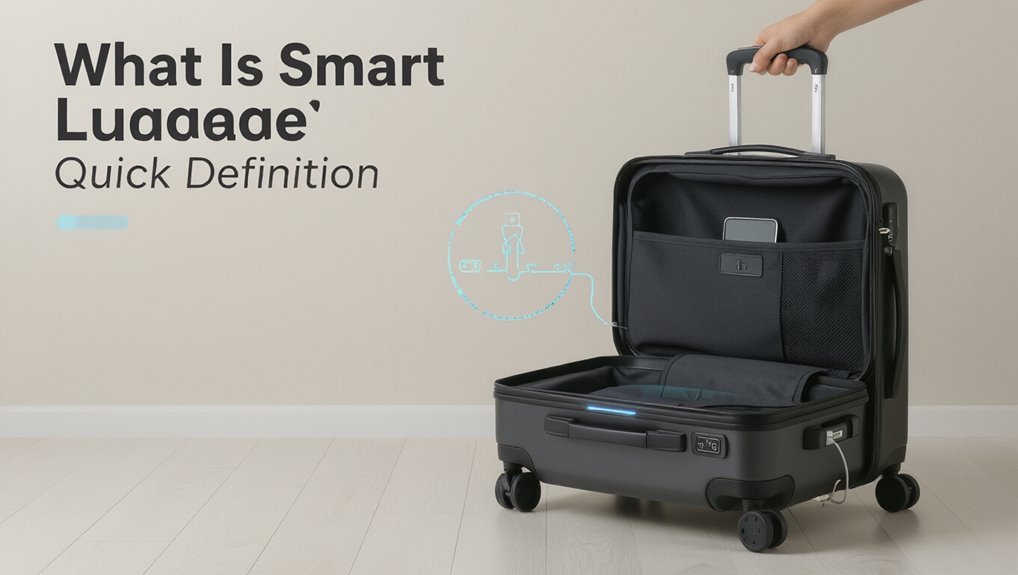
Think of smart luggage as your suitcase upgraded for the digital age: it’s luggage with built-in tech—like GPS tracking, USB charging ports, electronic locks, and weight sensors—that helps you stay connected, secure, and within airline limits while you travel.
You’ll enjoy convenience: remote locking, real-time location, device charging, and automated weight alerts.
These features streamline travel, reduce stress, and protect your belongings.
Do You Need Smart Luggage? Quick Decision Guide
Wondering if smart luggage is worth it for you? Decide by travel style: if you travel frequently, value convenience, and want tech integrations, it can save time and stress.
If you travel rarely, prefer simplicity, or worry about battery rules and cost, stick with conventional bags.
Weigh frequency, budget, security needs, and airline restrictions to choose confidently.
Smart Luggage Features Travelers Actually Use
You’ll want to focus on features that actually make travel easier, like built-in battery packs for keeping devices charged on long days and GPS tracking to locate lost bags.
Built-in batteries save you from hunting outlets, while GPS gives real-time peace of mind.
We’ll compare how each performs, any airline restrictions, and what’s worth the extra cost.
Built-In Battery Packs
Many travelers now expect built-in battery packs in their luggage because they keep phones, tablets, and laptops charged through long delays and layovers.
You’ll appreciate accessible USB ports, removable batteries for airport rules, and clear charge indicators.
Use power management settings, pack charging cables neatly, and verify airline restrictions before boarding so your device stays powered without surprises or confiscation.
GPS And Tracking
One of the most useful smart-luggage features you can buy is GPS and tracking, since it helps you locate checked bags, stolen items, or misplaced carry-ons in real time.
You’ll pair the bag with an app, get alerts for movement or geofence breaches, and see location history.
Choose durable trackers with good battery life and privacy controls to protect your data and peace of mind.
How Smart Luggage Chargers and Batteries Work
Because smart luggage packs batteries and charging ports into a compact shell, you’ll want to understand both how the battery system powers onboard features and how the charging circuitry keeps things safe and compliant. You’ll learn about power management, USB output, and protection circuits that prevent overcharge, short circuits, and heat.
| Component | Role |
|---|---|
| Battery | Energy storage |
| Charger | Regulates input |
Smart Luggage Batteries: Airline Rules, Limits & Packing
Now that you know how onboard batteries and protection circuits work, you should also know how airlines treat those batteries when you travel.
You must follow airline and TSA rules: remove non-fixed batteries for carry-on only if required, respect watt-hour and quantity limits, declare large batteries, and avoid checked compartments for spare lithium packs.
Pack terminals protected and follow airline guidance to prevent delays.
Smart Luggage Trackers: GPS vs Bluetooth for Lost Bags
A tracker can be your best chance of finding a lost bag, but choosing between GPS and Bluetooth changes how and where you’ll recover it.
GPS gives real-time, wide-area tracking—ideal for airports or transit—but drains battery and may cost service fees.
Bluetooth is low-power, cheaper, and great for nearby retrieval, yet it relies on your device or crowdsourced networks and limited range.
Digital Locks, RFID Protection, and Remote Locking Explained
Curious how digital locks, RFID protection, and remote locking work together to keep your luggage secure?
You activate code or app-based digital locks for physical access control, enable RFID-blocking liners to stop unauthorized scanning of passports and cards, and use remote locking to secure or disable access from your phone.
Together they prevent theft, skimming, and unauthorized opening while you travel.
Feature Trade-Offs: Batteries, Locks, Trackers and Durability
You’ll need to balance battery life against the extra features you want, since power limits can leave trackers or locks useless mid-trip.
Think about whether quick access or stronger security matters more, because tamper-resistant locks often slow down retrieval.
Making that choice upfront will guide which compromises you’re willing to accept.
Battery Power Limits
How much battery capacity do airlines and regulators actually let you carry in your luggage?
You can bring most power banks under 100 Wh in carry‑on; airlines usually allow them without airline approval.
Between 100–160 Wh, you’ll need airline approval and limits apply.
Spare lithium batteries aren’t allowed in checked baggage.
Check airline rules before flying to avoid confiscation or fines.
Locking Versus Accessibility
Knowing what batteries you can bring is only part of the equation—now think about how locking, tracking, and rugged design affect how you actually use that gear.
You’ll want secure locks for theft protection but easy access for inspections and charging. Choose TSA-approved locks, removable batteries, accessible tracker pockets, and durable materials so security doesn’t block convenience during travel.
Durability & Repairability for Smart Luggage Electronics
Because smart luggage puts fragile electronics inside a rough, mobile environment, you should prioritize durability and repairability from the start.
Inspect build quality, shockproofing, and water resistance, and choose modular designs with replaceable batteries and accessible panels.
Keep firmware update options and manufacturer repair policies in mind.
Pack spare parts or tools if you travel often, and register warranties for faster service.
Privacy Risks and How to Reduce Tracking and Data Leaks
You should minimize Bluetooth and Wi‑Fi use on smart luggage to reduce unwanted tracking and wireless snooping.
Turn off radios when you don’t need them and prefer manual or airplane-mode features for location functions.
Also secure any stored data with strong passwords and regular firmware updates to prevent leaks.
Minimize Bluetooth And Wi‑Fi
While Bluetooth and Wi‑Fi make smart luggage convenient, they also create easy ways for trackers and malicious actors to collect location and personal data; turn them off when you don’t need them, disable automatic pairing, and forget networks after use to reduce exposure.
- Turn off radios when idle
- Use airplane mode for transit
- Disable auto‑connect features
- Remove paired devices you don’t trust
- Check device firmware for privacy settings
Secure Smart Luggage Data
If smart luggage gathers location, usage, or personal info, that data can be exposed through weak encryption, cloud misconfigurations, or third‑party services—so you should assume anything transmitted or stored could be at risk.
Disable unnecessary sharing, set strong unique passwords, enable device encryption and firmware updates, review app permissions, avoid public Wi‑Fi for syncing, and choose manufacturers with clear privacy policies and local data storage.
How to Choose the Right Smart Suitcase for Your Travel Style
Want a smart suitcase that actually fits how you travel? Pick size, weight, and battery limits that match your routes, prioritize durable wheels and handle, and choose security features you’ll use.
Consider brand support and app reliability.
- Cabin vs checked capacity
- Battery removable or TSA-compliant
- Durable materials
- Integrated locks vs external
- Warranty and software updates
Pre-Trip Checklist and Day-of-Travel Tips for Smooth Airport Use
Before you leave home, run through a focused checklist that makes your smart suitcase a help, not a hassle:
| Task | Quick Tip |
|---|---|
| Charge battery | Full charge and backup power bank |
| Update app | Sync firmware and routes |
| Lock settings | Set TSA lock and disable auto-follow |
| Weigh bag | Avoid overweight fees; re-distribute items |
At the airport, preview boarding, keep devices accessible, and stay ready for security.
Frequently Asked Questions
How Do Smart Luggage Warranties Handle Electronic Failures Versus Physical Damage?
Warranties usually cover electronic failures if they stem from manufacturing defects, but they often exclude physical damage, water exposure, or battery misuse. You’ll need to check terms, keep proof of purchase, and follow claim procedures promptly.
Can Smart Luggage Be Repaired Locally at Destination Cities?
Yes — you can often get smart luggage repaired locally, but you’ll need to find electronics-savvy repair shops for components like batteries or trackers, while frame or wheel fixes are easier; keep spare parts, manuals, and warranty info handy.
Do Smart Suitcases Affect Travel Insurance Coverage or Claims?
Yes, smart suitcases can affect coverage; insurers may deny claims if batteries violate policies or tamper causes damage. You should disclose features, check policy exclusions, document condition, and keep receipts to support any claim.
How Do Smart Luggage Features Impact Checked Baggage Fees?
They generally don’t change checked baggage fees; airlines charge by size, weight, and fare rules. You’ll avoid extra fees if your smart suitcase meets limits, though added batteries or removable power banks might trigger restrictions or carry-on requirements.
Are Smart Luggage Accessories (Chargers, Trackers) Universally Compatible by Country?
Not universally compatible: you’ll find trackers generally work worldwide via GPS or cellular with roaming, but chargers need correct plug types, voltage, and local regulations—so check adapters, voltage specs, and airline rules before you travel to avoid issues.
Conclusion
Smart luggage can make travel smoother, but it’s not for everyone. Consider how you travel, battery rules, and whether features like GPS, USB charging, or remote locks truly add value. Pick durable, repairable models and follow airline guidelines for batteries and packing. Protect your privacy by minimizing data sharing, disabling unnecessary features, and using strong passwords. Before you leave, charge devices, label your bag, and test electronics so you’ll arrive calm and ready.