What Does Tsa See When They Scan You
TSA scanners show you as a simplified outline with highlighted spots where something’s dense, metallic, or oddly shaped enough to hide a threat. Millimeter-wave machines map surface contours and flag anomalies; automated software abstracts details to protect your privacy. Carry-on X‑rays reveal shapes and densities inside bags, while metal detectors and swabs find conductive items or explosive residue. If an alarm happens, officers will inspect or pat you down and you can learn more about procedures and privacy.
Quick Answer: What TSA Scanners Detect
Most TSA scanners detect a combination of objects and materials rather than specific items; they’ll pick up metals, dense organic substances (like explosives or bulk powders), and anomalies in shape or density that could hide threats.
TSA scanners detect metals, dense organics (like explosives or powders), and shape or density anomalies that may hide threats.
You’ll trigger alerts if you carry metal, unusually dense items, or oddly shaped objects concealed in clothing or luggage. Scanners also flag irregular densities that suggest hidden compartments or layered materials.
You won’t get an image of personal items’ exact contents, but operators review highlighted areas and may physically inspect suspicious spots.
Follow screening rules to reduce secondary screening and speed your process.
Devices Overview: TSA Screening Technologies
Curious how airports actually spot threats? You’ll encounter several TSA tools that check carry-ons and people without exposing you to harm. Each device serves a specific purpose, balancing speed and safety.
- X-ray machines: reveal dense items inside bags so agents can spot weapons or electronics.
- Millimeter-wave scanners: screen passengers for concealed objects on the body surface.
- Explosive trace detectors: swab surfaces to find tiny residue of explosive compounds.
- Metal detectors: quickly flag metallic items that need secondary inspection.
You’ll usually pass through a combination, chosen to maximize detection while keeping lines moving.
How Millimeter-Wave Body Scanners Work
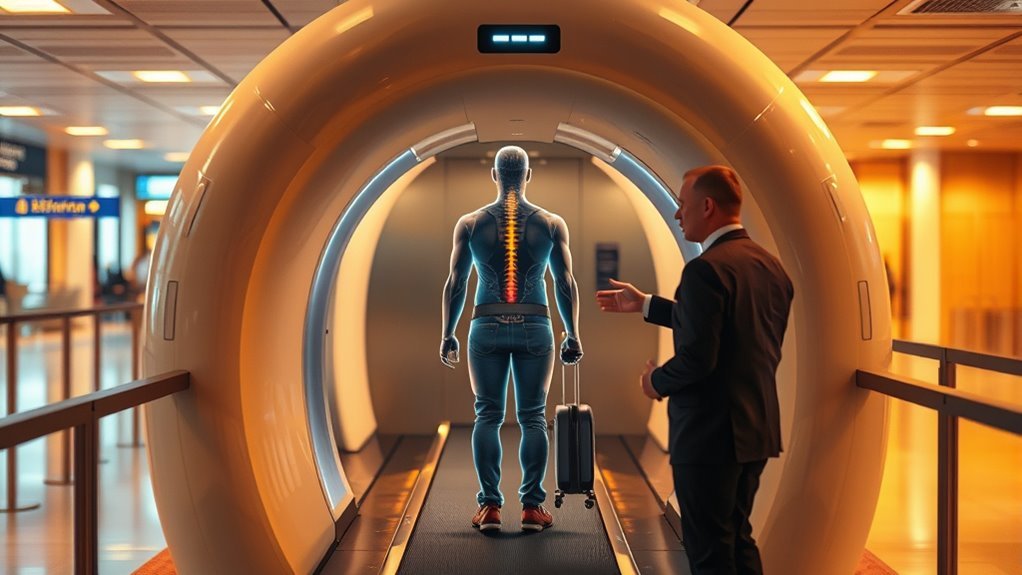
When you step into a millimeter-wave scanner, it sends harmless radio-frequency waves around your body and measures the reflections to build a 3D map of surface contours. The system then highlights anomalies that could hide objects without exposing you to ionizing radiation.
You face rotating or stationary antennas that transmit and receive short-wavelength signals. The scanner samples reflected energy across many angles, processing time delays and intensity to reconstruct surface geometry.
Software compares that geometry to expected human shapes, flagging deviations for inspection. You remain clothed; dense materials alter reflections more than fabric, so metallic or bulky items stand out.
How ATR Simplifies Body-Scan Images
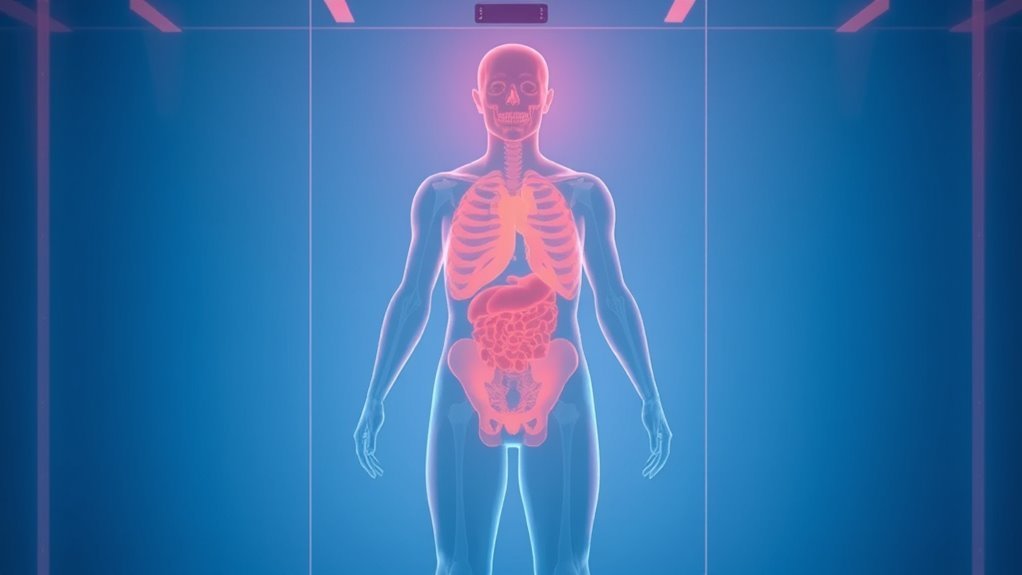
Because raw millimeter-wave scans show detailed body contours that could invade privacy and overwhelm officers, automated target recognition (ATR) software reduces those images to simple, abstract icons and threat indicators you can quickly interpret. ATR highlights anomalies, not anatomy, so you won’t see sensitive detail.
It scores potential threats, prioritizes them, and points officers to precise locations for secondary screening. You get faster, standardized decisions and fewer false alarms when algorithms flag shapes consistent with concealed items.
Key ATR features include:
- silhouette abstraction to protect passenger privacy
- anomaly localization for quick review
- threat-confidence scoring for triage
- consistent visual language for operators
What Carry-On X-Ray Machines Show
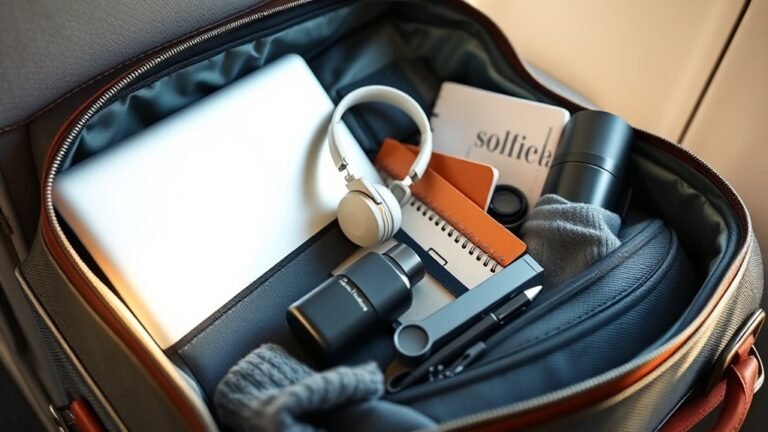
While you wait at the checkpoint, carry-on x‑ray machines give you a clear, efficient look inside bags by showing material shapes and densities rather than photographic detail. You see outlines of electronics, liquids in bottles, folded clothing, and dense objects like laptop frames.
Operators watch a monitor as items move across the belt; they can rotate and zoom images to inspect suspicious shapes. Color coding often highlights organic versus inorganic materials, helping screeners spot hidden threats quickly.
If something looks unclear, agents may ask you to remove or unpack items for manual inspection to resolve ambiguities before you proceed.
How Density and Contrast Look on X-Rays
If you look closely at baggage x‑rays, density shows up as differences in brightness and color: denser materials block more X‑rays and appear darker or in colors indicating metals, while less dense items let more radiation through and look lighter or shift toward organic hues. You learn to judge shapes and relative densities quickly. Contrast reveals edges, overlaps, and hidden components.
Pay attention to texture and placement; similar tones can hide one another. Use these cues to infer composition without guessing specifics.
- Dark, compact shapes suggest metal or dense ceramics
- Light, uniform areas indicate fabrics or plastics
- Midtones often mean mixed materials
- Overlaps create composite shades
How ETD Devices Detect Explosive Traces
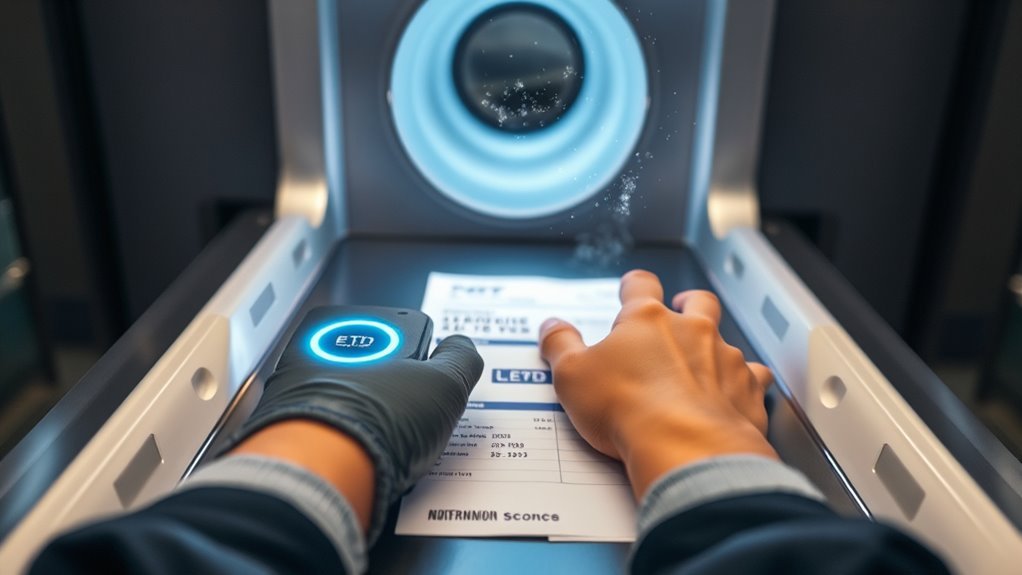
X‑ray interpretation tells you what items look like on a screen, but detecting invisible traces on swabs and surfaces requires a different toolset: explosive trace detection (ETD) instruments.
You’ll see swabs taken from hands, luggage, or surfaces analyzed by ETDs that vaporize or chemically extract microscopic residues. Sensors then identify characteristic chemical signatures—ions, fragments, or vapors—using technologies like ion mobility spectrometry or mass spectrometry.
Results flag specific explosive compounds within seconds, guiding secondary screening. ETDs don’t image objects; they reveal molecular evidence you can’t see, complementing X‑rays by confirming recent contact with explosive materials.
What Metal Detectors Still Find
Because metal detectors sense conductive materials rather than intent, they still catch a wide range of everyday and threat-related items you’ll carry through a checkpoint. You’ll set off alarms for obvious metal objects and small but dense components hidden in pockets or shoes.
Security uses secondary screening to locate and assess what triggered the alarm, so expect quick pat-downs or handheld scans. Carrying knowledge helps speed the process and avoids surprises.
- Keys, coins, and belt buckles
- Phones, smartwatches, and fitness trackers
- Jewelry with metal settings or clasps
- Small tools, pocket knives, and loose hardware
How Liquids and Gels Appear on Scans
After metal objects trigger a wand or gate, liquids and gels often draw a different kind of scrutiny because they show up as distinct shapes and densities on the scanner. You’ll see clear containers render as uniform blocks or silhouettes, while varying viscosities create subtle gradients.
Bags of gels or bottles reveal liquid levels and interfaces with air, helping operators spot concealed compartments or altered containers. Colorless liquids may mimic benign items, so operators rely on shape, density, and context.
If something looks ambiguous, they’ll ask you to remove it for separate screening or to perform a simple test to clarify contents.
Common Carry-On Items on X-Ray Images
When you place your carry-on on the conveyor, familiar items register as predictable shapes and densities that help screeners identify them quickly. You’ll notice how electronics, shoes, and food show distinct outlines; metals appear denser, fabrics look softer, and batteries reveal solid cores. Knowing common visuals speeds screening and reduces delays.
Place carry-ons where screeners can see familiar shapes—electronics, shoes, and batteries show distinct densities for quicker checks.
Typical carry-on items include:
- Laptop or tablet with hard rectangular silhouette and dense battery area
- Shoes showing layered sole and softer upper material
- Toiletry bag with varied densities from plastic bottles and cloth
- Jacket or clothing bundle appearing as low-density, textured mass
Keep items accessible to ease inspection.
Why Shapes and Anomalies Trigger Alerts
When you scan luggage, the machine flags items with unusual density patterns because they can hide contraband or electronics.
You’ll also see alerts for irregular shape outlines that don’t match common objects like shoes or bottles.
Understanding these cues helps you predict why an officer might pull a bag for inspection.
Unusual Density Patterns
Why does a seemingly ordinary shape on an X-ray sometimes prompt extra scrutiny? You notice density variations that don’t match expected tissue or object profiles, and operators flag them for follow-up.
Unusual density patterns matter because they can mask threats or obscure benign items.
- Contrasting densities that suggest layered materials
- Unexpected solid regions within otherwise hollow-looking items
- Patches that attenuate radiation inconsistently
- Areas showing partial overlap of differing densities
You’ll be asked to clarify or remove items so agents can get clearer images. Quick resolution diminishes delays and ensures safety without assuming malign intent.
Irregular Shape Outlines
Unusual density patterns often lead agents to inspect outlines more closely, because irregular shape edges can hide or mimic dangerous items. You should know that scanners flag contours that deviate from expected body or luggage profiles.
When an outline shows sharp angles, asymmetry, or unexpected voids, you’ll likely face additional screening. You can reduce flags by arranging belongings neatly, using clear packing cubes, and keeping personal items in consistent locations.
If an anomaly appears, cooperate calmly; officers will ask simple questions and may use hand inspection or swabs. Clear organization and honest answers speed resolution and minimize delays for you and others.
Algorithmic Threat Detection: Basics for Travelers
Curious how machines help keep your flight safe? You’ll see algorithms flag patterns, not people. They analyze shapes, densities, and movement to suggest items for manual review. You won’t know specific rules, but systems aim to reduce false alarms while catching real threats.
- They compare scans to known threat signatures quickly.
- They prioritize anomalies for officer attention.
- They use statistical models to lower routine screenings.
- They update from incident feedback to improve accuracy.
Trust that human officers review algorithmic prompts. You can cooperate calmly; the tech helps officers work faster and focus on genuine risks.
How Concealed Items Show on Body Scans
Now that you know how algorithms flag patterns for officer review, let’s look at what those flags actually represent on a body scanner. You’ll see highlighted areas indicating density contrasts or shapes that differ from expected body outlines.
These highlights point officers to locations needing inspection — pockets, seams, or objects concealed against the skin. The image won’t label items; it shows anomalies: rigid edges, unusual mass distribution, or layered materials.
Officers combine that visual cue with context, like posture or clothing fit, to decide whether to request a pat-down or secondary screening for confirmation and safety.
Why Clothing and Materials Set Off Alarms
You’ll notice that metal fasteners like belt buckles and buttons often set off alarms because they reflect scanner signals strongly.
Thick or dense fabrics can weaken or block the scan, creating shadowed areas that need extra checking.
Even nonmetallic items, like dense plastics or ceramics, can produce unexpected anomalies that require closer inspection.
Metal Fasteners Triggering Alarms
Although they’re small, metal fasteners like buttons, zippers, and snaps often set off airport metal detectors because the sensors are tuned to pick up conductive items. Multiple or dense pieces amplify that signal.
You’ll trigger alarms when clusters of metal create a detectable signature, especially near your pockets or waist. To reduce false alarms, remove obvious metal and place it in bins.
- Thin buttons vs. thick snaps: size matters
- Zipper pull orientation can change detection
- Multiple layers with metal increase signal
- Decorative studs and rivets behave like small masses
Follow screening staff instructions to clear checks quickly.
Dense Fabrics Attenuating Scans
Because dense fabrics absorb and scatter the scanner’s energy, they can change the detector’s readings and sometimes look like a concealed object, so you may get extra screening when wearing heavy or layered materials.
You should know that thick wool, quilted jackets, and multiple layers reduce signal penetration and create shadowed regions the system flags for review.
TSA officers will ask you to adjust clothing or undergo a pat-down or secondary imaging if the scan shows ambiguous areas.
Choosing lighter, single-layer garments and compact outerwear helps the scanner form a clearer image and minimizes unnecessary follow-up.
Nonmetallic Items Causing Anomalies
Beyond heavy fabrics, many everyday nonmetallic items can produce anomalies on scanners and prompt extra checks. You mightn’t expect materials without metal to register, but differences in density, layering, and trapped air change images. Know common culprits so you can adjust clothing or declare items.
- Thick rubber soles or gel inserts creating dense zones
- Quilted or heavily stitched jackets confusing algorithms
- Moisture-logged fabrics appearing denser than dry cloth
- Medical dressings, ostomy supplies, or prosthetics with varied composition
If you streamline layers and inform TSA about medical items, you’ll reduce delays and unnecessary secondary screening.
Medical Devices, Implants, and Screening Flags
When you go through TSA screening with a medical device or implant, tell the officer and be prepared to show documentation if asked. Screening tech will adjust procedures to reduce false alarms and protect your device.
You should describe implanted ports, pumps, prosthetics, or external medical equipment before scanning.
Expect alternative screening like a pat-down or targeted imaging to avoid device interference.
Keep device ID cards or physician letters handy on paper or phone.
If an alarm occurs, remain calm and cooperative; officers will follow privacy and medical accommodation protocols.
Knowing procedures helps you move through screening smoothly and safely.
How TSA Tells Benign Anomalies From Threats
If an alarm goes off or an image shows an unexpected anomaly, TSA officers use a mix of technology, training, and procedures to decide whether it’s a harmless item or a potential threat. You’ll be asked brief, focused questions while officers review images and use secondary screening tools.
They compare shape, density, and context against threat signatures, consult databases, and may perform a targeted pat-down or swab. You can expect clear instructions and minimal delay when possible.
- Review of scanner images by certified officers
- Use of handheld explosives trace detectors
- Comparison to known benign object profiles
- Targeted physical inspection when needed
Why False Positives Happen (Common Triggers)
You’ll often trigger scanners with everyday metal like jewelry, belt buckles, or phone accessories, so expect extra checks if you’re wearing them.
Medical implants and devices—like pacemakers, joint replacements, or insulin pumps—can also produce alerts even though they’re harmless.
Let security know about implants before screening to speed up the process and avoid confusion.
Metal Jewelry And Accessories
Because metal conducts and reflects the scanner’s signals, your jewelry and metal accessories are frequent causes of false positives at TSA checkpoints. You should remove obvious pieces and place them in bins to speed screening and reduce alarm triggers.
Small or hidden items still register, so inspect pockets and replace heavy chains with nonmetal alternatives when possible.
- Rings, necklaces, and bracelets create localized reflections that mimic threats.
- Belt buckles and metal buttons often trip sensors around the torso.
- Hairpins and eyeglass frames produce unexpected hotspots on scans.
- Coins and keychains in pockets distort imagery and prompt manual checks.
Medical Implants And Devices
When medical implants or wearable health devices show up on a scanner, they can mimic the size, shape, or signal patterns of prohibited items and trigger alarms, so you should always declare them before screening.
Tell the officer about pacemakers, insulin pumps, cochlear implants, neurostimulators, prosthetic joints, or spinal hardware before you enter the checkpoint.
Security officers will either screen you with a pat-down, use alternative screening, or request a secondary inspection.
Carry documentation if you want, but it’s not required.
Being upfront speeds the process, avoids unnecessary alarms, and helps maintain your privacy and safety during screening.
What Pat-Downs Check That Machines Miss
Although scanners catch most hidden items, pat-downs still find things the machines can’t, like objects tucked in folds, inside shoes, or pressed against the body under clothing. You’ll feel a hands-on search that targets areas where detectors struggle.
Scanners detect most items, but pat-downs catch hidden objects in folds, shoes, and against the body.
Officers check for irregular shapes, concealed compartments, and items masked by dense materials. They respect privacy while ensuring safety, explaining steps and offering alternatives if you prefer.
Typical focuses include:
- Bulges in waistband, undergarments, or bra lines
- Objects inside shoes or ankle regions
- Items concealed in folds, seams, or layered clothing
- Small rigid objects pressed against the skin
Secondary Screening: What to Expect
If you’re pulled for secondary screening, it usually happens because of random selection, an alarm from the scanner, or inconsistencies in your ID or boarding pass.
You’ll go through a brief interview, possible additional screening of your carry-ons, and a targeted pat-down or wanding if needed.
You have the right to request a private area, a witness, and clear explanations about what’s happening.
Why You’re Selected
Because random checks and technology flags both play a role, you might be pulled aside for secondary screening even if you’ve done nothing wrong. Officers select you based on a mix of automated alerts and human judgment.
You’ll learn why selection happens without suggesting procedure details covered later.
- anomalous imaging signatures on scanners
- inconsistent travel documents or boarding passes
- flagged behavior or responses during primary screening
- random sampling to maintain security protocols
Selection aims to resolve uncertainties, not to accuse. Stay calm, cooperate, and answer questions succinctly. Knowing selection reasons can reduce stress and speed resolution.
Screening Process Steps
When you’re directed to secondary screening, expect a brief, more thorough check that’s focused on clearing up whatever triggered the selection—this may include a private conversation, a hand-search of your carry-ons, and, if needed, a pat-down or swab for explosive trace detection.
You’ll be asked simple questions about items or travel plans. Officers will inspect electronics, liquids, and packaging, and may run items through specialized equipment.
If a pat-down’s needed, it’ll be done professionally; you can request a private area. Results typically take minutes; once cleared, you return to the checkpoint.
Follow instructions and stay calm for a smooth process.
Rights And Privacy
Although secondary screening can feel intrusive, you still have clear rights and privacy protections during the process. You can ask questions, request same-gender officers, and choose a private screening area if available. Keep calm and assert your preferences politely.
- You can refuse a full-body scanner and opt for a pat-down.
- You can request a witness, like a companion or supervisor.
- You can ask for explanation of any procedure or item detected.
- You retain the right to file a complaint about mistreatment or bias.
Knowing and asserting these rights helps protect your privacy while letting security do its job.
Privacy: What Personal Data Scanners Capture
While TSA scanners are meant to detect threats, they can also collect personal data you might not expect. You should know scanners capture body outlines, clothing details, and items on you; they can reveal medical devices or implants and sometimes identify jewelry or prosthetics. This isn’t about storing intimate images here; it’s about what types of visual information sensors pick up and how visible your physical traits become during screening. Review policies and ask questions if you have concerns about sensitive items or health conditions.
| Data Type | Examples | Why It Matters |
|---|---|---|
| Visual | Body outline, clothing | Identifies concealed items |
| Medical | Implants, pacemakers | Triggers additional checks |
| Personal | Jewelry, accessories | Can reveal identity traits |
How TSA Handles Images and Passenger Privacy
You’ll want to know how long images are kept, what privacy protections are built into the scanners, and whether third parties can access your data.
TSA policies typically limit storage and require automated or anonymized displays, but there are exceptions worth noting.
Ask about audit logs and access controls so you can judge how your privacy is actually protected.
Image Storage Policies
How does the TSA handle the images created during screening, and what does that mean for your privacy? You won’t have images routinely stored; most scanners generate automated, non-identifying representations viewed in real time and discarded.
Policies limit retention, access, and sharing, but exceptions exist for incident review or law enforcement requests. You should know the rules:
- Images are generally ephemeral and not linked to personal data.
- Retention happens only under specific, documented circumstances.
- Access is restricted to authorized personnel with audit trails.
- Law enforcement can request images via proper procedures.
Check TSA policy updates to stay informed.
Privacy Protections Built-In
Because the scanners are designed with built-in privacy safeguards, you won’t see raw photos of your body; systems produce abstract, non-identifying images that are viewed live and then discarded unless a documented reason requires retention.
You’ll notice operators use automated detection software that highlights potential threats without revealing anatomy, and images typically show a generic outline with indicators.
Screening occurs behind curtains or in controlled booths, and only trained personnel view images.
Procedures, audits, and access controls limit who can see retained images, and you can expect transparency about why an image might be kept for review or law enforcement.
Third-Party Data Access
Although scanners generate abstract, non-identifying images, you may wonder who else can access those images and under what circumstances. You’re entitled to know limits: TSA personnel view images for security, images aren’t stored routinely, and privacy filters obscure details.
Third-party access is tightly controlled but can occur under specific conditions.
- Law enforcement may request images with proper legal authority.
- Contractors performing maintenance or software updates might see diagnostic captures.
- Internal audits can review images for compliance.
- Data breaches, while rare, could expose images if safeguards fail.
You should ask TSA about retention, access logs, and redress options.
When Officers Can View Detailed Images
When you trigger an alarm or an officer identifies an anomaly during a primary screening, officers can request a closer look at detailed images to determine whether a secondary inspection is needed.
You’ll be informed and escorted to a private area if needed; officers only view enhanced images when necessary to resolve alarms or assess potential threats.
Images focus on objects or areas of concern, not full-body exposure, and access is limited to authorized personnel.
Reviews are conducted quickly and documented. If the image review clears you, you’ll proceed; if not, officers will explain next steps and any follow-up.
Tips to Prepare Carry-Ons and Avoid Delays
To move through security faster, organize your carry-ons before you arrive: place electronics and liquids where you can easily pull them out, pack shoes and bulky items so bins close quickly, and keep important documents handy. You’ll breeze through if you streamline items and know rules.
Keep chargers, laptops, and compliant liquids accessible. Wear slip-on shoes and minimal metal. Double-check prohibited lists so you don’t repack at the line.
- Put electronics in a separate, clearly marked pocket
- Use a clear bag for liquids under 3.4 oz (100 ml)
- Pack medications where you can show them quickly
- Stow valuables on top for inspection
Tips for Travelers With Medical Conditions or Prosthetics
Need help steering security with a medical device or prosthetic? Tell screening officers about implants, ostomy bags, pumps, or prosthetics before screening.
Carry up-to-date documentation from your clinician—concise notes or device cards help but aren’t required; TSA may still need to inspect.
Wear clothing that allows easy access without removing devices unnecessarily.
Expect a pat-down or targeted swab if metal detectors or imaging flag an area.
If a device can be removed, ask politely whether inspection is needed; you can request private screening.
Stay calm, cooperate, and request a supervisor if you need further assistance or privacy.
Screening Differences for Children and Older Adults
How will screening feel different if you’re traveling with children or are an older adult? You’ll notice adjustments to speed, pat-downs, and explanations to match needs. Agents aim to be patient and respectful, and you can request accommodations.
- Children often get visual screens first; parents may accompany them through scanners.
- Older adults may be offered a chair, slower pace, or alternative screening methods.
- Mobility devices are inspected but not x-rayed; you can keep assistive tech with you in most cases.
- If communication or cognitive issues exist, ask for a private screening or a TSA agent trained to assist.
How to Contest a Screening Result or File a Complaint
If you disagree with a screening outcome, you can challenge it and seek a clear explanation of what happened and why. Stay calm, ask the officer for specifics, and request to speak with a supervisor. Note names, badge numbers, time, and location.
If you dispute a screening, stay calm, ask for specifics, request a supervisor, and note names, badge numbers, time, and place.
If you’re unsatisfied, file a complaint online at tsa.gov/contact/tsa or call the TSA Contact Center.
For civil rights issues, submit TSA Form 103 or use the DHS Traveler Redress Inquiry Program (DHS TRIP) for identity or watchlist problems.
Keep copies of travel documents and any correspondence. Follow up promptly and use reference numbers when tracking your case.
Frequently Asked Questions
Can TSA Scanners Detect Hidden Electronics Inside Food or Packaging?
Yes — TSA scanners can often detect hidden electronics inside food or packaging because you’ll appear with distinct densities and shapes on X-ray or millimeter-wave images, so agents may open and inspect suspicious items manually.
Do Body Scanners Differentiate Between Dense Benign Masses and Tumors?
No — TSA body scanners won’t differentiate benign dense masses from tumors; they only highlight anomalies based on density or shape. You’ll still need medical imaging and a doctor to diagnose, since scanners aren’t diagnostic tools.
Are Implanted Drug Delivery Pumps Visible on Carry-On X-Rays?
Yes — implanted drug delivery pumps usually show up on carry-on X-rays because they contain dense materials and hardware. You’ll need to declare them, carry relevant medical documentation, and follow TSA or airline instructions during screening.
Will TSA Screening Reveal Tattoos or Skin Conditions to Officers?
TSA screening won’t reveal tattoos or minor skin conditions on imaging; officers might notice visible tattoos or noticeable skin issues in person during checks. You won’t have hidden skin details exposed by standard scanners or x-rays.
Can Scanners Detect 3d-Printed Objects or Novel Materials?
Yes — scanners can detect many 3D-printed objects and novel materials if they differ in density or composition from your body; they’ll flag anomalies for inspection, though some low-density plastics or cleverly concealed items might evade initial detection.
Conclusion
Now you know what TSA scanners can and can’t detect: millimeter-wave machines reveal surface and concealed items, ATR keeps images generic, and carry-on X-rays show contents of bags. Pack thoughtfully, declare medical devices or prosthetics, and follow officer instructions to speed screening. For kids or seniors expect flexible procedures. If you disagree with how you were screened, ask to speak with a supervisor and file a complaint. Staying prepared helps keep travel smooth and respectful.