How to Read Airline Luggage Tags Easy Guide
You can learn any luggage tag fast: scan the three-letter airport codes at the top to spot origin and final destination, then check smaller three-letter codes for connections. Note the long barcode number — that’s your tracking link — and spot airline IATA codes near it for carrier info. Look for priority or special-handling markers (F, J, HEAVY, FRAG) and tag colors for care level. Keep the receipt and photo; keep going to uncover practical tips and examples.
How To Read a Luggage Tag in 30 Seconds
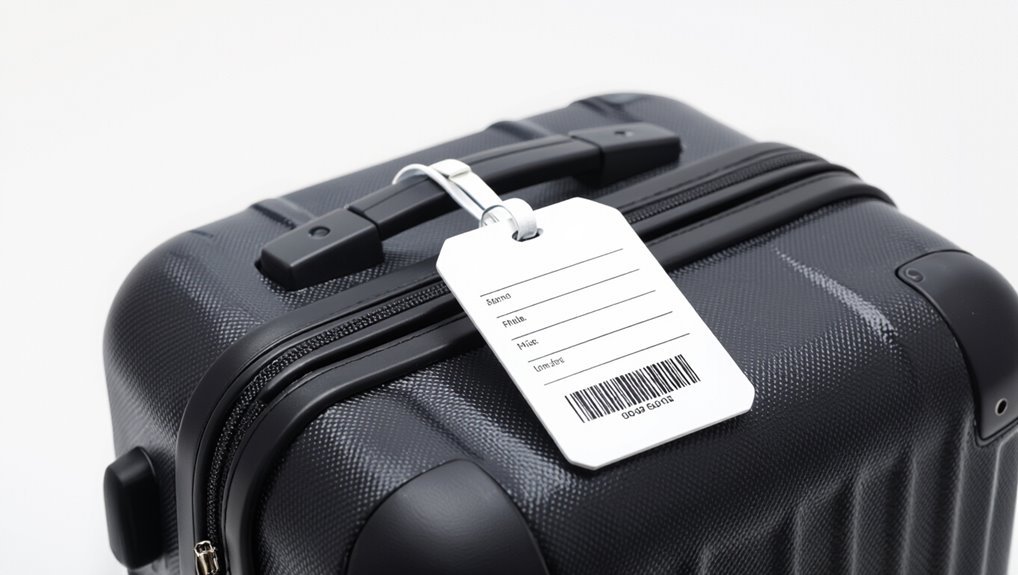
Start by locating the long barcode strip on the tag and the three-letter airport code—those two elements tell you where your bag is headed and let you confirm it at a glance.
Scan the code area, check the destination code, and note any transfer city listed. If the airport code matches your itinerary, you’re set; if not, alert staff immediately.
Luggage Tag Anatomy: Line‑By‑Line Overview
Start at the top and you’ll spot airport code pairings that show origin and destination.
Next lines list routing and bag tag numbers used to track your suitcase through connections.
The lower fields show class and weight indicators that tell handlers how your bag should be treated.
Airport Code Pairing
When you look at the three-letter airport codes on a luggage tag, they’re not random — they show where your bag started, any transfer points, and where it’s headed, letting you quickly verify routing at a glance.
You’ll read them left-to-right: origin, connections, destination. Match codes to your itinerary so you spot misroutes fast.
- Origin code
- Connection codes
- Destination code
Routing And Bag Tag Numbers
1 key to tracking your bag is understanding the routing and tag numbers printed across the ticket strip; they tell you how carriers will move your luggage and let you verify the route at check-in or baggage claim.
Check the multi-segment routing code and the unique bag tag number—often under barcode—to confirm transfers and match claim tags, reducing misrouting and speeding recovery if problems occur.
Class And Weight Indicators
Although they’re easy to miss, the class and weight indicators on your luggage tag give essential handling instructions: you’ll see codes for cabin class and bag weight limits that tell handlers priority, special handling, or overweight fees.
Read them to avoid surprises and guarantee correct routing.
- Priority codes (F, J, Y, etc.)
- Weight or “KG/LB” limits
- Special handling flags (HEAVY, FRAG)
Three‑Letter Airport Codes (LAX, JFK) Explained
You’ll recognize three‑letter codes like LAX and JFK on every tag, but they actually come from a mix of city names, airport names, and historical quirks.
Learn how the International Air Transport Association assigns codes and why some airports end up with seemingly unrelated letters.
I’ll also point out common confusions—duplicates, city versus airport codes, and legacy names that stick around.
Airport Code Origins
When you look at a three‑letter code like LAX or JFK, it’s tempting to think it’s just a random abbreviation, but those letters usually reflect a city name, an airport’s history, or an old weather station identifier—so knowing how they were assigned helps you decode the tag and spot where your bag is headed.
- City-based names (e.g., JFK)
- Historical or honorific origins
- Former weather or radio station codes
How Codes Are Assigned
Knowing an airport’s backstory helps, but to really read luggage tags you need to understand how those three-letter codes get assigned.
You’ll see IATA codes chosen for city names, historic airport names, or to avoid duplication. National authorities and IATA coordinate assignments; codes aim for clarity for routing and baggage systems.
Common Code Confusions
Ever wonder why LAX clearly screams Los Angeles while JFK seems to honor a person rather than a place?
You’ll notice codes come from city names, old airport names, or honored individuals. They’re fixed identifiers, not always intuitive.
Learn to decode them quickly:
- LAX: Los Angeles International (city-based)
- JFK: John F. Kennedy Intl (honorific)
- ORD: Chicago O’Hare (historic name)
Spot Destination Vs. Connection Codes on a Tag
Sometimes a single three-letter code on your bag’s tag tells two different stories: where the airline intends the bag to end up and which airport will just be a stop along the way.
Look for a final-destination code (usually bold or listed last) versus a connection code (often stamped earlier).
If unsure, ask staff or check your itinerary to confirm which airport is the bag’s endpoint.
Decode Airline IATA Codes on Your Tag
If you can spot which three-letter code marks the final stop, the next step is reading the smaller letters that identify the airline handling your bag.
You’ll recognize two- or three-letter IATA airline codes near the barcode. Learn these to spot carriers, confirm checked baggage handling, and speed complaints or transfers.
You’ll spot two- or three-letter IATA codes by the barcode—learn them to ID carriers, track bags, and speed complaints.
- Look for two/three-letter codes
- Match code to carrier
- Note for baggage inquiries
Read Routing Codes and Transfer Points
Many tags also show routing codes and transfer points that tell you where your bag stops along the way, so check the smaller three-letter codes or city abbreviations printed near the flight numbers and barcodes.
You’ll see connections listed in travel order; follow arrows or slashes to know transfer airports. Use those codes to confirm routing, spot missed transfers, or clarify with airline staff.
Airport Baggage Handling Stamps: What They Mean
After you check routing codes and transfer points, take a look at the smaller stamps applied to your tag — they’re added by ground handlers and tell you what happened to your bag on its way.
You’ll spot handling actions, transfer checkpoints, and special notes that explain delays or manual moves.
- Scanned/loaded timestamps
- Transfer gate or belt IDs
- Manual handling or inspection codes
Bag Class and Priority Markers: Meanings & Examples
Priority markers tell you at a glance how your bag will be handled, and they determine who gets expedited loading, special screening, or early delivery at the destination. You’ll spot codes like PRIO, WW, or FRT indicating priority, workshare, or freight. Read them to track handling expectations and claim order.
| Code | Meaning |
|---|---|
| PRIO | Priority handling |
| WW | Workshare/partner handling |
Special Handling Icons (Fragile, Oversized, Etc.)
Look for small icons on the tag that tell you how the airline will treat delicate or oddly sized items.
You’ll see a broken-glass symbol for fragile and oversized or special tags for items needing extra care or handling procedures.
Knowing these marks helps you flag concerns and request proper safeguards before you check in.
Fragile Handling Symbols
You’ll spot special handling icons on many baggage tags — small symbols that tell handlers when an item needs extra care, like “fragile” glass, oversize measurements, or “this side up” arrows.
You’ll learn to recognize fragile symbols, guarantee proper packing, and request visible tags so handlers treat your bag gently.
- Broken glass icon: fragile
- Wine glass: valuables
- Up arrows: orientation
Oversize & Special Tags
Those fragile icons tell handlers to be careful, but airports also use distinct tags for items that need special treatment due to size, weight, or content.
You’ll see oversized, heavy, and special-handling labels signaling carts, ramps, or manual lifts.
Follow airline instructions for advance notice, packaging, and fees.
Clear tagging helps prevent damage, delays, and misplaced belongings during loading and transit.
Baggage Tag Barcodes Explained: Why They Matter
Why does that little barcode on your baggage tag matter so much? It links your bag to your itinerary, speeds handling, and reduces misroutes.
You’ll want to scan it at check-in and rely on handlers to use it throughout transit. It contains routing and owner references, not full personal data.
- Faster sorting and tracking
- Fewer lost bags
- Accurate arrival matching
Barcode Formats: How Airlines Differ
Although the tiny barcode on your tag all looks similar at a glance, airlines use different formats and data structures that affect routing and scanning.
You’ll see variations like IATA 2-of-5, QR codes, and proprietary encodings. Those differences change what scanners read, how interim handlers route bags, and what info’s embedded.
Knowing formats helps you troubleshoot misreads and understand processing limits.
Find the Tag Number to Report a Missing Bag
When a bag goes missing, start by locating the barcode strip on the tag — that’s the key identifier.
If you handed over a paper receipt at check-in, check it next since it usually lists the same tag number.
Finally, note the tag’s alphanumeric code and give it to baggage services when you report the loss.
Locate The Barcode Strip
The barcode strip is the single most important part of your luggage tag for tracking a missing bag — it holds the tag number airlines use to identify and reunite your suitcase with you.
Locate it along the tag’s long edge, usually printed with bold numbers beneath the bars. Scan for clear digits and note the code before you leave the airport.
- Inspect the long, narrow strip
- Read the printed tag number
- Photograph for quick reporting
Check The Paper Receipt
After you hand over your bag, keep the paper receipt ticket—it’s the quickest way to find the tag number you’ll need if your luggage goes missing.
Store it in your wallet or phone case and photograph it. If your bag doesn’t arrive, provide that tag number when reporting.
The receipt proves ownership and speeds tracking, so don’t lose or discard it until you’ve reclaimed your luggage.
Note The Tag Alpha-Numeric
Since you’ll need that identifier to report a missing bag, note the tag’s full alphanumeric code—usually a combination of letters and numbers printed on both the paper receipt and the adhesive tag on your luggage.
Keep it handy, photograph it, and double-check before you leave the airport.
- Photograph the tag clearly
- Write the code on your phone
- Verify matching codes on receipt and bag
Using the Tag Number to Track Your Bag Online
Start by locating the barcode number on your luggage tag—usually a 10-digit numeric code or a mix of letters and numbers—and enter it on the airline’s baggage-tracking page or app; that tag number is the most direct way to see where your bag is in the system, get status updates, and receive estimated delivery or pickup info.
You’ll get location timestamps, routing details, and recovery instructions.
Baggage Check‑In Time Stamps: Reading Dates/Times
Look for the stamped or printed time near the top or side of the tag—it’s the official check‑in timestamp showing when the airline accepted your bag, usually in local airport time and often formatted as HH:MM or DD/MM/YY HH:MM; you’ll use that to confirm deadlines, trace routing, and match timestamps in tracking updates.
- Verify flight cutoff and transfer windows.
- Compare with online tracking events.
- Note date/time zone for claims.
Color‑Coded Tags: What Airport Colors Signal
Colors on luggage tags act as quick visual cues that help airport staff—and you—identify handling needs, routing, or priority at a glance. You’ll spot colors for priority, fragile, oversized, special handling, or airport zones; they speed sorting and reduce mistakes.
| Color | Meaning |
|---|---|
| Red | Priority/Express |
| Blue | Fragile/Handle gently |
| Yellow | Oversize |
| Green | Special handling |
| Purple | Zone/airport routing |
Connection Tags: How Transfer Flights Use Them
When your bag transfers between flights, connection tags tell handlers where it’s headed next and which transfer points to use.
You’ll see short codes and arrows that indicate the connection airport and final destination, so check those to confirm your routing.
Learning to read these transfer tag codes helps you spot misroutes and speeds up resolving any issues.
How Connection Tags Work
Connection tags are small stickers or labels airlines add to your checked baggage tag to show where your bag needs to go next. They tell ground crews how to route it during a transfer.
You’ll see routing info, transfer priority, and handling notes that keep your bag moving between flights.
- Shows next gate or connection point
- Indicates priority or transfer time
- Notes special handling requirements
Reading Transfer Tag Codes
Think of transfer tag codes as a compact map for your bag: they tell handlers exactly where and how to move it between flights.
You’ll see city codes, connection points, and a routing sequence that shows the transfer order.
Scan for final destination and short‑haul versus long‑haul flags.
Knowing these codes helps you confirm correct routing and speeds up resolving misrouted luggage.
Interline and Partner Flight Codes on Tags
Curious how a bag booked on one airline can show a different flight number on the tag? You’ll see partner or interline codes when carriers share routes.
They show operating carrier flights, not ticketing carrier info. Read the airline code and flight number to know who handles the bag.
- Look for the operating carrier code
- Check the flight number prefix
- Note transfer airport identifiers
Customs & Security Markings: Traveler Implications
You’ll want to know what customs stamps on a tag mean so you can spot inspected or cleared bags at a glance.
Watch for security hold indicators that flag luggage for additional screening or temporary retention.
Also note any privacy or data marks that show what information was recorded or shared about your bag.
Customs Stamp Meanings
When you spot a customs stamp on your luggage tag, it tells officials—and sometimes you—what inspection your bag underwent and whether it cleared a country’s entry requirements.
You can quickly interpret stamps to know inspection type, outcome, and authority.
- Red or prominent stamp: inspected physically or X‑rayed
- “Cleared” or date: release confirmed
- Agency code: identifies inspecting authority
Security Hold Indicators
Security holds on your luggage tag mean authorities flagged the bag for extra review and temporarily removed it from the normal transfer process. You’ll feel anxious but stay calm: follow airline instructions, expect delays, and get updates. If cleared, you’ll reclaim your bag; if not, ask for documentation and appeals.
| Feeling | Action | Outcome |
|---|---|---|
| Shock | Call airline | Info |
| Worry | Wait | Resolution |
| Relief | Collect | Cleared |
Privacy And Data Marks
Although customs and security markings are meant to streamline processing, they can carry personal data that affects your privacy.
So check what’s on your tag and ask questions if something seems off. You should know what’s visible, request redaction when possible, and note unusual stamps.
Protect sensitive details and report errors promptly.
- Inspect barcode and text
- Ask for sensitive data removal
- Photograph anomalies for records
How To Tell If Your Bag Cleared Security
A few quick checks can tell you if your bag cleared security: look for the transportation security agency’s tag or sticker near the handle, check your receipt or baggage claim stub for a security-cleared notation, and notice whether the TSA or airline agent returned your bag with any opened-and-inspected markers.
If you see those signs, your bag was inspected; if not, ask airline staff or TSA for confirmation.
Carry‑On Vs. Checked Tag Differences
Now that you know how to spot whether a bag was screened, it helps to recognize how carry-on tags differ from checked-bag tags so you can read them quickly at the gate or baggage claim.
You’ll spot simpler tags, fewer handling codes, and no routing stickers on carry-ons — checked tags show destination barcodes and transfer info.
- Simpler layout
- Fewer handling codes
- Routing barcodes and transfer info
Recheck Tags: When and Why They Get Added
When your checked bag needs to be handed off between flights or cleared through security again, ground staff will add a recheck tag so you and handlers know it must be rerouted and screened before it continues.
You’ll see a brightly colored or marked tag with a short code or timestamp; it tells handlers the next processing step, destination transfer point, and whether manual inspection is required.
Staff Annotations That Indicate Mishandling
If you spot visible handling damage on a tag or bag, you’ll want to note it immediately.
Look for mishandling stamps or marks that staff add to document incidents, and check for reroute or offload notations that explain why your bag was moved.
These annotations tell you what went wrong and help when you file a claim.
Visible Handling Damage
Because tags often carry staff notes about rough treatment, you should learn to spot annotations that signal mishandling so you can document problems immediately.
Look for scrawled notes, circled codes, or added stickers that reference drops, tears, or impacts. Photograph the tag and damage, report at the desk, and keep copies for claims.
- Scratched corners
- Torn seams
- Impact dents
Mishandling Stamps/Marks
You’ll often find small stamps, handwritten codes, or bright stickers on baggage tags that explicitly note rough handling—learn to read these at a glance so you can act fast.
Check for phrases like “DAMAGED,” “HANDLED ROUGH,” or initials with dates; bright stickers often flag drops.
Note location and take photos, report immediately to staff, and keep receipts for claims.
Reroute/Offload Notations
When staff scribble reroute codes or circle “OFFLOAD” on a baggage tag, they’re telling you your bag was removed from its designated flight or sent on an alternate routing—often because of weight limits, connection issues, or suspected damage.
You should check the code with staff, note the new routing, and file a report if it’s missing.
- Confirm code meaning with agents
- Track updated routing
- File loss/damage claim promptly
Common Shorthand on Tags Like “Z/L” Decoded
Airline luggage tags use a lot of compact codes, and understanding shorthand like “Z/L” makes it easier to know how your bag’s being handled.
Z/L often signals special handling — zoned loading or last-load priority depending on carrier. You’ll also see brief notes for transfer, priority, or hold.
If unsure, ask staff or check your carrier’s baggage glossary for precise meanings.
Frequent Tag Abbreviations (STD, OVR, ETR) Explained
Many tags use short codes like STD, OVR, and ETR to signal baggage status at a glance, so it helps to know what each means:
Many baggage tags use brief codes — like STD, OVR, and ETR — to quickly show handling status.
- STD — Standard: bag checked and routed normally to your final destination.
- OVR — Overweight/Overflow: flagged for extra weight or special handling; may incur fees.
- ETR — Extra Routing/Transfer Required: needs manual transfer or routing update before loading.
Reading Non‑English or Airport‑Local Tags
If you’re traveling through airports where signs and tags aren’t in your language, you’ll still be able to spot key cues by focusing on colors, numeric codes, and familiar airport identifiers printed on the tag.
These elements often convey routing, priority, or handling instructions even when the surrounding text is foreign. Look for IATA codes, barcode patterns, color bands, and priority stamps; they’ll guide connections, customs, and baggage handling.
What Damaged or Unreadable Tags Mean : Next Steps
When a tag is torn, scuffed, or soiled so its barcode or destination code is unreadable, act quickly to reduce the chance your bag is misrouted.
Go to the nearest airline or handling desk immediately; show ID and your boarding pass so they can re‑tag or flag the bag. Don’t leave it unattended.
- Request a replacement tag
- Ask for a manual routing note
- Get a receipt or reference number
How To Verify Your Bag at the Carousel Quickly
Bags can come out fast and mixed together, so move close to the carousel, have your ID and baggage claim tag ready, and scan the conveyor for your suitcase as soon as luggage starts appearing.
Check color, size, and any unique straps or stickers, match the tag number to your receipt, lift slightly to confirm weight and contents feel right, then claim it promptly.
Five Tag Details To Prevent Misrouting
Check the airline code and city on the tag first so you’ll know where your bag is headed.
Look for the flight number and routing strips to confirm it matches your itinerary.
Also note any priority or special handling codes so handlers don’t misroute your bag.
Airline Code & City
Airport codes matter: the three-letter airline and city codes on your luggage tag tell handlers exactly where your bag should go, so you’ll want to scan them quickly when you drop off or pick up your suitcase.
Check for correct carrier code, destination airport, and transfer points to prevent misrouting.
- Airline code: confirms carrier
- City code: final airport
- Transfer hub: routing stops
Flight Number Tag
Think of the flight-number tag as the GPS waypoint for your suitcase: it shows the exact flight, date, and sequence information handlers need to send your bag with your plane.
Check the numeric flight code and date for matches with your boarding pass, confirm sequence or bag number to avoid mix-ups, and flag any discrepancies with staff immediately to prevent misrouting.
Routing And Priority
Although tags can look simple, five small routing and priority details tell handlers exactly where your bag should go and how urgently it should be moved.
You’ll check these to prevent delays and misrouting:
- Airport codes and transfer markers (routing)
- Priority stripes or labels (urgent, fragile)
- Connection flight times and gate info (recheck if tight)
How Airlines Re‑Tag Bags for Reroutes or Delays
When your flight’s rerouted or delayed, airlines re-tag bags to redirect them through a new routing code and updated flight connection so your luggage reaches the right destination.
You’ll often see a fresh barcode sticker, a different three‑letter airport code, and sometimes a paper tag added over the original.
Watch handlers swap tags, scan new barcodes, and note updated flight numbers—confirm your destination code at check‑in.
Spotting Tampered or Fraudulent Tags
How can you tell if a luggage tag’s been tampered with? Check for mismatched fonts, crooked barcodes, or fresh adhesive residue. If routing info looks altered, question it and alert staff.
- edges peeled, smudged ink, or torn laminate
- barcode misaligned or reprinted over original
- handwritten corrections or nonstandard stickers
Quick Checklist To Confirm Correct Baggage Routing
Before you hand your bag to an agent, run through a short, focused checklist to confirm the routing information is correct: verify airport codes and flight numbers match your itinerary, scan the barcode or have staff re-scan it for a clear read, check the destination city and connection tags, and inspect the tag for signs of tampering or recent replacement.
Also confirm your name or initials, airline bag class, and transfer time.
Photographing Your Tag for Claims: Best Practices
If you need to file a claim, take clear, well-lit photos of the luggage tag right away so you have undeniable evidence of the routing and barcode details.
Capture the full tag, barcode close-up, and surrounding context to prove placement and condition. Store timestamps and back them up to cloud or email.
- Full tag shot
- Barcode close-up
- Context and timestamp
How Baggage Tags Differ on International Flights
When you travel internationally, baggage tags usually carry more routing information and customs indicators than domestic tags.
You’ll see multi-leg routing codes, IATA airport and country codes, and transit markers showing final destination and transfer points.
Tags may include customs declaration stickers, special handling codes for visas or restricted items, and multilingual instructions so handlers across borders process your bag correctly.
What Travelers Should Know About Staff Expectations
International tags tell you a lot about routing and handling across borders, but you should also know what airport staff expect from you about your bag.
You’ll need clear identification, compliant weight/size, and accessible contents for inspection. Follow staff instructions calmly to avoid delays.
- Visible name and contact
- Weight/size within limits
- Easy-to-open for checks
Common Mistakes Travelers Make Reading Tags
Although tags look straightforward, travelers often misread key elements and end up delayed or redirected. You might ignore tiny airport codes, confuse connecting-city abbreviations, or miss the destination barcode orientation.
You may trust handwritten notes or assume tags reflect final routing. Check tag details: read the three-letter code, confirm routing stops, and verify any special handling labels so staff and you stay aligned.
Simple Routines To Avoid Lost Luggage Before Check‑In
Before you get to the counter, pack essentials like meds and a change of clothes in your carry‑on so a delayed bag doesn’t wreck your trip.
Label your checked pieces clearly with your name and contact info and add a distinctive tag or ribbon to spot them quickly.
Aim to arrive early for screening so staff can sort and tag your luggage without rushing.
Pack Essentials Separately
Pack a small carry-on or personal item with the things you’ll need if checked luggage goes missing—medications, a change of clothes, chargers, travel documents, and toiletries—so you can keep moving without panic.
Keep essentials organized and accessible; you’ll save time at baggage claim and stay calm if delays happen.
- Medication and prescriptions
- One outfit and underwear
- Phone charger and power bank
Label Luggage Clearly
Keeping a small carry-on with basics helps if checked bags go missing, but you can also reduce headaches before you even check a bag by labeling luggage clearly.
Attach a durable external tag with your name, phone, and email, plus a covered address for privacy.
Add a unique ribbon or sticker for quick ID, and repeat contact info inside the suitcase.
Arrive Early For Screening
If you give yourself extra time to get through security, you cut the risk of rushed decisions that lead to misplaced bags or forgotten tags.
Arrive early, stay organized, and handle tags calmly so staff can process your luggage correctly. Simple routines reduce stress and lost items.
- Check documents before you leave
- Keep tags visible and secured
- Reconfirm belt or shuttle times
Frequently Asked Questions
Can I Reuse an Old Airline Baggage Tag for a New Trip?
You shouldn’t reuse an old airline baggage tag, because it can confuse handlers and routing systems. Instead, remove or cover old tags and attach the new one; that way your bag’s barcode and destination stay accurate and readable.
Do Luggage Tags Include My Full Name and Contact Details?
No, they usually don’t show your full name or contact details; airlines use codes and routing info. You should attach a separate tag or inside card with your name, phone, and address in case baggage gets lost.
Will Oversized Sports Equipment Use the Same Tag Format?
Yes — oversized sports equipment usually gets the same standard tag format, though you’ll also get additional labels or handling stickers, and carriers may require special paperwork, measurements, fees, or a unique barcode for tracking.
Can Ground Crew Change My Tag Without Informing Me?
Yes — ground crew can change your tag for routing or security reasons, and they’ll usually note it. You won’t always be informed immediately, but airlines track tag changes and should notify you if it affects delivery.
Are Digital/Mobile Bag Tags Accepted at All Airports?
Not everywhere. You’ll find many airlines and some airports accept digital/mobile bag tags, but smaller carriers and security checkpoints may require physical tags, so you should check your airline’s and airport’s specific policies beforehand.
Conclusion
Now you can read any baggage tag in seconds: scan the three‑letter airport codes for your destination and any connections, check the airline IATA code, and glance at routing bars or priority stickers. Staff expect you to confirm the final destination and retain your claim tag. Don’t assume similar city codes mean the same airport. Use simple routines—photo the tag, keep receipts, label your bag—to cut the chance of lost luggage and travel with more confidence.