
How to Print Luggage Tags Quick and Easy Guide
You can print durable, privacy-safe luggage tags at home fast: gather heavy cardstock, a printer, scissors, and laminating tape; pick a clean template sized to your paper and set the printer to 100% scaling; include just your name, city, flight or hotel, and one reliable contact number; trim, punch a hole, and attach with a strap or zip tie; reinforce edges with tape or laminate for waterproofing. Keep a template file handy and continue for tips on durability and privacy.
Quick Step-by-Step: Make Luggage Tags in 10 Minutes
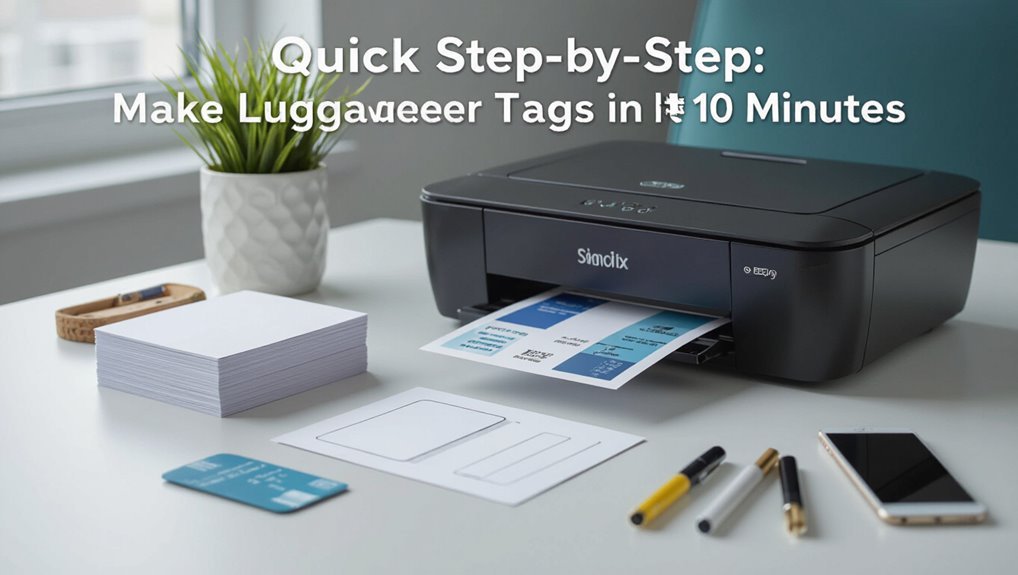
Start by gathering a sheet of heavy cardstock, a printer, scissors or a paper trimmer, and a laminator or clear packing tape—then open a simple template online or in your word processor.
Fill in your name, phone, and itinerary; center text, add a border, and scale to two per page.
Print, cut, laminate, punch a hole, and attach with a loop or zip tie.
Why Printing Luggage Tags at Home Cuts Stress and Delays
When you print luggage tags at home, you skip last‑minute kiosks and mismatched handwriting, so your bags get identified faster and you feel calmer from check‑in to baggage claim.
You reduce errors, avoid crowded lines, and speed boarding with clear, scannable tags. That lowers delay risk and gives you confidence traveling, letting you focus on timing and essentials instead of frantic fixes.
What to Put on a Luggage Tag (Must-Haves)
Having clear, printed tags already reduces check‑in stress, but you also need the right information on them so airlines and anyone who handles your bag can act quickly.
Include your full name, phone number (with country code), destination address or hotel, and flight number. Add an email and a secondary contact.
Keep text legible, use durable font, and avoid extraneous details that clutter the tag.
Privacy-Safe Contact Options for Tags (What to Show and Hide)
You should limit personal details to what’s necessary so your name and a phone number or email are enough without exposing your full address.
Consider alternative contact methods like a work number, temporary email, or a QR code that only reveals your info when scanned.
Balance visibility and security by placing obvious contact info on the outside and more detailed data inside a hidden pocket.
Limited Personal Details
Pick a few key details to include on your luggage tag and omit anything that could expose you to identity theft or unwanted contact. Use minimal info: name, city, and one reliable phone or email. Don’t add full address or passport numbers.
| Keep | Avoid |
|---|---|
| First name | Full address |
| City | Passport number |
| Phone/email | DOB |
| Emergency contact | Social security number |
Alternative Contact Methods
When you want to stay reachable without sharing sensitive details, opt for privacy-safe contact methods on your luggage tag: use a first name with a city plus a single, controlled contact point—like a temporary phone number, travel-only email, or a message card directing finders to an online form—so you can be contacted without exposing your home address or full identity.
- Use a travel-only email.
- List a temporary or burner number.
- Add a short card with a web form link.
Visibility Versus Security
Although visibility helps airlines and good Samaritans return lost luggage, don’t sacrifice your privacy to make a tag useful.
Show only essential info: your name and a single contact method like an email or a phone number with country code. Use a secondary, travel-only email or prepaid phone.
Avoid full home address and ID numbers. Consider QR codes linking to a secure contact form.
Durability Checklist Before You Print
Before you print, check that your tag material is sturdy enough for rough handling and moisture.
Consider lamination or a protective coating to keep ink from rubbing off and to resist water.
Finally, test your attachment method—like straps, clips, or rivets—to make sure the tag stays on through travel.
Material Strength Check
If you want your luggage tags to survive rough handling and bad weather, check the material’s strength now so you don’t waste time printing on something that will fail.
Test thickness, tear resistance, and strap attachment before printing. Consider weight, flexibility, and edge durability.
- Measure gauge and bend resistance
- Pull-test attachment points
- Inspect cut edges for fraying
Lamination And Coating
You’ve checked material strength, now make sure the surface will actually protect your print: lamination and coatings add water, scratch, and UV resistance that keep IDs readable and colors from fading.
Choose matte or gloss based on scuff visibility, select thickness for flexibility, and consider thermal or pressure lamination.
Test a sample for adhesion and ink compatibility so your tags survive travel without peeling or smearing.
Attachment Method Test
Start by picking and testing the attachment you plan to use—straps, rivets, cable ties, or adhesive mounts—so you know it will hold up through handling, weather, and airport security.
Try each under stress: wet, pulled, and bent. Record results, then choose the strongest, easiest to remove for security checks.
- Pull test
- Water exposure
- Flex and bend test
Best Paper and Synthetic Options for Luggage Tags
When picking materials for luggage tags, think about where and how you travel: frequent flyers need tough, water-resistant synthetics while occasional travelers can get by with sturdy cardstock or coated paper.
Choose laminates or PVC for durability, printable Tyvek for tear resistance, and adhesive-backed vinyl for easy application.
Match weight and finish to your printer, and always test a sample before a full run.
Cardstock vs. Waterproof Synthetic: When to Use Each
You’ll weigh cardstock’s lower cost against waterproof synthetic’s longer lifespan when choosing tags.
Consider how rough your trips are—short, gentle trips can use cardstock, while wet or long journeys call for synthetic.
Match material to your budget and travel conditions so tags last as long as you need.
Cost Vs. Durability
Although cheaper cardstock tags keep costs down for short trips or one-off events, they’ll wear out faster than waterproof synthetic options.
So choose based on how often you’ll travel and how rough the handling will be. You’ll balance budget against longevity—buy cardstock for infrequent use, synthetic for repeated, rough handling.
- Cardstock: low cost, limited lifespan.
- Synthetic: higher cost, long-lasting.
- Mix: use both depending on trip frequency.
Travel Conditions Consideration
Picking between cardstock and waterproof synthetic should come down to the conditions your luggage will face en route.
If you’ll expose tags to rain, spills, or rough handling, choose waterproof synthetic for durability and legibility.
Use cardstock for short trips, carry-on bags, or when you want a cheaper, recyclable option.
Match material to trip length, weather, and handling intensity.
Which Label Sheets and Sizes to Buy for Standard Tags
Start by matching the tag size you want to a compatible label sheet—standard luggage tags usually fit on 2-up or 4-up sheets, so pick sheets that let you print the correct dimensions without scaling.
Choose waterproof or coated labels if you need durability.
Verify printer compatibility to avoid jams.
Check your printer compatibility first to prevent paper jams and printing hiccups.
- Measure tag dimensions
- Pick 2-up or 4-up sheets
- Confirm printer type
Cheap DIY Materials That Still Hold Up on Trips
Once you’ve chosen the right sheet and printer settings, you can keep costs down without sacrificing durability by using a few inexpensive materials that stand up to rough handling. Use cardstock, clear packing tape, laminate sheets, or adhesive vinyl—combine for strength.
| Material | Benefit |
|---|---|
| Cardstock | Stiff base |
| Packing tape | Water resistance |
| Laminate | Tear resistance |
| Vinyl | Flexible, durable |
Pick a Template That Fits Your Printer and Page Size
Choose a template that matches the paper size you’ll load so your tags print at the right scale.
Check your printer settings—paper type, orientation, and scaling—to prevent cropping or unexpected margins.
If something looks off on the preview, switch templates or adjust the settings before you print.
Match Paper Size
Paper size matters because a template that doesn’t match your printer’s paper or page setup will misalign cuts and margins; check your printer tray and document settings first so you pick a template sized for letter, A4, or whatever sheet you load.
- Measure your paper and choose matching template dimensions.
- Confirm orientation (portrait vs landscape) before printing.
- Use templates with built-in margins for safe cutting.
Check Printer Settings
After you’ve matched your template to the sheet size and orientation, take a moment to check your printer settings so the file prints at actual size.
Choose “Actual Size” or 100% scaling, set paper type to match your tag stock, pick the correct tray, and disable “Fit to Page.”
Preview the layout, then print a test page to confirm alignment before the full run.
Where to Download Free Luggage Tag Templates
Looking for free luggage tag templates online? You can download ready-to-print designs from trustworthy sites, making tagging quick.
Choose templates that match your paper size and cutting tools, and check file formats before downloading.
- Etsy freebie sections or creator blogs
- Canva’s free templates (download PNG/PDF)
- Template repositories like TemplateLab or FreePrintable
Create a Custom Tag in Word or Google Docs
1 simple document can turn into a durable custom luggage tag using Word or Google Docs—choose your size, add contact details and a bold font for readability, then insert shapes or a photo for a personal touch. Print on heavy cardstock, laminate, punch a hole, and attach a loop. Use this quick layout:
| Field | Size | Notes |
|---|---|---|
| Name | 3″ | bold |
| Phone | 2.5″ | small |
| Address | 4″ | optional |
| Photo | 1.5″ | crop tight |
Design Stylish Tags Fast in Canva
Open Canva, pick a luggage-tag template that fits your style and size.
Then customize the colors and fonts to match your trip or brand.
When you’re done, export the file in a print-ready format (PDF or high-res PNG) and you’re ready to print.
Choose A Template
Before you start customizing, pick a template that matches your travel style and the tag’s purpose—business, family, or quick ID.
You’ll save time and keep layouts professional. Choose one with clear info zones, durable shape, and printable bleed.
Then select a template and proceed to add your details.
- Clear info layout
- Sturdy shape
- Print-ready format
Customize Colors And Fonts
Now that you’ve picked a template, make the look yours by changing colors and fonts in Canva—this is where personality meets readability.
Use your brand or favorite palette, keep contrast high for legibility, and limit fonts to two: one for names, one for details.
Adjust sizes for hierarchy, test on-screen at actual dimensions, and save variations so you can compare quickly.
Export For Printing
When you’re ready to print, export your design with the right settings so your luggage tags look crisp and color-accurate. In Canva, pick PDF Print, enable crop marks and bleed, and set color profile to CMYK if available.
Then double-check resolution and margins, and send to your printer.
- Confirm dimensions and bleed
- Use PDF Print + CMYK
- Review proof and print test
Layout for Durability and Instant Readability
If you want your luggage tags to survive rough handling and still be readable at a glance, prioritize a simple, high-contrast layout with durable materials.
Use clear spacing, bold key info blocks (name, phone, flight), and limit decorative elements.
Include a scannable barcode area and a small margin for wear.
Test print contrast and alignment before bulk printing to guarantee instant legibility.
Fonts That Stay Legible After Handling
Pick a clean sans-serif font so letters don’t blur after rough handling.
Use sizes large enough for quick scans but small enough to fit your layout, and test legibility at arm’s length.
Pair dark text with a light background (or vice versa) to keep contrast high even when tags get scuffed.
Choose Durable Sans-Serif
Because your luggage tag will take a beating in transit, choose a clean, durable sans‑serif font that stays legible at small sizes and after handling.
You want clarity, simple strokes, and good spacing so names and numbers survive scuffs and smudges.
- Pick sturdy fonts like Helvetica, Arial, or Roboto.
- Prefer open counters and generous x-height.
- Avoid decorative or condensed styles.
Optimal Font Sizes
Once you’ve settled on a sturdy sans‑serif, size becomes the next practical concern: small text that looked fine on screen can vanish under smudges or scuffs, so choose sizes that remain readable after handling.
Use at least 10–12 pt for names and destinations, 8–9 pt for secondary details, and increase by 1–2 pt if printing on textured or coated stock.
High-Contrast Color Pairings
When you’re choosing colors for luggage tags, aim for combinations that keep text clear after scuffs, dirt, or fading—high contrast is the single most important factor for legibility.
- Black text on white or pale yellow backgrounds for enduring clarity.
- White or light text on dark navy or charcoal for strong visibility.
- Avoid medium gray on colored backgrounds; it fades and loses readability quickly.
Add Color and Graphics Without Losing Contrast
If you want to add color and graphics without losing legibility, choose high-contrast palettes and simple artwork that won’t compete with text.
Use flat shapes, minimal patterns, and solid backgrounds behind type. Keep icons small and placed away from critical information.
Test printed proofs to verify contrast under different lighting. Limit effects like gradients or busy photos that can obscure letters.
Add QR Codes or Itinerary Info Safely to Tags
You can add a QR code or brief itinerary to a tag, but keep personal data minimal so lost luggage can’t expose sensitive info.
Use a reputable, secure QR generator and avoid embedding full addresses or passport numbers.
Consider linking the code to a web form or contact page rather than raw personal details.
Minimal Personal Data
1 smart way to keep your contact info private is to print minimal personal data on tags and encode more details in a QR code or short itinerary link.
Use initials, a city, and a recovery email or phone fragment so strangers can’t access full info.
- Include initials + city
- Show partial phone or recovery email
- Link QR to limited itinerary
Secure QR Generation
Keeping visible details minimal lets you rely on a QR code to carry the rest of your contact or itinerary info, but generating that QR safely takes a few extra steps.
Use reputable generators, encrypt sensitive data or link to a password-protected page, and test scans.
Limit stored info, avoid embedding full documents, and update or revoke links if plans change to protect privacy.
Printer Settings to Maximize Sharp, Economical Prints
When you tweak print settings before sending your luggage tags to the printer, you’ll get sharper text and save ink without sacrificing durability.
Tweak print settings first for sharper text and ink savings without losing durability.
Adjust resolution to 300 dpi, choose grayscale for non-color elements, and enable draft only when testing.
Balance contrast for legibility. Use heavier paper settings so ink sits correctly.
- Set 300 dpi
- Use grayscale for text
- Select paper weight mode
Printing on Laser vs. Inkjet: What to Change
When you switch between laser and inkjet for luggage tags, you’ll need to pick the right paper type because one soaks ink while the other accepts toner on the surface.
Adjust print settings accordingly—inkjets often need higher quality/photo modes and more drying time, while lasers benefit from plain or heavier stocks and toner-fixing options.
Also account for ink vs. toner behavior to avoid smudging, fading, or cracking on folded or laminated tags.
Paper Type Differences
Because laser and inkjet printers handle ink and heat differently, you’ll need to adjust paper choice and printer settings to get crisp, durable luggage tags.
Choose coated papers for inkjet to prevent bleeding; pick heavier, heat-resistant stock for laser to avoid warping.
Test feed and dry times.
- Coated
- Heavy stock
- Test prints
Ink vs Toner Behavior
Paper and feed tests only get you so far—how the printer actually applies pigment matters more for durability.
With inkjet, droplets sit on fibers and stay vulnerable to smudging and moisture unless you laminate or use water-resistant inks.
Laser toner fuses to the surface, giving crisper edges and better smear resistance, but can crack on heavy cardstock.
Choose based on finish and handling needs.
Print Settings Adjustments
If you’re switching between laser and inkjet, adjust settings to match how each handles media and ink: increase print density and choose a heavier media type for inkjet to lay down more pigment without clogging nozzles, while on laser pick a lower heat or “thick paper/cardstock” setting to prevent toner cracking and paper jams.
- Select correct media type.
- Adjust print density/contrast.
- Use recommended feed tray and temperature.
Make Waterproof Tags With a Regular Printer
When you want durable, water-resistant luggage tags without buying special equipment, you can make them at home with a regular printer and a few simple supplies. Print on heavy cardstock, laminate with clear packing tape, and seal edges. Use waterproof ink or spray. Store extra tags in a zip bag.
| Supply | Purpose | Tip |
|---|---|---|
| Cardstock | Sturdiness | 200–300gsm |
| Tape | Waterproofing | Overlap edges |
| Spray | Extra seal | Light coats |
How to Cut, Fold, and Assemble Printed Tags
Now that your tags are printed, you’ll want to cut them precisely with a sharp blade or rotary cutter to keep edges clean and consistent.
Fold along scored lines to strengthen weak points and create neat seams that resist tearing.
Finally, use strong adhesives, reinforcements, or rivets to secure layers and attachment loops so the tag stays put through travel.
Precise Cutting Techniques
Start by trimming your printed sheet to the tag outlines using a sharp blade or precision scissors so cuts are clean and straight.
Then align guides, use a ruler, and work on a cutting mat. Finish edges and punch attachment holes precisely.
- Use a metal ruler and steady hand.
- Trim slowly, scoring thicker stock first.
- Clean blade for crisp cuts.
Folding For Durability
After trimming and punching your pieces, prepare to fold and assemble so the tag stands up to travel wear; accurate creases and strong bonding make the difference.
Line edges precisely, score fold lines with a bone folder or blunt knife, then fold sharply along scored lines.
Reinforce corners by folding tabs inward. Align layers before pressing.
Let adhesive cure fully before use to guarantee lasting shape.
Secure Assembly Methods
When you’ve cut the pieces to size and scored the fold lines, assemble the tag with a clear plan so edges align and seams stay strong; use a sharp craft knife and ruler for final trims, fold crisply along scores, and apply a thin, even bead of strong adhesive or double-sided tape where layers meet.
- Press edges firmly, wipe excess glue.
- Reinforce stress points with fabric tape.
- Punch hole, add metal eyelet and secure strap.
Reinforce Holes to Prevent Tears
If you want your luggage tags to last through baggage handling, reinforce the punched holes so they don’t tear under strain.
Apply adhesive hole reinforcements, fabric or clear tape, or glue a small cardstock patch behind the hole.
For rings or straps, use metal eyelets and a setting tool.
Test one tag under tension to confirm durability before finishing the set.
Fast Lamination Methods Without a Laminator
You don’t need a machine to protect your luggage tags—clear packing tape, contact paper, or a glue-stick coating can all make quick, durable seals.
Use packing tape for an instant waterproof layer, contact paper for edge-to-edge coverage, or thin glue-stick layers for a flexible finish.
Try each on a scrap tag to see which hold-up and look you prefer.
Clear Packing Tape Seal
Seal your printed tag quickly with clear packing tape for a cheap, durable laminate that’s waterproof and tear-resistant.
Smooth tape over front and back, trim edges, and fold a small flap to protect the hole. You’ll preserve ink and withstand rough handling.
- Align tape to avoid bubbles.
- Trim with sharp scissors.
- Reinforce hole with extra tape.
Contact Paper Lamination
Grab a roll of clear contact paper and a pair of scissors—it’s one of the quickest ways to laminate a printed luggage tag without special equipment.
Cut two slightly larger pieces, peel backing, and sandwich the tag between them. Smooth out bubbles with a credit card, trim excess leaving a small sealed margin, punch a hole, and attach with a durable strap or zip tie.
DIY Glue Stick Coating
Spread a thin, even layer of glue-stick adhesive over both sides of your printed tag to create a quick, flexible protective coating.
Let each side dry briefly, then press between wax paper and a heavy book to flatten.
Trim edges and punch the hole.
- Apply thin coats
- Dry, press flat
- Trim and finish
Use Clear Packing Tape as a Durable Sealant
When you want a quick, budget-friendly way to waterproof and protect your luggage tag, clear packing tape does the job without fuss.
Smooth a single layer over the printed side, trimming excess close to edges. For extra durability, add a second overlapping strip.
The tape resists scuffs, rain, and handling, and keeps ink from smearing while remaining cheap and fast to apply.
Straps, Zip Ties, and Cable Loops: Which to Use
Although all three options will keep a tag attached, the choice comes down to where you’re traveling and how secure you need it to be: leather or nylon straps are tidy and reusable for checked bags, zip ties are cheap and tamper-evident for short trips, and cable loops give you the best balance of strength and reusability for hard-sided luggage or frequent flyers.
- Straps: stylish, reusable, moderate security.
- Zip ties: disposable, low cost, tamper-evident.
- Cable loops: durable, reusable, high security.
Secure Strap Methods for Checked and Carry-On Bags
When you attach a printed tag, choose a loop-through method that threads the strap or cable through its slot so the tag stays put.
For extra security on checked bags you can use a zip-tie—tighten it and trim the excess so it won’t slip.
And for carry-on items consider a luggage strap wrap that both holds the tag and helps spot your bag on the carousel.
Loop-Through Attachment
Loop-through attachments give you a secure, low-profile way to fasten luggage tags to both checked and carry-on bags. You thread the strap through the tag slot and a bag loop, then tighten.
They’re durable, simple, and stay put during handling.
- Choose weatherproof straps.
- Feed strap through twice for extra hold.
- Trim excess and tuck ends neatly.
Zip-Tie Security
Use zip ties to secure luggage tags when you want a tamper-evident, low-cost option for checked or carry-on bags.
Thread a sturdy tie through the tag’s hole and around a handle or strap, pull tight, then trim excess.
Choose reusable or numbered tamper-evident ties for identification and inspection.
Replace ties after inspection and store extras in your travel kit for quick repairs.
Luggage Strap Wrap
Although a simple strap might seem basic, wrapping a luggage strap correctly adds both security and visibility to checked or carry-on bags. You’ll loop snugly, keep tags visible, and deter tampering.
Choose durable straps and bright colors to spot your bag quickly. Secure buckles and tuck excess webbing.
- Loop snugly to prevent shifting.
- Keep tag window exposed.
- Tuck and fasten excess.
Make a Removable ID Sleeve for the Outside of a Bag
Attach a removable ID sleeve to your bag so you can swap tags without opening zippers or digging through pockets.
Use clear vinyl or a weatherproof pouch, sew or clip a Velcro/elastic loop to a strap, and insert a printed tag on cardstock or laminated paper.
Secure with a snap or carabiner so the sleeve’s easy to remove, replace, and keep visible during travel.
Efficiently Print Multiple Tags for Group Travel
When you’re organizing travel for a group, set up a simple template and printing workflow so everyone gets clear, uniform tags without last-minute scrambling.
You’ll batch-edit names, confirm contact details, and print on sturdy cardstock. Use consistent fonts and margins for readability.
- Collect info in a shared sheet.
- Generate labels from the template.
- Print, trim, and attach tags.
Portable Printers and Mobile Options for Tagging
After you’ve batch-printed tags for the group, take portability into account so you can reprint or update labels on the go.
Choose a compact thermal or inkjet mobile printer that connects via Bluetooth or Wi‑Fi. Keep extra label stock and a power bank.
Test compatibility with your laptop or tablet. Practice quick edits and saves so you can fix names and contacts at the terminal.
Print Tags From Your Phone at a Print Shop
If you don’t want to carry a printer, head to a nearby print shop and send your luggage tag file from your phone—most shops accept Bluetooth, email, or cloud links and can print on durable label stock or cardstock.
You’ll get crisp, weather‑resistant tags fast. Choose size, finish, and lamination, then collect or request pickup.
- Verify file format
- Select material
- Ask about turnaround time
Best Quick‑Print Services for Urgent Tag Needs
Because you’ll often need tags the same day, pick a quick‑print service that guarantees fast turnaround, durable materials, and convenient pickup or delivery. You’ll want same‑day print shops, big‑box stores, or online express services with reviews showing crisp prints and sturdy cardstock. Compare prices, turnaround, and pickup windows before you go.
| Service Type | Best For |
|---|---|
| Same‑day shop | Local urgency |
| Big‑box store | Accessibility |
Batch-Printing Workflow for Frequent Flyers
When you fly often, batch‑printing your luggage tags saves time and guarantees consistency: plan routes, collect traveler info, and schedule prints.
Use a spreadsheet to merge names, frequent‑flyer numbers, and destinations. Export to PDF, then queue prints during off‑hours to avoid delays.
Use a spreadsheet to merge names, frequent‑flyer numbers, and destinations; export PDFs and schedule off‑hour batch prints.
- Prepare data
- Merge and proofread
- Queue and print batches
Time‑Saving Templates for Recurring Trips
Create a set of reusable tag templates for routes you fly often so you can populate and print them in seconds.
Save templates with preset fields: name, frequent flyer number, home and destination airports, contact phone, and special instructions.
Store them in a folder or cloud service for quick access.
When you travel, open the template, update dates and flight numbers, then print.
Fix Common Print Alignment Problems Quickly
If your printed tags are off-center, cut off, or shifted, you can fix alignment fast by checking three things: paper size and tray settings, printable area/margins in your template, and printer drivers or scale settings.
- Confirm paper type, tray selection, and orientation match your template.
- Adjust template margins or safe zone to keep content inside printable area.
- Update drivers, disable scaling/fit-to-page, and run a test print.
Repair Smudged Ink and Faded Text After Printing
Blot smudges and faint text quickly by first checking ink type, paper compatibility, and drying time—these three factors usually cause the problem.
If ink’s wet, blot with a lint-free cloth and let dry; if faded, reprint tags or enhance text with archival-safe pigment pen.
For small areas, use a fine-tip permanent marker sparingly.
Test fixes on a scrap before applying to final tags.
Waterproof Already‑Printed Paper Tags (Quick Fixes)
Once you’ve addressed smudges or faded text, you can quickly make printed paper tags more water-resistant with a few simple fixes.
After touching up smudges, use simple seals—contact paper, clear sealer, or plastic sleeves—for quick water resistance.
- Laminate with clear contact paper, smoothing bubbles and trimming edges to seal.
- Brush on thin clear nail polish or acrylic sealer; let dry fully.
- Place tags in clear plastic sleeves or zip bags and secure to luggage with a durable loop.
Creative Styles: Personalized and Gift‑Ready Tag Ideas
When you want luggage tags that stand out or make a thoughtful gift, personalize them with simple, high-impact touches: use a favorite photo or monogram, choose durable materials like leather or metal, and add a coordinating ribbon or charm for instant polish.
Pick complementary colors, include a discreet contact card pocket, emboss initials for texture, and package tags in a small box with care instructions.
Child‑Friendly and Pet Travel Tag Templates
If you’re designing tags for kids or pets, keep them durable, easy to read, and fun—bold fonts, clear contact fields, and playful graphics work best.
- Use laminated, waterproof stock and rounded corners for safety.
- Include first name, guardian phone, and a secondary contact; keep text large.
- Add a colorful icon or photo for quick ID and a QR code linking to full details.
Airline Rules: What Checked-Bag Tags Must Include
Those kid- and pet-friendly details are great for personal tags, but checked-bag tags must meet specific airline and security requirements to travel.
You should include full name, destination airport code, phone number, and booking reference or frequent‑flyer number. Use durable, legible printing and avoid sensitive data like full address.
Check airline size, attachment, and barcode standards before you print.
International Travel Tips for Durable Luggage IDs
Because international trips expose your bags to extra handling and different regulations, make sure your luggage IDs are built to last and comply with destination rules.
Use durable materials, protect personal data, and include local contact info.
Consider these steps:
- Use waterproof, tear-resistant tags and secure attachments.
- Include a covered phone number and email for privacy.
- Check destination labeling rules before printing.
Replace Lost Tags Quickly at the Airport
When you find a tag missing at the airport, act fast to replace it so your bag stays identifiable and trackable.
Go to the airline counter or baggage service office, explain the loss, and request a replacement tag. Fill it out legibly, secure it with a strong loop or cable tie, and keep copies of your contact and flight info in case staff need to reunite you with your luggage.
Store Templates and Printable Assets for Reuse
A simple folder—digital or physical—keeps your luggage tag templates and printable assets organized so you can reuse them quickly for future trips.
Save editable files, PDFs, and printer settings together. Label versions by date and destination so you grab the right one.
- Store editable templates
- Include print-ready PDFs
- Record printer settings and paper type
Packing‑Day Checklist for Printed Luggage Tags
Now that your templates and print-ready files are organized, make a short packing‑day checklist to guarantee tags get printed, attached, and travel-ready. Check printer ink, paper, and backup PDF. Print a test tag, cut, and laminate if desired. Attach securely to each bag before sealing.
| Item | Status | Notes |
|---|---|---|
| Printer | ✔/✖ | ink/paper |
| Test print | ✔/✖ | alignment |
| Attach tags | ✔/✖ | secure |
Quick Hacks to Make Tags Last the Whole Trip
Because straps and weather are the usual culprits, reinforce and protect your tags before you leave so they survive baggage handlers and rain.
Use sturdy laminates, waterproof labels, or a clear packing tape sleeve. Secure tags tightly and tuck info inside.
- Laminate or clear-tape both sides.
- Use a zip-tie or metal loop for straps.
- Put a duplicate inside checked luggage.
Frequently Asked Questions
Can Luggage Tags Include Medical or Allergy Information Safely?
Yes — you can include medical or allergy info, but keep it brief and non-sensitive (e.g., “Diabetic, insulin”), use symbols or QR codes linking to detailed records, and avoid full medical history or personal ID numbers.
Are There Airline Restrictions on Tag Materials or Attachments?
Yes — airlines can restrict tag materials and attachments, so you should check your carrier’s rules; avoid bulky, sharp, or metal attachments, use durable lightweight materials, and secure tags so they won’t detach during handling.
How Do I Recycle or Dispose of Old Luggage Tags Securely?
You should shred or cut old luggage tags to remove personal info, recycle plastic or paper bits per local rules, and dispose of nonrecyclables in secure trash; consider burning paper only where allowed and safe.
Can I Print Tags With Multiple Languages on One Label?
Yes—you can print multiple languages on one label. Keep translations concise, use clear fonts and proper spacing, prioritize essential info, and test readability at actual size. You’ll avoid clutter by using icons and line breaks effectively.
What to Do if a Printed Tag Is Rejected by Baggage Handlers?
If a printed tag’s rejected by baggage handlers, don’t argue—ask staff for a replacement tag, offer to reprint at the counter, confirm barcode readability and attachment security, and keep your ID and booking details handy to speed resolution.
Conclusion
You’ve got the essentials to make sturdy, private luggage tags fast—so don’t wait until the last minute. Pick the right info to share, use durable materials, and save a template for next time. If a tag goes missing, replace it at the airport or with a quick print from your saved file. Follow the packing‑day checklist and quick hacks to keep tags readable and attached, and you’ll travel calmer and recover bags faster.
