Does TSA PreCheck Apply to Family Members
You can’t share TSA PreCheck — each traveler needs their own Known Traveler Number for consistent access, except kids 12 and under can join a PreCheck parent without a KTN. Teens 13–17 must have their own enrollment showing the PreCheck indicator on boarding passes. Add KTNs to each reservation, watch for name mismatches, and renew memberships on time. Keep IDs handy and plan for checkpoint logistics, and if you want practical tips and examples, keep going.
Quick Answer: Who in Your Family Gets TSA PreCheck?
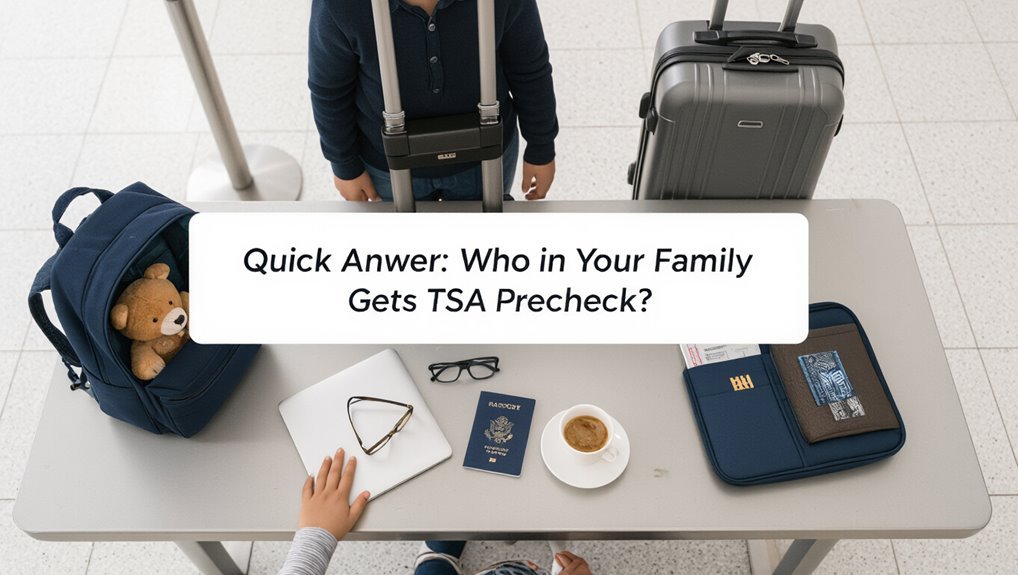
Who in your family gets TSA PreCheck? You and any family members who enroll and are approved get individual Known Traveler Numbers (KTNs).
Children 12 and under ride free with a parent or guardian who’s PreCheck — they don’t need their own KTN to use the lane.
Children 12 and under can use TSA PreCheck with a PreCheck parent or guardian — no KTN required.
Teens 13–17 need their own enrollment and KTN to access PreCheck.
Spouses, partners, and other relatives aren’t automatically covered unless they’ve applied and been vetted.
If you want everyone to breeze through security, have each traveler eligible for PreCheck enroll or plan so children meet the age requirements for adult KTNs.
How TSA PreCheck Works for Families
If you or a family member has TSA PreCheck, you’ll usually skip the regular security line and use the expedited lane.
Children 12 and under can join a parent or guardian with PreCheck for free, while older kids and other adults need their own approved membership to get the benefit.
Check each traveler’s boarding pass to confirm PreCheck eligibility before you head to the airport.
Who Qualifies With PreCheck
When you’re traveling with children or other family members, TSA PreCheck can speed the security process for eligible people in your group.
If you have PreCheck, your Known Traveler Number (KTN) must be added to each ticket so boarding passes show the PreCheck indicator.
Family members without their own membership generally don’t get PreCheck unless they’re children accompanied by an eligible parent or guardian and the airline prints the designation.
Adults need individual enrollment, background check, and KTN.
Some airlines link family profiles; always confirm KTNs on reservations before travel to guarantee everyone who qualifies gets the benefit.
Traveling Children And Adults
Although kids and adults travel together, TSA PreCheck applies differently depending on age and enrollment status: you’ll want to know who gets streamlined screening.
If a child is under 12 and traveling with a PreCheck parent, they usually use the PreCheck lane. Children 13–17 need their own Known Traveler Number on the reservation to get PreCheck.
Adults must enroll individually; a parent’s PreCheck doesn’t extend to other adults. Always confirm boarding passes show “TSA PRECHK.” If it’s missing, you’ll use regular lanes.
Plan ahead to add KTN to reservations to avoid surprises.
- Kids under 12 often go with a PreCheck parent
- Teens 13–17 need their own KTN
- Adults must enroll individually
- Check boarding passes for “TSA PRECHK”
- Add KTN to reservations early
Eligibility Overview: Who Needs Their Own PreCheck
Because TSA PreCheck applies to individuals, every traveler who wants expedited screening should enroll separately unless they qualify through a family member’s status, which is rare.
You’ll generally need your own Known Traveler Number (KTN) to get PreCheck benefits. Frequent flyers, adults who travel alone, and teens flying without parents should apply.
Married partners and adult dependents don’t automatically inherit PreCheck. Only certain household situations or secondary benefits (like TSA matching for enrolled passengers on the same reservation) might help, but you can’t rely on it.
Apply, complete fingerprinting, pass the background check, and add your KTN to reservations.
Kids Under 12: The Simple Rule
If you’re traveling with young kids, here’s the simple rule: children 12 and under can join a parent or guardian in the TSA PreCheck line for free.
That means you don’t need separate Known Traveler Numbers for those kids as long as they’re escorted by someone with PreCheck.
Keep your child close and be ready to guide them through the security process.
Kids Under 12 Rule
When you travel with young children, the TSA lets one adult keep each child under 12 with them through the PreCheck lane without a separate membership, so you can move faster and avoid removing shoes or jackets for those kids.
You’ll still guide kids through security, keep belongings organized, and follow agent instructions. Remember this simple rule and plan accordingly.
- One adult may accompany each child under 12
- Kids stay with the adult in the PreCheck queue
- You don’t need a separate Known Traveler Number for the child
- Keep liquids and devices easily accessible
- Follow officer directions promptly
Who Qualifies Free
Keeping that kids-under-12 rule in mind, here’s who qualifies free: one adult can escort each child under 12 through the PreCheck lane without the child having their own Known Traveler Number, so you don’t need to enroll them separately or worry about extra screening requirements for those youngsters.
If you have multiple children under 12, each can accompany an adult with PreCheck at no extra charge, but each adult only escorts one child per lane.
Children 12 and older must have their own PreCheck eligibility. Always confirm airline boarding passes show PreCheck to avoid surprises at the checkpoint.
Escorting Children Through Security
Because children under 12 can ride with an adult who’s TSA PreCheck, you’ll usually breeze through security together without extra steps for the child; just make sure the accompanying adult’s boarding pass shows PreCheck and that the child stays with you in the designated lane.
Keep these tips in mind so screening goes smoothly:
- Bring proof of age if TSA asks, like a passport or birth certificate.
- Keep kids close; they must stay with the PreCheck adult.
- Fold strollers or send them through the lane per instructions.
- Pack liquids and electronics accessibly for quick checks.
- Explain the process to calm nervous children.
Teens 13–17: What Changes and Why
Starting at age 13, TSA requires teens to show their own boarding pass and ID (if they’ve one) and to go through security screening without being carried or held by an adult.
So you’ll need to prepare them to follow instructions and handle the process mostly on their own. Teach them to place laptops and liquids in bins, remove jackets and shoes if required, and keep pockets empty.
Remind them to listen to officers, answer questions calmly, and know their seat and flight info.
If they’ve TSA PreCheck, verify their Known Traveler Number is on the reservation so they can access the expedited lane.
Spouses and Domestic Partners: When One KTN Helps
If one partner has TSA PreCheck, you can still ease travel for both of you—but only when the Known Traveler Number is added to each qualifying reservation.
Add the KTN to every ticket you book together, and check boarding passes for the PreCheck indicator before heading to the airport. Remember airlines control reservation data, so input errors mean no shortcut.
Add the KTN to each ticket and verify the PreCheck indicator on boarding passes before you go.
- Always enter the KTN during booking
- Verify names match IDs exactly
- Update reservations if plans change
- Confirm PreCheck status on boarding passes
- Bring ID and proof of relationship if asked
Follow those steps to maximize the benefit.
Extended Family (Grandparents, Aunts, Uncles, Cousins)
Extended family members—grandparents, aunts, uncles, cousins—can’t share your TSA PreCheck status automatically, but you can still streamline joint travel by adding your Known Traveler Number to each qualifying reservation and confirming PreCheck on every boarding pass before you head to the airport.
If they’re listed on the same booking and their boarding passes show PreCheck, they’ll use the lane with you; if not, they’ll join the regular line.
Before booking, check airlines’ rules about adding KTNs and whether everyone meets security criteria.
At the airport, verify boarding passes early so you can adjust plans if someone lacks PreCheck.
When Everyone Needs Separate PreCheck Memberships
When your group travels frequently or has few overlaps in eligibility, everyone will need their own TSA PreCheck membership to guarantee consistent access to the expedited lane.
You should enroll each adult and eligible child if you want predictable screening benefits whenever you fly. Separate memberships avoid last-minute scrambling, unequal wait times, and reliance on a single passenger’s status.
Consider who flies most, who connects often, and who values speed.
- Parents who travel separately often
- Teenagers old enough to require their own boarding pass
- Grandparents who fly solo occasionally
- Frequent business travelers in the family
- Household members with tight connections
How PreCheck Appears on Boarding Passes
Look for the TSA PreCheck indicator — usually “TSAPRECHK,” “TSA PRE,” or a simple TSA logo with a lock — printed on your boarding pass near the seat and gate info; that code tells airport staff and kiosks to route you to the expedited screening lane so you can keep shoes and belts on and leave laptops in your bag. Check both printed and mobile passes; sometimes the indicator appears as a short code or icon. If it’s missing, you’ll use regular screening. Use the table below to note common placements.
| Format | Location | Indicator |
|---|---|---|
| Mobile | Top area | TSAPRECHK |
| Paper | Near seat | TSA PRE |
What TSA Officers Check at the Checkpoint
At the checkpoint, TSA officers quickly verify IDs and boarding passes, scan carry-on items through X-ray machines, and perform targeted bag checks or pat-downs when alarms or random selection trigger additional screening.
At security, officers verify IDs and boarding passes, X-ray carry-ons, and perform targeted bag checks or pat-downs as needed.
You’ll hand over your ID, show boarding passes, and place electronics and liquids in bins. Officers look for prohibited items, confirm liquids meet limits, and verify you’re the traveler on the ticket.
If selected, you’ll undergo a brief pat-down or secondary bag inspection. Expect clear directions and brief questions about your items. Stay cooperative, follow instructions, and retrieve belongings promptly after screening.
- Show ID and boarding pass
- Remove laptop and liquids
- Empty pockets
- Declare medical items
- Follow officer instructions
Add Family Members to Your Known Traveler Number (KTN)
Adding family members to your Known Traveler Number (KTN) is straightforward if they already have TSA PreCheck or another trusted-traveler membership. You add each member’s KTN to their airline profiles or provide it when booking; airlines then attempt to pass that KTN to TSA for checkpoint eligibility. Keep each traveler’s full name and date of birth consistent with their trusted-traveler record. If a child doesn’t have a KTN but qualifies for free PreCheck with a parent, you’ll note it at booking. Contact the airline or update your online profile to verify the correct KTN is associated before travel.
| Name | KTN | DOB |
|---|---|---|
| Parent | 123ABC | 01/01/80 |
| Child | — | 06/15/10 |
How to Confirm KTNs on Reservations
1 simple way to confirm KTNs on your reservation is to check the passenger details page in your airline account or booking confirmation and verify each traveler’s Known Traveler Number and date of birth match their trusted-traveler record.
Do this as soon as you book and again before travel to catch errors.
Do this immediately after booking and once more before travel to catch any errors.
- Log into the airline profile and view upcoming trips.
- Inspect each passenger’s KTN and DOB fields.
- Correct mismatches by editing the reservation or calling the airline.
- Save screenshots or confirmation emails showing the KTN.
- Bring ID and TSA documentation to the airport in case verification is needed.
Booking Tips to Secure PreCheck for Everyone
Want everyone in your party to get TSA PreCheck? When booking, enter each traveler’s full name exactly as it appears on their Known Traveler Number (KTN) record and add each KTN to their passenger details.
Use the same airline profile tied to your KTN when possible. For group bookings, verify every seat receives the KTN before purchasing; correct mistakes immediately.
If booking through an online travel agency, call the airline to confirm KTNs are embedded. When adding infants, include the accompanying adult’s KTN if rules allow.
Keep confirmation emails and check boarding passes for the PreCheck indicator.
Why PreCheck Sometimes Doesn’t Appear for Family Members
Because enrollment and booking records come from different systems, you might find that a family member who’s enrolled in TSA PreCheck still doesn’t show the PreCheck indicator on their boarding pass. This happens when data isn’t matched or transmitted correctly, but you can often fix or avoid it.
Because enrollment and booking systems don’t always sync, a traveler may be TSA PreCheck enrolled but not show it on their boarding pass.
- Name mismatch between known traveler and reservation
- Missing or incorrect PASSID/KTN entry
- Airline system lag or sync error
- Booking made under a different PNR than the traveler’s enrollment
- Last-minute itinerary changes or code-share complications
Check names, enter the KTN, contact the airline, and reprint boarding passes.
Common Reasons a Child’s Boarding Pass Is Missing PreCheck
If your child’s boarding pass doesn’t show PreCheck, the most common cause is a missing or incorrect Known Traveler Number on their reservation.
Sometimes the airline or agent issues the boarding pass before the KTN is added, which also prevents PreCheck from appearing.
Check the reservation and reissue the boarding pass or contact the airline to have the KTN inserted.
Missing Known Traveler Number
When a child’s boarding pass doesn’t show TSA PreCheck, it’s often because their Known Traveler Number (KTN) wasn’t added correctly to the reservation or ticketing system.
You can fix this by confirming the KTN is entered under the child’s name, not just the primary traveler’s record. Check airline profiles, reservation details, and any linked frequent-flyer accounts.
If booking through an agent or third party, verify they included the KTN. At the airport, ask a gate agent to reprint the pass with the KTN if possible.
- You missed adding the KTN to the child’s passenger field
- You entered the KTN in the wrong name
- The booking agent omitted the KTN
- The airline profile lacks the child’s KTN
- System didn’t sync KTN across segments
Boarding Pass Issuance Error
A handful of boarding-pass issuance errors can strip TSA PreCheck from a child’s ticket even when their KTN is correctly on file, so you’ll want to check a few common culprits before assuming enrollment failed.
Agents sometimes issue paper boarding passes that don’t include TSA indicators, or they rebook segments and forget to reapply the KTN.
Online check-in glitches, mismatched name formats, or using a frequent-flier profile without the KTN can also remove PreCheck.
Always confirm the Known Traveler Number appears on the printed or mobile boarding pass; if it’s missing, request a corrected boarding pass immediately.
Fixing a Missing KTN Before You Get to the Airport
Since you can still fix a missing Known Traveler Number (KTN) before you leave, check your booking now and act quickly to avoid delays at the airport.
Update your reservation online or call the airline to add KTNs for everyone in your party. Confirm names match TSA records to prevent rejection. Save updated boarding passes to your phone.
- Log into the airline app and edit traveler details.
- Use the reservation code, not just the frequent flyer account.
- Call the airline if online edits aren’t allowed.
- Email confirmations and screenshots to each traveler.
- Recheck 24 hours before departure.
At the Airport: Correcting a Missing KTN or PreCheck Status
If you discover a missing KTN or that PreCheck didn’t print on your boarding pass at the airport, act fast to minimize hold-ups: go to the airline counter or gate agent immediately, show your Known Traveler Number (KTN) and ID, and ask them to reissue or reprint your boarding pass with PreCheck. If they can’t, request a supervisor or TSA checkpoint manager who can verify eligibility. Keep proofs handy: your approval email or TSA ID. Use the kiosk if available to reprint with KTN. Stay polite and persistent; resolving it before screening usually restores expedited entry.
| Step | Who to See | Documents |
|---|---|---|
| 1 | Gate/Counter Agent | ID, KTN |
| 2 | Supervisor/TSA | Approval email |
| 3 | Kiosk | Reservation number |
PreCheck on U.S. Connections During International Travel
When you connect through a U.S. airport on an international itinerary, know that PreCheck only applies to your domestic segments and only when your Known Traveler Number is on the U.S.-bound or domestic reservation.
Show your KTN when checking in for the U.S. leg, confirm the boarding pass prints with PreCheck, and be prepared to use regular screening on the international portion if your carrier or routing doesn’t support PreCheck across both legs.
You should:
- add your KTN to the U.S. reservation early,
- check both boarding passes for the PreCheck indicator,
- confirm airline systems link itineraries properly,
- arrive earlier if uncertain about screening,
- contact the airline at check-in to resolve issues.
Traveling With Noncitizen Family Members and Precheck Rules
Traveling with noncitizen family members can change how TSA PreCheck applies, so you should know which relatives qualify, which documents they need, and how enrollment or sponsorship rules affect screening lanes.
If a noncitizen holds TSA PreCheck via a known traveler number (KTN), they’ll use PreCheck like any other traveler. Otherwise, they need their own eligibility—Permanent Residents with valid KTNs can get PreCheck; visa holders usually can’t unless enrolled in a partner program.
You’ll need passports, visas, or green cards at check-in. If only some family members have PreCheck, expect split screening: use separate lanes or notify agents to coordinate.
PreCheck vs Global Entry: Which Is Right for Your Family?
Wondering whether TSA PreCheck or Global Entry serves your family’s needs better? You’ll pick based on travel habits: domestic focus favors PreCheck; frequent international travel leans toward Global Entry.
Consider who travels, where, and how often. Think about application steps and interview needs, and whether kids qualify.
- Use PreCheck if you mostly fly within the U.S.
- Choose Global Entry for regular international trips and faster immigration.
- Remember Global Entry includes PreCheck benefits for approved members.
- Kids under 12 can use an adult’s PreCheck lane when traveling with them.
- Compare convenience and eligibility for each family member before applying.
Cost Round‑Up: Single PreCheck vs Multiple Memberships
Deciding whether to get a single TSA PreCheck membership that covers the household or separate memberships for multiple family members comes down to cost, who travels alone, and how often each person flies.
Calculate per-person cost: a single member covers dependents only when eligible; adults each need their own PreCheck to guarantee consistent access.
If one frequent traveler dominates trips, a single paid membership plus occasional guest access might be cheaper.
If several adults fly frequently, separate memberships usually save time and reduce lineup risk.
Factor application fees, travel frequency, and convenience to pick the most cost-effective setup.
How Long Memberships Last and Family Renewal Tips
Because TSA PreCheck memberships expire after five years, you’ll want to track renewal dates for every adult in your household so family travel stays smooth.
Renew online up to six months early; updating sooner avoids lapses. Keep each member’s Known Traveler Number organized and set calendar reminders. Consider staggered renewals to spread cost and appointments. If someone changes name or citizenship status, update records promptly.
- Mark renewal months on a shared calendar
- Use autofill for recurring billing and reminders
- Check eligibility details before renewing
- Bundle reminder with passport renewals
- Keep copies of confirmation emails and receipts
Enrolling Kids: Appointment and Documentation Checklist
Once you’ve got adults’ renewals scheduled and Known Traveler Numbers handy, add the kids to your list—enrolling them requires its own appointment and paperwork. You’ll book a child-specific appointment, bring required IDs, and verify parent/guardian consent. Arrive early, have documents organized, and be ready to answer simple questions for the child. Expect brief biometric steps for eligible ages, and get a receipt confirming the child’s Known Traveler Number when approved. Use this checklist to avoid delays:
| Item | Note |
|---|---|
| Appointment | Schedule online |
| Documents | Originals only |
| Consent | Parent/guardian present |
What Parents Must Bring When Enrolling Minors
Bring three things: the child’s proof of identity, a document showing your relationship or legal guardianship, and a parent/guardian photo ID to confirm consent.
You’ll also want copies and originals ready; staff may inspect either. Arrive with anything that proves age or citizenship for the child and a matching adult ID.
- Child’s birth certificate or passport
- Parent/guardian government-issued photo ID
- Custody or guardianship paperwork (if applicable)
- Proof of child’s citizenship or residency (if separate)
- Copies of all documents for staff review
Keep documents organized and accessible so enrollment moves quickly and without hassle.
Special Cases: Divorced Parents, Guardians, and Access
When parents are divorced or a child is under a guardian’s care, you’ll need to show paperwork that clarifies who can enroll the minor and who can give consent; TSA staff won’t accept verbal agreements alone.
Bring custody documents, guardianship papers, or notarized consent forms that explicitly grant enrollment and travel authority. If a parent retains sole legal custody, present the court order; joint custody may require consent from both unless documentation says otherwise.
Guardians should carry letters of guardianship and ID. Keep originals or certified copies accessible at enrollment and at the airport to prevent delays and guarantee the minor’s PreCheck status is recognized.
If a Family Member Is Pulled for Additional Screening
If a family member gets pulled for additional screening, stay calm and cooperate—you can usually remain with the traveler through the process.
Listen to TSA instructions, present documents, and answer questions briefly. Keep other kids occupied and let officers do their work.
- Stay nearby but follow the officer’s directions.
- Hand over boarding passes or IDs when asked.
- Remove items like jackets or electronics if requested.
- Keep conversations short and factual; avoid arguing.
- Ask politely if you can assist or clarify travel details.
You’ll usually rejoin the PreCheck lane after screening; stay patient and respectful.
Managing Meltdowns and Behavior in the PreCheck Lane
Bring calm by preparing your family before you reach the PreCheck lane — review the process, pack familiar snacks and a small toy, and set clear expectations.
If someone starts to escalate, use quick distractions like a favorite song, a simple game, or a deep-breathing cue to shift their attention.
Stay close, speak in a steady voice, and be ready to move to a quieter spot if needed.
Bring Calm Through Preparation
Preparation is your best tool for keeping kids calm in the PreCheck lane, so talk through the process, set expectations, and practice quick checkpoints at home so they know what to expect.
You’ll reduce surprises and power struggles by rehearsing shoes off/on, empty pockets, and where to stand.
Praise cooperation and set small rewards.
Keep instructions simple and consistent so everyone follows the same routine.
- Explain each step in one sentence.
- Role-play the scanner and walk-through.
- Use a checklist they can mark.
- Assign each child a simple job.
- Reinforce calm behavior with immediate praise.
Quick Distraction Strategies
Wondering how to stop a meltdown before it starts? Use quick distraction tactics to shift attention: offer a favorite snack, a new sticker, or a simple toy you only bring for travel.
Engage them with a short game—spot colors, count planes, or play “I spy.” Give a small task like holding a boarding pass or zipping a bag; responsibility calms.
Use rhythmic breathing together or hum a familiar song. Praise cooperation immediately with enthusiasm.
Rotate items so novelty stays effective. Keep distractions small, portable, and screen-free when possible so changes through the PreCheck lane stay smooth and predictable.
7 Common PreCheck Mistakes Families Make (And Fixes)
When you enroll your family in TSA PreCheck, small oversights—like using different names, forgetting to update passport details, or assuming every child is covered—can still slow you down at the airport.
You can fix common slip-ups quickly: double-check names, confirm Known Traveler Numbers (KTNs) are attached to bookings, and carry backup ID.
Don’t rely on memory; set reminders to renew memberships and update passport/visa changes.
If a child isn’t showing PreCheck, contact the airline before arrival. Troubleshoot calmly at the gate and keep documentation handy to resolve issues fast.
- Mismatched names
- Missing KTN
- Expired membership
- Forgotten passport update
- Child not linked
Real Family Scenarios: Success and Failure Examples
Because travel plans rarely go perfectly, seeing how other families handled TSA PreCheck problems can save you time and stress.
You’ll read about a dad who enrolled his teen early, avoided lines, and confirmed the Known Traveler Number on every ticket; simple verification beat a potential miss.
You’ll also learn from a family who assumed one parent’s PreCheck covered everyone, only to face slow lanes and missed boarding; their fix was adding kids’ names and buying a TSA-friendly ticket.
Use these compact examples to check enrollment, print confirmations, and correct booking details before you head to the airport.
Quick Checklist: Get Through Security Faster as a Family
1 simple checklist will cut your family’s time in security: confirm every traveler’s Known Traveler Number is on their reservation, have boarding passes and IDs accessible, pack TSA-friendly carry-ons (laptops and liquids easy to remove), queue kids and strollers together, and appoint one adult to manage shoes, jackets, and bins.
- Assign one adult to coordinate bins and shoes so others move quickly.
- Put liquids in a clear quart bag and place it near the top of a carry-on.
- Keep laptops in an easy-access sleeve to slide out fast.
- Dress kids in shoes that slip off and on easily at screening.
- Collapse strollers before you reach the line to speed throughput.
Frequently Asked Questions
Can Precheck Membership Be Transferred Between Family Members Temporarily?
No, you can’t temporarily transfer TSA PreCheck membership to family members; it’s tied to the enrolled individual’s Known Traveler Number and passport/ID, so each traveler needs their own PreCheck or qualifying status for benefits.
Do Children Need Separate Passports for Precheck on International Flights?
Yes — children need their own passports for international travel, and they’ll need separate Known Traveler Numbers if you want PreCheck for each; you can’t use someone else’s passport or KTN for a child.
Will Name Changes (Marriage/Divorce) Affect a KTN Immediately?
Yes — you’ll need to update your KTN if your name changes; it won’t automatically update. Submit the new name with supporting documentation through your trusted traveler account or TSA enrollment center so your KTN matches future travel IDs.
Can TSA Precheck Be Combined With Airline Elite Status Perks?
Yes — you can combine TSA PreCheck with airline elite perks; they stack so you’ll enjoy expedited security plus lounge access, priority boarding, and upgrade benefits when both programs apply, as long as your boarding pass shows PreCheck.
Are There Limits on How Many People One KTN Can Cover on a Single Reservation?
Yes. You can only have one KTN per passenger per reservation; you can’t blanket-cover unrelated travelers. Each ticketed traveler who’s eligible needs their own KTN added to the reservation to receive TSA PreCheck benefits at screening.
Conclusion
TSA PreCheck can make family travel smoother, but it doesn’t automatically cover everyone. If your children are 12 or younger and you’re approved, they’ll join you in the PreCheck lane. Teens 13–17 need their own Known Traveler Number to skip standard lines. Before you travel, confirm boarding passes show PreCheck, enroll teens if needed, and prepare quick ID checks and calm activities for little ones. Do this and security becomes less stressful.