Can You Carry On Luggage With a USB Port
You can usually bring a suitcase with a built-in USB port in carry-on, but you’ll need to follow TSA/FAA and airline battery rules. Make sure the battery is removable or clearly labeled with watt-hours, keep spare power banks in the cabin, and protect terminals from short circuits. Batteries up to 100 Wh are fine; 100–160 Wh need airline approval. Inspect for damage and carry documentation; keep it accessible for security checks if officials ask — more details follow.
Short Answer: Can You Fly With a USB-Charged Suitcase?
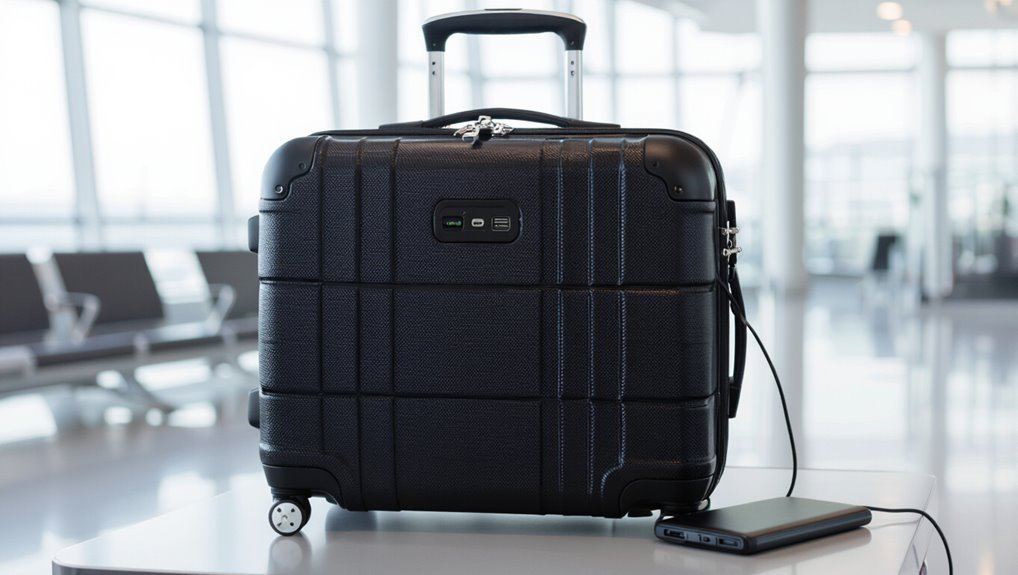
Curious whether you can bring a USB-charged suitcase on your flight? Yes, you generally can if the battery is removable and within airline limits.
You’ll need to carry the battery in the cabin, not checked luggage. Confirm battery watt-hours and airline policies before travel.
If the battery’s nonremovable or exceeds limits, expect restrictions or denied carriage—so verify ahead.
FAA & TSA Rules That Matter for Battery-Equipped Luggage
When you travel with a suitcase that has a built-in battery and USB port, you need to know the FAA and TSA limits on battery capacity and how larger batteries must be handled.
You’ll also want to follow rules about removing batteries for inspection and keeping them in carry-on rather than checked bags.
Finally, expect extra screening at security and be ready to show battery specs or power the unit if asked.
Battery Capacity Limits
Because batteries pose a fire risk if mishandled or damaged, the FAA and TSA set clear capacity limits you need to follow when bringing battery-equipped luggage on a plane.
You can typically carry batteries up to 100 Wh in carry-on without airline approval; 100–160 Wh needs airline approval.
Spare lithium batteries must be in carry-on, terminals protected, and individual batteries shouldn’t exceed allowed Wh ratings.
Battery Removal Rules
If your carry-on has a built-in battery or removable cells, you’ll need to follow FAA and TSA rules that focus on safe handling and accessibility: you must remove spare lithium batteries from checked bags, keep batteries in carry-on, protect terminals (tape or original packaging), and limit capacity per airline rules.
Make batteries easily removable for inspection and declare oversized batteries to the carrier before flying.
TSA Screening Procedures
Although TSA and FAA rules focus on safety, their screening process centers on accessibility and clear identification of batteries in carry-on luggage; you’ll need to make batteries removable or clearly visible for inspection, keep spare lithium cells in your carry-on, and guarantee terminals are protected to speed screening and avoid delays.
- Make batteries removable
- Show installed battery compartments
- Pack spare cells in cabin
- Protect terminals
- Declare large power banks
Lithium-Ion Limits That Determine Carry-On Eligibility
You need to know the lithium-ion watt-hour limits that let a battery stay in your carry-on, since exceeding them can get your bag grounded.
Also check rules for spare batteries—many airlines require them in the cabin and not checked baggage.
Finally, confirm any airline-specific policies before you pack, because carriers can impose tighter limits than the TSA.
Battery Capacity Limits
When you pack a carry-on with built-in USB charging or extra power banks, airlines and regulators limit lithium-ion battery capacity to reduce fire risk; most rules let you bring batteries up to 100 watt-hours (Wh) in carry-on luggage without special approval, while batteries between 100 Wh and 160 Wh usually require airline consent and are often limited in quantity.
- Check labels for Wh
- Carry in cabin
- Protect terminals
- Declare >100 Wh
- Follow airline limits
Spare Battery Rules
Most airlines let you carry spare lithium-ion batteries only in the cabin, not in checked baggage, and they tighten rules based on watt-hours: batteries up to 100 Wh are generally allowed without approval, those between 100–160 Wh usually need airline consent and are limited in number, while cells above 160 Wh are typically prohibited for passenger aircraft.
| Category | Wh | Action |
|---|---|---|
| ≤100 Wh | ≤100 | Carry-on allowed |
| 100–160 Wh | 100–160 | Airline approval needed |
Airline-Specific Policies
Because airlines set their own lithium-ion rules, you’ll want to check each carrier’s limits before packing batteries in your carry-on.
You should confirm watt-hours, quantity, and whether spare power banks are allowed. Consider flight type and international rules too.
Check airline websites or contact customer service to avoid confiscation or fines.
- watt-hour caps
- spare battery count
- terminal protection
- airline exceptions
- documentation needed
Why Battery Type Matters: Removable Vs. Non-Removable Banks
If you plan to travel with a power bank, knowing whether its battery is removable or non-removable changes what you can bring and how you’ll pack it. Removable cells often face stricter rules and may need to be carried in cabin baggage; non-removable banks are usually simpler to declare. Check capacity and accessibility before you fly.
| Battery Type | Travel Impact |
|---|---|
| Removable | Stricter rules |
| Non-Removable | Easier cabin carry |
How to Find Your Suitcase’s Battery Specs
Start by checking the manufacturer label on the suitcase—it’s often stamped inside a pocket or on the battery compartment.
If you can’t find it there, read the user manual or product page for exact specs.
Finally, verify the battery capacity (mAh or Wh) to make sure it meets airline limits.
Check Manufacturer Label
When you inspect your suitcase, look for the manufacturer’s label or a stamped battery panel—it’s the most reliable place to find the battery’s capacity, voltage, and whether it’s removable.
You should note details precisely and record them for airline rules.
- Model number
- Battery capacity (Wh or mAh)
- Voltage (V)
- Removable status
- Certification marks
Read User Manual
Want to know your suitcase’s exact battery specs? Open the user manual; it lists battery type, watt-hours, and removal instructions. If you lost it, download a PDF from the brand’s site using model number. Check safety notes for airline rules and where the battery’s labeled.
| Section | What to find | Action |
|---|---|---|
| Specs | Battery type | Note model |
| Safety | Handling | Follow guide |
Verify Battery Capacity
After you’ve checked the manual for battery type and removal instructions, confirm the battery’s capacity so you know whether airlines will allow it.
Check labels, documentation, or the manufacturer’s site for watt-hours (Wh) or milliamp-hours (mAh). If unclear, convert mAh to Wh (mAh × V ÷ 1000).
Follow airline limits and remove the battery if required.
- Locate label
- Find Wh or mAh
- Look up voltage
- Convert if needed
- Contact manufacturer
How to Convert mAh to Watt-Hours (Wh)
Because battery capacity is often listed in milliamp-hours (mAh) while airline rules refer to watt-hours (Wh), you’ll need a quick conversion to know if your power bank is travel-legal.
Multiply mAh by the battery voltage (usually 3.7V for lithium cells), then divide by 1000:
Wh = (mAh × V) / 1000.
Compare result to airline limits.
What to Do When Battery Labeling Is Missing
If the battery in your carry-on lacks labeling, check the device manual or manufacturer website for exact specifications like mAh or Wh.
You can also look for model numbers on the battery or device and use product pages, receipts, or FCC filings as alternative documentation.
If you still can’t verify capacity, treat the battery as potentially restricted and contact your airline before flying.
Check Battery Specifications
When a power bank or built-in battery lacks clear labeling, don’t assume it’s within airline limits—inspect the device closely and verify capacity before you fly.
You should:
- Look for mAh or Wh markings.
- Use a manual or manufacturer website.
- Measure voltage if possible.
- Compare found Wh to airline limits (usually 100–160 Wh).
- Remove and test detachable batteries before travel.
Use Alternative Documentation
If you’re still unsure about a power bank’s capacity after checking for markings and manuals, gather alternative documentation to prove its specifications.
Carry purchase receipts, original packaging, product listings, or manufacturer support emails showing mAh or Wh. Print or store these on your phone for inspection.
Present them calmly to airline or security staff; clear evidence usually resolves questions about allowed carry-on batteries.
When You Must Remove the Power Bank and Carry It Onboard
Because airlines and safety rules treat power banks as lithium battery devices, you need to remove them from checked bags and carry them in the cabin so crew can access them if there’s a problem.
Follow these cases when you must carry them onboard:
- Visible USB-equipped suitcase with power bank
- Exposed or loose battery pack
- Capacity exceeds airline checked-bag allowance
- Flight crew request
- Security screening hold
How to Prepare a USB-Charged Suitcase for Screening
When you go through security, take out or clearly display any removable power bank so officers can inspect it quickly.
Separate cables and charging modules from the suitcase interior and place them in a bin or your carry-on for easy screening.
Follow TSA and airline rules on battery capacity and placement to avoid delays or confiscation.
Remove Or Display Power Bank
Wondering how to handle the power bank in your USB-charged suitcase at security? You should remove or clearly display it to speed screening.
Follow these steps:
- Power bank out of suitcase
- Place in carry-on bin separately
- Turn off or disconnect cables
- Show battery capacity label if asked
- Keep it accessible for inspection
Separate Charging Components
To make security checks quick and trouble-free, separate all charging components from the suitcase and keep them organized in a clear pouch or small compartment; that includes the power bank, charging cables, wall adapter, and any detachable battery packs.
Label or bundle cables to avoid tangles, place small items visibly on top of your carry-on, and keep documentation like capacity info handy for inspection.
Comply With Security Rules
Although airport security rules vary, you should always prepare your USB-charged suitcase so screening goes smoothly: remove the power bank and any external batteries, place them in your carry-on (not checked luggage), and present them separately in a clear pouch or tray when asked.
Follow these steps:
- Power bank removed
- Batteries capped
- Charge level noted
- Documentation ready
- Electronics accessible
Packing Tips to Keep the Battery Accessible at Security
When you pack a carry-on with a built-in USB battery, leave that battery near the top or in an easily opened pocket so security agents can inspect it without unpacking your whole bag.
Label or document removable batteries, secure terminals with tape or a case, and keep charging cables accessible. That speeds screening, reduces handling, and helps you comply with airline and security procedures.
What TSA and Airline Staff Inspect During Screening
Because screens and gates focus on safety, TSA and airline staff inspect both the exterior and key internal components of your carry-on with a USB port to confirm batteries and electronics meet rules and pose no hazard.
They’ll check visible signs and documentation, and may open compartments to verify compliance:
- Battery type and rating
- Secure mounting
- No damage or swelling
- Wiring integrity
- Accessible power switch or disconnect
Troubleshooting Common Security Delays and Fixes
When you pack a carry-on with a USB port, follow TSA power bank rules so your spare batteries are carried in the cabin and not checked.
Keep power banks easily accessible and charged devices out of pockets for quick screening.
These small steps cut hold-ups and help you move through security faster.
TSA Power Bank Rules
If your power bank gets flagged at security, stay calm and know the common fixes so you don’t miss your flight.
You must carry power banks in carry-on, keep them accessible, and follow capacity limits. Present them separately when asked.
- Keep under 100Wh when possible
- Label capacity clearly
- Tape exposed terminals
- Carry spares in hand baggage
- Follow officer instructions
Device Screening Tips
Having your power bank ready and declared helps, but security delays often come from how electronic devices are screened — and you can take simple steps to speed things up.
Remove devices from bags, power them on when asked, keep charging cables accessible, and place phones, tablets, and large batteries in separate bins.
Label unfamiliar battery packs and follow officer instructions promptly.
Which Airlines Allow Carry-Ons With Built-In USB Ports?
Curious which airlines let you bring a carry-on with a built-in USB port? You’ll find many major carriers permit them, but rules vary.
Check battery status and removable power banks before flying.
Always verify battery condition and whether power banks are removable before you fly.
Typical allowances include:
- Legacy carriers (e.g., large international airlines)
- Low-cost carriers (subject to size limits)
- Regional airlines (may restrict batteries)
- Charter operators (policy-dependent)
- Cargo-only flights (different rules)
Airline Variability: Policy Examples and How to Check
Because policies can differ widely between carriers, always verify rules for carry-ons with built-in USB ports before you fly: check the airline’s website for baggage and battery guidelines, look for sections on electronic devices or lithium batteries, and contact customer service if anything’s unclear. Use this quick checklist and table to compare specifics before packing.
| Airline | Note |
|---|---|
| Airline A | Battery allowed |
| Airline B | External only |
| Airline C | Check watt-hours |
| Airline D | Contact ops |
State, EU, and UK Differences That Affect Battery Luggage
While rules for battery-equipped carry-ons share safety goals, your rights and responsibilities change depending on whether you’re flying within or from the U.S., EU, or UK: each jurisdiction sets its own limits on removable and built-in lithium batteries, watt-hour thresholds, and documentation or labeling requirements, so you should check the specific regulatory or airline guidance that applies to your itinerary.
- watt-hour caps vary
- removable vs built-in rules differ
- documentation needs change
- airline enforcement varies
- penalties and allowances differ
Flying To/From/Within the EU & UK: Special Rules
If you’re flying to, from, or within the EU or the UK, you’ll find stricter labeling, documentation, and handling requirements for lithium batteries than in some other regions, and airlines often enforce them tightly.
You must declare spare batteries, comply with watt-hour limits, and follow packaging and terminal protection rules.
Check your airline’s guidance and carry required paperwork to avoid delays or refusal.
Carry-On Vs. Checked Baggage: Never Check Power Banks
When you’re packing for a flight, always put power banks in your carry-on and never in checked luggage; their lithium batteries can short, overheat, or catch fire under the pressure and temperature changes in the cargo hold.
Airlines and regulators require them to stay in the cabin where crew can respond quickly.
You should:
- Keep them accessible
- Protect terminals
- Observe capacity limits
- Carry original packaging if possible
- Declare oversized units
When a Built-In Battery Could Be Confiscated or Denied Boarding
Having your power bank in the cabin doesn’t guarantee it’ll be allowed on board if it’s built into another item or exceeds limits—security officers can confiscate devices or refuse boarding if a device’s battery is inaccessible, unlabeled, damaged, or above the airline’s rated watt-hour threshold.
You should remove or present removable batteries, carry documentation for rated capacity, and avoid damaged or jury-rigged units to prevent refusal.
Top Carry-Ons With Compliant Removable Power Banks (Buyer’s Guide)
Picking a carry-on with a compliant removable power bank makes traveling simpler and keeps you within airline rules.
So look for bags that let you easily slide the battery into a dedicated, accessible pocket and clearly label its watt-hour rating.
Choose models that balance size, TSA-friendly access, and quality materials.
- TSA-approved pocket
- Removable, labeled battery
- Durable shell
- Organized compartments
- Light weight
How to Replace a Non-Compliant Internal Battery Safely
If your carry-on contains an internal battery that exceeds airline or TSA limits, you’ll need to remove and replace it with a compliant, removable unit or disable the internal pack entirely; do this only after confirming the battery type, capacity (Wh), and manufacturer removal instructions so you don’t void warranties or create a fire hazard.
Power down, disconnect, follow ESD precautions, use approved replacement cells, secure terminals, and test before travel.
Travel Scenarios: Business, International, and Family Tips
Now that you’ve handled any battery issues and guaranteed your carry-on’s power components meet regulations, think about how different trips change what you pack and how you use that USB port.
You’ll adapt charging habits, access, and accessories for each scenario:
- Business: keep a charger, cable organizer
- International: voltage adapter, power bank
- Family: extra cables, shared hub
- Short trips: minimal kit
- Long trips: backup battery pack
What to Say: Airline Customer-Service Scripts If Questioned
When an airline agent asks about your carry-on’s USB port, stay calm and clear: briefly explain that the port powers or charges devices via a low-voltage USB connection and that any battery inside the bag complies with airline rules (show documentation or markings if asked). Say you’ll follow crew instructions and provide specs.
| Statement | Purpose |
|---|---|
| Battery compliant | Reassure |
| Low-voltage USB | Clarify |
| Offer docs | Verify |
| Follow crew | Cooperate |
Quick Preflight Checklist for USB-Charged Suitcases
Before you head to the airport, run a quick checklist to verify your USB-charged suitcase meets safety and airline requirements:
- Confirm battery is removable and within allowed capacity.
- Power bank is powered off and disconnected from devices.
- Check for visible damage or swelling.
- Pack cables and charger separately.
- Know airline policy and declare battery if asked.
Official Resources and Links for Up-to-Date Rules
Since airline and government rules for USB-charged carry-ons change frequently, check official sources so you’re always following the latest guidance: consult your airline’s baggage policy page, the Transportation Security Administration (TSA) website (or local equivalent), and civil aviation authorities for battery limits and transport rules.
Bookmark manufacturer safety pages for device specs, and verify updates before every trip.
Frequently Asked Questions
Can I Use the Suitcase’s USB Port to Charge Devices During Flight?
You generally can’t use the suitcase’s USB port to charge devices during flight because the port usually connects only to a removable battery inside. Check the battery’s TSA/airline rules and crew permission before attempting to charge onboard.
Are Power Banks Inside Checked Luggage Ever Allowed With Airline Approval?
No, you can’t put power banks in checked luggage; airlines and regulators require them in carry‑on only, typically with capacity limits and possible airline approval for larger units, so keep them with you on board.
Do Smart Suitcases With GPS or Bluetooth Have Special Restrictions?
Yes — you can usually take smart suitcases with GPS or Bluetooth, but airlines may restrict built-in batteries or remote-control features; check carrier rules, disable tracking if required, and keep removable batteries in your carry-on per regulations.
How Should I Declare a Built-In Battery at Check-In or Security?
You should declare the built-in battery at check-in and security, tell agents its watt-hour rating, and remove it if required; keep documentation handy, follow airline rules, and don’t gate-check unless the carrier explicitly allows it.
Will My Travel Insurance Cover Battery-Related Confiscation or Delays?
Usually not fully; you’ll likely be covered only for delays or incidental costs if your policy includes luggage or trip interruption coverage, but theft/confiscation of batteries is often excluded—check your policy’s exclusions and claim limits.
Conclusion
You can usually carry a USB-charged suitcase in the cabin, but you’ve got to follow FAA/TSA rules for lithium-ion batteries: removable power banks must stay in carry-on, and non-removable batteries under airline watt-hour limits are generally allowed. Always check your bag’s battery specs, confirm with your carrier for international or special situations, and be ready to remove the battery if asked. Use the preflight checklist and official airline guidance to avoid surprises.