Can Uberx Carry Luggage
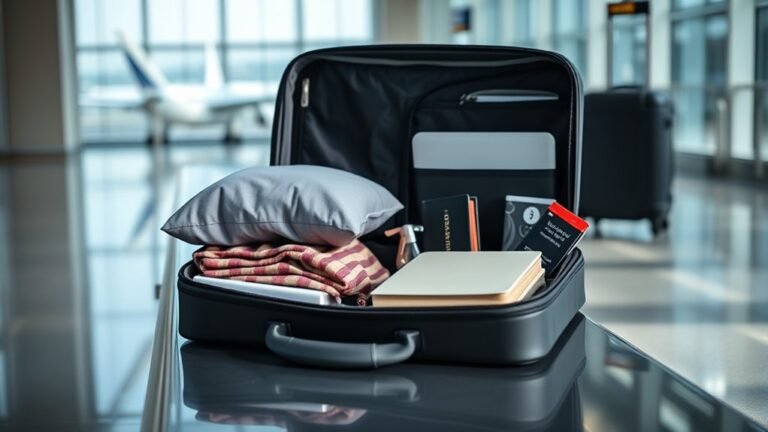
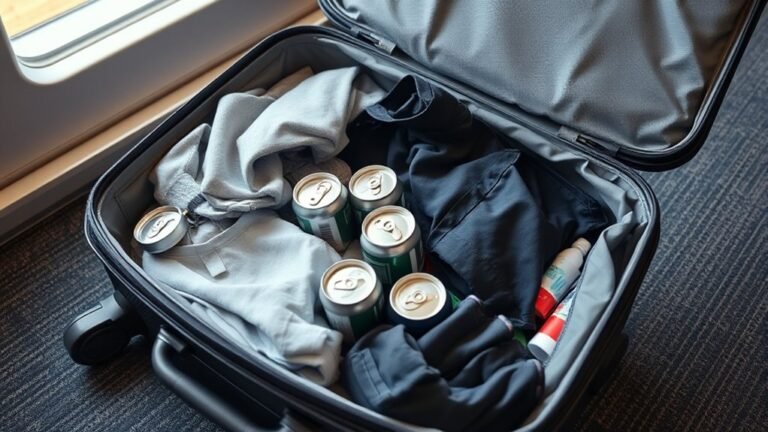
Yes — UberX can carry your luggage, but plan realistically: trunks usually hold about 1–2 medium suitcases plus a carry-on, or one large suitcase plus smaller bags. Soft duffels fit easiest; bulky boxes or heavy items may be refused without driver approval. If you’ve got multiple or oversized pieces, pick UberXL or an SUV to avoid refusals and extra hassle. Keep dimensions handy and check with the driver up front if you want more tips on packing and upgrades.
Quick Answer: Can UberX Carry Luggage?
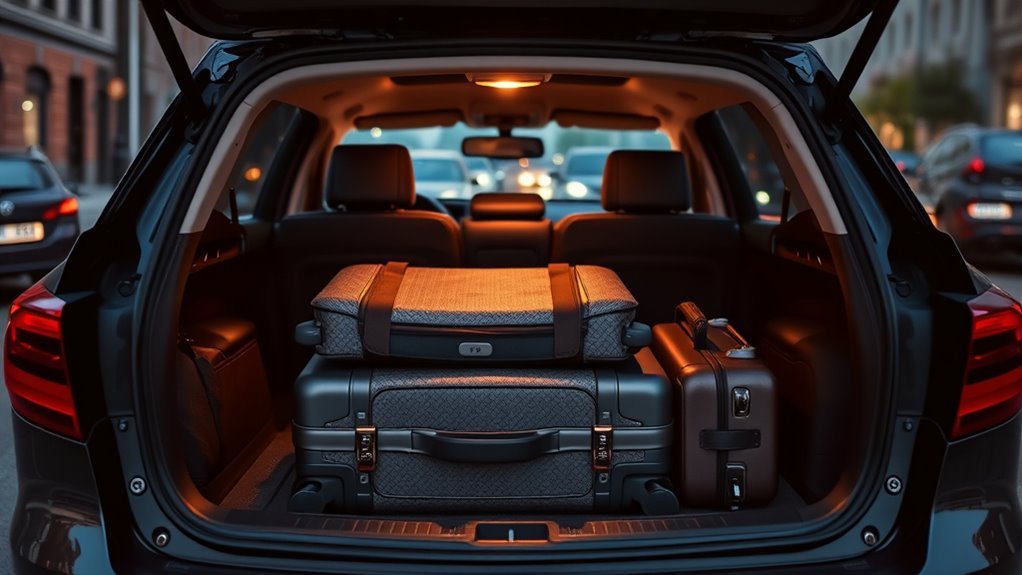
Although UberX drivers aren’t required to provide luggage assistance, most will carry reasonable bags if you ask; just be prepared to lift your own items or tip for extra help. You can expect drivers to help with standard suitcases and backpacks, but not heavy or bulky freight.
Communicate before arrival via the app or message so they know what to expect. If baggage slows pickup or exceeds vehicle capacity, the driver can refuse.
For large groups or oversized items, choose a larger ride option. Always be polite, offer a tip for added effort, and confirm space before booking.
Who This Guide Is For and What You’ll Learn
If you’re planning a trip with suitcases, sports gear, or bulky items and want to know what to expect from an UberX ride, this guide is for you. You’ll get practical advice so you can pack, request, and communicate without stress.
It’s aimed at riders who need clear rules and quick decisions: occasional travelers, commuters with equipment, airport passengers, and group riders coordinating luggage. You’ll learn when to book alternatives, how to describe cargo to drivers, and how to handle trunk access politely.
Aimed at travelers needing clear, quick guidance on packing, describing cargo, and polite trunk handling.
Topics covered include:
- Rider scenarios
- Communication tips
- Booking options
- Etiquette and safety
Typical UberX Trunk Capacity (Real Numbers)
Most UberX cars offer between about 12 and 16 cubic feet of trunk space, which typically fits two medium suitcases or one large suitcase plus a carry-on. You can expect compact sedans and small crossovers to sit near 12–13 cu ft, while midsize sedans reach 14–16 cu ft. Check the vehicle model if you need specific capacity. Below is a quick reference comparing common UberX models and typical trunk volumes to help you plan luggage counts.
| Vehicle Type | Typical Trunk Volume |
|---|---|
| Compact sedan | 12–13 cu ft |
| Midsize sedan | 14–16 cu ft |
| Small crossover | 13–15 cu ft |
| Large sedan | 16–18 cu ft |
How Much Cabin Space Riders Can Expect in UberX
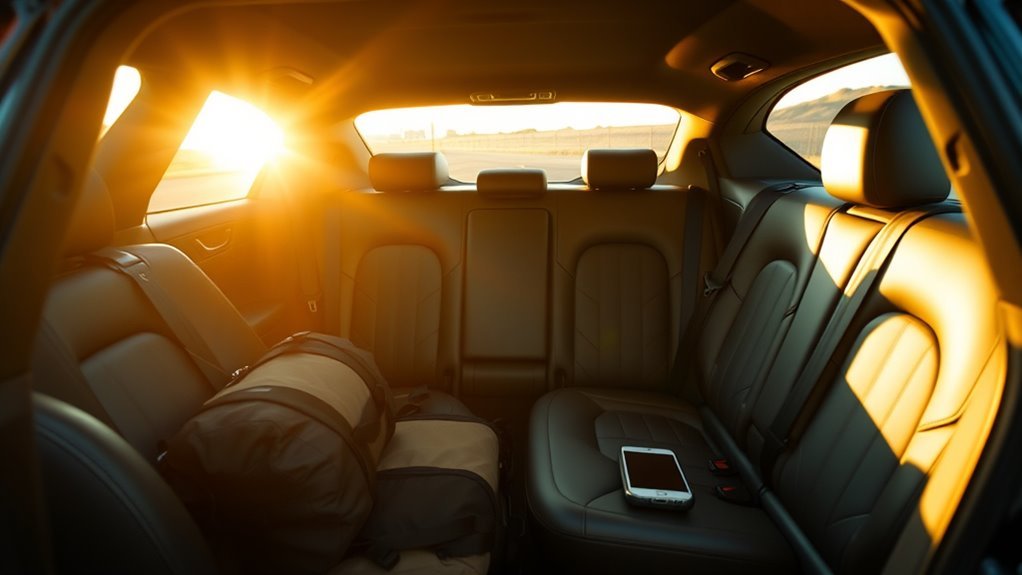
When you hop into an UberX, expect comfortable seating for up to four adults with modest legroom and headroom that varies by model.
You’ll usually find a roomy middle seat across the back but limited foot space if the front seats are pushed back. Carry-on bags fit on laps or between feet; bulky items may feel cramped. Look for vehicles with flat rear floors for better comfort and briefcases or backpacks tuck under seats.
- Front passenger legroom: varies, often adequate
- Rear shoulder room: tight for three adults
- Headroom: depends on model roofline
- Seat padding: affects perceived space
What Common Luggage Types Fit: Suitcases, Duffels, Boxes
You can usually fit a couple of suitcases or a standard carry-on in an UberX trunk, but larger checked bags may need creative stacking.
Soft duffels are the easiest to tuck in around other items, while big boxes might require folding seats or asking the driver for help.
Think about size and maneuverability when packing so you don’t get caught at the curb.
Suitcases And Carry-On
If you’ve got a standard checked suitcase, a carry-on, a duffel, or a small box, an UberX will usually handle one to two of those items plus a couple of smaller bags. Larger hard-shell suitcases or multiple large bags may require an SUV or XL. You should assess size and counts before requesting.
Foldable strollers or soft bags fit easier than bulky roller suitcases. Load with care to avoid blocking the driver’s view.
Typical fits:
- One checked suitcase
- One carry-on
- One duffel or soft bag
- Two small backpacks or tote bags
Ask the driver if you’re unsure.
Duffels And Large Boxes
After packing suitcases and carry-ons, check how duffels and large boxes compare—they’re usually bulkier but more forgiving in shape.
You can often fit a soft duffel in an UberX trunk or backseat by compressing it and angling it sideways.
Large boxes demand more planning: measure them, fold flaps, and test whether they clear the trunk lip.
If boxes are tall, they may fit better flat on the backseat with a passenger seat folded.
Secure loose items with straps or seatbelts to prevent shifting.
Communicate size with your driver before pickup to avoid surprises and delays.
How Many Checked Bags an UberX Usually Carries
You’ll usually fit two to three checked bags in a standard UberX, depending on their size. Vehicle dimensions matter—compact cars hold less than sedans or small SUVs.
Also remember drivers can refuse excess luggage for safety or comfort, so always ask ahead.
Typical Bag Capacity
Most UberX drivers can comfortably carry two standard checked suitcases in the trunk, and sometimes squeeze in a third if the bags are soft or compact—expect tighter fits when passengers or child seats already occupy the rear seats. You’ll usually plan around trunk space rather than backseat stacking.
Consider these typical scenarios:
- Two hard-shell checked bags fit easily, trunks closed.
- Two plus one soft bag fits if you rearrange and compress.
- One checked bag plus carry-ons in the cabin is common for three travelers.
- Oversized or rigid suitcases may force you to limit to one checked bag.
Vehicle Size Effects
How many checked bags an UberX can carry depends largely on the vehicle’s size and trunk layout. Compact sedans usually handle two standard checked suitcases, midsize sedans often fit two to three with careful packing, and small SUVs or crossovers can commonly take three to four without crowding the cabin.
You should assess bag dimensions and soft vs. hard cases; soft bags compress and stack better. Foldable items or duffels can increase capacity.
If you’ve got bulky gear or more than four checked bags, consider requesting a larger vehicle class or splitting luggage across riders to avoid blocking rear visibility or cabin space.
Driver Discretion Rules
Because drivers set the final limits inside their cars, you should expect variation in how many checked bags an UberX will carry—typically two to three for sedans and up to four in small SUVs, but drivers can refuse more if trunk access, visibility, or passenger comfort would be compromised.
You should ask before loading oversized or extra bags. Drivers may consider safety, seatbelt availability, and luggage blocking windows.
Common practical guidelines include:
- Sedans: 2–3 checked bags.
- Small SUVs: up to 4 checked bags.
- Large SUVs/minivans: 4+ with notice.
If in doubt, message the driver.
How Many Carry-Ons an UberX Usually Carries
When you request an UberX, expect space for about two standard carry-on bags in the trunk plus one or two smaller items in the back seat, depending on the vehicle model and whether the driver already has passengers or other luggage. You should load efficiently, place fragile items inside, and ask the driver if trunk space is limited. If you have more bags, consider splitting into two rides or upgrading vehicle type. Communicate clearly about space before the trip to avoid surprises.
| Vehicle type | Trunk estimate | Back seat |
|---|---|---|
| Sedan | 2 bags | 1 small |
| Hatchback | 1–2 bags | 1 small |
| SUV | 3–4 bags | 2 small |
Size and Weight Limits Drivers Typically Enforce

If you’re loading luggage into an UberX, drivers typically expect each bag to be a standard carry-on size (about 22 x 14 x 9 inches) and to weigh no more than 30–50 pounds so it’s easy to lift and fit without damaging the trunk.
You should follow common-sense limits and communicate unusual items ahead of time.
Typical expectations include:
- One medium suitcase per passenger unless space allows.
- Soft bags over rigid suitcases for easier packing.
- No single item heavier than about 50 pounds to avoid injury.
- Bulky or irregular items require prior driver approval.
Sedan vs Compact: Real Luggage Space Differences
When you’re deciding between a sedan and a compact for an UberX trip, check trunk capacity numbers to see what actually fits—sedans usually hold more suitcases.
Also consider interior carry limits: compacts may force smaller bags into the cabin or onto laps.
We’ll compare typical trunk volumes and realistic inside-space tradeoffs so you can plan luggage without surprises.
Trunk Capacity Comparison
Although both sedans and compacts can handle everyday bags, their trunks differ in usable shape and depth, which directly affects how much real luggage you can fit. You’ll notice sedans give flatter floors and deeper bays, while compacts often have narrower openings and wheel-arch intrusions that limit large suitcases.
Consider these practical comparisons:
- Sedan: deeper trunk depth fits two medium suitcases stacked.
- Compact: shorter depth usually fits one medium plus a carry-on.
- Sedan: wider opening eases bulky item loading.
- Compact: taller items may need angling due to limited length.
Choose based on suitcase size, not badge.
Interior Carry Limits
Curious how much gear you can actually carry inside a sedan versus a compact? You’ll find sedans typically offer more cabin room and rear-seat width, so you can fit medium duffels, backpacks, or a small suitcase across the back seat comfortably.
Compacts force you to prioritize: one carry-on or several soft bags, but not bulky hard-shell cases. Seat contours, center hump, and door angles affect usable space, so measure your largest bag against rear-seat depth and height.
If you travel with multiple pieces, choose a sedan; for light travel, a compact will usually do.
Why Driver Preference Matters for Accepting Bulky Items
Because drivers are the ones who’ll actually load, secure, and transport bulky items, their preferences directly shape whether those rides get accepted, how much extra time they expect to spend, and what accommodations they require. You should respect that drivers set boundaries based on vehicle size, safety, and personal comfort.
Before requesting a bulky-item trip, communicate clearly and offer help. Expect drivers to decline if items risk damage or injury.
Common factors drivers weigh include:
- Vehicle cargo capacity and access
- Item size, weight, and fragility
- Time needed for loading/unloading
- Potential for mess or odor
How Airport Pickups Change Luggage Expectations
When you request an airport pickup, you should expect drivers to account for extra space and more time for loading.
Tell the driver beforehand if you have oversized bags so they can help or decline without surprise.
A small tip and clear communication usually makes loading smoother and keeps the trip on schedule.
Expectation For Space
If you’re heading to or from the airport, you should expect drivers to plan for more and bulkier luggage than a typical city ride. You’ll want to set clear expectations about space before pickup so both of you avoid surprises.
Consider these points:
- Tell the driver how many suitcases and carry-ons you have.
- Note any fragile or oddly shaped items that need special placement.
- Ask if the trunk or back seat will accommodate all bags.
- Confirm whether multiple trips or a larger vehicle might be needed.
Communicating plainly saves time and guarantees a smoother airport transfer.
Handling Oversized Bags
Beyond confirming counts and fragile items, you’ll also need to plan for oversized bags that won’t fit standard trunks or back seats. At airports, expect some drivers to refuse heavy or awkward items; policies vary and safety matters.
You should measure and photograph large pieces beforehand, mention dimensions when requesting a ride, and consider choosing a larger vehicle option or multiple rides if needed.
If a driver accepts, help guide placement to avoid blocking windows or doors and balance weight distribution.
Have a backup plan—luggage storage, shuttle, or a courier—so you won’t be stranded with gear that can’t safely travel in an UberX.
Tip For Smooth Loading
Because airport pickups often mean tighter timelines and more luggage traffic, you should aim to streamline loading by prepping both yourself and your bags before the driver arrives. Pack strategically, consolidate loose items, and choose easy-to-lift pieces. When you meet the driver, communicate trunk preference and offer quick placement help.
- Have confirmations and pickup details ready.
- Collapse extra bags or combine smaller items.
- Position carry-ons near the car for fast transfer.
- Ask politely where they’d like heavy items placed.
These steps respect the driver’s time, speed loading, and reduce potential refusal or delays at busy terminals.
Best Practices When Booking UberX for Airport Runs
When you’re booking an UberX for an airport run, plan ahead to guarantee enough space for your luggage and a smooth pickup. Choose a ride time with buffer for traffic and security lines.
Enter accurate passenger and luggage counts in the app notes so drivers know what to expect. Pick a pickup spot that’s legal, safe, and easy to access; confirm pickup instructions with the driver via message.
Be ready when the car arrives to avoid delays. Consolidate bags or use compact packing to minimize space needs. Tip generously if the driver helps with heavy or awkward items.
How to Measure Your Luggage to Confirm Fit
After confirming your pickup details and luggage count, check your bags’ dimensions so you know they’ll fit in the trunk or back seat. Measure length, width, and height with a tape measure, then compare to typical compact trunk space (about 36–40 inches wide, 14–18 inches high).
For odd shapes, measure the largest dimensions. Note wheel and handle positions, since they add length. Record dimensions and count to avoid surprises.
- Measure L × W × H precisely.
- Include wheels/handles in length.
- Test stacking feasibility on the floor.
- Recheck if you repack or add items.
How to Describe Your Luggage in the App or to Drivers
If you want drivers to know what to expect, describe each bag clearly and concisely in the app or over the phone—include counts, shapes (suitcase, duffel, backpack), and the largest dimensions (length × width × height), and note wheels or rigid handles that affect fit.
Say something like “two medium suitcases 24×16×10, one backpack” or “one large roller 28×18×12, one duffel.”
Mention fragile items needing flat placement or an extra-large item that may require trunk space. Use plain terms, avoid vague words like “big,” and update the note if plans change so drivers get accurate expectations.
How to Ask Drivers Beforehand About Space Politely
When you book, politely signal your need by messaging the driver that you have luggage and ask if they’ve room. Specify size and number (e.g., two medium suitcases and a backpack) so they can confirm fit.
If space is tight, offer a small incentive like a few extra dollars for loading or trunk space.
Politely Signal Your Need
Wondering whether your driver has room for a suitcase? You can signal politely and efficiently so expectations match.
- Send a brief message after booking: “Hi, do you have trunk space for one medium suitcase?”
- Offer dimensions only if asked; keep initial ask short and friendly.
- Mention if you can lift your bag or need help: “I can lift it” or “Could you assist?”
- Say you’ll wait outside a few minutes if they need to rearrange items.
These prompts respect the driver’s time, get a clear answer fast, and keep communication courteous and practical.
Specify Luggage Details
Because drivers handle space differently, be specific about your luggage so there are no surprises. When you request a ride, tell the driver how many bags you have, their approximate sizes (carry-on, medium suitcase, duffel), and whether they’re hard-sided.
If you’re bringing oddly shaped items—strollers, musical instruments, or boxes—mention dimensions or weight. Ask if they prefer trunk or backseat and whether folding seats are available.
Phrase it politely: “I have two medium suitcases and a backpack—will that fit?” This helps drivers confirm or suggest a larger vehicle, avoiding delays and awkward refusals.
Offer A Small Incentive
If your bags might strain the trunk or require extra handling, offering a small incentive can make drivers more willing to accommodate you. You should ask politely, be specific, and keep the tip reasonable. Use this approach:
- State size and count of bags upfront so the driver can assess space.
- Ask, “Would a $5–$10 tip help if I need trunk assistance?” to stay clear and concise.
- Offer to meet the driver at the curb to speed loading and show appreciation.
- Thank them in advance and tip via the app or cash after they help.
This shows respect and increases your chances of a yes.
If a Driver Refuses Your Bags: Next Steps
When a driver refuses to carry your bags, stay calm and address the situation directly. Ask why—safety, space, or policy—and listen.
If a driver won’t handle your bags, stay calm, ask why—safety, space, or policy—and listen carefully.
If it’s a reasonable concern, offer to remove fragile items, consolidate bags, or place luggage in the trunk yourself to minimize their effort.
If the refusal feels unreasonable or discriminatory, decline the ride and request a new one through the app.
Document the incident: note time, driver name, and take a photo if relevant.
Report the refusal to Uber with clear details so they can investigate.
Seek another ride or alternative transport without escalating on the spot.
How to Load Luggage Safely Without Damaging the Car
Place heavy bags on the floor or in the trunk so they won’t shift and stress the seats or latches.
Use blankets, towels, or seat covers to protect upholstery and trim from scuffs and stains.
Lift with your legs and move items carefully to avoid bumping doors or panels.
Secure Heavy Items Low
Because heavy items shift easily, keep them low and centered to protect your car and maintain safe handling. Place suitcases and boxes on the trunk floor or rear seat base, not on top of other items. Use straps or bungee cords to limit movement. Check sightlines before you drive.
- Put the heaviest piece nearest the vehicle’s center and against a solid surface.
- Fill gaps with soft items to prevent sliding.
- Lock trunk or close hatch firmly to avoid pressure on latches.
- Test by gently nudging cargo to confirm it’s secure before starting off.
Protect Interior Surfaces
If you want to keep the car looking good, cover seats and trunk liners with a blanket, towel, or fitted cargo mat before loading to catch dirt, scuffs, and spills.
Protect leather or fabric with plastic or removable covers for wet or abrasive items.
Pad sharp corners with cloth or foam to prevent punctures.
Use straps or bungee cords to prevent shifting that can scrape panels.
Place fragile or stain-prone items in sealed bags or hard cases.
Wipe rims and zippers before loading to avoid stains.
After unloading, remove covers and vacuum or wipe surfaces promptly to prevent residue.
Protecting Fragile Items During an UberX Ride
When you’re transporting fragile items in an UberX, secure packing and clear handling instructions make the difference between safe delivery and a costly mishap. You should cushion items with bubble wrap or clothing, use sturdy boxes, and seal edges.
Label boxes “FRAGILE” and tell the driver upon pickup; ask them to place items on the floor behind the front seat if possible. Keep items upright and separated to avoid shifting.
If something’s large, request a short stop to rearrange. Communicate politely, offer help lifting, and confirm the driver is comfortable handling your items.
- Cushion thoroughly
- Use sturdy boxes
- Label and tell driver
- Place securely
Fitting Three or More Suitcases Into an UberX: Tips
Packing three or more suitcases into an UberX takes a little planning. You’ll assess trunk size, fold rear seats if allowed, and prioritize soft bags. Load largest, heaviest pieces first, then nest smaller items and use overhead or passenger footwells for oddly shaped bags. Ask the driver politely before moving seats.
| Action | Benefit |
|---|---|
| Fold rear seats | More space for long suitcases |
| Use soft duffels | Easier to compress |
| Communicate with driver | Avoid surprises |
Confirm fare and space before booking a standard UberX; consider an XL if you’re unsure.
Packing Techniques to Save UberX Trunk Space
Although trunk space in an UberX can feel limited, you can maximize it with a few simple techniques: compress soft bags, stack suitcases by size, and use shoe and accessory pockets to fill gaps.
Maximize limited UberX trunk space by compressing soft bags, stacking suitcases, and filling gaps with shoes and accessories.
Pack smartly: roll clothes to save volume, use packing cubes, and keep heavy items low.
Follow this quick checklist:
- Roll clothing to reduce wrinkles and compress volume.
- Use packing cubes to organize and squeeze more into corners.
- Place heavy, flat items first to create a stable base.
- Stuff shoes and small pockets with socks, chargers, and toiletries.
You’ll fit more and keep items accessible.
When to Split Luggage Between Riders
If you and your fellow riders have multiple bulky items or suitcases that won’t fit comfortably in one trunk, split the load so each person carries one bag and a small personal item; this keeps the trunk balanced, avoids damage to fragile things, and makes unloading faster at stops.
Decide before pickup: count bags, note sizes, and assign by size and owner comfort. Put heavier items near the center or floor to lower shifting.
Keep fragile or valuable items with riders rather than in the trunk. If someone struggles with lifting, reassign a lighter item.
Communicate clearly to save time.
UberXL Explained: More Room for Bags
When you need extra space for people and their bags, UberXL gives you roomier vehicles—usually SUVs or minivans—that comfortably handle more passengers and bulkier luggage than a standard UberX. You’ll find pickup and drop-off easier, and drivers expect several suitcases. Consider how to load and communicate clearly so nothing gets damaged.
- Seats: UberXL seats 6–7, freeing trunk space for bags.
- Suitcase fit: Larger trunks fit multiple medium/large suitcases.
- Group travel: It’s practical for families or shared rides with lots of gear.
- Driver help: Ask if the driver can assist with loading.
When to Choose UberXL vs UberX for Luggage Needs
Because your luggage needs determine comfort and cost, pick UberXL when passengers or bags won’t fit safely in a standard sedan.
Choose UberXL if you have three or more full-size suitcases, bulky sports gear, or extra passengers who’d otherwise cramp the trunk or cabin.
Opt for UberX for solo travelers or couples with one or two small to medium bags that fit in a compact trunk.
Consider flight pickups: heavy rolling luggage usually warrants XL.
Also factor door-to-door convenience and loading ease—if loading would block aisles or require roof racks, upgrade to UberXL to avoid damage and discomfort.
Other Uber Options: Comfort, Black, and Cargo Features
Curious how Uber’s other rides compare for luggage and comfort? You’ll find options that balance space, style, and price so you can pick what fits your trip.
- Comfort: You’ll get larger, newer sedans with extra legroom; small suitcases fit fine.
- Black: Premium SUVs and sedans give upscale interiors and trunk space for moderate luggage.
- Cargo: Designed for big items, it’s ideal when you’ve got bulky or multiple pieces.
- Considerations: Check vehicle type in the app, message the driver if unsure, and avoid overpacking beyond visible trunk capacity.
UberX Policy vs Driver Discretion on Luggage
Although UberX sets basic guidelines for passengers and drivers, actual luggage decisions often come down to the driver’s discretion. You should expect reasonable allowances—typical carry-ons or suitcases that fit in the trunk or backseat—but drivers can refuse oversized or excessive bags for safety, vehicle capacity, or comfort.
Always message the driver before requesting if you have multiple or bulky items. Be ready to help load and unload, secure items, or accept a different vehicle type if needed.
If a driver refuses without clear reason, you can contact support, but polite planning usually prevents conflicts.
How Much an Upgrade to XL Usually Costs
Upgrading from UberX to XL usually costs you an extra $5–$15, though fares vary by city and demand.
Surge, distance, and the number of passengers with luggage can push that price higher.
Consider XL worth it when you need room for multiple large bags or want a more comfortable ride.
Typical Price Difference
If you need more room for bags, expect to pay a bit more when you choose UberXL: the typical fare bump ranges from about 25% to 50% above an UberX ride, depending on city and demand. You’ll see that reflected in your app estimate before you book. Consider these quick points:
- Base fare for XL is higher than X.
- Per-mile and per-minute rates are usually increased.
- Minimum fares for XL can be noticeably larger.
- Surge multiplies apply the same way, so your absolute cost rises.
Decide if the space is worth the extra before confirming.
Factors That Affect Cost
Because XL vehicles carry more passengers and luggage, you’ll usually pay higher base, per-mile, and per-minute rates—and those increases vary by city, time, and demand.
Surge pricing, local market rates, and driver availability push XL fares up more than standard rides.
Distance and duration matter: longer trips magnify per-mile and per-minute differences.
Airport or event fees, tolls, and premium pickup zones add fixed costs.
Promotions, discounts, and shared-ride options can reduce your outlay but often exclude XL.
Finally, booking in advance or choosing off-peak times can lower the markup compared with last-minute, high-demand requests.
When XL Is Worthwhile
When you need extra space for people or bags, choosing XL usually adds a predictable premium—often 20–50% more than a standard UberX, though exact amounts depend on city, time, and demand. You’ll decide based on passenger count, luggage size, and urgency. Expect fares to rise during peak hours and near airports. Check the app estimate before you confirm.
- More passengers: XL fits 5–6 people comfortably.
- Big luggage: XL handles multiple large suitcases.
- Peak pricing: Surge multiplies the XL premium.
- Cost tradeoff: Split fares to make XL economical.
When a Taxi or Airport Shuttle Is a Better Choice
Although rideshares handle most trips comfortably, there are clear situations where you’ll want a taxi or airport shuttle instead. If you’ve got oversized items, multiple large suitcases, or sports gear that won’t fit in an UberX, taxis and shuttles can accommodate cargo better.
At busy airports, shuttles run fixed routes and curbside pickups that cut waiting and walking time. Taxis often accept cash and don’t surge, so you can avoid unpredictable fares when traffic spikes.
If accessibility needs require ramps or extra assistance, shuttles and some taxi services provide trained drivers and appropriate vehicles. Choose them when reliability matters.
Using Curbside Help and Luggage Services With Rideshares
If you need extra help beyond choosing a taxi or shuttle, rideshare drivers and airport services often offer curbside assistance and luggage handling—sometimes for a small fee or tip. You can request help through the app or politely ask the driver when they arrive.
Expect varying policies: some drivers will load bags, others won’t. Consider prepaid curbside services at busy airports for faster handling.
Communicate size and count of bags before pickup so the driver can confirm capacity.
Always tip for extra labor, keep valuables with you, and be ready to accept alternative arrangements if needed.
- Ask driver in-app
- Confirm bag count
- Use airport curbside service
- Tip for help
How Luggage Affects ETA and Pickup Timing
When you bring extra bags, expect a bit more time for loading and arranging them in the trunk or backseat.
Limited vehicle space can mean waiting for a larger car or making multiple trips, which will push your ETA.
Communicate your luggage needs upfront so drivers can plan pickup timing more accurately.
Luggage Loading Time
Because loading luggage usually takes more than just opening a trunk, you should factor that extra minute or two into your ETA and pickup timing—especially with large suitcases, multiple bags, or awkward items. You’ll want to communicate clearly and prepare to speed the process.
- Notify the driver in the app or message about bag count and size.
- Be ready at curbside with bags organized and accessible.
- Offer to load heavy or bulky items to avoid delays.
- Expect slight schedule shifts during busy times or tight pickup windows.
Accounting for loading time keeps your pickup predictable and fair to drivers.
Vehicle Space Limits
How much luggage can your driver realistically fit without delaying your ETA? You should consider trunk size, backseat space, and passenger count. Compact sedans handle one medium suitcase plus a backpack; midsize and SUVs carry more.
Bulky items may force awkward stacking that slows loading and reduces visibility. If you’ve got oversized bags, tell the driver when you request the ride so they can accept or decline.
Also note that drivers can refuse if space’s insufficient. Pack efficiently, consolidate bags, and avoid loose items that spill. That helps keep pickups smooth and prevents last-minute detours or refusals.
Impact On Arrival Time
Wondering how your bags will affect the ETA? You should know luggage can nudge pickup timing and overall ETA in predictable ways. Consider these factors so you can plan smarter:
- Loading time — More or bulky bags mean drivers take extra minutes arranging trunks or seats.
- Walk distance — If your bags force curbside drop or longer walks, arrival and completion shift.
- Route changes — Drivers may detour to safer loading spots, altering ETA slightly.
- Vehicle swaps — If your assigned UberX can’t fit bags, a reassignment adds waiting time.
Factor these into scheduling to avoid surprises.
Who’s Responsible if Luggage Is Lost or Damaged?
When your bags go missing or get damaged during an UberX trip, figuring out who’s responsible can feel frustrating, but there are clear steps you should take right away to protect yourself and your belongings.
You’re generally responsible for securing your luggage before and during the trip, but drivers must exercise reasonable care while transporting items.
Uber’s policies and local laws influence liability, and drivers may be liable if negligence caused loss or damage.
If you suspect driver fault, communicate calmly, note details (time, driver, vehicle), and report the issue to Uber promptly so they can review and determine responsibility.
How to Document Damage and File an Uber Claim
Before you contact Uber, take clear, time-stamped photos and videos of the damage, the surrounding area, and the vehicle’s interior (including the trunk or cargo area) so you can show exactly what happened and where.
Then follow these steps to document and file a claim:
- Note date, time, trip ID, driver name, and vehicle details in a short written record.
- Collect witness names and contact info if available.
- Upload photos, videos, and your written record via the Uber app’s “Help” > “Trip” > “Item damaged” section.
- Keep originals, receipts for repairs, and follow up regularly until resolved.
Regional Differences and Local Norms for Luggage
Because luggage expectations and vehicle types vary by region, you should adjust how you pack and communicate with drivers accordingly. In some cities, sedans dominate; in others, SUVs or compact cars are common. Check local ride options and choose a larger vehicle if needed. Ask drivers politely about trunk space before loading. Be mindful of cultural norms—helping with bags may be offered more in some places, less in others. Pack tighter for narrow streets or limited trunk space.
| Region tip | Quick action |
|---|---|
| Cities with compact cars | Request UberX SUV or XL |
| Tourist hubs | Arrive early to load |
Transporting Oversized Items: Skis, Bikes, and Golf Clubs
If you’re bringing skis, a bike, or golf clubs, plan ahead so your ride can handle the gear—check vehicle options, measure items, and ask the driver about trunk or roof-rack space before booking.
You’ll need to decide whether to disassemble, bag, or use a rack.
Communicate pickup logistics and offer to help load to speed things up.
Expect some drivers to decline bulky items; respect their choice and rebook a larger vehicle if needed.
- Measure gear and trunk space.
- Consider folding/removing wheels or using cases.
- Ask about roof racks or rear hitch.
- Tip for extra handling.
Bringing Pets Plus Luggage in an UberX
After sorting bulky sports gear, you also need to plan how to bring pets along with your luggage in an UberX. You should check local regulations and Uber’s pet policy—drivers may allow pets but can refuse.
Use a sturdy pet carrier that fits the trunk or rear seat and keep luggage compact to save space. Communicate with your driver before booking about pet size and luggage amount.
Bring cleaning supplies and secure the carrier so it won’t shift. Offer to help load items to speed pickup.
If space’s tight, consider a larger vehicle option or split trips to keep everyone comfortable.
Accessibility: Wheelchairs, Mobility Aids, and Luggage Space
When you’re traveling with a wheelchair or mobility aid, prioritize clear communication and efficient packing to make an UberX ride work—let drivers know the type and dimensions of the device, whether it’s foldable, and how many bags you’ll have.
You’ll want to confirm trunk space or request an accessible vehicle if needed. Pack essentials within reach and collapse or secure the aid to maximize room.
Be polite but firm about assistance needs; some drivers can help with stowing. Consider ride options in advance to avoid surprises.
- Measure device and bags
- Notify driver ahead
- Pack compactly
- Request accessible vehicle
Holiday Travel Tips for Luggage and High Demand
Because demand spikes during the holidays, plan ahead for luggage and higher wait times by packing light, booking rides early, and keeping your driver informed about extra bags so you avoid delays or denied pickups.
Plan for holiday demand: pack light, book early, and tell your driver about extra bags to avoid delays.
Expect surge pricing and longer ETAs; check the app before leaving and consider flexible pickup windows.
Consolidate bags, use soft duffels that fit trunks, and keep essentials in a small carry-on you can stow in the cab.
If you need more space, request an XL or a larger vehicle option.
Communicate arrival details, confirm trunk access, and tip courteously for extra help loading.
Real Rider Scenarios: Sample Packing and Booking Choices
If you’re juggling a weekend trip, a family holiday, or a business overnight, these real rider scenarios show practical packing and booking choices that keep you moving. You’ll pick suitcase size, bag placement, and ride type to match needs. Consider quick, space-saving moves and honest booking.
- Weekend solo: one carry-on, backpack in cabin, request UberX, trunk fits.
- Couple weekend: two soft bags, collapsible tote, UberXL if tight, communicate on pickup.
- Family holiday: checked luggage, stroller, book UberXL or multiple cars, fold gear.
- Business overnight: garment bag, compact carry-on, UberX with polite driver note.
Checklist Before Requesting an UberX With Luggage
Before you tap request, take a quick inventory of your bags, passengers, and any bulky items so you know exactly what space you’ll need and can choose the right ride.
Check bag sizes (carry-on, checked, duffel), count passengers, and note strollers or sports gear.
Measure odd items roughly and consider whether they can fit in a trunk or need inside space.
Remove loose straps or collapse handles to save room.
Confirm pickup constraints like stairs or limited curb space.
Notify the driver in the app about extra luggage and request help politely when they arrive.
How to Save Money When You Need a Larger Vehicle
When you need more space but want to keep costs down, compare options like requesting an XL or a rideshare SUV only when it’s truly necessary, splitting the fare with fellow travelers, or checking whether a slightly later or earlier pickup reduces surge pricing.
- Request XL only if trunks are full; otherwise use UberX and fit carry-ons creatively.
- Share rides with friends and split the fare to lower per-person cost.
- Check fares at off-peak times or set fare alerts to avoid surge pricing.
- Compare local van services or airport shuttles; they can be cheaper for heavy or bulky luggage.
Common Mistakes That Cause Luggage Refusals or Delays
Even if you follow money-saving tips like only upgrading to XL when trunks are full, a few common mistakes can still lead drivers to refuse your luggage or delay departure.
You often underestimate bag size, try to force oversized items into tight trunks, or bring dirty, wet, or smelly gear drivers won’t load.
You forget to ask before bringing a bulky item, arrive late causing rushed fit checks, or pile bags into the cabin blocking exits.
You also neglect collapsible handles and secure loose straps, creating safety concerns.
Prevent refusals by measuring, communicating, and packing clean, compactly, and safely.
Quick Flow: Book UberX or Upgrade-Decision Guide
If you’ve got one or two small bags, you can usually book UberX and be fine.
If your luggage is bulky, exceeds trunk space, or you’re traveling with several suitcases, upgrade to a larger option.
Check luggage size and count before you request to avoid surprises.
When To Choose UberX
Because you want a straightforward, budget-friendly ride for up to four people and a couple pieces of luggage, choose UberX for most everyday trips. It fits short airport runs, city errands, and standard outings without extra fees.
Pick UberX when you need reliable, affordable transport and don’t require special accommodations. Consider these quick indicators:
- You’re traveling with one or two checked bags and carry-ons.
- You need a cost-effective option for up to four passengers.
- Your route is within city limits and doesn’t need bulky gear.
- You don’t require wheelchair access or a premium experience.
When To Upgrade Ride
Now that you know when UberX fits, decide whether to stick with it or upgrade based on a few quick checks. Check passenger count, comfort needs, door-to-door accessibility, and luggage handling. If you’re with three others, need extra legroom, or want a trunk big enough without juggling bags, pick a higher tier. Upgrading also helps for airport trips with tight timelines or if you value guaranteed space. Use this quick comparison to decide.
| Need | Upgrade? |
|---|---|
| More seats | Yes |
| Extra trunk | Yes |
| Budget priority | No |
| Faster pickup/comfort | Yes |
Luggage Size And Count
Think about how many bags and how big they’re before you tap to confirm—your luggage load often decides whether UberX will do or you should upgrade.
You’ll fit typical carry-ons in most sedans, but measure and count to avoid surprises. Use this quick checklist to decide:
- One small backpack + one carry-on: UberX likely works.
- Two medium suitcases: tight but possible; consider trunk space.
- Three or more large suitcases: upgrade to UberXL or a rideshare with more cargo.
- Odd items (strollers, sports gear): ask the driver or choose a larger vehicle.
Action Steps to Secure the Right Ride for Your Luggage
If you’ve got oversized bags or fragile items, start by choosing the Uber option that matches your luggage needs—select UberXL, Uber Comfort, or a rideshare with a trunk rather than defaulting to UberX. Confirm trunk space in the app notes, message the driver about size, and request pickup with extra time for loading. Pack fragile items in protective cases, stand bags upright, and use straps if available. If space’s tight, split items into two rides or a delivery service. Be polite when the driver helps; tip for extra effort and confirm drop-off placement.
| Step | Action |
|---|---|
| 1 | Choose larger vehicle |
| 2 | Message driver |
| 3 | Pack securely |
| 4 | Allow extra time |
| 5 | Tip for help |
Frequently Asked Questions
Can I Bring Groceries or Shopping Bags in Addition to Suitcases?
Yes — you can bring groceries, shopping bags, and suitcases in an UberX; just keep items reasonable, avoid messy or oversized loads, secure them safely, and politely ask the driver if they’re okay with anything bulky or unusual beforehand.
Do Rideshare Apps Count Strollers as Luggage or Carry-On?
Strollers aren’t typically classified as luggage or carry-on by rideshare apps; you can bring them, but drivers may ask about size or folding. You’ll usually be expected to fold and stow them safely in the vehicle’s trunk or backseat.
Are Musical Instruments Allowed in the Trunk or Backseat?
Yes, you can usually put musical instruments in the trunk or backseat; just ask the driver first, protect the instrument with a case or padding, and be prepared to help lift or secure it so nothing gets damaged.
Will Tipping Affect a Driver’s Willingness to Carry Extra Bags?
Yes — tipping can make drivers more willing to carry extra bags, since you’ll signal appreciation for added effort. If you offer a tip upfront or immediately after, drivers’ll often accommodate reasonable requests more readily.
Can I Request a Driver With a Roof Rack or External Cargo Option?
Yes — you can request drivers with roof racks or external cargo options by adding ride notes, selecting vehicle preferences where available, or contacting drivers after booking; availability isn’t guaranteed, so confirm before pickup to avoid surprises.
Conclusion
You can usually fit a couple of medium suitcases and a few carry-ons in an UberX, but don’t assume unlimited space—check trunk size, number of passengers, and bulky items before you book. If you’re tight on room, upgrade to an SUV or request a ride with extra trunk space. Communicate with your driver about luggage needs, fold what you can, and follow the quick flow guide to avoid refusals or delays. Secure the right ride for your trip.