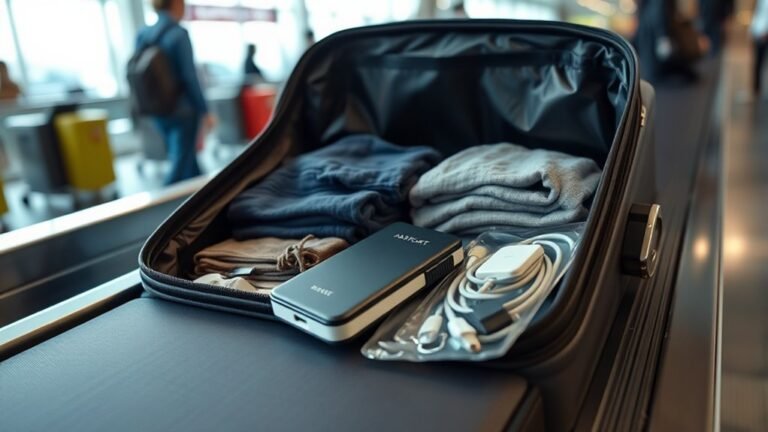
Can I Take My Laptop in Hand Luggage
Yes — you can generally take your laptop in your hand luggage, and you should, since lithium batteries are usually only allowed in the cabin. Pack it in an accessible sleeve or compartment, keep chargers and spare batteries protected, and be ready to remove the device for X‑ray or power‑on checks at security. Check your airline’s size and weight limits and any country-specific rules before travel, and keep backups and encryption handy if you want to learn more about best practices.
What This Guide Answers and How to Use It
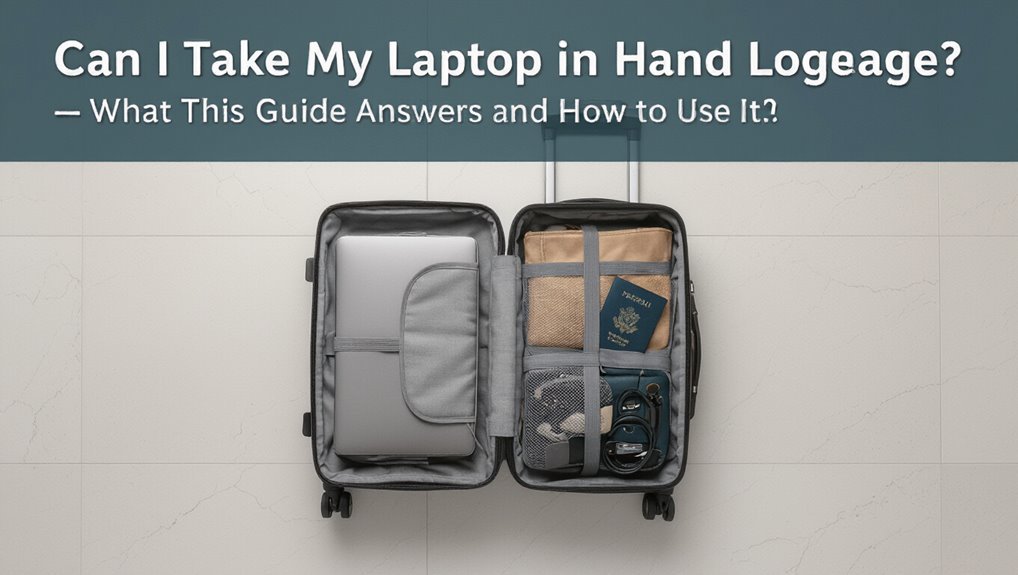
Wondering what this guide covers and how it helps?
You’ll find clear answers about carrying laptops in hand luggage: security rules, airline policies, packing tips, battery and electronics limits, and what to expect at checkpoints.
Use it to check preparations before travel, compare carrier rules, and follow concise steps to protect your device.
It’s practical, fast, and focused on real travel needs.
Can You Bring a Laptop in Hand Luggage?
Now that you know what the guide covers, let’s answer the basic question: yes — you can usually bring a laptop in your hand luggage. You should pack it securely, keep it accessible for screening, and know battery rules. Check airline size limits and TSA or local security procedures before travel.
| Tip | Action | Note |
|---|---|---|
| Pack | Sleeve or compartment | Protect device |
| Accessibility | Easy to remove | Speeds screening |
Short Answer: When It’s Allowed and When It’s Not
When can you bring a laptop in your carry-on? You can if airlines and security permit electronics, the battery meets airline rules, and size fits under the seat or in the overhead.
You can’t if the airline forbids it due to specific routes, if the battery is damaged or spare batteries exceed limits, or if local regulations prohibit electronics on that flight.
How Laptop Screening Works at Airport Security
When you go through security, you’ll usually be asked to take your laptop out of your bag and place it in a separate bin.
The machine scans laptops on an x-ray conveyor so officers can get a clear, unobstructed view of the device.
If something looks unclear, an officer may ask to inspect it by hand or run additional screening.
Removing Laptops From Bags
Although airport procedures vary by country, security officers generally ask you to remove laptops from bags so X-ray machines can get a clear, unobstructed image; this helps them spot prohibited items and potential threats more quickly.
When preparing, take your laptop out, place it in the provided bin flat and centered, and keep chargers and accessories accessible in case officers request separate screening.
X-Ray Screening Process
After you place your laptop in the bin, the X-ray machine uses a cone-shaped beam to create a detailed image of its internal components so screeners can spot dense or unusual items. You watch the monitor; if anything looks odd, they’ll ask to inspect it. Stay calm, power on if requested, and follow instructions.
| Image area | What to expect |
|---|---|
| Screen | Flat, low density |
| Battery | Dense, outlined |
| Ports | Small shapes |
| Casing | Uniform outline |
| Accessories | Separate objects |
Which Airports Require Laptops to Be Removed for Screening?
In the U.S., you’ll usually be asked to remove laptops from your bag for separate screening at most TSA checkpoints.
European rules vary by country and airport—some let laptops stay in carry-ons if you use a clear tray or place electronics in designated bins.
Check the specific airport’s security guidance before you fly so you know what to expect.
U.S. Airport Screening
Wondering whether you’ll have to pull out your laptop at U.S. airport security? You usually will unless you use TSA PreCheck or a cleared checkpoint. Larger and high-traffic airports often enforce removal; follow posted signs and agent instructions.
| Airport type | Typical rule |
|---|---|
| Major hub | Remove |
| Regional | Varies |
| PreCheck lane | Keep in bag |
| Signage says | Follow it |
European Security Rules
U.S. checkpoints often require you to remove laptops unless you have PreCheck, but rules across Europe can be different and vary by country and airport.
You should check specific airport guidance; many require removal, some use CT scanners that let you keep devices stowed.
- Major hubs (London, Frankfurt) often ask removal.
- Regional airports vary.
- TSA/ICAO updates matter.
Packing Your Laptop for TSA and Other Security Checks
How should you pack your laptop to move smoothly through TSA and other security checks?
Place it in an easily accessible compartment or remove it into a dedicated laptop sleeve when required.
Power it off or disable sleep, remove peripherals, and stash chargers separately for quick screening.
Label fragile items, keep receipts handy, and follow officer instructions to speed inspection and reduce handling.
Carry‑On Size and Weight Limits for Laptops
Before you pack, check your airline’s carry‑on size restrictions to make certain your laptop bag fits the cabin dimensions.
You’ll also want to confirm weight allowance limits so your bag doesn’t put you over the limit at the gate.
Measure your laptop and bag (including pockets and sleeves) to avoid surprises and guarantee compliance.
Airline Size Restrictions
Although airlines vary, most set clear carry-on size and weight limits that determine whether your laptop can go in the cabin or must be checked.
You should measure your bag and compare specs before travel. Consider these points:
- Measure external bag dimensions against airline limits.
- Check laptop sleeve thickness and padding.
- Confirm gate-check policies for oversized items.
Weight Allowance Limits
Weight matters as much as dimensions when you’re packing a laptop in carry‑on: airlines set weight caps for cabin bags and some include personal items, so a heavy laptop plus accessories can push you over the limit.
Check your carrier’s stated kilogram/pound limit, weigh your packed bag beforehand, and redistribute or remove items to avoid gate checks, extra fees, or forced stowing.
Measuring Your Laptop Bag
Now that you’ve checked how heavy your laptop and accessories are, you’ll want to confirm the bag’s permitted size and how airlines treat laptops within carry‑on rules.
Measure length, width, depth including pockets. Compare to carrier limits and remember gate staff can ask you to stow differently.
- Measure external dimensions.
- Check airline maxs.
- Weigh packed bag.
Laptop Battery Rules: Lithium‑Ion Limits and Spare Batteries
Wondering what rules apply to your laptop battery when you fly? You must keep installed lithium‑ion batteries in carry‑on, not checked baggage.
Spare batteries usually need individual protection against short circuits and generally must be under 100 Wh without airline approval; 100–160 Wh often require airline permission.
Declare oversized batteries, follow airline and local regulations, and pack batteries in your cabin luggage.
Airline Carry‑On Policies That Affect Laptops
Airlines set several carry‑on rules that affect how you travel with a laptop—size and number limits, gate‑checked policies, inspection and screening procedures, and sometimes restrictions tied to seat class or fare.
Airlines impose carry‑on laptop rules—size limits, gate‑check policies, and screening requirements—so always verify before you pack.
You should check policies before packing. Typical considerations include:
- Carry‑on size and personal item allowances.
- Gate‑check and overhead bin space rules.
- Security screening and removal requirements.
International Differences: Regional and Country Rules
When you travel internationally, be aware that airlines and airports can have different rules about carrying laptops and how they must be packed or screened.
Regional regulations may restrict battery types or capacity, so check limits for lithium-ion cells before you fly.
Also remember customs and security screening procedures vary by country and can affect whether you need to remove your laptop or declare it.
Airline And Airport Differences
Because rules can vary widely by region and carrier, you should check both your airline’s policy and the departure/arrival airports’ regulations before packing your laptop.
You’ll encounter different size limits, screening procedures, and documentation requirements.
Consider these points:
- Carry-on size and gate-check options.
- Security screening (remove or leave laptop in bag).
- Destination airport restrictions or transit rules.
Regional Battery Regulations
How do regional rules affect you when flying with a laptop battery?
You’ll face varying watt-hour limits, spare battery allowances, and packing rules depending on destination.
EU, US, and many Asian carriers follow stricter limits than some regions.
Check the airline and country regulations before travel, declare oversized batteries if required, and carry documentation to avoid confiscation or denied boarding.
Customs And Security Screening
Although screening procedures and customs rules vary widely by country, you’ll generally face two separate checks for laptops: security screening at the airport and customs inspections on arrival or departure.
You should prepare by:
- Removing the laptop for X-ray when required.
- Declaring high-value electronics at customs if asked.
- Knowing specific country rules on inspected devices and data searches.
When Airports or Airlines May Require You to Check a Laptop
Sometimes airports or airlines will ask you to gate-check or stow your laptop in checked baggage, usually for safety, security screening, or space reasons.
You’ll encounter this if cabins are full, overhead bins are limited, or crew deems devices a safety risk during turbulence.
Rarely, security protocols or technical restrictions (battery concerns) will force checked transport—follow staff instructions and remove data backups beforehand.
Traveling With Thin Ultrabooks vs Gaming Laptops
If you’re choosing between a thin ultrabook and a bulky gaming laptop, think about weight and bulk first since it affects carry-on space and ease of handling.
You’ll also want to evaluate battery and power needs—ultrabooks usually last longer on battery, while gaming rigs may need external batteries or checked power solutions.
Finally, assess durability and protection because slimmer machines can be more fragile and gaming laptops often require sturdier cases to withstand travel.
Weight And Bulk
One key factor when deciding which laptop to carry is how weight and bulk affect your comfort and mobility through airports.
Thin ultrabooks usually slip into backpacks or underseater compartments with little fuss, while gaming laptops can feel like carrying a small brick and may force you to check bags or strain during long walks.
- Ultrabook: light, fits easily.
- Gaming: heavy, bulky.
- Consider bag ergonomics and lift.
Battery And Power
Weight and bulk affect how you carry a laptop, but battery capacity and power needs will shape how long it keeps running between outlets and whether airlines impose restrictions.
Ultrabooks have efficient batteries so you’ll get longer unplugged use and easier security checks.
Gaming laptops draw heavy power, may have larger lithium cells and tighter airline rules, and will drain quickly unless you pack a charger or power bank.
Durability And Protection
When you travel with a thin ultrabook, you’ll cherish its slim profile but still need to guard against knocks.
On the other hand, a bulky gaming laptop demands a sturdier case and extra padding to protect heavy components and protruding vents.
You should choose protection based on device size and usage:
- Hard shell case for gaming rigs.
- Slim sleeve with foam for ultrabooks.
- Secure internal straps and corner guards.
How to Protect Your Laptop From Damage in Flight
A sturdy case and a few smart habits will keep your laptop safe from bumps, pressure, and spills during a flight. Stow it screen-up, cushion with soft items, avoid overpacking, and secure liquids. Use the tray gently and watch cabin pressure changes.
| Action | Why | Tip |
|---|---|---|
| Screen-up | Reduces pressure | Place flat |
| Cushion | Absorbs shock | Use clothes |
| Separate | Quick access | At security |
| Avoid liquids | Prevent spills | Seal bottles |
| Handle gently | Prevent drops | Lift carefully |
Best Types of Sleeves and Bags for Hand Luggage (How to Choose)
When choosing a sleeve or bag for your laptop, consider materials like neoprene for cushioning, leather for style, or ballistic nylon for durability.
Make sure the size fits snugly without forcing the laptop in, and check that pockets and compartments accommodate chargers and documents.
Pick a design that balances security—like lockable zippers or RFID pockets—and easy access for airport screening.
Sleeve Material Choices
Material matters when you pick a laptop sleeve for hand luggage because it determines protection, weight, and how your bag handles airport bumps and spills.
Choose materials based on durability and weather resistance:
- Neoprene — lightweight, shock-absorbing, water-resistant.
- Nylon/ballistic nylon — tough, abrasion-resistant, affordable.
- Leather — stylish, durable, less water-friendly but ages well.
You’ll balance protection with weight and upkeep.
Size And Fit
Because your laptop should fit snugly without forcing it in, check dimensions and internal layout before you buy a sleeve or bag. Measure width, depth, and thickness, then try the device in person if possible. Choose slightly padded pockets, firm edges, and a low-bulk profile for hand luggage.
| Feature | Benefit |
|---|---|
| Exact fit | Prevents shifting |
| Padding | Absorbs bumps |
| Slim profile | Saves space |
| Structured edges | Eases insertion |
Security And Accessibility
Although you’ll want easy access for security checks, don’t sacrifice protection: choose a sleeve or bag that combines quick-open features with solid padding and secure closures so you can get your laptop out fast without exposing it to drops or theft.
You should pick one that fits and locks. Consider:
- Padded sleeve with zipper
- Backpack with dedicated compartment
- Briefcase with quick-release clasp
Carry‑On Packing Order to Speed Up Security
If you want to breeze through security, pack your carry-on so items you’ll need to remove—laptops, tablets, liquids, and chargers—are easily accessible in dedicated compartments or a top layer, letting you pull them out quickly without unpacking everything.
Place heavier items low and close to the wheels, keep documents in an outer pocket, and organize cables and small electronics in clear pouches for fast retrieval.
Traveling With Extra Chargers, Adapters, and Power Banks
Bring extra chargers, adapters, and a power bank so your laptop and devices stay charged on the go, but check airline rules—most carriers require power banks in carry‑on only and limit capacity.
Pack chargers and adapters where you can access them quickly at security and use universal adapters that match local outlets.
Label cords or use color‑coded ties so you can grab the right cable without rummaging.
Power Bank Rules
Wondering what you can carry in your hand luggage besides your laptop? You can bring power banks but airlines limit capacity and require them in carry-on only.
Check manufacturer mAh-to-Wh or label. Pack them accessible for checks.
- Under 100Wh: allowed, no airline approval.
- 100–160Wh: airline approval needed, usually two max.
- Over 160Wh: prohibited.
Charger And Adapter Tips
When packing extra chargers, adapters, and power banks, prioritize portability and accessibility so you can charge devices quickly and satisfy security checks. Pack cables neatly, label chargers, and keep power banks in hand luggage; check airline watt-hour limits. Carry universal adapters and a short USB-C cable for convenience.
| Item | Tip | Location |
|---|---|---|
| Charger | Label | Hand luggage |
| Adapter | Universal | Carry-on |
| Power bank | Under limit | Hand luggage |
Using Laptop Locks and Tracking Devices in Carry‑On
1 smart lock or a discreet tracking tag can give you real peace of mind when you carry a laptop in your hand luggage.
You should secure zippers, attach locks to reinforced points, and hide trackers in padding.
Consider these steps:
- Lock main compartment.
- Place tracker inside sleeve.
- Note serial numbers and test alerts before travel.
Declaring Expensive Electronics and Insurance Basics
Besides locking and tracking your laptop, you should also think about how you’ll declare it and protect its value with insurance.
Check customs rules for high‑value electronics on arrival and departure; declare when required to avoid fines.
Review travel, homeowner, or gadget insurance for theft, loss, and accidental damage; carry receipts and serial numbers.
Consider add‑on coverage for international trips.
What to Expect at Airport Lounges and Fast Security Lanes
If you’re aiming for a smoother boarding experience, airport lounges and fast security lanes can save you time and offer quieter spaces to work—though they come with different rules and access requirements.
- Lounges: you’ll find outlets, Wi‑Fi, and seating but may face device size or charging limits.
- Fast lanes: quicker screening, often separate trays for laptops.
- Access: paid passes, elite status, or day visas determine entry.
What to Do If Your Laptop Is Flagged or Inspected
When a TSA agent or security officer flags your laptop for inspection, stay calm and cooperate—doing so speeds the process and reduces stress for you and fellow travelers.
Remove the device as requested, power it on if asked, and access it if necessary.
Remove your laptop when asked, power it up if needed, and grant access promptly to expedite inspection.
Ask concise questions about procedures or privacy.
Accept any sealed bagging or brief testing; follow directions to reclaim your laptop promptly.
Handling Damaged, Lost, or Stolen Laptops After Travel
After your trip, act quickly if your laptop’s damaged, lost, or stolen: document the issue, contact the airline or transport provider and local authorities as needed, and report the loss to your insurer or credit card company.
- Photograph damage, gather receipts, and note serial numbers.
- File official reports with carriers and police; get copies.
- Contact insurers, claim promptly, and secure remote wipe/password changes.
Customs Rules When Entering or Leaving a Country With a Laptop
Having dealt with damage, loss, or theft, you’ll also need to understand customs rules for carrying a laptop across borders.
Declare expensive devices when required, keep invoices or serial numbers handy, and know duty exemptions for temporary export/import.
Some countries inspect electronics or request passwords; cooperate but avoid sharing sensitive info.
Check country-specific regulations before travel to prevent fines or confiscation.
Privacy and Data Protection When Traveling With a Laptop
If you travel with a laptop, protect the data on it as carefully as you do the device itself: encrypt sensitive files, use strong passwords and biometric locks, and enable full-disk encryption so a lost or inspected machine won’t expose your information.
Follow practical steps:
- Use VPN and disable auto-connect.
- Back up encrypted copies off-device.
- Minimize stored sensitive data while traveling.
Business Travelers: Carrying Multiple Devices and Accessories
Need to bring more than one device? You’ll want a compact, organized carry setup: padded laptop sleeve, tablet case, and a small tech pouch for chargers, dongles, and external drives.
Keep batteries and power banks accessible for security checks and within airline capacity limits. Use cable ties and a checklist to avoid leaving essentials behind, and distribute weight for comfort during transit.
Laptop Security on Trains, Buses, and Connecting Transport
When you switch from airport security to trains, buses, or rideshares, you’ll face different risks—so keep your laptop guarded in a way that balances accessibility and protection.
- Stow it close: under seat or on lap with a locked zipper.
- Use a cable lock or inconspicuous sleeve when unattended.
- Keep backups encrypted and workflow minimal to reduce exposure during transfers.
Tips for Flying With a Laptop on Long‑Haul Flights
Carrying protective habits from trains and buses makes sense once you board a long‑haul flight, but the cabin environment and time aloft create their own challenges. You’ll want battery management, secure stowage, and comfort strategies to stay productive and safe.
| Aspect | Action | Benefit |
|---|---|---|
| Battery | Charge, carry pack | Lasts through delays |
| Stowage | Under-seat case | Easy access |
| Comfort | Lap stand | Ergonomics |
Quick Checklist: Prepare Your Laptop for Travel
Before you head to the airport, run through a short checklist that makes your laptop travel-ready:
- Back up files, log out of accounts, encrypt sensitive data.
- Charge battery, pack charger and adapters, enable low-power mode.
- Use a snug sleeve or padded compartment, secure accessories, label your device.
Follow these steps, and you’ll avoid delays, data loss, and damaged gear while passing through security and boarding.
Frequently Asked Questions
Can I Use My Laptop During Takeoff and Landing?
Yes, you can usually use your laptop during takeoff and landing only if the airline allows it and flight crew don’t require stowing; you’ll need airplane mode, secured device, and to follow crew instructions for safety and compliance.
Are Laptops Allowed in Checked Baggage on Budget Airlines?
Generally no — airlines (especially budget carriers) discourage or prohibit laptops in checked baggage due to theft, damage, and battery fire risk. You should keep laptops in carry-on when possible; check specific airline rules before flying.
Do Airport Staff Ever Refuse Battery-Free Laptops?
Yes — staff rarely refuse battery-free laptops; you’ll usually be asked to show the device, power it on if possible, and verify it’s harmless. If security suspects prohibited components, they can still detain or refuse carriage.
Can I Bring a Laptop Tablet Hybrid in Hand Luggage?
Yes — you can bring a laptop-tablet hybrid in hand luggage. You’ll need to remove it for screening if asked, keep batteries within airline limits, and follow crew instructions; some security checks might request separate handling.
Will My Laptop Void Warranty if Inspected by Security?
It usually won’t void your warranty if security inspects it, since inspections are noninvasive; just don’t disassemble or open sealed components. Keep records, contact the manufacturer if seals are broken, and document any damage promptly.
Conclusion
You can bring your laptop in hand luggage on almost every flight, but rules and screening procedures vary by airport and carrier, so you’ll want to check before you travel. Keep devices accessible for security, protect them with a padded sleeve, and secure chargers and accessories. On long flights, use a privacy screen and back up your data. For trains or buses, keep it on your person or in a locked bag. Follow the checklist to make packing and screening smoother.