
Can I Put My Phone in Checked Luggage Safely?
You can put a phone in checked luggage, but you shouldn’t unless it’s fully powered down, well-padded, and you accept the risks of damage, theft, or fire from lithium-ion batteries. Airlines and TSA generally advise keeping phones in carry-on, and spare batteries or power banks must stay with you. If a battery is swollen or damaged, never check it. Keep receipts and know airline rules; continue for tips on packing, regulations, and safer alternatives.
Quick Answer: Should You Put a Phone in Checked Luggage?
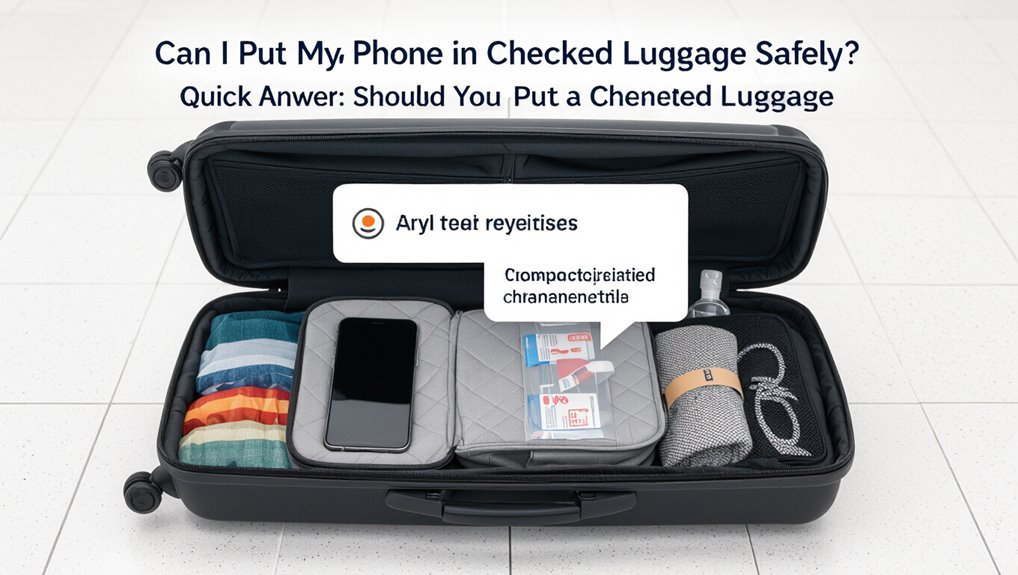
Wondering if you should stash your phone in checked luggage? You shouldn’t, usually.
Checked baggage risks loss, damage, and battery-related fire concerns; airlines and TSA recommend keeping phones with you. If you must check it, power it down and protect it, but don’t expect access during flight.
Prioritize carrying phones in your carry-on to stay compliant, reachable, and safer.
When Checking a Phone Makes Sense
Although you’ll usually keep your phone with you, there are a few situations where checking it makes sense: you’re carrying many devices and need to consolidate, you’re traveling for activities where pockets aren’t practical (water sports, certain outdoor excursions), you’re handing a bag to someone else temporarily, or airline carry-on limits force you to prioritize essential items over extra gadgets.
Physical, Fire, and Security Risks to Phones in Checked Luggage
You’ll want to think about physical damage, since checked bags get tossed and crushed and your phone could end up cracked or water-damaged.
Batteries also pose a fire risk if they’re punctured or shorted during handling.
And because checked luggage is out of your control, theft or tampering is a real security concern.
Physical Damage Risk
1 major risk of putting your phone in checked luggage is physical damage: checked bags get tossed, compressed, and stacked, and that rough handling can crack screens, bend frames, or rupture internal components.
- Impact from drops or being thrown.
- Pressure from heavy items.
- Abrasion inside the bag.
- Damage from sharp objects or zipper teeth.
You’ll want protective padding.
Fire And Security
Because checked bags face rough handling and limited monitoring, placing your phone in hold luggage raises serious fire and security concerns you should know about.
Batteries can short or overheat, risking fires that go undetected until it’s too late.
Theft or tampering is harder to spot; lost devices are tougher to recover.
Carrying phones in cabin luggage is safer for both fire prevention and security.
How Often Do Checked Phones Get Damaged and Why?
You might be surprised how often phones in checked bags come out damaged — studies and airline reports put luggage damage rates anywhere from low single digits up to about 10% depending on handling and connection type.
Most damage stems from rough handling, crushing under heavy bags, temperature or pressure swings, and batteries catching fire or swelling.
Knowing these common causes helps you weigh the real risk before you decide to check your phone.
Checked Luggage Damage Rates
Checked luggage damage to phones is uncommon but not rare: studies and airline reports suggest only a small percentage of checked bags result in device harm, yet when phones do get damaged it’s usually from crushing, water exposure, or rough handling during loading and unloading.
- Incidence: low but notable.
- Risk factors: baggage stacking, weather.
- Reporting: underreported to airlines.
- Your takeaway: avoid checked storage when possible.
Common Damage Causes
When you put a phone in checked luggage, damage usually stems from a few predictable causes: crushing under heavy bags, water exposure from weather or leaks, and rough handling during loading and unloading.
You’ll also face battery failures from pressure or temperature extremes, scratched screens from loose items, and lost or jammed ports from debris.
Proper packing reduces these risks considerably.
TSA, Airline Rules, and Battery Restrictions for Checked Phones
Most airlines and the TSA strongly discourage putting phones in checked luggage because lithium-ion batteries can pose a fire risk if they short or overheat during flight.
- Carry phones in cabin whenever possible.
- Remove damaged or swelling batteries before travel.
- Keep power banks and spare batteries in carry-on only.
- Follow airline-specific rules and declare faulty batteries to staff.
Legal Limits and International Customs Rules for Phones and Batteries
When you travel internationally, remember airlines may limit how many spare batteries or high-capacity cells you can carry.
Countries also have different customs rules about importing multiple phones or large-capacity batteries, so you’ll need to check destination regulations.
If limits apply, declare items and carry documentation like purchase receipts or manufacturer specs to avoid fines or confiscation.
Airline Battery Quantity Limits
How many spare batteries can you realistically pack in checked or carry-on luggage? You’ll follow airline and ICAO rules limiting lithium batteries by watt-hours and quantity.
Check limits, declare large packs, and carry spares in cabin when required.
- Under 100 Wh: usually unlimited in carry-on.
- 100–160 Wh: airline approval.
- >160 Wh: typically forbidden.
- Max per person varies.
Country-Specific Customs Rules
Curious about whether you can bring phones and spare batteries across borders? You should check each country’s customs rules: some ban high-capacity batteries, restrict imports, or require permits for multiple devices.
Rules vary for lithium-ion capacity, commercial quantities, and used versus new phones. Contact customs websites or embassies before travel to avoid seizure, fines, or delays.
Declaration And Documentation Requirements
Declarations matter: you’ll usually need to declare phones and spare lithium batteries at customs if you’re bringing multiple devices, new retail units, or batteries above certain capacity thresholds.
You should carry purchase receipts, manufacturer labels showing watt-hours (Wh), and any required permits to speed processing and avoid fines.
- Present receipts and labels.
- Note Wh ratings (≤100Wh common).
- Show permits for restricted batteries.
- Declare commercial quantities to customs.
Can a Phone Battery Cause a Fire in Checked Luggage?
Could a phone battery really spark a fire in checked luggage? You should know lithium-ion cells can short, overheat, or rupture under pressure or damage, igniting nearby materials. Always power off, protect terminals, and avoid packing loose or swollen batteries.
| Risk Factor | Effect |
|---|---|
| Damage | Short circuit |
| Heat | Thermal runaway |
| Pressure | Rupture |
| Swelling | Increased hazard |
Airline-Specific Policies That Matter for Phones
Before you decide where to pack your phone, check your airline’s rules because many prefer phones in carry-on bags.
You’ll need to watch battery capacity limits and whether the carrier has any extra restrictions. Knowing these specifics helps you avoid surprises at the gate.
Carry-On Preferred Rule
Why should you check your phone when most airlines strongly prefer you keep electronics in carry-on baggage? You shouldn’t—rules favor carry-on for safety and loss prevention.
Follow these concise points:
- Avoid fire risk by keeping devices accessible.
- Recover phones quickly if lost or damaged.
- Comply with crew instructions during incidents.
- Guarantee battery issues are managed without checked-bag delays.
Battery Capacity Limits
Keeping your phone in carry-on also helps you follow airline-specific battery rules: carriers limit lithium battery capacity and often require devices with larger batteries to be carried in the cabin or carried with airline notification. Check your phone’s watt-hours (Wh). If over airline thresholds, notify staff or pack in cabin.
| Battery Size | Action Required |
|---|---|
| <100 Wh | Carry-on, no notice |
| 100–160 Wh | Carry-on, airline approval needed |
Airline-Specific Restrictions
Because airlines set their own rules, you should check carrier policies before you fly: some forbid phones in checked bags entirely, others require special packaging or advance notification for high-capacity batteries, and a few impose size or quantity limits.
- Read your airline’s baggage and battery rules.
- Note battery watt-hour thresholds.
- Declare batteries if required.
- Follow packaging and labeling instructions.
Will TSA Inspect a Phone in Checked Luggage? What to Expect
Wondering whether TSA agents will open your checked bag to look at your phone?
TSA can inspect checked baggage and may open bags if X-ray images trigger inspection or for security concerns.
They typically won’t target phones specifically but might examine electronics.
Agents follow protocols, may photograph or scan devices, and should leave a notice if they open your bag.
Could Checking a Bag Increase Theft or Tampering Risk?
Checking a bag can raise the risk of theft or tampering because you lose direct control over your belongings during handling, transfer, and storage.
You should consider vulnerabilities and minimize value in checked luggage:
- Unsupervised baggage handling increases opportunistic theft.
- Loose pockets make items easy to remove.
- Tampering with zippers or locks can go unnoticed.
- Limited recourse if items are stolen.
How Screening or Inspections Can Access or Erase Data
Security agents or automated scanners can power on, connect to, or image your phone during inspections, which may expose files or metadata.
Some systems or procedures can trigger resets or automated erasure if a device is flagged or appears compromised.
Keep phones locked, back up data, and consider using encryption or removing storage to reduce the risk during screening.
How Inspections Access Data
How do inspectors actually access the data on a phone found in checked luggage?
You should know they can power it on, connect it to forensic tools, or image its storage if opened. They may also examine external media.
- Power on and inspect apps
- Use forensic extraction tools
- Create a bit‑for‑bit image
- Review removable storage
Risks Of Automated Erasure
If an inspector powers up or connects your device, automated processes can kick in and erase data without anyone meaning to, so you should be aware of the risk.
Updates, failed boots, security policies, or remote wipe commands tied to accounts can trigger deletions during inspection.
You might lose photos, messages, or app data before you recover the device or notice the change.
Protecting Phones During Screening
When your phone goes through screening or an inspection, you should assume inspectors might power it on, connect it to test equipment, or trigger network activity that could change or erase data.
Take precautions to protect data and access:
- Back up important files before travel.
- Enable full-disk encryption and strong passcodes.
- Remove SIM and storage cards.
- Power off and use airplane mode or a Faraday pouch.
Handling Work Phones and Corporate Data in Checked Luggage
Because corporate phones often hold sensitive emails, contacts, and proprietary apps, you should treat them as carry-on items rather than checked luggage.
Keep them with you to reduce theft, loss, or unauthorized access. Use strong device passwords and company-approved encryption, follow your IT policies, and notify security before travel if you expect inspections.
Don’t rely on checked baggage for corporate data protection.
Preparing a Phone for Checked Travel: Step-by-Step
Before you check your phone, power it down completely to prevent accidental activation or thermal hazards.
Put it in a sturdy, protective case and pad it with soft clothing or bubble wrap to prevent impact damage.
If you can, isolate or remove the battery and pack it in carry-on; otherwise make sure the battery compartment is secure and protected.
Power Down Completely
- Hold the power button until shutdown.
- Confirm the screen is off and no LEDs blink.
- Remove external power sources like chargers or battery packs.
- Store the phone in airplane mode only if shutdown isn’t possible, but prioritize full power-off for safety and compliance.
Secure In Protective Case
When you’re packing your phone for checked baggage, put it in a sturdy protective case that absorbs shocks and prevents scratches; a hard-shell or dual-layer case with raised edges is best for shielding the screen and corners during rough handling.
Fit the phone snugly, close any ports, and consider an internal luggage pocket or padded compartment to minimize movement and direct impacts.
Isolate From Batteries
After securing your phone in a protective case, separate or shield its batteries to reduce fire risk and meet airline rules.
- Remove spare batteries and pack them in carry-on whenever possible.
- Tape terminals or use original packaging to prevent short circuits.
- Keep power banks with you; they’re considered spare batteries.
- Label or isolate nonremovable batteries with cushioning to limit movement and damage.
Powering Down and Disabling Features Before Checking
Before you check your bag, power your phone down and disable features that could cause it to turn on or transmit data in transit.
Turn off scheduled alarms, NFC, Bluetooth, Wi‑Fi, and any voice‑activation settings.
Close apps that run background tasks and enable airplane mode if you can’t fully power off.
Lock the device and disable biometric access to prevent accidental entry.
Should You Remove the SIM, SD Card, and Accessories?
You should remove your SIM card before checking a phone to prevent loss, roaming charges, or complications accessing service if the bag is delayed.
Take out any SD card too, since those small storage chips are easy to lose and may contain irreplaceable photos or data.
Pack chargers, earbuds, and cases in your carry-on so accessories stay with you and don’t get damaged or misplaced in checked luggage.
Remove SIM Card
While it’s not strictly required, you should remove your SIM, SD card, and any detachable accessories before placing your phone in checked luggage to prevent loss, data exposure, or damage.
- Remove the SIM to avoid losing service or exposing contacts.
- Store it in a labeled, padded case.
- Keep the case in your carry-on.
- Note carrier access or roaming needs before travel.
Take Out SD
If you’re packing your phone in checked luggage, take out the SD card (and any removable accessories) to prevent loss, data exposure, or damage during rough handling. Remove SIM/SD, secure backups, and stash small parts in carry-on. Check labels and encryption to protect data.
| Item | Action | Tip |
|---|---|---|
| SD | Remove | Backup first |
| SIM | Remove | Store safe |
| Case | Detach | Cushion separately |
| Cable | Pack | Carry-on preferable |
Pack Accessories Separately
Mostly keep removable bits like SIMs, SD cards, cases, and earbuds out of checked bags and with you in carry-on luggage. You reduce loss, damage, and delays by packing accessories separately.
Follow this quick checklist:
- Remove SIM card.
- Take out SD card.
- Put earbuds/cables in a pouch.
- Store phone case with you.
These steps keep essentials accessible and secure.
Backing Up, Encrypting, and Protecting Your Data Before Travel
Before you hand your phone to baggage handlers or tuck it into checked luggage, make sure you’ve backed up and secured its data so you won’t lose access if it’s damaged, lost, or stolen.
Back up to cloud or local storage, enable full-disk encryption, set a strong passcode, turn on remote wipe/find-my-device, and remove sensitive accounts or files you don’t need while traveling.
Best Cases and Packaging for a Phone in Checked Luggage
While checked baggage can be rough on electronics, you can greatly reduce risk by choosing rugged, well-fitted protection and packaging your phone thoughtfully.
- Use a shock-absorbing rugged case that fits snugly.
- Add a screen protector (tempered glass) for impact resistance.
- Wrap the phone in soft padding (microfiber, foam) and seal in a zip pouch.
- Place it amid clothes or between hard items to prevent crushing.
Packing Checklist for a Phone in Checked Baggage
1 clear checklist helps guarantee your phone survives checked baggage handling: pack it in a rugged case with a tempered glass screen protector, wrap it in soft padding and seal it in a zip pouch, place it amid clothing or between sturdy items to prevent crushing, remove or disable the SIM/eSIM and power it off, and label the pouch with your contact info.
Then double-check it’s snug, inaccessible, and documented.
Spare Batteries and Power Bank Rules for Flights
If you’re packing spare batteries or a power bank, know that airlines and regulators treat them differently from devices. You should carry them in carry-on, follow capacity limits, and protect terminals.
Check airline rules before flying.
- Carry spare batteries and power banks in cabin.
- Keep capacity under airline/ICAO limits.
- Insulate terminals or use original packaging.
- Declare large batteries when required.
International Travel Tips: Customs, Inspections, and Declarations
Curious about what to expect at foreign borders? You’ll face customs checks and random inspections; declare high-value electronics if required.
Keep receipts and serial numbers accessible, answer questions honestly, and follow local rules on importing devices.
Security may open checked bags — pack phones to avoid damage.
Security may inspect checked luggage — store phones safely to prevent damage during searches.
Failure to declare can mean fines or confiscation, so stay informed and compliant.
Documenting and Insuring a Phone in Checked Luggage
Where should you keep proof that your phone was in checked luggage and covered by insurance? Keep copies accessible and dated:
- Photo of phone packed in suitcase.
- Receipt or serial number record.
- Insurance policy page or email confirmation.
- Checked-baggage tag and boarding pass scan.
Store digital copies in cloud and a printed set in carry-on so you can show evidence quickly if needed.
What to Do If Your Checked Phone Is Lost, Stolen, or Damaged
You’ve documented and insured your phone, but things can still go wrong once it’s checked — lost, stolen, or damaged items happen.
If it’s missing, file a baggage claim immediately with the airline and get a written report. Report theft to airport police.
For damage, document with photos and request a written assessment.
Follow insurer and airline claim procedures promptly and keep receipts.
Traveler Scenarios: When Checking a Phone Makes Sense
If you’re traveling with bulky equipment, fragile gear that won’t fit in your carry-on, or during long international trips where checked luggage is unavoidable, checking your phone can sometimes be the practical choice—especially when keeping it on your person poses safety, security, or space problems.
- When your pockets are full.
- If sensors or medical devices require separation.
- During extended stays with multiple bags.
- When checked baggage is secured and insured.
Alternatives to Checked Luggage for Keeping a Phone Secure
When checked baggage feels like the only option, you still have other ways to keep your phone safe and accessible.
Carry it in a carry-on, a secure inner pocket, or a neck pouch. Use RFID-blocking or lockable bags, enable strong passcodes and remote wipe, and keep it on airplane mode when required.
Consider in-flight storage or gate-checking only if unavoidable.
Common Myths About Checked Phones: Busted or Confirmed?
Curious which warnings about checked phones are true and which are just airplane folklore? You’ll find myths busted and some confirmed — here’s a quick, clear take:
- Phones will explode in checked bags — busted (rare, but battery damage risk).
- Theft is guaranteed — busted (risk exists).
- Airlines ban checked phones — busted (restrictions vary).
- Insurance covers loss — confirmed sometimes, check policy.
Quick Decision Flow: Checklist to Decide Right Now
Need a quick answer now? Check these fast:
Is your phone fully charged and powered off? If yes, pack it in carry-on.
If battery is removable and you can secure it, consider checked but protect against crushing.
Is it irreplaceable or contains sensitive data? Keep it with you.
Traveling internationally with lithium restrictions? Confirm airline rules; when unsure, carry on.
Frequently Asked Questions
Can Airline Crew Confiscate a Phone From Checked Luggage Mid-Flight?
Yes — airline crew can seize a phone from checked luggage mid-flight if they suspect safety, security, or legal issues. You’ll be asked to surrender it, and they’ll follow airline or regulatory procedures during the flight.
Can Storing a Phone in Checked Luggage Void My Phone Warranty?
No, putting your phone in checked luggage usually won’t void its warranty, but physical damage, water exposure, or loss during transit might not be covered. Check your manufacturer’s warranty terms and consider travel insurance for added protection.
Will Putting a Phone in Checked Luggage Affect Device Fingerprints or Forensic Data?
No, putting your phone in checked luggage won’t alter its digital fingerprints or forensic data by itself, but rough handling, crushing, or water damage could corrupt storage, and theft or tampering might erase or modify evidence.
Can Checked Phones Trigger Airport Bomb-Sniffing Dogs or Secondary Screening?
Yes — checked phones rarely trigger bomb-sniffing dogs or extra screening by themselves, but you’ll still face random inspections, alarms from batteries, or cursory checks if handlers spot electronics during X-ray or if sniffers react to surrounding materials.
Are Refurbished or Unlocked Phones Treated Differently by Customs or Security?
No, refurbished or accessible phones aren’t treated differently by customs or security; they’ll screen them like any device, and you’ll need to access or show ownership if requested, so keep receipts and be cooperative to avoid delays.
Conclusion
You usually shouldn’t check your phone. Carry it with you unless you’re forced to check everything—phones face crushing, theft, and battery-fire risks in hold baggage, and airlines/TSA expect spare lithium batteries in carry-on. Check a phone only when it’s powered down, protected in a hard case, and you’ve removed sensitive data or backups. Prefer alternatives like a locked carry-on, a money belt, or leaving the phone secured at home or with a trusted companion.
