Can Electronics Go in Checked Luggage
You can check some electronics, but you should keep high-value, fragile, or lithium-powered items with you in the cabin. Airlines generally allow things like chargers and non-spare batteries in checked bags, yet fragile gear risks damage and many lithium batteries must stay in carry-on due to fire hazard and airline limits. Always confirm your carrier and destination rules, declare items if required, and pack checked devices securely; continue for practical packing tips and scenarios.
Quick Decision: Should You Check Electronics?
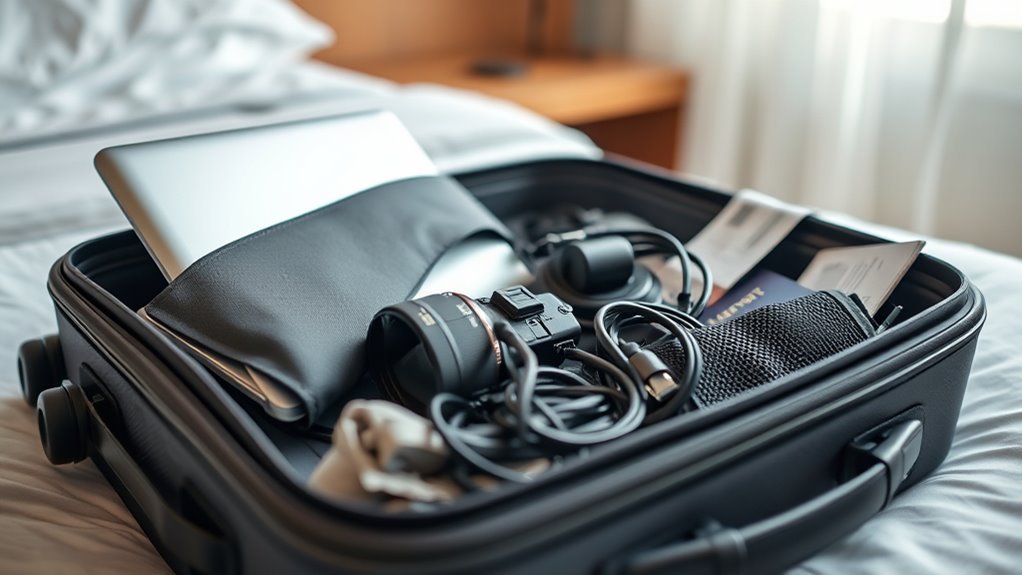
When deciding whether to check electronics, weigh value, fragility, and battery limits—if it’s expensive, fragile, or contains a lithium battery, don’t check it. You’ll want to keep essentials with you: devices you rely on for work, navigation, or communication.
When choosing whether to check electronics, prioritize keeping expensive, fragile, or lithium-powered essentials with you.
If an item’s replaceable and sturdy, checking might be fine to save carry space. Pack checked electronics in protective cases and cushion them among soft items to reduce shock.
Remove batteries when feasible and carry spares in your cabin bag.
Trust your risk tolerance: prioritize control over high-value or mission-critical gear and accept lower-risk tradeoffs for others.
Are Electronics Allowed in Checked Luggage?
Although many airlines allow you to put electronics in checked luggage, rules and safety concerns make it a mixed decision. You can usually check bulky items like cameras, chargers, or non-spare batteries, but you should confirm airline and destination rules. Fragile gear risks damage; lithium batteries often have limits or must be carried in cabin. Declare items if required and pack them securely to prevent impact. Check for prohibited devices on your carrier’s list and follow packing instructions to avoid confiscation or fines.
| Item type | Typical allowance |
|---|---|
| Cameras | Often allowed |
| Laptops | Usually allowed but not recommended |
| Spare batteries | Often restricted |
| Large electronics | Allowed with precautions |
Why Airlines and Security Restrict Some Devices
Because airlines and security agencies must balance passenger safety, fire risk, and threat detection, they limit or ban certain devices and components in checked luggage. You need to understand that restrictions target items posing combustion, explosion, or concealment hazards, or those that could evade screening.
Devices with volatile materials, high energy density, or modified components raise red flags. Security also curbs items that could be weaponized or obscure other threats during X-ray or explosive detection.
Which Batteries Must Stay in Carry-On Bags?
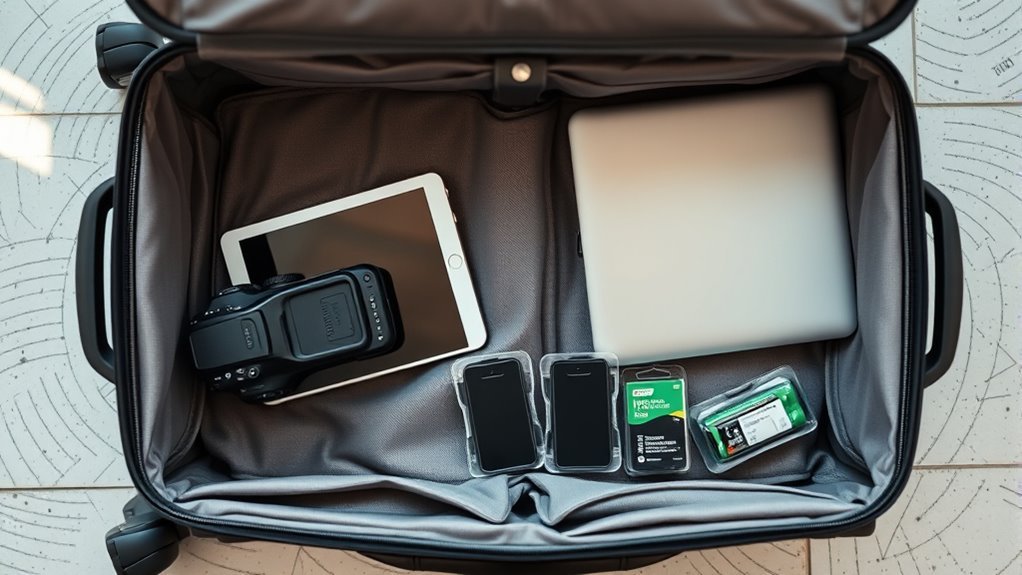
You should keep lithium-ion and lithium-metal batteries in your carry-on because they pose a fire risk if damaged or shorted.
Spare or loose batteries must always stay with you rather than in checked luggage.
Follow airline rules on capacity limits and terminal protection to avoid problems.
Lithium-Ion And Lithium-Metal
Curious which batteries have to ride in the cabin? Lithium-ion and lithium-metal cells power most modern devices, and you’ll need to keep them with you. Installed batteries in phones, laptops, cameras, and e-cigarettes are allowed in carry-on; airlines require you to retain control of them because they can overheat or short.
Batteries with damaged packaging or recalled cells aren’t permitted in checked bags. You should also check watt-hour ratings and manufacturer guidance—some high-capacity lithium-ion packs need airline approval.
Follow airline and TSA rules, pack devices to prevent activation, and never place loose lithium cells in checked luggage.
Spare (Loose) Batteries
Which spare batteries have to stay in your carry-on? You must keep loose lithium-ion and lithium-metal cells with you—these include phone, laptop, camera, power bank, and single-use coin/button batteries.
Terminals should be protected: use original packaging, tape exposed contacts, or place each battery in separate plastic pouches to prevent short circuits.
Spare batteries are prohibited in checked baggage because they can overheat and cause fires.
Bring installed batteries inside devices in checked bags only if the device is powered off and protected.
Check airline and destination rules for watt-hour limits and carry-on quantity restrictions before you travel.
Are Laptops Allowed in Checked Baggage?
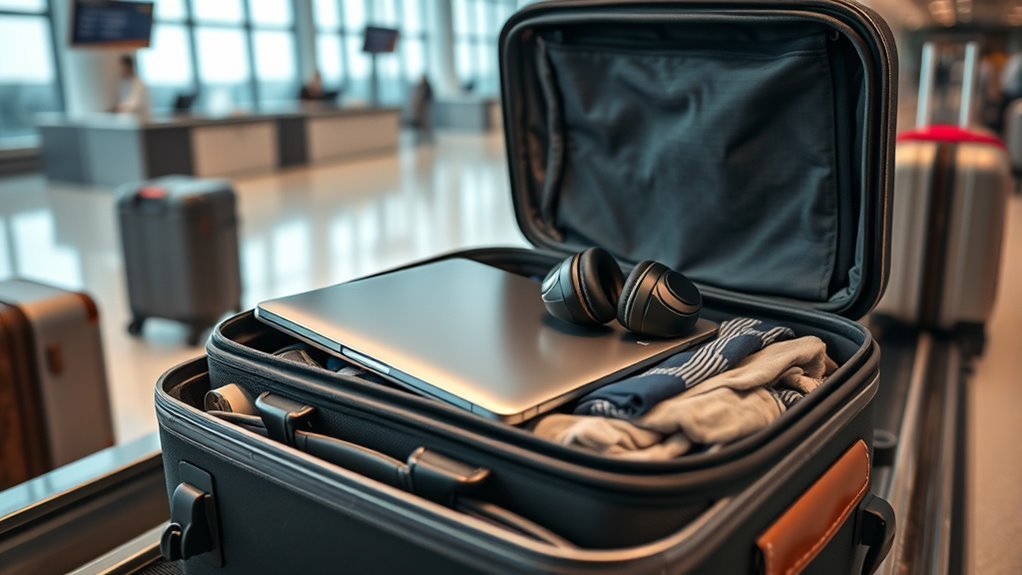
Although airlines generally allow laptops in checked baggage, many experts and carriers advise against it due to risk of damage, theft, and battery-related hazards.
Although allowed in checked bags, experts warn laptops risk damage, theft, and battery hazards — carry-on is safer.
You should pack laptops in carry-on whenever possible so you can monitor them and reduce jostling.
If you must check one, power it down, disable biometric locks that might activate, and remove any removable batteries if airline rules require.
Place the device in a hard-sided case with padding, cushion it among soft clothing, and conceal it to deter theft.
Declare high-value electronics if the carrier asks, and consider insurance for loss or damage.
Can Tablets and E-Readers Be Checked?
Yes—you can check tablets and e-readers, but you shouldn’t do it unless you have to. Checked baggage exposes devices to rough handling, temperature swings, and potential theft.
If you must check one, power it down, remove any removable batteries, and place it in a padded case surrounded by soft clothing to cushion impacts. Label the case and consider photographing the device for insurance.
Back up important data beforehand and disable biometric locks if airline security requests inspection.
Whenever possible, keep tablets and readers in your carry-on so you control their safety, battery rules, and access during the flight.
Should Smartphones Ever Be Checked?
If you’ve kept tablets and e-readers with you, you’ll probably ask whether smartphones should ever be checked. You shouldn’t normally check smartphones: they’re valuable, fragile, and contain personal data. Baggage handlers can’t guarantee gentle treatment, and extreme temperature or pressure changes may harm batteries or screens.
Security rules often require devices to be accessible for inspection, so checking them risks delays or confiscation. Keep phones in carry-on to stay reachable for boarding updates, emergencies, and two-factor authentication.
If you must check one, power it down, disable passcodes, remove SIM/memory cards, and protect it in a padded case inside a hard suitcase.
Cameras and Lenses in Checked Baggage
You can check cameras and lenses, but they’re vulnerable to physical damage from rough handling and changes in pressure.
You should also consider the higher risk of theft or loss when expensive gear isn’t with you.
And don’t forget battery rules—remove or declare lithium batteries and follow airline safety guidelines.
Risk Of Physical Damage
How likely is your camera or lens to survive rough handling in checked baggage, and what can you do to reduce the risk? You’ll face crushing, impacts, vibration, and temperature swings that can dent bodies, jar mounts, misalign optics, or damage glass.
Pack gear in hard-case luggage or dedicated padded inserts. Immobilize lenses with foam or clothes, remove batteries and secure caps, and use lens hoods and body caps.
Wrap fragile items separately and avoid stacked heavy items. Consider carrying irreplaceable or delicate gear in carry-on instead, but if checked, double-protect with rigid cases and shock-absorbing padding.
Theft And Loss Risk
When valuables travel in checked baggage, they face a real risk of theft or permanent loss, so you’ll want to treat cameras and lenses as high-risk items rather than ordinary clothing. You should avoid packing prime gear in checked bags; thieves target soft linings and unzipped compartments. If you must check equipment, document serial numbers, insure the gear, and use tamper-evident seals. Consider splitting items between bags or shipping via tracked courier. Be mindful at baggage handling points where theft is likeliest.
| Action | Benefit |
|---|---|
| Document serials | Aid recovery |
| Insurance | Financial protection |
| Tamper seals | Theft deterrent |
| Split gear | Reduce total loss risk |
Battery And Safety Rules
Although airlines allow many items in checked baggage, they strictly regulate batteries because of fire risks, so you should never pack loose lithium-ion cells or devices with non-removable batteries in checked bags unless the airline explicitly permits it.
When traveling with cameras and lenses, remove batteries and carry them in your carry-on whenever possible. Tape terminals or use original packaging to prevent short circuits. Leave spares in protective cases; limit the number per airline rules.
Power banks are treated as spare batteries and belong in cabin luggage. Declare high-capacity or damaged batteries to the airline and follow their guidance to avoid confiscation or delays.
Are Wearable Devices OK in Checked Bags?
If you’re packing wearable tech like smartwatches, fitness trackers, or smart glasses, you can usually stow them in checked baggage, but it’s safer to carry them onboard when possible.
You should remove accessories with lithium cells or external batteries and pack them in carry-on to meet airline rules and reduce fire risk.
If you must check wearables, turn them off, enable a lock or password, and place them in protective padding to prevent crushing or damage.
Keep receipts or serial numbers in case of loss.
Check your airline’s specific policies—some carriers restrict powered devices in checked bags.
How to Pack Portable Game Consoles
Because portable consoles contain batteries and delicate parts, you should pack them carefully to prevent damage and meet airline rules. You’ll want to keep consoles in carry-on when possible, but if checked, follow these steps to reduce risk and comply with general baggage guidance.
- Power off device completely and remove game cartridges.
- Use a hard case with internal padding to immobilize the unit.
- Wrap in bubble wrap or clothing for extra cushioning.
- Place in center of suitcase away from heavy items.
- Keep charging cables and spare batteries in original or certified cases.
Label bag fragile and avoid extreme pressure.
Rules for Headphones and Earbuds in Checked Luggage
When you pack headphones or earbuds in checked luggage, keep in mind their small parts, exposed wires, and any lithium batteries can be at risk from rough handling and temperature changes.
You should remove detachable cables, coil them loosely, and place everything in a hard case or padded pouch to prevent crushing.
For wireless models with removable batteries, carry spares in your carry-on; installed batteries are usually acceptable but cushion them.
Turn devices off, enable any travel modes, and avoid leaving them exposed.
Label fragile items and consider photographing them before travel in case you need to claim damage.
Can Drones and RC Gear Go in Checked Baggage?
You can check drones and RC gear, but you’ll need to follow strict battery restrictions—especially for lithium batteries, which often must go in carry-on or be removed and insulated.
Pack gear with hard cases, padding, and tape over exposed connectors to prevent damage and accidental activation.
Check your airline’s rules and label batteries so staff know how they’re packed.
Battery Restrictions
If you’re packing drones or RC gear, pay close attention to battery rules since airlines and regulators treat lithium batteries as a serious fire risk. You must follow limits on capacity, carrier rules, and where batteries go.
Typically, loose lithium-ion batteries are forbidden in checked bags; installed batteries may be allowed within devices but check watt-hour (Wh) ratings and airline policies. Carry spare batteries in your carry-on, protect terminals, and declare high-capacity cells.
- Most airlines limit spare lithium-ion to 100 Wh without approval
- 100–160 Wh often needs airline approval
- Over 160 Wh is usually prohibited
- Remove damaged batteries
- Tape terminals and use original cases
Packing And Protection
Although airlines often allow drones and RC gear in checked baggage, they carry special risks and packing requirements you must meet. You should remove batteries if possible and pack them in carry‑on; if batteries must go in checked luggage, follow airline and TSA rules, use original packaging or insulated covers, and protect terminals from short circuits.
Cushion devices with foam, bubble wrap, or clothing to prevent impact. Secure loose parts, propellers, and payloads to avoid damage. Label fragile items and consider a hard case with internal dividers.
Check weight limits and insurance; declare valuable gear at check‑in when required.
How to Handle Power Banks and USB Battery Packs
Because airlines treat lithium batteries as a safety risk, you’ll need to pack power banks and USB battery packs correctly to avoid delays or confiscation. You can’t stow most in checked baggage; carry them in your cabin bag, where staff can inspect and isolate them if needed. Follow airline rules, label capacity when requested, and protect terminals from shorting. Pack them with your device when possible and keep receipts or specs handy for questions.
- Carry power banks in carry-on luggage only
- Protect terminals with tape or original covers
- Keep packs in a separate pouch
- Know mAh/Wh limits
- Inform staff if unsure
Spare Lithium-Ion Batteries: Rules for Checked Bags
You can’t pack spare lithium-ion batteries in checked bags, so you’ll need to carry them on.
Make sure each battery’s terminals are protected against short circuits with tape or original covers.
Also check watt-hour limits—larger cells may need airline approval or be prohibited.
Battery Carry-On Only
Why can’t you pack spare lithium-ion batteries in checked luggage? You must carry them in the cabin because they pose fire risks and crew can respond faster.
Keep spares with you, protected and insulated to prevent short circuits.
- Pack each battery in its original packaging or a plastic pouch.
- Tape exposed terminals or use terminal covers.
- Keep batteries in carry-on, not in checked bags.
- Put devices with installed batteries in carry-on as well.
- Follow airline and TSA limits on watt-hours and quantity.
If a battery gets hot or smokes, crew can act immediately to mitigate danger.
Terminal Protection Required
When spare lithium-ion batteries are allowed at all in checked bags, carriers require their terminals be protected to prevent short circuits that can spark fires. You should cover terminals with tape, place each battery in its original retail packaging, or use individual plastic pouches or battery cases.
Keep batteries separate from metal objects and other batteries to avoid contact. Labeling isn’t usually required, but secure packing is.
Check airline and country rules before travel because requirements vary and enforcement can be strict. If you can’t meet protection measures, put spares in carry-on or leave them at home to avoid confiscation.
Watt-Hour Limits Apply
After protecting terminals, check the watt-hour (Wh) rating on spare lithium-ion batteries—airlines limit capacity and will reject or confiscate oversized cells in checked baggage. You must know limits and declare batteries when required.
Most carriers allow up to 100 Wh in checked bags only if installed in equipment; spares belong in carry-on. Between 100–160 Wh may be allowed with airline approval and typically only in carry-on. Over 160 Wh is prohibited.
Follow packaging, labeling, and quantity rules to avoid delays.
- 100 Wh or less: generally OK installed
- 100–160 Wh: airline approval needed
- Over 160 Wh: prohibited
Pack spares in protective cases.
Declare when asked.
Lithium Metal Batteries and Checked Baggage Rules
Although airlines generally let you check many types of batteries, lithium metal batteries carry special restrictions because they can pose fire risks if damaged or short-circuited. You should know when they’re allowed in checked baggage, how they’re packaged, and which items are prohibited.
You must keep loose lithium metal cells out of checked bags—spare cells belong in carry-on, protected from damage and shorting. Installed batteries in equipment may be allowed if terminals are insulated and devices are powered off.
Certain devices containing non-replaceable lithium metal batteries, like some medical implants, have specific airline rules; always check your carrier’s policy before packing.
How Airlines Classify Battery Capacity (Wh)
You should know that battery capacity is measured in watt-hours (Wh), which tells you how much energy a battery holds. To calculate Wh, multiply the battery’s voltage (V) by its ampere-hours (Ah).
Manufacturers often list either Wh or the V and mAh, which you can convert. Airlines use specific Wh thresholds to decide what’s allowed in checked or carry-on bags, so check those limits before packing.
Battery Capacity Basics
How do airlines decide which batteries you can bring on a plane? You need to know watt-hours (Wh) because carriers classify batteries by that measure. Smaller Wh usually means fewer restrictions; larger Wh triggers limits or prohibitions. Check labels and airline rules before packing.
- Typical phone batteries: low Wh, usually allowed in carry-on.
- Laptop batteries: moderate Wh, often allowed with limits.
- Power banks: treated as spare batteries, carry-on only.
- High-capacity packs: may need airline approval or are banned.
- Disposable batteries: generally allowed in checked luggage, but check specific types.
Wh Calculation Method
When airlines classify batteries by watt-hours (Wh), they calculate Wh by multiplying the battery’s voltage (V) by its ampere-hours (Ah).
If Ah isn’t shown, you can convert milliampere-hours (mAh) to Ah by dividing by 1,000. You’ll usually find V and mAh on the device or battery label.
Multiply V × Ah to get Wh; for example, a 3.7V, 2000mAh cell equals 3.7 × 2.0 = 7.4Wh.
If you have multiple cells or a pack, sum each cell’s Wh.
Keep a note of the result for packing decisions and airline declarations.
Airline Wh Thresholds
Now that you can calculate watt-hours, airlines use those Wh figures to sort batteries into safety categories with different rules. You’ll see three common bands: under 100 Wh, 100–160 Wh, and over 160 Wh, each affecting carry-on, checked baggage, and airline approval. Know limits before packing.
- Under 100 Wh: usually allowed in carry-on, spare batteries restricted from checked baggage.
- 100–160 Wh: may require airline approval, limited quantity, usually carry-on.
- Over 160 Wh: typically prohibited in passenger baggage, needs special handling.
Device-installed vs spare rules differ; follow airline policy.
When You Need Airline Approval for Checked Batteries
If your checked luggage contains batteries that exceed size or quantity limits, you’ll need to get airline approval before you fly. Contact the carrier well before departure — check their website for battery policies and any required forms.
Provide battery type, watt-hour (Wh) rating or lithium content, quantity, and how they’re packed or protected from short circuits. Airlines may require documentation, special packaging, or carriage as cargo instead of checked baggage.
If approval’s denied, you’ll need to remove or rebook items. Keep written confirmation of approval with your paperwork and carry-on manifest when you arrive at the airport.
How TSA and Other Agencies Enforce Battery Rules
You’ll see TSA agents use X-ray screening and sometimes hand-inspect batteries to spot prohibited types and improper packing.
Airlines vary in their rules and how strictly they check, so you should confirm carrier policies before you pack.
If you ignore the rules you can face confiscation, fines, or denied boarding depending on the agency and airline enforcement.
TSA Battery Screening
How do TSA and other agencies spot and handle prohibited batteries in checked bags? You’ll face visual X-ray checks, canine teams, and targeted inspections. If agents find risky cells, they’ll remove, test, and often confiscate or require you to repack them in carry-on. You’ll get a notice or explanation when action’s taken.
- X-ray imaging reveals battery shape and density.
- Explosive-detection systems trigger deeper checks.
- Manual inspection identifies damage, swelling, or loose terminals.
- Battery testers measure voltage and short-circuit risk.
- Officers follow federal rules, log incidents, and dispose safely.
Airline Variations Explained
Because airlines interpret federal and international battery rules through different operational policies, you’ll see variation in how restrictions are enforced, what documentation is required, and which batteries are allowed in checked versus carry-on bags.
You’ll encounter carriers that strictly ban spare lithium batteries from checked luggage while others permit them with limits on watt-hours. Some require labeling, paperwork for high-capacity batteries, or prior approval for devices like mobility aids.
Regional authorities may add rules atop TSA guidance. Before you travel, check your airline’s website and contact customer service to confirm battery limits, packing methods, and any paperwork so you won’t face surprises.
Enforcement And Penalties
When you try to bring batteries through a checkpoint or check a bag, TSA officers and airline agents enforce rules through inspections, questioning, and documented refusals or removals of noncompliant items. You’ll face immediate actions if batteries aren’t packed or labeled correctly, and carriers may deny transport or require removal.
Repeated violations can trigger fines or reporting to aviation authorities. Know that enforcement aims to prevent fires and protect crews and passengers.
Examples of typical enforcement actions include:
- Officers inspect devices and battery compartments.
- Agents require devices in carry‑on only.
- Noncompliant batteries are confiscated.
- Carriers file incident reports.
- Fines or citations may follow.
Country Differences: US, EU, UK, Canada Highlights
Curious about how rules change across regions? You’ll find similarities but notable differences: the US (TSA) prioritizes carry-on for lithium batteries, the EU (EASA) aligns closely but can vary by member state, the UK follows EASA-like guidance post-Brexit, and Canada (CATSA) emphasizes declared spare batteries. Check airline-specific policies too.
| Region | Main focus | Practical tip |
|---|---|---|
| US | Battery limits, carry-on preferred | Keep devices accessible |
| EU | Harmonized, some national tweaks | Verify local rules |
| UK | EASA-style, airline checks | Ask carrier |
| Canada | Declarations for spares | Label batteries |
Low-Cost and Regional Airline Battery and Electronics Limits
When you fly regional or with a low-cost carrier, be aware that their battery and electronics rules can be stricter or simply different from major airlines.
You’ll often find tighter watt-hour limits, special carry-on-only policies, and extra labeling or packaging requirements.
Check each carrier’s site before packing so you don’t face denied boarding or confiscation.
Regional Airline Battery Rules
Because regional and low-cost carriers often follow their own battery and electronics policies, you should check rules for each airline before packing. Regional airlines may limit spare lithium batteries, require devices in carry-on, or mandate terminals insulated.
You should:
- Verify watt-hour (Wh) limits for installed and spare batteries.
- Confirm whether power banks are allowed in carry-on only.
- Check if devices must be powered off and protected against accidental activation.
- Note reduced or differently worded limits on commuter routes.
- Contact the carrier for written confirmation when in doubt.
Follow those steps to avoid delays, confiscation, or denied boarding.
Low-Cost Carrier Limits
How strict are low-cost carriers about batteries and electronics? You’ll find many sticklers: they often ban loose lithium batteries, require devices on carry-on only, and limit spare batteries to approved watt-hours.
Budget airlines may enforce size, labeling, and terminal protection rules more rigidly because they avoid handling risky items in checked baggage. You should check each carrier’s website before travel, since policies vary and fees don’t override safety rules.
If you must check a device, remove batteries when possible, pack them in carry-on, and carry proof of battery capacity to speed security checks and avoid denied boarding or confiscation.
How to Read Airline Policies Before You Fly
Before you pack a battery-powered device in checked luggage, take a few minutes to read the airline’s electronics and battery policies so you know what’s allowed, what’s restricted, and what needs airline approval. Check the airline website and search “batteries,” “lithium,” or “electronics.”
Note capacity limits, required insulation, and whether spare batteries must be in carry-on. Look for differing rules by aircraft type and international routes. If unclear, contact customer service and get written confirmation.
- battery watt-hour limits
- spare battery rules
- device power-off/insulation requirements
- carrier-specific exceptions
- contact and documentation steps
Checked-Bag Damage: Common Causes
You’ll face two main threats to electronics in checked bags: rough handling that jars or crushes devices, and temperature and pressure changes that can damage batteries and screens.
Baggage gets tossed, stacked, and squeezed in ways you can’t control. Knowing these risks helps you pack and protect electronics before you fly.
Rough Handling
Though baggage systems are designed for speed, they’re not gentle, and rough handling is a leading cause of damage to electronics in checked bags. You’ll face drops, jolts, and compression that can crack screens, dislodge components, or bend chassis. Pack smart to reduce risk and expect rough movement during sorting, loading, and conveyor handoffs.
- Bags dropped from loaders or conveyors
- Stacked under heavy luggage or cargo
- Thrown onto belts or into carts
- Jostled during vehicle transport or turbulence
- Impact from sudden stops or mechanical faults
Use hard cases, padding, and secure placement to protect devices.
Temperature And Pressure
How hot or cold can the cargo hold get, and what happens to your gadgets when pressure changes? You’ll face wide temperature swings—near freezing at high altitude, warmer on the ground.
Batteries dislike extreme cold; capacity drops and plating can crack. Heat can warp plastics, soften adhesives, and stress solder joints.
Pressure changes are usually modest in pressurized holds, but rapid shifts during loading or air leaks can force air out of sealed components, stressing seals and screens.
To protect electronics, remove or insulate batteries, use hard cases, cushion against vibration, and avoid placing sensitive devices in checked baggage.
Theft Risk for Electronics in Checked Luggage
Because checked bags pass through many hands and automated systems, you’re exposing electronics to a higher theft risk than in-cabin items; opportunistic theft and targeted pilfering both happen during screening, loading, and storage. You should assume valuables are more vulnerable when out of sight and take steps to reduce appeal and opportunity.
- Visible or loosely packed devices invite quick grabs.
- Tamper marks often go unnoticed until later.
- Organized thieves know common airport weak points.
- Unlocked or unlabeled bags are easier to open and pass on.
- High-value items attract secondary market buyers quickly.
Keep essentials with you; minimize loss exposure.
How Rough Handling Affects Device Internals
When you drop, crush, or jostle a laptop or phone in checked luggage, internal components can shift, connectors can loosen, and delicate solder joints may crack, leading to intermittent failures or complete device loss.
You can expect spinning hard drives to suffer head crashes, batteries to become punctured or disconnected, and tiny ribbon cables to tear or detach.
Vibration can loosen screws and displace shielding or heatsinks, impairing cooling and causing thermal throttling once powered.
Even if the case looks fine, microscopic fractures in circuit traces or solder can create elusive faults.
Pack padding or remove fragile media to reduce risk.
Temperature and Pressure Effects on Electronics
You’ll notice cabin temperatures and cargo hold conditions can differ dramatically, and that matters for sensitive electronics. Changes in pressure at altitude can stress seals and components.
Rapid temperature swings or humidity can cause condensation and thermal shock. Consider how these factors combine so you can better protect devices packed in checked luggage.
Cabin Vs. Cargo Temperatures
Though both the cabin and the cargo hold are pressurized, you’ll notice significant differences in temperature and pressure that can affect electronics: cabin areas are typically kept near comfortable temperatures and slightly higher pressure.
Meanwhile, cargo holds—especially unpressurized or non-climate-controlled ones—can get much colder and experience wider pressure swings.
You should consider how temperature extremes and variability influence battery performance and condensation risk.
Keep items insulated or packed with desiccant, and avoid leaving sensitive gear exposed.
- cabin: stable, warmer environment
- cargo: colder, variable conditions
- batteries: reduced capacity in cold
- condensation risk on warm-up
- insulate and protect devices
Pressure Impact On Components
Pressure changes at altitude can stress electronic components and their housings, so you should understand how differential pressure, rapid decompression, and sealing failures affect batteries, screens, and connectors. You’ll want to secure enclosures, avoid trapped air in sealed cases, and pack batteries to minimize stress on terminals and casings. Small pressure differentials can deform screens or loosen connectors over time; sudden decompression risks popping seals. Inspect devices after flights for bulging batteries or fractured seals and report any damage.
| Issue | Effect |
|---|---|
| Differential pressure | Seal stress, warping |
| Rapid decompression | Seal rupture, shock |
| Poor sealing | Moisture ingress risk |
Condensation And Thermal Shock
Changes in cabin pressure can set the stage for another risk: condensation and thermal shock, which happen when temperature swings cause moisture to form or materials to expand and contract rapidly. You should expect rapid temperature shifts in cargo holds and plan to protect devices. Pack smarter to reduce condensation, cushion against mechanical stress, and prevent sudden failures.
- Warm device in cold hold may fog internal optics
- Battery casings can crack from thermal contraction
- PCB solder joints experience stress from repeated cycles
- Moisture promotes corrosion and short circuits
- Insulating layers and silica packs mitigate risks
Handle electronics with temperature-aware packing.
How to Protect Devices From Shocks and Vibration
When you pack electronics in checked luggage, cushion them so sudden drops and constant vibration can’t damage delicate components; you’ll want layered protection, secure placement, and minimized movement. Place devices away from case edges, separate batteries, and lock lids. Consider padding around corners and straps to prevent shifting. Inspect devices after travel.
| Device position | Movement goal | Effect |
|---|---|---|
| Center | Restrict | Absorb impact |
| Between clothes | Stabilize | Reduce vibration |
| Around corners | Protect | Prevent crush |
| Under straps | Immobilize | Stop sliding |
Check for loose parts and test functionality promptly.
Best Packing Materials for Checked Electronics
If you want your checked electronics to survive rough handling, choose packing materials that combine cushioning, shock absorption, and immobilization. You’ll want a mix that protects against drops, pressure, and movement.
Use soft layers close to the device and firmer barriers outside. Keep liquids sealed and batteries insulated. Consider wrapping fragile items individually and filling gaps so nothing shifts.
- Bubble wrap: multiple thin layers for cushioning
- Foam inserts: cut to device shape for immobilization
- Clothes or soft padding: secondary cushioning and space filler
- Ziplock bags: protect from spills and humidity
- Cardboard dividers: prevent compression and impact
How to Use Hard Cases for Checked Laptops
When you pick a hard case for a checked laptop, choose one rated for impact and water resistance to match your travel needs.
Check that the internal padding fits snugly around the laptop and adds firm support at the corners.
Also secure loose accessories so they won’t shift and press on the device during handling.
Choose the Right Case
Why choose a hard case for a checked laptop? You want impact resistance, rigid protection, and clear organization when handing a laptop to baggage handlers. Pick a case that matches airline size limits and offers trusted construction.
- Durable polycarbonate or aluminum shell for drops
- Secure latch system with TSA-approved locks
- Reinforced corners and raised edges to deflect blows
- Lightweight design to avoid excess baggage fees
- Water-resistant seals for brief exposure to moisture
You’ll also check warranty coverage and brand reputation so your case actually performs under rough handling.
Secure Internal Padding
Although a hard case protects against external shocks, you still need secure internal padding to keep your laptop from shifting and absorbing impacts. You should wrap the laptop in foam or a sleeve, add corner cushions, and fill gaps with soft inserts so pressure spreads evenly. Secure straps prevent movement during handling. Avoid loose items that can puncture or press into the lid. Check seals and closures after packing.
| Component | Purpose |
|---|---|
| Foam sleeve | Cushioning |
| Corner pads | Impact absorption |
| Straps | Immobilization |
| Gap fillers | Even pressure distribution |
How to Cushion Tablets and Phones Safely
If you must pack tablets or phones in checked luggage, wrap them in soft layers and secure them away from heavy items so they don’t suffer impacts or pressure during transit. Place each device in a slim padded sleeve, then surround with cushioning to limit movement. Keep screens facing inward, use corner protection, and avoid tight compartments that bend devices. Consider removing cases that trap shocks.
Pack tablets and phones in padded sleeves, cushion corners, keep screens inward, and place them centrally away from heavy items.
Store devices near the suitcase center and away from zipper seams. Use a hard-sided small case for extra protection if available.
- padded sleeve
- foam corners
- soft clothing buffer
- central placement
- hard mini-case
How to Pack Spare Batteries Inside Devices
When you’ve cushioned tablets and phones, the safest place for spare lithium batteries is inside the devices themselves whenever practical, because that keeps terminals covered and reduces movement.
When you install a spare battery, power the device off and secure any battery doors or compartments so the pack can’t dislodge.
Use battery slots designed for the correct size and polarity; don’t force incompatible batteries.
If a device accepts multiple packs, stagger placement to avoid concentrated heat sources.
Note airline rules: if checked carriage of batteries inside devices is allowed, follow capacity limits and manufacturer guidance to minimize risk during handling and stowage.
How to Package Loose Batteries If Permitted
Because loose lithium batteries can short or shift during baggage handling, package them to keep terminals insulated and cells immobilized. You’ll want simple, secure methods that inspectors can spot and that resist movement.
Because loose lithium batteries can short or shift, insulate terminals and immobilize cells with simple, visible, secure packaging.
- Cover terminals with original caps or tape to prevent contact.
- Place each battery in individual plastic sleeves or zip bags.
- Group batteries in a rigid container to prevent crushing.
- Cushion gaps with foam or bubble wrap to stop shifting.
- Keep watt-hour or mAh labels visible for quick checks.
Pack the container inside your checked bag where it won’t be crushed, and avoid mixing with metal objects.
How to Label Battery-Containing Checked Items
Although rules vary by airline and country, you should clearly label any checked item that contains lithium batteries so inspectors can spot it quickly. Use durable, legible labels stating “Contains lithium batteries” and include watt-hour (Wh) rating or battery type when known.
Place labels on the exterior near the baggage tag and on a visible interior compartment if possible. Add contact info and phone number for handling questions. Use waterproof markers or printed adhesive labels; avoid masking tape.
Check carrier-specific label requirements and include required hazard labels if the airline asks. Keep labels unobstructed and firmly attached throughout transit.
When to Remove Batteries Before Checking a Device
You should remove removable batteries from devices before checking them to reduce fire risk and make inspections easier.
Check your airline’s rules on battery types and carriage limits so you’re compliant.
Also, power devices off or disable alarms to prevent accidental activation in transit.
Remove Removable Batteries
When should you remove removable batteries before checking a device? You should take out any removable batteries whenever they can be separated easily and when the device might be damaged, activated, or shorted during transit. Remove cells to prevent accidental power-on, leaks, or thermal events.
- Cameras: remove spare AA/AAA or lithium packs
- Power banks: never check; remove if packed in luggage
- Drones: take out flight batteries
- Gaming controllers: pull out detachable batteries
- Portable tools: remove battery packs and secure terminals
Pack removed batteries in carry-on with terminal protection and keep devices rendered powerless.
Check Airline Battery Rules
Before removing batteries, check your airline and the relevant aviation authority rules—different carriers and countries set specific limits on battery types, capacities, and whether they can travel in checked baggage. You’ll verify if lithium-ion, lithium metal, or spare batteries are allowed, and whether they must be in carry-on, installed, or declared. Follow capacity thresholds (Wh or mAh) and quantity limits. If unsure, call the airline before packing.
| Battery Type | Typical Rule |
|---|---|
| Lithium-ion (installed) | Often allowed in checked with restrictions |
| Spare lithium | Usually prohibited in checked, carry-on only |
Consider Device Power State
Although most devices survive transit, decide whether to remove batteries based on their likelihood to power on accidentally, leak, or get damaged in checked baggage. You should assess each item: if it can switch on, contains a lithium cell, or has exposed contacts, consider removing or insulating the battery.
Pack batteries separately in carry-on when allowed, or tape terminals and put them in a protective case. Think about fragile electronics that could be crushed and batteries that could leak under pressure or temperature changes.
- Camera with removable battery
- Power bank (lithium-ion)
- Smartwatch or fitness tracker
- Remote control with loose AA/AAA cells
- Drone with fixed batteries
How to Prepare Electronics for Customs Inspections
If customs officers need to inspect your checked electronics, make the process smooth by organizing devices, chargers, and accessories so they’re easy to find and power up if asked.
Label items and pack chargers separately in clear pouches so agents can access cables without unpacking everything.
Keep batteries and spare cells in original packaging or insulated against shorting.
Note serial numbers and device models in your phone or a printed list to speed identification.
Remove SD cards if preferred and place them in a labeled envelope.
Stay nearby if possible, answer questions honestly, and follow officers’ instructions to avoid delays.
What to Do If an Airline Refuses Checked Electronics
If an airline refuses to accept your electronics, ask for the specific reason so you know whether it’s a safety, battery, or policy issue.
Request to see the written policy or a supervisor if the answer isn’t clear, and take notes of names and times.
You should also know your rights regarding denied carriage and the options for rebooking, retrieving, or shipping your items.
Ask For Specific Reason
Why did the airline refuse your electronic device for checked baggage? Ask calmly and request a specific reason so you can respond or adapt. Get details, note the agent’s name, and consider immediate options.
- Ask if refusal is due to battery type, capacity, or removable battery policy.
- Request the exact rule or regulation cited and any written reference.
- Note whether the device can be carried in cabin instead.
- Confirm if repacking, disabling, or removing the battery would change the decision.
- Ask about documentation or supervisor review, and how to appeal on the spot.
Record responses and decide your next step.
Know Your Rights
Now that you’ve asked for specifics and documented the agent’s reasons, know your rights so you can challenge or accept the decision confidently.
If the airline cites safety rules, ask for the exact policy name or clause and request a supervisor if unclear. You can note the refusal on your paperwork and keep copies of any notices.
If you believe the decision’s improper, file a formal complaint with the airline immediately and keep evidence: photos, names, times.
For unresolved disputes, contact the aviation authority or consumer protection agency in your country.
Consider travel insurance or alternate shipping for costly electronics.
How to Declare Batteries and Restricted Items at Check-In
Wondering how to declare batteries and other restricted items at check-in? You’ll need to be upfront and prepared: check airline and country rules, pack items safely, and separate loose batteries.
Wondering how to declare batteries at check-in? Be upfront, follow rules, pack safely, and separate loose cells.
At the desk, state what you have and follow staff instructions; they may inspect or require paperwork. Keep receipts or manufacturer labels handy for capacity info. If anything’s disallowed, be ready to move it to carry-on or dispose of it before departure.
- Bring batteries in original packaging when possible
- Tape terminals or use protective covers
- Carry spares in carry-on if allowed
- Declare e-bikes or large batteries explicitly
- Have MSDS or specs available
Insurance and Compensation for Lost or Damaged Electronics
How will you get compensated if your phone, laptop, or camera is lost or damaged in checked luggage? You’ll start by filing a claim with the airline immediately—report at the airport and follow their written claim process.
Airlines limit liability and often require receipts, serial numbers, and proof of value. Your travel insurance or homeowner’s/renter’s policy might cover loss or damage beyond airline caps; check deductibles and exclusions.
Credit card protections can help if you bought the device with that card. Keep documentation, photos of damage, and correspondence.
Act quickly—deadlines for claims and lawsuits vary, so don’t delay.
When to Buy Additional Baggage Protection
When should you buy extra baggage protection? You should consider it when your electronics’ value exceeds airline liability, when you’ll check fragile or high-end gear, or when you’re traveling to destinations with higher theft or mishandling risk.
Also buy protection if you’ll rely on devices for work or if replacement would disrupt your trip.
- You’re traveling with laptops, cameras, or drones worth more than the airline covers
- Your itinerary includes multiple connections or rough handling
- You’ll be in areas with elevated theft rates
- Devices are critical for business or emergencies
- You lack alternative replacement options
How to Document Your Devices Before Travel
If you’ve decided to buy extra baggage protection for high-value electronics, the next step is to document each device before you travel. List make, model, serial number, purchase date, and approximate value. Take clear photos: front, back, serial tags, and any existing damage.
Record IMEI for phones and tablets. Save receipts or warranty info as PDFs and email them to yourself and a trusted contact.
Record your phone/tablet IMEI, save receipts and warranties as PDFs, and email them to yourself and a trusted contact.
Time-stamp photos and store them in cloud storage you can access abroad. Keep a printed copy in your carry-on.
This evidence speeds insurance claims and helps airport authorities verify ownership if needed.
Alternatives to Checking Valuable Electronics
Want to avoid checking your laptop, camera, or other valuable electronics? Carry them with you, protect them, and plan so you don’t risk loss, theft, or damage. Consider these practical alternatives:
- Keep devices in your carry-on within a padded compartment.
- Use a dedicated tech organizer or hard-shell case for added protection.
- Wear a theft-resistant backpack or crossbody with lockable zippers.
- Ship bulky or fragile gear via insured courier ahead of time.
- Rent or buy inexpensive replacements at your destination for riskier activities.
These options let you maintain control, reduce stress, and ensure essential gear stays functional and accessible.
Packing Checklist: Electronics You Intend to Check
You’ve covered ways to keep valuables with you, but sometimes checking electronics is unavoidable—oversize items, extra batteries, or gear you won’t need onboard.
Make a concise packing checklist: power tools, large speakers, backup drives, DSLR bodies with lenses you can’t carry, VR headsets, drones (if permitted), and bulky accessories.
Use sturdy cases, padding, and zippered compartments. Place fragile items centrally, away from seams.
Label gear with contact info and an inventory list inside your bag. Remove loose batteries or secure them per airline rules (see battery safety).
Take photos of contents for claims. Keep receipts or serial numbers separately.
Quick Pre-Flight Battery Safety Checklist
Because batteries can cause delays or hazards, do a quick safety sweep before you check that bag. You’ll want to verify batteries are safe, stored, and won’t activate during transit. Follow this short checklist to reduce risk and speed security screening:
- Remove loose batteries and pack them in carry-on when possible.
- Insulate terminals with tape or individual plastic covers.
- Keep spare lithium batteries in original packaging or protective sleeves.
- Confirm devices are powered off and switches can’t be bumped.
- Limit quantity to airline and regulatory limits; declare if required.
Do this fast, and you’ll avoid common battery-related issues at the airport.
Common Myths About Checked Electronics Debunked
While it’s easy to assume checked electronics are unsafe or outright banned, many of those beliefs come from misunderstandings about regulations and risk, not hard facts. You don’t automatically violate rules by packing powered devices in checked bags; restrictions focus on lithium batteries’ type and quantity.
Checked luggage isn’t inherently off-limits for electronics—rules mainly target lithium battery types and quantities, not devices themselves.
You won’t always lose warranty coverage just because luggage is checked—damage claims depend on carrier policies and proof.
Airlines don’t universally ban cameras, laptops, or tablets; they advise placing spare batteries in carry-on.
Theft risks exist, but secure packing and insurance mitigate them. Know rules, pack smart, and verify carrier specifics.
Sample Scenarios: Business Trip, Family Vacation, Adventure Travel
Now that common myths are cleared up, let’s look at how packing electronics plays out in real trips: business, family vacations, and adventure travel each bring different priorities and risks. You’ll choose what to carry on or check based on value, necessity, and fragility.
Consider these scenarios:
- Business: laptop and presentation clicker stay with you; extra chargers in carry-on.
- Family vacation: tablet for kids, spare battery packs, split devices between adults.
- Adventure travel: rugged camera gear often checked in hard cases; backup storage with you.
- Short weekend: minimize devices; prioritize essentials.
- Long haul: duplicate critical gear and documentation.
Rebookings and Checked Electronics: What to Do
If your flight gets rebooked and you’ve already checked electronics, act quickly: contact the airline about retrieving critical items, note new baggage deadlines, and prioritize devices you can’t afford to lose or be without.
Ask gate or baggage agents whether early retrieval’s possible, and confirm any fees or hold policies. If retrieval’s denied, document serial numbers and contents for claims, and enable tracking apps or EMIs where available.
Move essential data to cloud or backup devices before departure when you can’t access checked luggage. Keep receipts and take photos for insurance or compensation requests.
Stay proactive and clear in communications.
Airport Tips They Won’t Always Tell You
You mightn’t get every helpful tip from airline staff, so here are practical airport pointers that can save time, money, and headaches.
You’ll want to prioritize quick security packing: keep chargers and small devices accessible, remove laptops only if asked, and stash valuables in carry-on.
Use apps to track gate changes and photos of boarding passes in case connectivity fails.
Track gates with airline apps and save boarding-pass photos as a backup if your connection drops.
Consider protective wraps for checked items you must trust to luggage handlers.
Know where customer service counters sit—lines differ by airline.
Pack a basic repair kit for minor issues after flights.
- Keep chargers accessible
- Photograph documents
- Use airline apps
- Wrap fragile items
- Locate service desks
Decision Flowchart: Check or Carry Your Tech?
When deciding whether to check or carry your tech, think about value, fragility, battery status, and how soon you’ll need it after landing.
Start by listing devices and noting replacement cost and sentimental value. If it’s high-value or fragile, carry it. If batteries are lithium and removable, keep them in carry-on; installed batteries may still be safer with you.
For bulky gear you’ll need immediately—laptops, cameras, medical devices—carry them.
If items are low value, durable, and nonessential, checking is acceptable.
Always back up data, use hard cases, and insure pricey items before you travel.
Frequently Asked Questions
Can Baked-In Nonremovable Batteries Be Shipped Separately if Removed Later?
No — you can’t ship baked‑in, nonremovable batteries separately after removing them later, because they’re integral to the device; you’ll need to follow hazardous‑materials rules for the entire product or use carrier‑approved procedures and declarations.
Do Airport Baggage Scanners Damage Encrypted Drives or SSDS?
No, airport X-ray scanners won’t damage encrypted drives or SSDs; they use low-dose X-rays that don’t erase data. You should still back up, carry sensitive drives in carry-on, and avoid strong magnetic fields.
Are Medical Implant Transmitters Restricted in Checked Baggage?
Yes — you can usually pack medical implant transmitters in checked baggage, but you shouldn’t. Carry them in your cabin bag, notify TSA or airline staff, and keep documentation; some airlines or countries may have specific rules.
How Do Layovers and Multiple Carriers Affect Battery Approval?
Layovers and multiple carriers can change acceptance because each airline and country enforces battery rules; you’ll need to check each carrier’s policy and transit regulations, confirm watt-hour limits and approvals, and carry documentation to avoid refusals.
Can Checked Electronics Trigger Extra Security Screening Fees?
No, checked electronics typically won’t trigger extra security screening fees; you might be asked to power them on or remove batteries for inspection, and airlines or airports can require additional screening without charging a specific fee.
Conclusion
You can pack some electronics in checked luggage, but you’ll want to carry most valuable or battery-powered devices with you. Airlines and security ban or limit devices with lithium batteries in holds because of fire risk, and checked bags face more theft and damage. For laptops, cameras, drones, and power banks, keep them in carry-on. If you must check something, disconnect batteries, protect it well, and check airline rules before boarding to avoid surprises.