Can a Laptop Travel in Checked Luggage Rules and Risks
You can check a laptop, but airlines prefer you carry it because checked bags face rough handling, theft, temperature swings and stricter battery rules. Power down the device, remove spare lithium batteries, and declare large-capacity cells per airline limits if you must check it. Use a hard case, back up data, and verify your insurance—claims for checked items can be denied. Keep it with you when possible; keep going and you’ll find practical packing, legal and safety details.
Can You Check a Laptop in Checked Luggage?
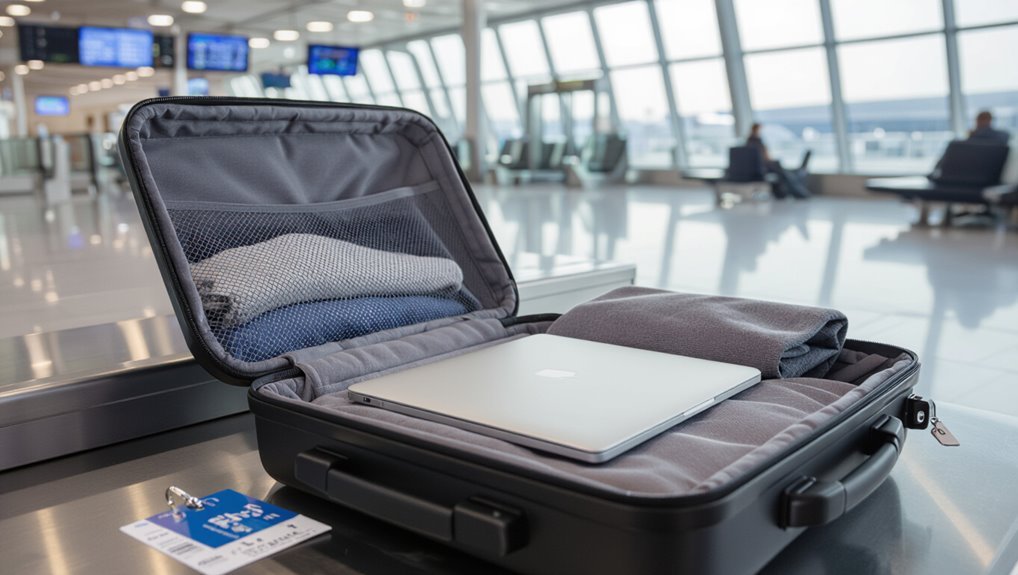
Can you check a laptop in your checked luggage? You can, but airlines and security prefer you carry it.
Checked bags face rough handling, temperature swings, and theft risk. Batteries may be restricted if removable or damaged.
If you must check one, power it down, protect it in a hard case, remove batteries if allowed, and declare any lithium batteries per airline rules.
Quick Decision: Check or Carry-What to Consider
When deciding whether to check or carry your laptop, think about security screening concerns and how inspections might expose or delay your device.
Remember battery regulations—some airlines ban lithium batteries in checked bags or require them to be protected.
Also weigh the risk of damage and theft against the convenience of not hauling your laptop through the airport.
Security Screening Concerns
How will security screening affect your decision to check or carry a laptop? You’ll face X‑ray inspection, possible manual checks, and requests to power it on.
If agents need to open bags, you risk delays, exposure, or damage. Carrying reduces intrusive handling and eases verification.
Balance convenience against gate checks and varying airport procedures when choosing checked versus carry-on.
Battery Regulations Impact
Because airlines and regulators treat lithium batteries as a safety risk, you’ll need to decide whether to carry your laptop based on battery rules: check airline and country limits for watt-hour ratings, spare battery requirements, and labeling.
You’ll usually have to keep laptops and loose batteries in carry‑on, declare large-capacity cells, and comply with airline-specific approvals to avoid confiscation or denied boarding.
Damage And Theft Risk
If you value your laptop and its data, keep it with you in the cabin—checked baggage exposes devices to rough handling, crushing, temperature swings, and a higher risk of theft or loss.
You’ll also face harder-to-document damage and delayed recovery if stolen. Carrying lets you monitor it, use protective sleeves, and reduce insurance hassles; check only when absolutely necessary and well-padded.
Which Laptop Batteries Affect Airline Rules
You need to know that airlines treat lithium-ion batteries differently based on watt-hours and whether they’re built-in or removable.
If a battery exceeds the airline’s watt-hour limit it may be banned from checked baggage.
Removable batteries are usually easier to carry in the cabin, while nonremovable ones can complicate compliance.
Lithium-Ion Battery Limits
Most airlines regulate laptops by the lithium-ion battery’s watt-hour (Wh) rating, so you’ll want to know your battery size before you travel.
You must follow limits and pack accordingly:
- Under 100 Wh: allowed in carry-on, usually OK.
- 100–160 Wh: airline approval required, typically carry-on.
- Over 160 Wh: usually prohibited.
- Spare batteries: carry-on only, terminals protected.
Nonremovable Vs Removable
Wondering which batteries matter to airlines? You need to know whether your laptop battery is removable or built-in. Removable spares are usually restricted in checked baggage; installed nonremovable batteries are often allowed but still counted toward watt-hour limits. Check airline policy and label watt-hours.
| Type | Allowed in Checked? | Notes |
|---|---|---|
| Removable spare | No | Carry-on only |
| Installed | Usually | Subject to limits |
| Damaged | No | Prohibited |
How IATA and Airlines Classify Lithium Batteries
Although the rules around lithium batteries can seem dense, IATA and airlines sort them into clear categories based on chemistry, watt-hour rating (for lithium-ion) or lithium content (for lithium metal), and how they’re packaged or installed.
You should know classifications affect packing and carriage:
- Lithium-ion by Wh
- Lithium-metal by grams Li
- Installed vs spare
- Passenger vs cargo limits
Airline Policies: Allowed vs. Required for Checked Laptops
Knowing how batteries are classified helps you understand why airlines set specific rules about laptops in checked baggage.
You’ll find policies fall into two categories: allowed (you may pack powered-off laptops in checked bags) and required (you must carry devices in cabin or disable/removal of batteries).
Always check your carrier’s rule before travel, because enforcement and required actions vary by airline.
Common Airlines’ Policies (Examples and Links)
You’ll want to check specific carrier rules before packing a laptop, since major U.S. airlines often have distinct guidelines about batteries and checked electronics.
Many popular international carriers also publish clear policies that can differ on whether laptops are allowed in checked bags or must stay in carry-on.
Below are links to official pages so you can confirm each airline’s requirements quickly.
Major U.S. Carrier Rules
When you’re planning to pack a laptop, check major U.S. carriers’ specific rules because policies vary on whether electronics can go in checked baggage, battery restrictions, and how items should be protected.
Airlines like American, Delta, United, and Southwest each publish guidance and links you can follow for exact limits and exceptions.
- Confirm lithium battery rules.
- Prefer carry-on for value.
- Use hard cases if checked.
- Document serial numbers and receipts.
Popular International Policies
After checking U.S. carrier rules, you’ll want to compare how major international airlines handle laptops, batteries, and checked baggage since policies and enforcement vary by region.
European carriers typically require lithium batteries in carry‑on and may prohibit powered devices in checked bags.
Asian and Middle Eastern airlines vary; some follow ICAO/IATA guidance, others impose stricter limits.
Always confirm carrier specifics before travel.
Links To Official Pages
Wondering where to find definitive rules? You’ll want direct airline and regulator pages.
Check these examples for clear guidance and links:
- Delta — baggage and electronics policy (link)
- British Airways — checked luggage rules (link)
- FAA — lithium battery guidance (link)
- IATA — global air transport recommendations (link)
Use those pages to confirm current limits, declarations, and packing tips before travel.
TSA and Airport Security Treatment of Checked Laptops
Although you can check a laptop in many cases, TSA procedures and airport security practices treat checked electronics differently than carry-ons, so it’s important you understand the risks and screening requirements before you hand over your bag. You’ll face additional screening, possible bag opening, and limited liability if damage or loss occurs.
| Scenario | What to expect |
|---|---|
| Screening | X-ray, possible manual inspection |
| Notification | Agent may open bag |
| Liability | Limited compensation |
| Advice | Remove if possible |
Fire and Thermal Risks of Checked Lithium Batteries
You need to understand that lithium batteries can enter thermal runaway, a rapid chain reaction that generates intense heat and smoke.
In the cargo hold, nearby heat sources or rough handling can trigger or worsen this condition, and fire suppression systems on planes have limited ability to stop a battery fire.
We’ll look at how those risks combine and what precautions you should take when placing a laptop in checked luggage.
Battery Thermal Runaway
Because lithium batteries can overheat suddenly and propagate that heat to neighboring cells, packed laptops in checked baggage pose a unique fire risk.
You should recognize signs, prevent initiation, and limit spread:
- Inspect battery integrity before travel.
- Remove swollen or damaged batteries.
- Power down and isolate devices.
- Use protective casing and keep electronics in carry-on when possible.
Heat Sources In Cargo
When lithium batteries are checked in cargo, external heat sources — like nearby hot cargo, engine bay heating, or prolonged sun exposure on tarmacs — can raise pack temperatures and increase the chance of thermal runaway; you should know what fuels that heat, how it transfers, and where risks concentrate so you can minimize them.
Monitor ambient cargo temperatures, avoid packing near heat-retaining items, and request climate-controlled storage when possible.
Fire Suppression Limits
Although aircraft fire-suppression systems are robust, they weren’t designed to extinguish large, internal lithium-battery fires, so you should treat checked lithium batteries as higher-risk items.
You should consequently:
- Avoid packing spare batteries in checked bags.
- Keep devices powered off and insulated.
- Use original packaging or terminal covers.
- Check airline and ICAO limits before travel.
Physical Damage Risks During Checked Baggage Handling
If you put a laptop in checked baggage, expect it to face rough handling: baggage gets tossed, stacked, and squeezed in cargo holds, and even a brief drop or heavy pressure can crack screens, damage hinges, or ruin internal components. You’ll want to avoid fragile placement and unsecured items that amplify impact.
| Risk | Cause | Likely Damage |
|---|---|---|
| Crush | Heavy stacking | Screen/housing |
| Shock | Drops | HDD failure |
| Vibration | Conveyor | Loose connectors |
| Abrasion | Rubbing | Cosmetic wear |
Prepare Your Laptop for Checked Travel: Power, Backup, Protection
1 simple checklist will cut the biggest risks: shut down and remove external power, back up your data, and protect the laptop with padding and a hard-shell case before it ever goes into checked baggage.
Follow these steps:
- Fully power off and remove chargers.
- Enable full disk backup or cloud sync.
- Remove or secure accessories.
- Use a locked, cushioned compartment and document serial numbers.
Packing Materials to Protect Checked Laptops
Many simple materials can greatly reduce the risk of damage when you check a laptop: choose a hard-shell case or double-layered laptop sleeve, wrap the device in bubble wrap or foam, and cushion it inside a suitcase with clothing or dedicated packing cubes.
Add corner protectors, seal ports with tape, and place the laptop in the center away from heavy items to minimize impact and pressure.
Handle Laptop Batteries: Remove, Insulate, and Spares Rules
Because airlines treat lithium batteries as a safety risk, you should remove, insulate, and pack them correctly:
- Remove the battery from the laptop if removable.
- Insulate terminals with tape or original packaging.
- Carry spare batteries in carry-on only, protected from short circuits.
- Check airline and country limits for watt-hours and quantity before travel.
What to Do If Your Checked Laptop Is Damaged or Lost
What should you do right away if your checked laptop comes back damaged or doesn’t arrive at all?
Inspect luggage, photograph damage or missing items, and report to the airline’s baggage desk before leaving the airport.
Get a written Property Irregularity Report (PIR).
Keep receipts, serial numbers, and backup copies.
Follow up with the airline’s claims process promptly and escalate if needed.
Alternatives: Leave It Home, Ship It, or Rent Locally
If you’d rather not risk checking a laptop, consider three practical alternatives: leave it at home and rely on a phone or tablet, ship the device to your destination via insured courier, or rent a laptop once you arrive.
Evaluate cost, urgency, and data needs:
- Home: use synced cloud apps.
- Ship: insure and track.
- Rent: short-term convenience.
- Replace: buy locally if cheaper.
When to Check vs. Carry a Laptop (Risk Checklist)
When you decide whether to check or carry a laptop, weigh the travel context, device value, and data sensitivity to make a clear risk-based choice.
Carry if you need immediate access, have irreplaceable data, expensive hardware, or transit involves multiple connections.
Check only when packing protection, locking out access, and minimal theft or rough-handling risk exist.
Prioritize backups and strong passwords.
Insurance & Warranty: Claims and Coverage for Checked Laptops
After weighing whether to carry or check your laptop, you should also verify how insurance and warranties respond to checked-baggage scenarios.
Check policy exclusions, proof requirements, and deductible limits; manufacturer warranties often exclude transit damage.
Document condition, keep receipts, and report loss promptly.
Consider supplemental travel insurance if needed.
- Exclusions
- Claims timeline
- Documentation
- Deductibles
Quick Pre-Checklist Before Handing Your Bag to the Airline
Before handing your bag to the airline, run through a short, focused checklist so you won’t discover problems later:
Remove the laptop or pack it in a hard case with padding, back up data, power down, disable biometric locks, note serial numbers, take photos, remove external drives and batteries if removable, label your bag, and keep receipts and insurance info accessible.
Frequently Asked Questions
Can Airport Staff Open Checked Bags to Inspect My Laptop Without My Consent?
Yes — airport security can open your checked bag without your consent for inspection under screening or security rules; you’ll typically be notified and given a receipt, though procedures and rights vary by country and carrier.
Will Checking a Laptop Affect My Ability to Claim Duty-Free Tax Refunds?
Yes — checking a laptop can affect duty-free refunds because customs may inspect baggage, and proof of purchase or showing the untouched item may be harder. Keep receipts, declare electronics, and consider carrying it as hand luggage.
Can Biometric Locks on Luggage Prevent Access for Security Checks?
No — biometric locks can’t prevent security checks; authorities can force open or demand keys/passwords, and you’ll have to comply. If you resist, your bag may be opened, damaged, or confiscated during inspection.
Are Refurbished or Non-Branded Laptops Treated Differently by Airlines?
No, airlines won’t treat refurbished or non-branded laptops differently; you’ll follow the same security and carry/checked baggage rules, though you should still back up data and verify the device meets airline and TSA battery and screening requirements.
Do International Transit Rules Differ From Origin/Destination Laptop Policies?
Yes — transit rules can differ from origin/destination policies. You’ll need to follow the stricter applicable rule (often the transit country or airline), especially about batteries; check both airlines and all countries’ aviation regulations before traveling.
Conclusion
You can check a laptop, but you probably shouldn’t. Checked baggage exposes devices to rough handling, theft, temperature extremes and stricter battery rules—so carry valuable electronics whenever possible. If you must check one, remove the battery if removable, power it down, back up data, and use a hard case and padding. Consider shipping, renting, or buying locally for long trips. Check airline and insurance policies beforehand to avoid surprises and denied claims.