How to Set Lock on Calpak Luggage Simple Instructions
Align the dials to the factory code (usually 0-0-0), press or slide the reset button/lever, then set your new three-digit combination and release the reset. Open the zipper to relieve tension before changing codes, then test the new code several times from different angles to confirm it works. Choose a memorable but not obvious code and store it securely. Keep testing and maintaining the lock, and you’ll find more tips and troubleshooting next.
Set Your Calpak Lock in Under Two Minutes
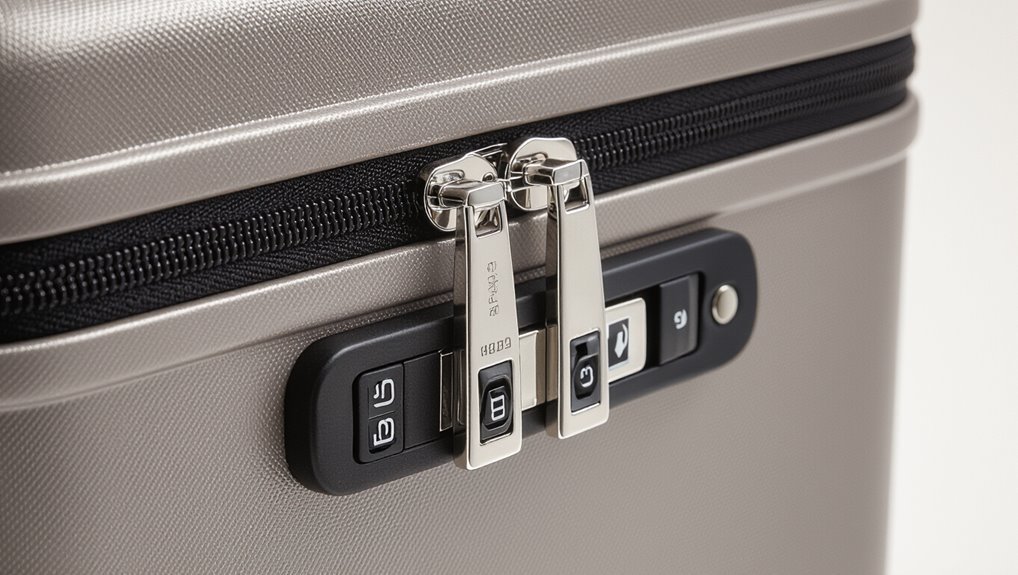
Grab your Calpak luggage and the factory-set combination (usually 0-0-0) — you’ll change it in less than two minutes.
Align dials to the current code, press and hold the reset button or slide the lever, set your new three-digit code, then release.
Test the new combination several times before closing. Memorize or record the code securely to avoid lockouts.
Identify the Type of Calpak Lock on Your Suitcase
Before you set a code, check which type of lock your Calpak has so you know the right steps.
You might’ve a built-in TSA combination, an external padlock or cable, or a keyed or removable lock. Each one behaves differently, so identifying it first will save time and prevent mistakes.
Built-In TSA Combination Lock
Start by locating the lock on your Calpak suitcase—most models use a built-in TSA combination lock mounted on the side or top near the zipper pulls.
You’ll see three dials and a small keyhole for TSA agents. If dials show 0-0-0, it’s factory default.
Inspect for a reset button or lever; that tells you how to change the code per model instructions.
External Padlock Or Cable
Many Calpak suitcases let you use an external padlock or cable—so first check whether your model has reinforced zipper pulls with a lock loop or a dedicated cable port.
If it does, choose a TSA‑approved padlock or travel cable, thread through the loops or port, and secure.
Note placement so zippers close fully and the lock won’t interfere with handling or airport inspections.
Keyed Or Removable Lock
If your Calpak doesn’t have an external padlock option, check for an integrated keyed or removable lock next—these are common on hardside and some softside models.
Look for a keyhole near the zipper or handle, or a detachable lock module.
Test the key, note any model number, and consult Calpak’s manual or customer service for replacement keys or removal instructions before forcing the mechanism.
Locate the Lock Components: Dials, Reset Button, and Shackle
Begin by flipping your Calpak suitcase so the zipper area faces up; you’ll see the combination dials, a small recessed reset button, and the shackle (the metal U) grouped near the zipper stops.
Inspect the dials for numbers, check the reset button’s location and depth, and guarantee the shackle moves freely.
Note any wear or debris before attempting to change the code.
How to Tell If Your Calpak Lock Uses a Reset Pin or Lever
Wondering whether your Calpak lock uses a reset pin or a lever? Check the lock face: a tiny recessed hole indicates a pin, a visible small switch or sliding piece indicates a lever.
Try these quick checks:
- Inspect for a recessed reset hole
- Look for a small sliding switch
- Read any stamped symbols
- Test gently with a paperclip
- Consult the user tag or manual
Prep Your Luggage: Open Zippers to Release Tension
Before you change any settings, open all zippers so the shell and compartments can sit relaxed.
Check inside for compression straps or packed items that might be pressing on the zipper track.
Releasing that tension makes the lock mechanism easier to access and prevents misalignment when you reset it.
Open All Zippers
Open every zipper on your Calpak bag so you can relieve tension across the tracks and make the lock mechanism easier to set.
You’ll unzip all compartments and pockets, letting fabric relax and sliders align before you set the combination.
- Start with exterior pockets
- Unzip main compartment fully
- Open expansion zippers
- Release any internal pockets
- Check around wheels and seams
Check Internal Compression
With the zippers released, check the bag’s internal compression so the shell sits flat and the lock can align properly. Open the compression panel, redistribute bulging items, and press down to remove gaps. Close the panel, then test zipper alignment and lock fit. Adjust until the lock freezes smoothly without forcing.
| Action | Tip |
|---|---|
| Open panel | Redistribute items |
| Press down | Remove gaps |
| Test lock | Guarantee smooth fit |
Start From the Factory Default Code (000) or Your Current Code
Start by lining up the dials to 000 if you haven’t changed the code, or to whatever combination you’re currently using; this gives you a stable reference point for resetting or locking the zipper pulls.
- Verify dials sit evenly
- Hold lock housing steady
- Confirm zippers rest in slot
- Keep tension while you turn
- Note current combo for future use
How to Enter the Current Combination Correctly
Make sure each digit lines up exactly with the marker before you move to the next wheel.
Turn the wheels calmly and firmly so they click into place without skipping.
Double-check that all three numbers display your current code before you proceed.
Align Digits With Marker
Line up each digit of the combination so the number sits directly under the small marker or arrow on the lock housing; you’ll know it’s correct when every wheel’s notch is centered beneath the indicator and the numbers read cleanly in a row.
- Check each wheel visually
- Use good lighting
- Keep wheels steady with a fingertip
- Confirm digits aren’t off by one
- Don’t rush the alignment
Turn Wheels Calmly
Once each digit sits under the marker, gently rotate each wheel to enter the current combination, keeping your movements slow and deliberate so you don’t skip a number.
Use your thumb and forefinger to feel clicks as each wheel passes a digit. Pause briefly on each click, align precisely, and avoid rushing; steady pressure prevents accidental slips and misreads while setting the code.
Verify All Three Numbers
After you’ve aligned each wheel under the marker, double-check all three digits before you apply pressure to open the lock.
Make sure each number sits exactly at the index, feel for the click, and don’t rush. If it doesn’t open, reset and try again calmly.
- Look straight on at the marker
- Confirm each digit reads correctly
- Listen for clicks
- Apply steady pressure
- Retry if needed
Step-by-Step: Change the Combination on a Dial Lock
Changing the combination on a Calpak dial lock is straightforward and only takes a few minutes if you follow the right steps; you’ll reset your code while keeping the lock secure.
Align current combination, press or pull the reset pin or lever, rotate dials to your new three-digit code, release the pin/lever, then scramble the dials.
Test the new combination several times before travel.
Step-by-Step: Change the Combination on a TSA Dial Lock
Start by setting the dial to your current combination so the lock is open and ready to change.
Hold the reset button or lever and turn the dials to choose your new code.
Release the reset and test the new combination a few times before closing the lock.
Set Current Combination
Once you’ve confirmed the lock is set to the current code, align the three dials to that combination and press the reset button or lever (usually inside the shackle or next to the dials) to enter programming mode.
Then confirm the mechanism stays engaged before proceeding.
- Feel the click to know it’s ready
- Keep the lock steady
- Use good lighting
- Avoid forcing parts
- Note original code briefly
Choose New Code
Want a code you’ll actually remember? Pick a memorable but non-obvious sequence—avoid birthdays. Turn dials to your chosen digits, confirm alignment, then push the reset lever back. Test the new code several times before closing.
| Tip | Example |
|---|---|
| Memorable | Year you graduated |
| Not obvious | Avoid family birthdays |
Step-by-Step: Change the Combination on a Push-Button Reset Lock
Changing the combination on a push-button reset lock is quick and straightforward if you follow the sequence precisely: you’ll open the lock, press the reset button or pin, set your new three- or four-digit code, and release the button to lock it in.
- Open the clasp or shackle.
- Press and hold the reset button/pin.
- Dial each digit carefully.
- Release the reset to save.
- Test the new code before travel.
Choose a Memorable Yet Secure Luggage Code
How do you pick a code that’s easy to remember but hard for others to guess? Use a personal pattern only you know: combine nonsequential meaningful dates, favorite numbers, or a short phrase mapped to digits.
Avoid obvious ties to your identity. Test recalling it under stress, then store a discreet backup.
Update the code periodically for continued security.
Avoid Common Weak Codes and Patterns
Don’t use obvious combos like 1-2-3 or 4-5-6, since sequential numbers are easy to guess.
Skip repeated digits such as 000 or 111, which are just as risky.
And avoid personal dates like birthdays or anniversaries that someone could figure out from your social info.
Avoid Sequential Numbers
While it’s tempting to pick easy-to-remember sequences like 123 or 000, those patterns make your Calpak lock an easy target for opportunistic thieves.
Choose unpredictable combinations instead, avoid obvious runs, and change defaults immediately.
- Pick non-sequential digits
- Use a mix of numbers you won’t share
- Avoid birthdays or anniversaries
- Change codes periodically
- Test your new code privately before travel
Skip Repeated Digits
Ever wondered why combos like 111 or 222 are such easy targets? You should avoid repeated digits because they’re predictable and cracked fast.
Choose a mix of numbers that don’t repeat or follow a simple visual pattern. Test your chosen code several times to confirm you can reliably enter it under travel stress, but resist the temptation to pick obvious repeats for convenience.
No Personal Dates
Because birthdates, anniversaries, and graduation years are the first things people try, steer clear of any numbers tied to you or close family.
Pick unpredictable combinations and change them periodically so thieves can’t guess. Use numbers that don’t relate to you, and avoid sequences everyone recognizes.
- Don’t use your birthday
- Skip partner’s anniversary
- Avoid kids’ years
- Drop hometown area codes
- No graduation years
Test Your New Combination Multiple Times Before Closing
Before you finalize the lock, try your new combination several times to confirm it opens smoothly and reliably.
Turn the dials through the sequence, open the zipper or latch, then scramble and re-enter the code.
Rotate each dial to the code, open the zipper or latch, then scramble and re-enter to confirm it works.
Repeat from different angles and pressures to verify consistency.
If it sticks or fails, reset and test again until it operates flawlessly before you move on.
Relock Your Calpak Suitcase Properly After Setting
Once your combination is set, make sure you align the zipper pulls so they sit flush in the lock slot.
Slide the pulls into place and engage the lock mechanism until you hear or feel it click.
Give the lock one quick test to confirm it’s secured before you pack.
Align Zipper Pulls
Line up the two zipper pulls so their metal tabs sit flush in the lock slot, then slide them snugly into place and rotate the lock to secure them.
Make sure tabs align evenly and zipper teeth sit flat before locking.
- Check both pulls face the same way
- Press pulls together firmly
- Feel for a click
- Avoid forcing misaligned zippers
- Test closure gently
Engage Lock Mechanism
Rotate the dial to your set code, press the shank into the lock slot, and flip the latch down to engage the mechanism; you should hear or feel a definitive click that tells you the suitcase is relocked.
Test the lock by turning the dial away and back, then pull gently on the zipper pulls. If it opens, repeat steps; if secure, you’re done.
Record Your Code Safely Without Writing It on the Bag
Anyone can forget a combination, so record yours somewhere secure but separate from the bag—don’t write it on the luggage or a visible tag.
Store the code where you can access it if needed, and keep backups that aren’t obvious to others.
- Memorize a pattern, not digits
- Keep a paper copy in a locked drawer
- Tell one trusted person
- Use a discreet notebook
- Update if you change the code
Use a Password Manager or Secure Note for Luggage Codes
Why not store your luggage combination in a password manager or secure note where it’s both encrypted and easy to retrieve?
Use the app’s secure note feature or create a dedicated entry labeled clearly. Include the bag model and date set.
Protect access with a strong master password and two-factor authentication.
Secure your vault with a strong master password and enable two-factor authentication for added protection.
That way you’ll access the code quickly without exposing it on the luggage.
What to Do If You Forget Your Calpak Code
If you forget your Calpak combination, you can usually reset it by following the manufacturer’s reset steps or contacting Calpak for guidance.
You’ll also want to try alternative access methods like using the TSA key (for TSA-approved locks) or checking for a factory-reset option.
Keep any proof of purchase handy in case customer support or a locksmith needs verification.
Resetting The Combination
Forgot your Calpak code? You can reset it by locating the small reset button or pinhole, pressing with a paperclip, setting a new three-digit code, releasing, and testing several times.
Follow these steps:
- Find the reset pinhole near the dials
- Press and hold with a thin tool
- Turn dials to your new code
- Release the button
- Test until it clicks and opens
Alternative Unlock Methods
When you can’t recall your Calpak combination, don’t panic—there are several safe ways to regain access without damaging the lock.
First, try every likely combo slowly while feeling for subtle clicks. If that fails, check for a reset tool or serial number on the zipper lock and contact Calpak support.
As a last resort, visit a local locksmith to avoid damage.
Manual Methods to Recover a Forgotten Combination
Although it’s never fun to face a forgotten combo, you can often recover it manually without tools or professional help.
- Wiggle dials slowly, feeling for subtle clicks or resistance.
- Start from 000 and work upward, noting any change in tension.
- Listen closely for faint sounds at the correct number.
- Try common personal combinations you’ve used before.
- Check paperwork or tags where you may’ve recorded the code.
When to Contact Calpak Customer Support for Lock Help
Need help beyond the basics? Contact Calpak customer support if your lock’s mechanism is jammed, the combination won’t reset, or the dials spin without engaging.
Also reach out if your luggage warranty covers lock replacement, if serial or proof-of-purchase details are needed, or if you suspect manufacturing defects.
Have model number, purchase date, and photos ready to speed resolution.
How TSA Access Works With Calpak Locks
Calpak locks use TSA-approved mechanisms that let agents open your bag with a master key if they need to inspect it.
If TSA opens your luggage, you’ll usually find a notice and can reset your lock afterward to a new combination.
Follow the reset instructions in this guide to restore your lock and confirm it’s secure before your next trip.
TSA Master Key Access
When TSA inspects checked luggage, agents can open Calpak locks using a set of standardized master keys without breaking the lock, so you don’t have to worry about damaged hardware if your bag is selected for screening.
You’ll still lock for security, but TSA may access for checks. Consider these points:
- TSA uses universal master keys
- Locks remain reusable after inspection
- You won’t be notified always
- Choose TSA-approved models
- Keep combinations recorded
When TSA Opens
If TSA decides to inspect your checked bag, agents will use a standardized master key to open the lock without damaging it, then relock it when they’re done so your luggage stays secured for the rest of your trip.
You’ll usually find a notice inside if they inspected contents.
Check zippers and seals; if something looks tampered with, report it immediately at the airport.
How To Reset Locks
Resetting your Calpak TSA-approved lock is straightforward: you’ll enter the current combination, slide the reset lever or press the reset button (location varies by model), set your new three-digit code, then return the lever or release the button to lock it in.
- Check model instructions first.
- Use clear, memorable numbers.
- Don’t force mechanisms.
- Test multiple times before travel.
- Record your new code securely.
Spot Signs of a Jammed or Damaged Lock
Because a jammed or damaged lock can strand you at the airport, it helps to recognize clear signs early. You’ll notice resistance, loose components, rough dial turns, broken shackle, or unusual noises. Check before travel to avoid delays.
| Symptom | What to check | Action |
|---|---|---|
| Resistance | Dial movement | Inspect |
| Loose parts | Exterior | Tighten |
| Noise | Internal | Avoid forcing |
| Broken shackle | Lock body | Replace |
Fix Sticky or Stiff Calpak Dials
When your Calpak dial feels sticky or turns stiffly, you’ll want to act quickly to prevent further wear or a full jam.
If your Calpak dial feels sticky or stiff, act quickly to prevent wear or a jam.
- Inspect for debris around the dial and in grooves.
- Clean with a soft brush and isopropyl alcohol sparingly.
- Apply a tiny drop of silicone lubricant, not oil.
- Rotate the dial repeatedly to distribute lubricant.
- Test the lock several times before travel to confirm smooth operation.
When to Replace the Lock Versus Repair It
If your Calpak lock still opens reliably after cleaning and lubrication, you can probably repair it yourself; but if the mechanism sticks, skips numbers, or shows visible damage, it’s time to replace the lock to avoid being stranded with unusable luggage.
Choose replacement when internal components fail, the shackle bends, or repeated fixes don’t restore reliability.
Prioritize safety and travel peace of mind.
How to Remove and Replace a Broken Calpak Lock
First, locate the broken lock by checking the zipper heads and the lock housing to see what’s damaged or loose.
Once you’ve identified the faulty parts, remove any screws or clips holding the lock and slide it out carefully.
Then align and install the replacement lock, secure it with the original fasteners, and test the mechanism before closing the case.
Locate The Broken Lock
Start by setting the bag on a stable surface and flipping it so the lock side faces up; you’ll need clear access to inspect the mechanism.
- Check for cracked housing or loose screws.
- Test zipper pulls and latch alignment.
- Look for corrosion or bent components.
- Wiggle the shank to find play or binding.
- Note model number or serial markings for reference.
Install A Replacement
Remove the broken lock by unscrewing its mounting screws and carefully lifting the unit out of the suitcase cavity; you’ll want a small Phillips or Torx driver (depending on the model), needle-nose pliers, and a replacement lock ready.
Align the new lock, feed any latches or cables through, secure screws snugly, test the mechanism and combination, and reassemble trim pieces before final verification.
Choosing a Replacement Lock Compatible With Calpak Luggage
Anyone replacing a lock on Calpak luggage should match the lock type and mounting method to your suitcase model.
Check dimensions, TSA approval, cable vs. integrated fit, and mounting screws. Pick durable materials and a reputable brand.
- Measure existing lock footprint
- Confirm TSA compatibility
- Match mounting holes
- Choose zinc or hardened steel
- Read user reviews for fit
Travel Tips to Prevent Accidental Code Changes
After you’ve matched the right replacement lock to your Calpak suitcase, take a few practical steps to keep the combination from shifting while you’re on the move.
Scrunch the dials to their set numbers and press the reset pin fully.
Secure the zipper pulls into the lock, tuck excess straps away, and avoid jostling the lock in bags.
Check the code after transit.
How Airline Handling Can Affect Your Lock
Because baggage goes through heavy, automated sorting and frequent loading, airline handling can jostle or pressure your Calpak lock and change the combination or damage the mechanism.
You should inspect and test your lock after flights, use TSA-approved locks, and pack valuables separately to reduce risk.
- Check combination before and after travel
- Use TSA-approved locks
- Pad lock area with clothing
- Keep valuables carry-on
- Report visible damage promptly
Maintenance: Cleaning and Lubricating Your Lock Safely
Keep your Calpak lock working smoothly by cleaning and lubricating it on a regular schedule—especially after travel or exposure to dirt, salt air, or humidity. You’ll wipe debris, dry components, and apply a small amount of lubricator into the mechanism. Test the dials and latch. Store dry.
| Step | Action | Tip |
|---|---|---|
| 1 | Wipe | Use soft cloth |
| 2 | Dry | Air or cloth |
| 3 | Lubricate | Small amount |
| 4 | Test | Rotate dials |
| 5 | Store | Keep dry |
Materials and Tools You’ll Need for Lock Maintenance
A few simple tools and supplies will make cleaning and lubricating your Calpak lock quick and effective: a soft, lint-free cloth; cotton swabs or a small brush for crevices; a can of compressed air or a bulb blower; a lock-safe lubricant such as silicone spray or graphite powder; and a gentle solvent (like isopropyl alcohol) for removing stubborn grime.
- Soft cloth
- Cotton swabs/small brush
- Compressed air/blower
- Lock-safe lubricant
- Isopropyl alcohol
Childproofing and Sharing Codes With Family Members
After you’ve cleaned and lubricated the lock, think about who’ll need access and how to keep kids out.
Set a memorable code for adults and a different, harder-to-guess one if children might play with the suitcase.
Teach family members the main code, store backups in a secure note, and consider a physical deterrent like a cable wrap or luggage tag to discourage curious hands.
Security Tradeoffs: Convenience Versus Complexity of Codes
When you choose an easy-to-remember code, you’ll save time and reduce fumbling at airports, but you also make the lock easier to guess; tougher, longer combinations boost security but slow you down and raise the chance of lockouts.
- Pick something memorable but not obvious
- Use mixed digits if possible
- Change codes after risky trips
- Share cautiously with trusted people
- Keep a secure backup note
Common Luggage-Lock Mistakes
Because you’ll likely rush through packing or airport checkpoints, the most common mistakes are simple oversights: leaving the lock unset, forgetting to reset a rented lock, or using an obvious combination.
You also might misalign dials when locking, neglect to record your code securely, or force a jammed zipper—which can damage the lock.
Check alignment, note the code, and avoid forcing zippers.
Preflight Checklist for Locked Calpak Luggage
Noticing common mistakes helps you avoid last-minute problems, but you’ll also want a simple preflight checklist to make sure your Calpak lock and luggage are set for travel.
Noticing common mistakes helps avoid last-minute problems; use a quick preflight checklist to set your Calpak lock and luggage.
Verify combination works, test zipper alignment, confirm TSA lock shows closed, pack only allowed items, and copy combination to secure note.
- Try the dials before leaving
- Align zipper pulls correctly
- Check TSA indicator
- Pack essentials sensibly
- Record combination safely
How Often to Update Your Luggage Combination
If you want reliable security, update your Calpak combination regularly—at least once every six months—and immediately after any suspicious event like a lost bag, shared access, or a travel mishap. You should also change codes when traveling to high-risk areas, after lending luggage, or if someone guesses digits. Keep new codes memorable but not obvious.
| Reason | Timing |
|---|---|
| Routine | Every 6 months |
| After loss | Immediately |
| After sharing | Immediately |
| High-risk trip | Before travel |
| Suspected guess | Immediately |
How Calpak Locks Compare to Other Luggage Locks
When you’re weighing lock options for travel, Calpak’s integrated TSA-approved combination locks balance convenience and basic security without the complexity of aftermarket systems.
You’ll find they’re easy to set, low-profile, and accepted by TSA, though less heavy-duty than standalone padlocks or smart locks.
- Easy factory integration
- TSA acceptance
- No extra keys
- Lower tamper resistance
- Lighter weight
Troubleshooting Quick Reference: Lock Problems and Fixes
Calpak’s built-in TSA locks are convenient, but you may still run into a few common problems — stuck dials, a jammed shackle, or a forgotten code — and knowing quick fixes lets you get moving fast.
If dials stick, wiggle while applying gentle pressure.
For a jammed shackle, press reset pin or tap hinge gently.
Forgot code? Try factory 000, trace recent combos, or contact Calpak for reset steps.
Frequently Asked Questions
Can I Set Different Codes for Multiple Calpak Locks on One Suitcase?
Yes — you can set different codes for multiple Calpak locks on one suitcase, as long as each lock has its own dials and mechanism. You’ll reset each lock individually, so they’ll operate independently with separate combinations.
Will Resetting the Lock Void My Calpak Warranty?
No, resetting the lock generally won’t void your Calpak warranty, but you should check their specific warranty terms and avoid damaging the lock while resetting it; if unsure, contact Calpak support before attempting a reset.
Are Spare Lock Parts Available for Older Calpak Models?
Yes, you can often get spare lock parts for older Calpak models; you’ll need to contact Calpak support or an authorized repair center, provide your model and serial number, and they’ll advise availability and part ordering.
Can Airline Staff Legally Open My Locked Luggage Without TSA Key?
Yes — they can, in many jurisdictions. Airlines or security agents may open locked luggage for safety or inspection; they’ll usually document it, use bolt cutters or approved tools, and you won’t always need a TSA key.
Do Smartphone Apps Exist to Help Store Luggage Combinations Securely?
Yes — you can use password manager apps or dedicated luggage-lock apps to store combinations securely; they’ll encrypt data, sync across devices, and let you retrieve codes quickly, but you should enable strong master passwords and two-factor authentication.
Conclusion
You’ve got this—setting your Calpak lock is quick once you know the type and where the dials, reset button, or pin are. Open the zippers to release tension, use the reset method for your model, and test the new combination a few times before travel. Update the code periodically, keep a record in a secure place, and follow the troubleshooting tips if something’s off. With a little practice, locking your luggage becomes second nature.