Can I Take Phone Charger in Hand Luggage
Yes—you can bring phone chargers in your hand luggage: wall adapters, USB‑A/USB‑C bricks, cables, and wireless pads are allowed. Keep cables accessible for security and avoid checked bags for fragile or expensive chargers. Portable power banks must be carried in cabin baggage and usually stay under 100 Wh (100–160 Wh needs airline approval; over 160 Wh is banned). Labeling matters for inspections. Pack neatly and keep chargers handy if you want practical tips and packing rules ahead.
Can You Take a Phone Charger in Hand Luggage?
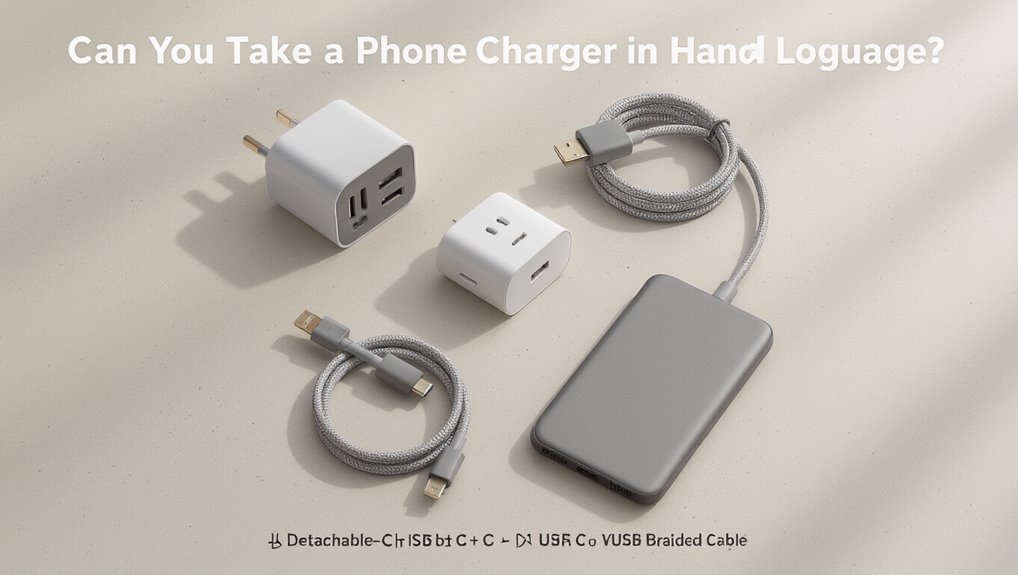
Wondering if you can bring a phone charger in your carry-on? Yes — you can. Airlines and security generally allow chargers in hand luggage.
Keep cables and small adapters accessible for inspection. Pack chargers so they won’t tangle or damage other items, and avoid oversized power banks unless they meet airline battery rules.
Check specific airline policies before you travel.
What Counts as a Phone Charger
Now that you know chargers are allowed in carry-ons, it helps to be clear about what actually counts as a phone charger.
Include wall plug adapters, USB-A/USB-C bricks, wireless charging pads, portable power banks marketed for phones, and multi-device charging hubs.
Exclude generic power strips unless used solely for phone charging and non-phone-specific battery packs designed for other devices.
Wired Phone Chargers: Carry-On Rules
When packing wired chargers in your carry-on, check airline rules on cord length and whether long cables need to be coiled neatly.
You should also confirm any battery power limits for power banks that might attach to the cable.
At security, be ready to place chargers in a bin or remove tangled cords for screening.
Charger Cord Length Limits
Although airlines and security agencies don’t usually list a strict maximum length for wired phone charger cords, you should keep them neat and reasonably short to speed security screening and avoid tangles. Coil cords, secure with a tie, and pack near electronics. Example visual:
| Condition | Tip |
|---|---|
| Long cord | Coil tightly |
| Tangled | Untangle before screening |
| Loose | Use a strap |
| Excess | Consider spare pouch |
Battery Power Considerations
Wondering how battery capacity affects what you can bring? You can pack wired chargers with built-in batteries, but airlines limit power banks by watt-hours.
Check device labels—under 100Wh is usually fine in carry-on, 100–160Wh may need airline approval, and over 160Wh is typically prohibited.
Carry batteries in your bag, protect terminals, and declare larger units to avoid issues.
Security Screen Procedures
If you’re carrying a wired phone charger in your hand luggage, expect to place it in the screening bin or leave it in your bag depending on the checkpoint rules and how it’s stored.
Remove tangled cables, compact adapters, and power banks into a single bin when asked.
Inform officers if items are inside a pouch. Follow instructions promptly to speed screening and avoid additional inspection.
Power Banks: Capacity Limits and Security Checks
When you bring a power bank in your hand luggage, know that airlines and security screeners limit capacity and may inspect the device; most carriers allow portable chargers up to 100 Wh (watt-hours) without approval, permit 100–160 Wh with airline permission, and typically ban anything above 160 Wh.
Carry it in carry-on only, declare larger units when required, and expect possible inspection or denial at security.
Why Wh Labeling Matters for Power Banks
Because watt-hour (Wh) ratings tell you the actual energy a power bank stores, they’re the key figure security and airlines use to classify and allow devices. You’ll check Wh to know limits, paperwork needs, and whether you must carry it in cabin.
| Wh | Allowed | Notes |
|---|---|---|
| <100 | Yes | No approval |
| 100–160 | Yes | Airline approval |
| >160 | No | Prohibited |
How to Calculate Wh From mAh and Volts
To check if your charger or power bank meets airline limits, you’ll need to convert its mAh rating to watt-hours using the device voltage.
Multiply mAh by volts, then divide by 1000 (Wh = mAh × V / 1000) to get the watt-hours.
Once you have that number, you can compare it to airline allowances to see if it’s allowed in hand luggage.
Converting mAh And Volts
Wonder how the battery capacity printed in mAh relates to the watt-hours (Wh) airlines use for limits? You convert mAh to Wh by multiplying mAh/1000 by voltage (V). Use the device voltage rating for accuracy. Quick reference:
| mAh | V | Wh |
|---|---|---|
| 1000 | 3.7 | 3.7 |
| 5000 | 3.7 | 18.5 |
Calculating Watt-Hours
Now that you’ve seen how mAh and voltage relate, you can calculate watt-hours (Wh) to compare battery sizes against airline limits.
Multiply milliamp-hours (mAh) by voltage (V), then divide by 1000: Wh = (mAh × V) / 1000.
For example, a 10,000 mAh power bank at 3.7 V equals 37 Wh, usually allowed in carry-on.
Wireless Phone Chargers: Screening Expectations
Although wireless chargers don’t usually raise the same concerns as power banks, you’ll still need to remove them from your bag for screening if they’re larger than a typical phone accessory or contain a built-in battery.
Expect security to inspect oversized pads, charging stands, or cases with integrated batteries.
Keep cables separate, present devices promptly, and follow officer instructions to speed screening and avoid delays.
USB-C, Wall Plugs, and International Adapters to Pack
Pack at least one reliable USB-C cable and a spare, since you’ll use them for phones, power banks, and many accessories.
Check wall plug voltage and wattage so you don’t fry devices or slow charging, and bring chargers rated for the regions you’ll visit.
For different outlets, carry a compact international adapter or a multi-country adapter with surge protection to keep things simple and safe.
USB-C Cable Essentials
Think of USB-C as the one cable you shouldn’t leave behind: it handles charging, data transfer, and often video output, so bring at least one short and one longer cable to cover ports in tight airplane seats and hotel rooms. Pack a spare, label ends, and use braided cables for durability.
| Item | Purpose |
|---|---|
| Short USB-C | Desk/laptop |
| Long USB-C | Bed/hotel |
| Spare | Backup |
| Braided | Durability |
| Labelled | Easy ID |
Wall Plug Voltage Tips
Now that you’ve got the right USB-C cables, make sure your wall plugs and adapters will actually work where you’re going: voltage and plug shape vary worldwide, and using the wrong wall charger can fry devices or leave you powerless.
Check each charger’s input range (100–240V is universal), prefer dual-voltage chargers, and bring a compact USB-C PD wall plug rated for the region’s voltage.
International Adapter Choices
When you’re choosing international adapters, prioritize a compact USB-C PD wall charger with 100–240V input and removable plug heads or a universal travel adapter that supports USB-C PD so you can charge laptops and phones safely; choose versatile, certified gear and pack lightweight plugs for destinations.
- Pack USB-C PD charger
- Bring removable plug heads
- Include certified travel adapter
- Keep spare cable and fuse
Airline Rules: Common Differences to Check
Because airlines set their own rules, you should check carrier-specific policies before packing a phone charger in carry-on luggage.
Airlines set their own rules—always verify your carrier’s charging device policies before packing chargers in carry-on luggage.
Look for limits on spare batteries, power banks, and USB-C chargers’ wattage.
Note quantity restrictions, labeling requirements, and whether removable lithium cells must be in carry-on only.
Also confirm rules for checked baggage, fee-based allowances, and international carrier variations that might affect compliance.
How Airport Security (TSA, EU, Others) Screens Chargers
After checking your airline’s rules, you’ll also face security screening procedures that vary by region and agency.
You should expect X-ray inspection and occasional manual checks.
Common steps:
- Place chargers in carry-on for X-ray.
- Remove power banks for separate screening.
- Answer brief questions about device function.
- Follow officer instructions if items trigger alarms.
Checked vs Carry-On: When Not to Check Chargers
If you want easy access, quicker screening, and lower risk of loss or damage, keep chargers in your carry-on rather than checking them.
Don’t check fragile adapters, expensive branded chargers, or power banks for safety and retrieval.
Pack cords in a clear pouch, label bulky items, and carry essential cables on your person so you’re not stranded if checked luggage is delayed or mishandled.
What to Do If a Charger or Power Bank Is Denied
If security won’t let you keep a charger or power bank, ask the staff for a clear reason and whether you can move it to checked baggage or a gate-check.
Look for charging options in the terminal—airport lounges, charging stations, or shops that sell compliant batteries.
If none are available, ask about shipping it home or follow staff instructions to dispose of it safely.
Ask Security Staff
Wondering what to do when a charger or power bank is denied at security? Ask security staff calmly and follow their instructions.
You can:
- Request a clear reason for denial.
- Ask if inspection or repackaging will help.
- Confirm whether it can go in checked baggage.
- Ask about appeal or supervisor review options and next steps.
Seek Charging Options
After you’ve spoken with security, look for alternate ways to keep your devices powered so you don’t get stranded without battery.
Ask if the terminal has charging stations or power outlets, use airline lounges if available, borrow a charger from airport shops or fellow travelers, or buy an approved replacement.
Keep cables accessible and monitor charging time to catch your flight on schedule.
Dispose Or Ship Alternatives
When security denies your charger or power bank, you’ve got a few practical options:
- Dispose securely at designated bins or ask staff to assist.
- Ship the item home via airport courier or post office.
- Buy a cheap replacement at airport shops to use immediately.
- Leave it with a friend or in long‑term luggage storage if available.
Packing Tips to Speed Through Security
1 simple strategy speeds you through security: organize your carry-on so agents can inspect it without digging.
Place chargers, cables, and power banks in a clear pouch near the top. Keep electronics accessible and remove bulky items for separate screening when required.
Label fragile items and tuck cords to avoid tangles. A tidy bag cuts delays and reduces the chance of additional checks.
Protecting Chargers in Carry-On: Damage and Theft Prevention
Anyone can reduce the risk of damage or theft by treating chargers like small valuables: keep them visible, secured, and cushioned.
- Stash chargers in a zippered pouch to prevent tangles and exposure.
- Use foam or soft lining to cushion connectors and adapters.
- Clip chargers inside your bag or to a strap so they don’t shift.
- Carry spares on you, not buried, to avoid loss or unnoticed damage.
Transit and Connecting Flights: Charger Rules to Know
Connecting flights can complicate what you can bring and where you can charge it, so check rules for each airport and airline on your itinerary.
Transit security, country-specific battery regulations, and differing gate policies can affect chargers and power banks.
You should verify carry-on allowances, declare high-capacity batteries if required, and confirm charging station availability so you don’t face unexpected confiscation or refusal.
Final Checklist: Chargers and Accessories to Pack
Now that you’ve checked rules for each leg of your trip, make a final sweep of chargers and accessories so you’re not scrambling at the gate.
Pack essentials and backups, keep batteries accessible, and note outlet types.
Check the list:
- Phone charger and cable
- Power bank (carry-on)
- Travel adapter
- Earbuds and charging case
Confirm everything fits your carry-on.
Frequently Asked Questions
Can I Use a Pocket Knife or Tools With My Charger in Carry-On?
Yes — you can’t carry pocket knives or many tools in carry-on; airlines and TSA allow chargers but restrict blades and certain tools. Check specific airline rules beforehand, pack prohibited items in checked baggage to avoid confiscation.
Are Charger Cables Allowed in Baby or Medical Equipment?
Yes — you can include charger cables with baby or medical equipment in carry-on. Airline and security rules generally allow them; keep cables accessible, ask gate agents if needed, and carry documentation for essential medical devices or batteries.
Do Hotel Room Safes Count as Checked Baggage for Chargers?
No, hotel room safes don’t count as checked baggage for chargers; you’re responsible for items stored there, and airlines treat checked baggage as items handed to them. Use the safe at your own risk and insure valuables separately.
Can I Bring Branded Charger Packaging or Manuals in Carry-On?
Yes — you can bring branded charger packaging and manuals in your carry-on. TSA and most airlines allow them; keep them accessible for inspection, avoid oversized batteries inside packaging, and don’t pack anything that looks hazardous or restricted.
Are Solar Chargers or Foldable Panels Permitted on Planes?
Yes — you can usually bring portable solar chargers and foldable panels in carry-on, but airlines and security may restrict large panels or integrated batteries; check airline and TSA/airport rules beforehand to avoid surprises at screening.
Conclusion
Yes — you can bring phone chargers in your carry-on. Pack wired chargers freely; keep power banks in your hand luggage only, following airline capacity limits (usually up to 100–160 Wh) and declare high-capacity units. Labeling helps security; expect screening and possible removal of damaged batteries. Stash chargers where you’ll find them during connections, protect them from damage and theft, and carry adapters and charging cables. Quick checklist: charger, power bank within limits, labels, and easy access for security.