How to Reset Luggage Lock Combination
You’ll reset most luggage locks in minutes: set the current code, open the lock, then find the reset lever, button, or pinhole (often inside the shackle or on the lock face). Engage the reset mechanism, pick a memorable non-obvious code, release the reset, and test the new combination several times with the bag empty and closed. Keep a secure record of the code and test again after 24 hours — follow the full guide for tips, troubleshooting, and model-specific steps.
What This Guide Covers and How to Use It
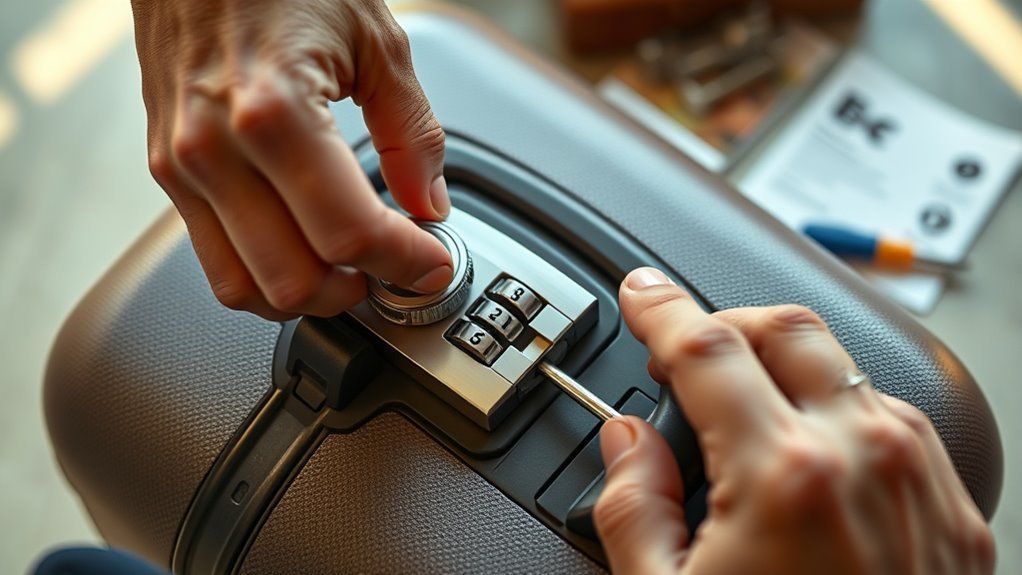
Before you start, this guide shows what reset methods work for common luggage locks, which tools you might need, and when to seek professional help.
You’ll learn which lock types—dial, push-button, TSA, or keyed—respond to factory-reset procedures or require manual manipulation.
You’ll see safety notes about avoiding damage and preserving warranty, plus troubleshooting tips if a lock won’t reset.
Use the sections that match your lock type and skip unrelated steps.
If you prefer visuals, check the diagrams and photos.
If a method seems risky or fails, the guide explains when to stop and call a locksmith.
Quick Step-by-Step: Reset a Luggage Lock Combination Now
Start by aligning the wheels to your current combination so the lock can open.
Once it’s released, choose and set your new code carefully, avoiding obvious sequences like 000 or 123.
Test the new combination several times before closing the lock.
Align Current Combination
Once you’ve got the lock in hand, line up the current combination on the dials so each number sits directly under the indicator mark.
Hold the lock steady and verify each digit twice; a slight misalignment can prevent opening or resetting.
Rotate each wheel slowly until it clicks or visually matches the marker.
If the lock uses letters, treat them the same way.
Make sure the shackle is seated or released per the lock’s design before proceeding.
Keep fingers clear of moving parts and work in good light.
Confirm the lock opens with the aligned code before moving on.
Set New Code Carefully
When you’re ready to pick a new code, keep the shackle in the correct reset position and turn each dial slowly to your chosen digits so they line up exactly with the indicator. Double-check alignment before releasing the shackle so the lock records the change.
Pick a memorable but not obvious sequence, avoid repeating simple patterns, and test the new code several times to confirm it engages smoothly.
- Choose a 3- or 4-digit combo you’ll recall but others won’t.
- Set each dial deliberately, aligning digits precisely.
- Release and re-lock, then test the combination repeatedly.
Essential Tools and Materials to Have Ready
Before you begin resetting the combination, gather a few simple items so you won’t be interrupted: a small flathead or Phillips screwdriver (depending on your lock), a paperclip or shim for releasing a reset button, a flashlight or phone light to see small markings, and a pen and paper to record the new code.
Also have tweezers for tiny parts, a magnet for metal shims if needed, and a soft cloth to protect the luggage finish. Keep your phone nearby to photograph steps.
Work on a stable surface with good light, and keep parts in a small dish so nothing gets lost.
Luggage Lock Types You’ll Encounter
You’ll run into three common types of luggage locks: TSA-approved combination locks, keyed padlocks, and built-in dial mechanisms.
Each one has a different reset method and security trade-offs.
Knowing which type you have will make resetting the combination much easier.
TSA-Approved Combination Locks
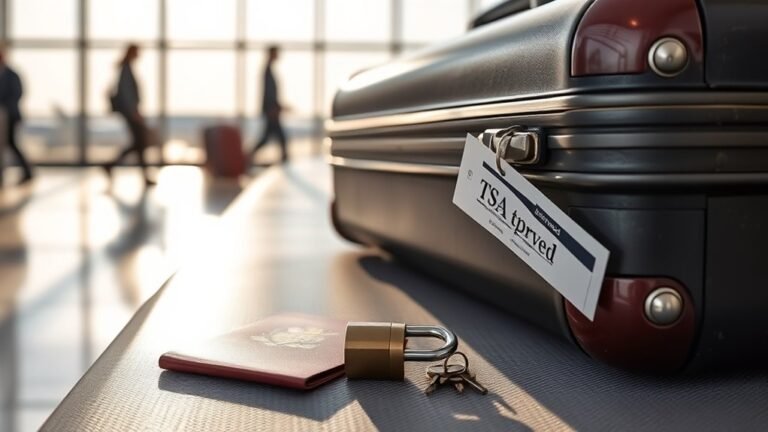
If you want your luggage to stay secure while still allowing airport agents to inspect it, TSA-approved combination locks are the best option—officially recognized models let Transportation Security Administration officers open and relock your bag without breaking the lock. You’ll find compact dial or push-button combos and integrated zipper locks.
They use a master key system for TSA access, so you can reset combinations per the manufacturer’s instructions. Choose a sturdy model, record your code, and test before travel.
Common features include key override slots labeled TSA, reset tools or levers, and clear setting instructions.
- Durable construction
- Master-key access
- Resettable codes
Keyed Padlocks
When you prefer a simple, traditional option, keyed padlocks offer straightforward security for luggage: you open them with a physical key rather than memorizing a combination.
You’ll find two common types: small keyed padlocks and keyed TSA variants that let inspectors use master keys.
With keyed models you don’t reset combinations; instead you keep a spare key or note the key code for replacement.
They’re durable and quick to operate, but losing the key can mean cutting the lock or visiting a locksmith.
Choose keyed locks if you value simplicity, and always store a backup key separately from your bag.
Built-In Dial Mechanisms
Although built-in dial mechanisms can seem fiddly at first, they give you integrated security without extra hardware to keep track of. You’ll find them on hard-shell and some soft-sided luggage; the dial sits flush and resets via a small lever or pinhole.
When resetting, follow the manufacturer steps closely so you don’t lock yourself out.
- Locate the reset lever or pinhole, usually inside the suitcase or near the dials.
- Set the current combination, engage the reset position, then dial your new code.
- Test the new code several times before closing the suitcase.
Factory-Set vs. User-Set Combinations: Key Differences
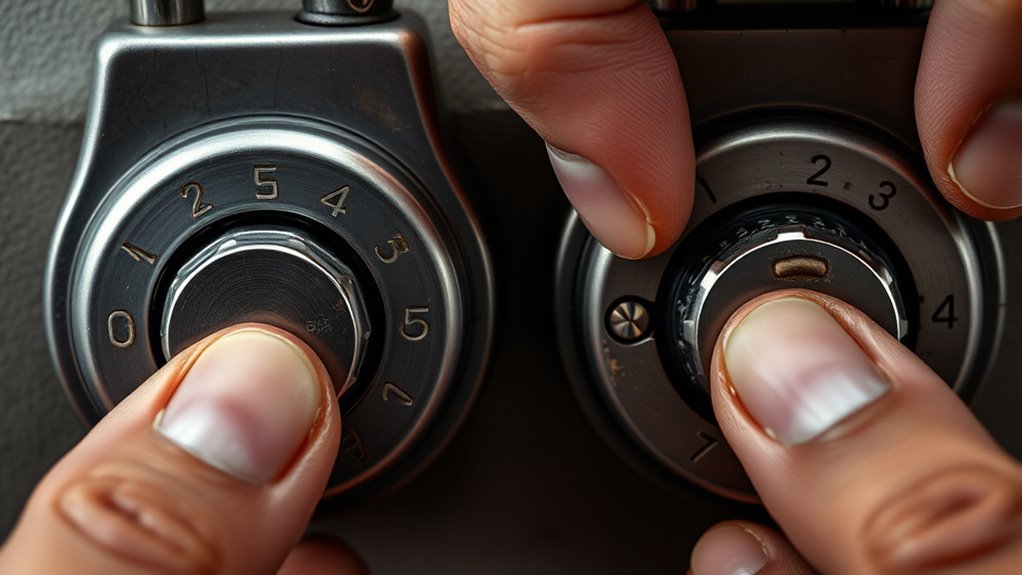
Because manufacturers pre-set many locks for out-of-the-box convenience, you’ll often get a factory-set combination that’s simple but predictable, while a user-set combination gives you control over security and memorability. You’ll choose user-set when you want uniqueness, and you’ll accept factory-set for ease. Changing to a user-set requires knowing the mechanism and following reset steps; it’s worth it if you travel frequently. Consider the trade-offs below to decide quickly.
| Aspect | Factory-Set | User-Set |
|---|---|---|
| Default code | Often 000 or 123 | You choose |
| Security | Lower | Higher |
| Convenience | High | Moderate |
| Resetting | Not required | Required |
How to Find the Current Combination on a New Suitcase
If you just bought a suitcase with a factory-set lock, you’ll usually find the current combination printed in the manual, on a sticker inside the suitcase, or on a small tag attached to the lock. Check those first, then inspect the lock housing and inner seams for hidden stickers.
If nothing’s visible, contact the retailer or manufacturer with the model and serial number; they often confirm the default code.
Never try brute force on high-end locks. Keep a record of the combination in a secure place once you locate it.
- Check manual and stickers
- Inspect lock and seams
- Contact manufacturer
Test Your Lock and Code Before You Travel
Before you leave, set and reopen the lock several times with the suitcase both empty and packed to make sure the combination works under real conditions.
Set and test your suitcase lock repeatedly—empty and packed—to ensure the combination holds under real travel conditions.
Try opening and closing it from different angles and pressures—lift, tilt, and press where a handler might.
Verify the zippers or latch align and aren’t strained by the packed contents.
Walk through a mock transit: lock, carry, set down, then reopen.
If it sticks or feels stiff, adjust packing or recheck the code.
Note the final digits somewhere secure and test again after 24 hours to confirm the mechanism hasn’t shifted.
Reset Procedures: Overview and Safety Tips
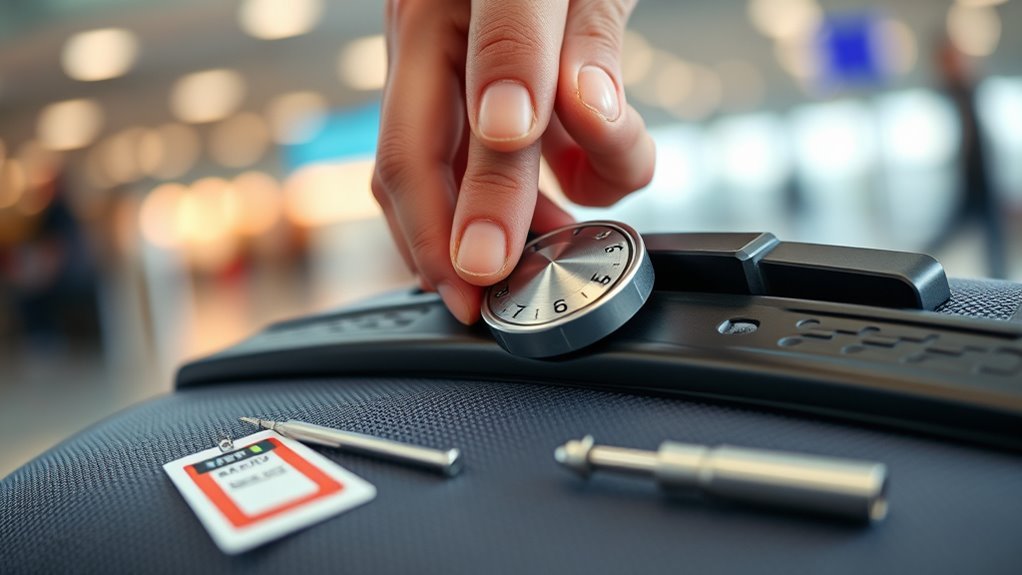
Before you change anything, confirm what kind of lock you have—TSA, built-in, or padlock—since each resets differently.
Take basic safety steps like working on a stable surface, keeping small parts secure, and not forcing the mechanism.
Once you set a new code, record it somewhere safe (and not on the luggage) so you won’t forget it later.
Verify Lock Type
Which kind of lock are you dealing with—built-in TSA, external padlock, or a cable lock? Identify it before you start: mechanisms differ, and so do reset steps. Check the casing for brand/model, inspect dials or keyholes, and note any reset buttons or tiny pinholes.
Record the current combination if known. If it’s TSA-marked, you’ll often see a travel keyway; padlocks may have removable shackles; cable locks can hide resets at the head. Knowing the type saves time and prevents damage.
- Inspect brand/model markings.
- Locate reset button or pinhole.
- Note shackle/keyway design.
Safety Precautions
Now that you’ve identified your lock type and located any reset features, take a moment to follow basic safety precautions so you don’t damage the lock or lose access to your luggage. Work on a stable surface with good lighting, and keep small parts away from edges.
Use the correct tool—don’t force pins or levers. Test the mechanism gently before and after changing numbers.
If the lock is integrated with the suitcase, support the surrounding material to avoid stress. Keep original combinations and purchase receipts until you confirm success.
If something feels wrong, stop and consult the manufacturer or a locksmith.
Save Combination Record
When you change your lock, write the new combination down immediately and store that record in at least two secure places—one physical and one digital—so you can retrieve it if you forget the numbers.
Keep the physical copy somewhere fireproof or hidden in your travel kit, and use an encrypted note or password manager for the digital copy.
Don’t label it plainly; use a hint only you’ll understand.
Review and update records after any change.
- Store a hidden paper copy in luggage or a safe.
- Save an encrypted digital entry (password manager).
- Use a personal hint instead of full labeling.
Reset a 3-Digit TSA Combination Lock
If you’ve forgotten your current code or want to set a new one, resetting a 3-digit TSA lock is straightforward: align the wheels to the existing combination, pull up or press the reset lever/button (usually inside the shackle or on the lock body).
Set your new three-digit sequence, then return the lever/button to its original position to lock it in.
Next, test the new code several times before closing your bag.
Choose a memorable but not obvious number, avoid repeating digits, and write it down in a secure place.
If the lock won’t reset, check the manual or contact the manufacturer for model-specific guidance.
Reset a 4-Digit TSA Combination Lock
Start by finding the lock’s reset mechanism—often a small button, pinhole, or switch on the side or back.
Make sure the lock is open and set to its current combination before you press or activate the reset.
Then enter and confirm your new four-digit code, making sure each wheel clicks into place.
Locate Reset Mechanism
Wondering where the reset mechanism hides on a 4-digit TSA combination lock? You’ll usually find it near the shackle or on the lock’s side. Inspect the body for a tiny pinhole, recessed button, or sliding switch.
Use the current combination to open the lock before accessing the reset.
- Pinhole: looks like a small round hole needing a paperclip or pin to press.
- Recessed button: sits in a shallow cavity; press and hold while you change digits.
- Sliding switch: you’ll flip it into “reset” position, then release after setting the new code.
Set Current Combination
Before you change the code, make certain the lock is open and its reset mechanism is engaged—this guarantees you’re setting the digits while the mechanism can register them.
Hold the lock steady and align the dials to the current combination; you’ll feel slight resistance when each wheel seats correctly. Rotate each dial carefully, confirming tactile clicks or visual alignment marks.
Keep steady pressure on the latch or reset button while you set the numbers so the mechanism doesn’t slip back. Double-check the sequence once more before releasing the reset control.
Once released, test the existing combination closes and reopens smoothly.
Program New Four-Digits
Now that the lock is open and the reset mechanism is held, you’re ready to set your new four-digit code. Choose a memorable but non-obvious number, then align each dial carefully. Turn slowly to avoid skipping digits and verify each click.
- Pick a sequence you’ll remember but others won’t.
- Rotate each wheel to the chosen digit, keeping pressure on the reset.
- Release the reset mechanism, close the lock, and scramble the dials.
Test the combination several times before travel. If it fails, reopen, repeat the steps, and pick a different sequence until it reliably opens.
Change the Code on a Rotary Dial Combination Lock
If your luggage uses a rotary dial combination lock, you can reset the code yourself by aligning the current combination, opening the shackle or latch, and turning the dial to your new numbers while holding the mechanism in the release position.
Next, rotate each dial to set your desired digits, ensuring they click into place. Keep steady pressure on the release so the internal cams engage the new alignment.
Once all digits are set, release the shackle or latch and scramble the dials to test. Repeat if needed until the lock opens reliably with your chosen code.
Reset a Zipper-Style Lock With a Reset Button
When your zipper-style lock has a small reset button, you can change the combination quickly by holding the lock open, pressing the button with a pen or paperclip, and turning the dials to your new code while keeping the button depressed.
Release the button, test the new code, and relock to confirm. If it won’t reset, verify the button is fully depressed and the shackle or zipper tab is held in the open/reset position.
- Pick a memorable, non-obvious code.
- Set dials firmly to each digit.
- Test several times before closing luggage.
Reset a Recessed Reset-Lever Lock
Because recessed reset-lever locks hide the reset mechanism inside the lock body, you’ll need a small tool (like a paperclip or pen tip) and steady hands to change the code safely.
Locate the tiny recessed lever near the dials; you may need good light.
Set the current combination and push the tool gently into the recess until you feel the lever move.
While holding the lever, rotate the dials to your desired combination.
Release the lever fully and test the new code several times before closing the lock.
If the lever won’t move or the lock sticks, stop and seek professional help.
Change Combinations on Integrated Luggage Locks
Now you’ll look at integrated locks, which usually hide a small reset mechanism on the side or inside the shackle area.
Use a pointed tool or the tip of a pen to engage the reset, then rotate the dials to choose your new code.
Release the mechanism or return the shackle, and test the new combination several times before closing up.
Find Reset Mechanism
Where do you start looking for the reset mechanism on an integrated luggage lock? You’ll inspect the lock’s face, sides, and inside the zipper channel for a small pinhole, lever, or recessed button. Don’t force anything; light tools like a paperclip help reveal hidden triggers.
- Check near the dials for a tiny pinhole or labeled “reset.”
- Inspect the shackle area or latch for a slide switch or push tab.
- Open the zipper compartment to find an internal lever or recessed button that only shows when fully unlatched.
Document what you find before changing anything.
Set New Combination
After you’ve located the reset mechanism and cleared the lock, set each dial to your current combination, then engage the reset (push, slide, or insert the pin) and rotate the dials to your new chosen numbers; release the reset to lock in the change. Now test the new code several times before closing the shackle or reattaching to luggage. Pick a memorable but nonobvious sequence, avoid repetitive patterns, and record it securely. If it doesn’t set, repeat steps with firm pressure. Keep the lock clean and dry to prevent sticking.
| Tip | Reason |
|---|---|
| Test 3× | Ensures reliability |
| Record securely | Prevents loss |
| Avoid patterns | Improves security |
| Clean regularly | Prevents failure |
Change Combinations on External Padlock-Style Luggage Locks
If your luggage uses an external padlock-style mechanism, you can usually change its combination yourself by following a few straightforward steps specific to that model.
First, open the padlock with the current code. Locate the reset button, pinhole, or swivel shackle—different brands use different methods. Press or hold the reset control while setting your new numbers, then release to lock them in.
Open the lock, find the reset control (button, pin, or shackle), set your new numbers, and release to save them.
Test several times before closing your bag.
- Find the reset method (button, pin, or shackle).
- Enter a memorable, unique code.
- Verify the new combination repeatedly.
Reset Combination Locks on Hard-Shell vs. Soft-Shell Luggage
When you reset locks, hard-shell and soft-shell luggage often use different mechanisms that affect how you access and change the combination. You’ll usually pop open a molded compartment or remove a small panel on hard cases.
While fabric suitcases may have stitched-in or zippered housings that let you reach the built-in mechanism. If the lock’s broken or inaccessible, you’ll need to contemplate replacing the lock or using an approved bypass method specific to the construction.
Differences In Lock Types
Because hard-shell and soft-shell luggage use different mounting and lock mechanisms, resetting combos can vary a bit between them. You’ll notice differences in lock access, durability, and attachment style that affect how you approach a reset. Consider these quick comparisons:
- Hard-shell: locks often integrated into the shell; you’ll need firmer leverage and cautious pressure to avoid cracking.
- Soft-shell: locks may be sewn or riveted to fabric; you’ll work around seams and padding, which can hide reset pins.
- External padlocks: universal and simple to reset, but they add bulk and require separate maintenance.
Know your lock type before attempting a reset.
Accessing Built-In Mechanisms
Now that you know how hard-shell, soft-shell, and external padlocks differ, you’ll approach built-in lock mechanisms differently.
Inspect the zipper head or shell seam to find the integrated lock.
On hard-shell cases, open fully if possible; the lock housing is usually recessed and secured with visible screws or clips. You can align dials to factory zeros and follow the manufacturer reset slot procedure.
On soft-shell bags, examine the zipper pull assembly. Some locks reset by pressing a small button or sliding the latch while setting numbers.
Always consult the bag’s manual for the exact access point and reset steps before forcing anything.
Replacing Or Bypassing Locks
If you need to replace or bypass a combination lock, start by identifying whether your hard-shell or soft-shell case uses an integrated tumbler mechanism or a zipper-based latch, since each demands different tools and steps.
For hard-shell cases, remove internal screws or access panels to unseat the factory lock and install a compatible replacement; keep small parts organized.
For soft-shell bags, you can replace zipper sliders or fit a clip-style bypass if the lock’s fused to the zipper pull.
Always test function before travel and avoid damaging warranty seals.
- Assess mechanism type
- Gather specific tools
- Test after install
Reset Locks on Specialty Bags (Bike Cases, Ski Bags)
Handling locks on specialty bags like bike cases and ski bags can feel tricky, but you can usually reset them the same way you’d a regular TSA or combination lock.
Handling specialty bag locks—like bike or ski cases—is straightforward: reset them much the same as standard TSA or combination locks.
Check the manufacturer’s instructions or look for a small reset button or pinhole; you may need a paperclip. Set the current combination, press or hold the reset mechanism, choose a new code, then release to lock it in.
For integrated cable or latch systems, keep tension while resetting so the mechanism registers the change.
Test the new combination several times before travel.
Record the code securely and avoid obvious sequences.
Open a Locked Combination Lock Legally (No-Code Recovery)
After resetting or adjusting locks on specialty bags, you may still face a situation where you’ve lost the combination and need to open a lock legally without the code. You’ll want methods that respect ownership and avoid damage.
First, check for spare keys or documented override access if it’s a keyed combo lock.
Second, contact property authorities or building management when the item is stored or transported under their jurisdiction.
Third, consult a licensed locksmith who can pick or decode the mechanism and provide proof of ownership.
Keep receipts or ID ready to verify ownership before any professional or official assistance.
Recover Codes Using Serial Numbers or Manufacturer Support
When you can’t recall a combination, contact the lock or luggage manufacturer with the serial number and proof of ownership. They can often look up or reset codes, or guide you through an official recovery process.
Provide clear photos of the lock, serial tag, purchase receipt, and ID if requested. Use the manufacturer’s website or support line, note any reference numbers, and follow their verification steps.
Some brands mail reset tools, issue temporary codes, or schedule service center resets. Expect processing time and possible fees.
Keep records of correspondence and serial numbers to simplify any future recovery or warranty claims.
Use Tension and Feel to Discover a Forgotten Code
Curious how skilled hands can coax a forgotten combination out of a lock? You’ll use gentle tension and tactile feedback to find subtle detents.
Hold the shackle or latch with steady pressure so the mechanism feels slightly engaged, then rotate each dial slowly, sensing for tiny clicks or resistance changes. Note any positions that feel different; those are likely correct digits.
Be patient and methodical, resetting tension between tries. Don’t force anything. Practice on a spare lock to build sensitivity.
- Apply steady tension
- Rotate dials slowly, feel for detents
- Record promising positions and test combinations
Reset a Lock When Digits Are Stuck or Misaligned
If the digits won’t move, check for debris like dirt or thread caught between the wheels and housing.
Use a soft brush or compressed air to clear any gunk.
Then gently nudge each digit into proper alignment with a toothpick or blunt tool.
Take it slow so you don’t force or damage the mechanism.
Check For Debris
Though it’s easy to assume a stubborn combination means the mechanism’s jammed, you should first inspect the dials for dirt, lint, or small objects that can stop digits from lining up. Use a flashlight and a steady hand to spot trapped fibers or crumbs between numbers and in the groove.
Don’t force the dials; cleaning first prevents damage. Try these quick checks:
- Blow gently into the dial grooves to dislodge loose debris.
- Use a soft brush or toothpick to lift trapped lint carefully.
- Wipe with a slightly damp microfiber cloth and dry fully before testing.
Gently Align Digits
Once the grooves are clean, you can start coaxing the stuck numbers back into place without forcing the mechanism. Hold the lock steady and rotate each wheel gently, feeling for a slight catch where teeth engage.
If a digit resists, move it backward a fraction, then forward again; small back-and-forth motions often seat misaligned teeth.
Use a thin plastic pick or a toothpick alongside the wheel to nudge pins if visible.
After each adjustment, try the combination sequence to confirm alignment.
Repeat patiently until all digits advance smoothly and the lock opens reliably, then reset or relock as needed.
Reset Locks After Physical Damage or Partial Breakage
When a lock’s mechanism is bent, cracked, or only partially working, you can often bypass or repair it well enough to reset the combination and regain secure use. Inspect the shackle and dials; clean debris, straighten bent metal with needle-nose pliers, and lubricate moving parts.
If the reset button won’t engage, hold the shackle open manually with a shim while you turn dials to the current code.
- Gently pry and realign misaligned parts.
- Use a thin shim to release the latch temporarily.
- Tighten or replace small screws to restore reset function.
Test the reset repeatedly before travel.
When to Replace the Lock Instead of Resetting It
If your lock shows extensive corrosion, cracked housing, missing teeth on the dials, or repeated failure after basic repairs, you should replace it rather than try to reset it—continuing to patch a compromised lock risks your luggage and adds stress during travel.
Replace when the shackle or latch bends, the mechanism jams unpredictably, or the combination wheels slip and don’t hold settings. Also swap locks after evidence of tampering, forced entry, or internal rust that weakens components.
Prioritize reliability over saving a few dollars; a failing lock can leave contents exposed or cause delays at security checkpoints.
How to Choose a Replacement Lock if Reset Isn’t Possible
If you can’t reset the combination, you’ll want to pick a lock that balances security and ease of use—consider TSA-approved combination or keyed locks for travel.
Make sure the lock’s size and attachment method fit your luggage’s zipper pulls, lock slot, or hasp.
You’ll save time and frustration by choosing a compatible, sturdy option rather than an off-the-shelf mismatch.
Lock Type And Security
Although you might prefer a quick swap, choosing a replacement lock means matching your luggage’s security needs, TSA compliance, and mounting style so the new lock actually fits and functions. You’ll pick between keyed, combination, and cable locks; consider tamper resistance, material strength, and whether you need TSA approval. Balance convenience with protection: combos avoid lost keys, keyed locks can be stronger, cables secure multiple zippers.
- Choose a lock rated for travel: hardened shackle or solid body.
- Prefer TSA-approved for checked bags.
- Match mounting type: zipper tab, latch, or integrated housing.
Compatibility With Luggage
When a combination lock won’t reset, you’ll need a replacement that fits your bag’s mounting style and security needs. Start by checking how the original lock attached—zipper tab, built-in housing, or a latch—so you can match dimensions and attachment points exactly.
Next, measure thickness and hole spacing, and verify whether the lock needs to thread through double zippers or sit flush in a molded cavity.
Choose a lock rated for travel use, TSA-accepted if you fly, and confirm material and shackle size for durability.
Finally, test fit before finalizing and keep installation instructions for future reference.
How Airlines and TSA Handle Locked Luggage
Because security staff may need to inspect checked bags, airlines and the TSA have specific rules about locked luggage you should know. You should expect inspections, possible lock cutting, and liability limits if they access your bag. To reduce problems, follow airline policies, declare valuables, and use secure packing.
- Know inspections: TSA may open checked bags to inspect contents and will relock or secure them if possible.
- Expect consequences: If your lock prevents inspection, agents may cut it and won’t reimburse for locks.
- Communicate: Contact your airline for guidance on restricted items and packing preferences before travel.
When to Use a TSA-Approved Lock and Why It Matters
Given that TSA agents may need to open checked bags and can cut off noncompliant locks, you should use a TSA-approved lock whenever you check luggage or leave bags where airport security might access them.
TSA agents can cut noncompliant locks—use TSA-approved locks on checked or accessible bags to avoid damage and delays
You’ll reduce the risk of damage, delays, and having to replace broken hardware. Use them for checked suitcases, mailed luggage, or items stored in airport holding areas.
If you frequently travel or carry valuables, TSA-approved locks let agents inspect without destroying your lock. They’re also useful when a gate or airline requests random inspections.
Ultimately, they protect both your belongings and your ability to travel smoothly.
How to Tell If a Lock Is TSA-Approved
To tell if a lock is TSA-approved, look for the small red diamond logo stamped on the body.
You should also check for a keyhole—TSA agents use a master key to open approved locks without cutting them.
If you’re unsure, verify the brand’s claims on the manufacturer’s website or product listing.
Look For Red Diamond
Wondering how to tell if a luggage lock is TSA-approved? Look for the red diamond logo—it’s the quickest indicator TSA agents recognize. You’ll typically find it stamped or molded onto the lock face or body. If you see it, agents can open and re-lock your bag without cutting the lock.
- Location: check the front, sides, and underside of the lock for a small red diamond.
- Appearance: it’s a five-sided, hollow red diamond with “TSA” often nearby.
- Function: a red diamond means compatible master keys exist, so your lock won’t be destroyed during inspections.
Check For Keyhole
If you’re trying to confirm TSA compatibility, check the lock for a small keyhole—TSA-approved locks usually have one to let agents use their master keys without cutting the lock.
Inspect the body near the shackle or combination dials; the keyhole is typically unobtrusive and round. Shine a light or use a magnifier if the hole’s hard to see.
Remember some travel locks hide the keyway under a tiny cover or label. Finding the keyhole isn’t foolproof, but it’s a quick visual check that, combined with other markers, helps you determine whether your lock meets TSA access standards.
Verify Brand Claims
How can you be sure a lock’s TSA claim is real? Inspect labels and documentation: genuine TSA-approved locks show the Travel Sentry or Safe Skies logo and list an approval code. Don’t rely on vague wording.
- Check logos: compare the lock’s symbol to official Travel Sentry/Safe Skies images online.
- Verify packaging: authentic locks include manufacturer details and a clear approval statement.
- Cross-check model: search the brand and model on the Travel Sentry website or Safe Skies database to confirm registration.
If anything looks off—misspelled names, missing codes, or no online record—don’t trust the claim.
Avoid Weak Combinations (Common Bad Codes to Skip)
Because thieves try simple, predictable codes first, you should skip obvious combinations like 000, 123, 111, 999, and birth years.
Also avoid repeating digits (222, 333), sequential patterns (456, 789), and years or dates tied to you that someone could guess.
Don’t use obvious mirrored or patterned sequences such as 1212 or 2580.
Public numbers—addresses, anniversaries, phone endings—are risky too.
If you rotate or change combinations, don’t cycle through predictable increments.
Treat your lock like a password: avoid anything that’s easy to guess, widely used, or tied to your personal information.
Set a Memorable, Secure Combination (Tips & Examples)
When you pick a combination, aim for something you’ll remember quickly but others won’t guess—use a personal mnemonic, a non-obvious pattern, or a short phrase turned into numbers. Pick one meaningful to you but obscure to others: a childhood street number plus a favorite book page, initials converted with A=01, or a pattern on the dial that avoids straight lines.
Test it a few times to be sure you recall it under stress.
- Combine two unrelated personal cues into a single numeric code.
- Use a pattern on the dial that isn’t obvious to onlookers.
- Avoid public dates or repetitive digits.
Record and Store Your New Combination Safely
After you set your new combination, write it down and store it where you can access it but others can’t—think a locked desk drawer, a safe, or a secure digital password manager. Keep one physical copy separate from your luggage and one encrypted digital copy. Update any travel notes and avoid obvious labels like “luggage code.” Test retrieval before you travel.
| Storage Type | Recommendation |
|---|---|
| Physical copy | Locked drawer or safe |
| Digital copy | Encrypted password manager |
| Backup copy | Different secure location |
| Labeling | Use non-obvious names |
Check both copies periodically and revise storage if your security needs change.
Prevent Accidental Resets While Traveling
How can you keep your combination from changing on the road? You’ll want simple, reliable habits so your lock stays set. Pay attention when zipping, handling, or storing luggage to avoid accidental presses or turns.
Keep your combo steady on the road with simple habits—stow locks inward, secure zippers, and check dials after transfers.
- Stow locks facing inward and under clothing to prevent dials from rubbing against other items.
- Close zippers fully and route pulls through the lock mechanism so tension holds dials steady.
- Check locks after baggage handlers or rough transfers; re-seat the dials and test before separating from your bag.
These steps cut reset risk without extra tools or complexity.
Change Combinations on Multiple Bags Efficiently
If you’ve got several bags to update, streamline the process by tackling them in a fixed order and using the same reference combination for each start point.
Lay bags out, gather a small toolkit (pen, flashlight, paper for notes), and set aside uninterrupted time.
Work one model at a time so you don’t mix mechanisms.
Reset each lock to the reference, then change to its unique code before moving on.
Label each bag discreetly with its new combination or a coded hint.
Keep a secure master list elsewhere.
Repeat the sequence every few months to maintain consistency and avoid mistakes.
Test a New Combination Before Your Trip
Before you head out, make sure you actually test the new code on each lock—turn the dials, engage and release the latch, and repeat the sequence several times so you’re confident it opens smoothly. Try opening with different grip positions and angles to mimic travel handling. Test external zippers and TSA features too. Keep the written reset steps handy until you’re certain.
Test each new code thoroughly—turn dials, latch and reopen multiple times, try varied grips, zippers, and TSA features.
- Test at home with weight in the bag to simulate pressure.
- Try the combo after closing and reopening the bag multiple times.
- Verify any keyed or TSA locks work with their secondary mechanisms.
Troubleshoot Resets That Fail Repeatedly
When a reset keeps failing, don’t panic—systematically narrow down the cause so you can fix it or get help quickly. First, confirm you’re following the manufacturer’s reset sequence and that the lock is in the correct position (open/pressed pin).
Listen and feel for clicks as you turn dials; misaligned wheels won’t engage. Try the factory code if available.
If the shackle or latch is stiff, gently manipulate it while attempting the reset. Inspect for dirt, damage, or missing parts—photograph any defects.
If it still won’t reset, contact the maker or a locksmith with model details and images.
Maintain and Clean Your Luggage Lock for Longevity
After you’ve ruled out mechanical faults or called a locksmith, keep your lock working smoothly by cleaning and maintaining it regularly. You’ll extend its life and avoid sticky dials or seized shackles with simple steps.
Use a soft brush to remove dust and grit from crevices.
Use a soft brush to clear dust and grit from lock crevices for smoother, longer-lasting operation.
Apply a silicone-based lubricant sparingly to moving parts—avoid oil that attracts dirt.
Test the combination several times after maintenance to ensure smooth operation.
Store luggage in a cool, dry place to prevent corrosion.
Inspect the lock periodically and address wear early to prevent reset problems later.
- Brush debris out
- Lubricate sparingly
- Inspect and store properly
Spot Counterfeit or Low-Quality Locks That Can’t Be Reset
If a lock won’t let you change the combination, chances are it’s counterfeit or built to be disposable—inspect it for telltale signs like sloppy seams, flimsy materials, missing brand markings, or mismatched fonts on the dials.
Check the shackle and mechanism for rough edges, uneven plating, or lightweight plastic where metal belongs.
Test the dials for smooth alignment and clear numbers; cheap locks often jam or skip.
Look for warranty cards, serial numbers, and proper packaging.
If anything feels off, replace the lock with a verified brand—don’t waste time fighting a product that wasn’t meant to be reset.
Teach Family Members Your Luggage Code Safely
Since you’ll be the one who knows the combination, tell only trusted family members and give the code verbally or on paper that you control—don’t broadcast it in group chats or on labels attached to the bag.
Keep instructions clear and limit recipients to those who truly need access. Update the list when plans change and remove anyone who no longer travels with you.
Store any written copies in a secure place and destroy them after the trip. Practice opening together so they won’t fumble under stress.
- Share verbally first.
- Use a single written backup.
- Revoke access after travel.
Frequently Asked Questions
Can a Locksmith Reset My Luggage Lock if I Lose the Code?
Yes, a locksmith can usually reset your luggage lock if you lose the code. They’ll either pick or bypass the mechanism, then reset the combination; you’ll need to prove ownership, so bring proof and the luggage when possible.
Are There Legal Risks to Cutting a Lock off at the Airport?
Yes — you can face legal issues if you cut a lock at the airport; officials might view it as tampering or unapproved damage, and you’ll likely be stopped, fined, or have the item confiscated if security objects.
Do Smart/Electronic Luggage Locks Require Firmware Updates?
Yes — some smart/electronic luggage locks need firmware updates to fix bugs, add features, or patch security issues. You’ll usually update via the manufacturer’s app or USB; keep firmware current for best security and reliability.
Can Humidity or Temperature Changes Alter a Combination Lock?
Yes — you might find humidity or temperature shifts can affect a combination lock. You’ll notice metal parts expanding or contracting and sticky mechanisms; if it sticks or slips, dry, clean, and lightly lubricate to restore smooth operation.
Is It Safe to Mail Checked Luggage With a New, Untested Code?
You shouldn’t; it’s risky to mail checked luggage with an untested code because you might get locked out or trigger damage. Test the new combination first, confirm access methods exist, and label contact info visibly.
Conclusion
Now you know how to reset most luggage lock combinations, what tools to have, and how to spot problematic locks. Use the quick steps when you’re in a hurry, follow troubleshooting tips if the reset won’t take, and keep your lock clean and maintained so it lasts. Share your code securely with family and verify any replacement locks before you travel. With these habits, you’ll avoid surprises and keep your belongings secure on every trip.