Is Tsa Precheck Renewal Email Legitimate
You can usually tell if a TSA PreCheck renewal email is legitimate by checking the sender domain (tsa.gov or universalenroll.dhs.gov), hovering over links to verify they go to tsa.gov or official TTP sites, and confirming personalization like your Known Traveler Number; don’t open unexpected attachments or pay via email links. If anything looks off—misspellings, urgent threats, unfamiliar domains—go directly to tsa.gov/precheck or contact Enrollment Services, and keep reading for specific validation steps.
Quick Checklist: Verify a TSA PreCheck Renewal Email Now

Before you click anything, take a breath and run through a short checklist to confirm the TSA PreCheck renewal email is genuine.
Check the sender’s domain matches tsa.gov or universalenroll.dhs.gov, not a close-looking imposter.
Verify your name appears—generic greetings can signal scams.
Look for clear, specific renewal dates and application numbers you recognize.
Confirm any requests for payment direct you to the official site, not an unfamiliar processor.
Note spelling, grammar, and awkward formatting; legitimate government messages stay professional.
If anything feels off, don’t reply—use the official TSA website or phone number you trust.
How to Inspect Links and Attachments Safely
After you’ve checked the sender and basic details, take a careful look at any links and attachments before clicking or downloading.
Hover over links to reveal the true URL, checking for misspellings, extra characters, or unfamiliar domains. Don’t rely on link text; copy the URL into a text editor or use a URL preview tool or sandboxed browser.
Hover links to view the real URL—check for misspellings or odd domains, and expand or preview shortened links before clicking.
Scan attachments with updated antivirus software and avoid opening executables or unexpected compressed files.
If a link shortener is used, expand it first.
When in doubt, navigate directly to the official TSA website instead of following embedded links or opening unsolicited files.
Check Sender Addresses and Domains That Are Legitimate
You should check the sender’s email domain against known TSA addresses like @tsa.dhs.gov to recognize official domains.
Be alert for slight misspellings, extra characters, or public domains pretending to be government addresses to spot imposter addresses.
If anything looks off, don’t click links or provide personal info—verify through the official TSA website or phone line.
Recognize Official Domains
When you get an email about TSA PreCheck renewal, check the sender’s address and domain closely—legitimate messages will come from addresses ending in .gov (like tsa.gov) or from Trusted Traveler Program domains, not from free webmail services or lookalike domains with extra characters.
You should verify subdomains too; official communications might use clear subdomains (e.g., enroll.dhs.gov) while attackers try to mimic them. If a domain looks unfamiliar, pause before clicking links or downloading attachments.
Cross-reference the sender with contact info on official government sites, and use bookmarked login pages rather than links in any unexpected renewal email.
Spot Imposter Addresses
Besides checking the domain, scan the full sender address for subtle tricks: attackers often swap characters (like using “rn” for “m”), add extra words or numbers, or use similar-looking top-level domains (.com instead of .gov).
You should compare the entire address to known TSA contacts, not just the display name. Look for prefixes or suffixes — e.g., tsa-support, tsa.alerts, tsa_office123 — and odd subdomains like mail.tsa.gov.example.com.
Verify return-path and reply-to headers when possible. If anything looks off, don’t click links or download attachments; contact TSA through official channels listed on tsa.gov to confirm.
What TSA Emails About PreCheck Actually Look Like
Although scam emails can look convincing, genuine TSA PreCheck messages follow clear patterns you can spot quickly. You’ll get concise, official-sounding language, the DHS/TSA logo, and a clear reference to your Known Traveler Number or enrollment details without urgent threats.
Links go to tsa.gov or mytsa accounts, and sender addresses use tsa.dhs.gov domains. Watch formatting: legit emails are free of spelling errors and odd phrasing.
- Clear sender domain and official logo
- Specific enrollment references, not vague claims
- Links pointing to tsa.gov or mytsa pages
If anything seems off, verify through your MyTSA account directly.
Do TSA Renewal Emails Ever Request Payment?
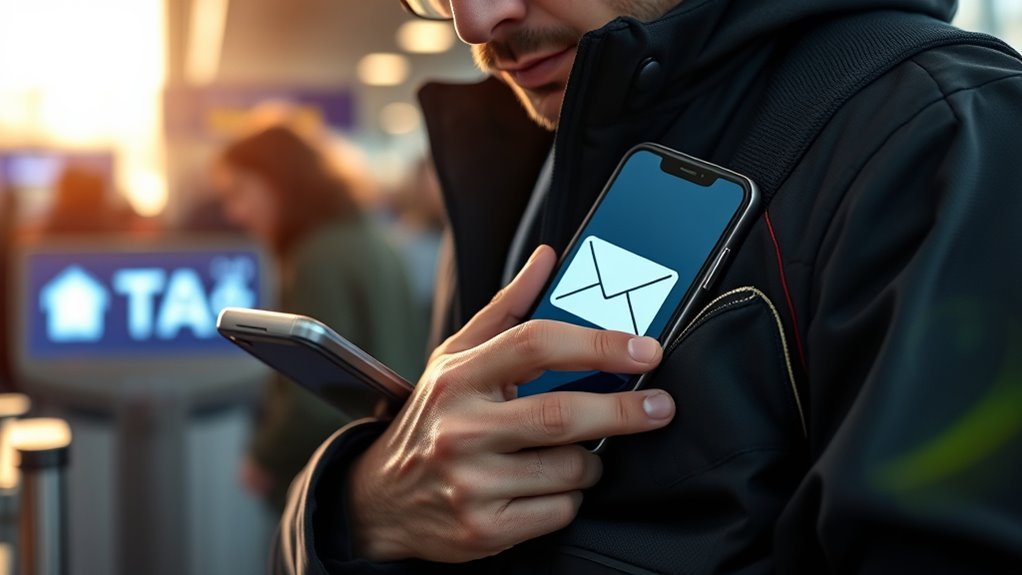
If you’re wondering whether TSA PreCheck renewal emails will ever ask you to pay directly through an email link, the short answer is: no—TSA won’t demand payment by replying to an email or clicking a random link.
You’ll handle renewal fees through the official TSA PreCheck website or an authorized enrollment center, not via embedded payment requests. Legitimate messages may remind you to renew and point you to tsa.gov, but they won’t process transactions inside an email.
If an email pressures you to pay immediately, provides unusual payment methods, or redirects to unfamiliar sites, treat it as suspicious and verify through official channels.
Common Phishing Tactics in Fake PreCheck Emails
Watch the sender address closely, because spoofed or odd-looking emails often masquerade as official TSA messages.
You’ll also see pressure tactics pushing you to act immediately, like threats of lost benefits or account suspension.
Don’t click links that use shortened URLs, mismatched domains, or strange attachments—those are common signs of malicious intent.
Suspicious Sender Addresses
When you get an email about TSA PreCheck renewal, check the sender address closely — phishers often mimic official domains while slipping in small changes like extra letters, numbers, or subdomains that you mightn’t notice at first glance.
You should verify the domain after the “@” and watch for slight misspellings (tsa‑precheck vs tsaprecheck), added prefixes (support@renew.tsa.gov.fake), or unusual TLDs (.net, .info).
Don’t trust display names. If the address looks off, treat the message with suspicion and confirm via the official TSA website.
- Look for subtle misspellings and extra characters
- Beware of unexpected subdomains
- Ignore friendly display names that mask odd addresses
Urgent Action Requests
Along with scrutinizing sender addresses, you should be wary of emails that pressure you to act immediately—phishers use urgency to short‑circuit your judgment. You’ll see phrases like “renew now,” “account suspended,” or tight deadlines that claim your PreCheck will be revoked unless you respond within 24 hours.
Don’t let fear drive you: stop, verify, and contact the official TSA enrollment provider directly using known channels. Legitimate renewal notices give ample time and don’t demand instant replies or payment via unconventional methods.
If an email rushes you, treat it as suspicious, delete it, and report it.
Malicious Link Indicators
Because phishers hide malicious links in subtle ways, you should inspect every URL before clicking—don’t rely on link text or button appearance alone. Look for mismatched domains, tiny typos, or added subdomains that redirect you to fake sites. Hover to preview, check HTTPS and certificate details, and avoid links that pressure you to act immediately.
- Domain spoofing: subtle misspellings (e.g., tsaprecheck.com vs tsa.gov)
- Redirect chains: shortened or multi-step links that mask the final destination
- Embedded scripts: links that trigger downloads or ask for credentials without proper validation
Trust the address bar, not the message.
Red Flags in Subject Lines and Urgent Wording
If an email subject screams urgency or pressure—like “Immediate Action Required: Renew Now” or “Final Notice—Account Suspended”—treat it as a red flag, since scammers use urgent wording to rush you into mistakes.
You should pause before reacting to threats of account closure, limited-time offers, or demands for immediate payment. Legitimate agencies rarely force instant responses via email.
Look for excessive punctuation, ALL CAPS, or emotional language designed to panic you. Verify through official channels rather than replying or clicking links.
When you stay calm and confirm independently, you’re much less likely to fall for coercive phishing.
Sample Real vs. Fake PreCheck Email Excerpts (Annotated)
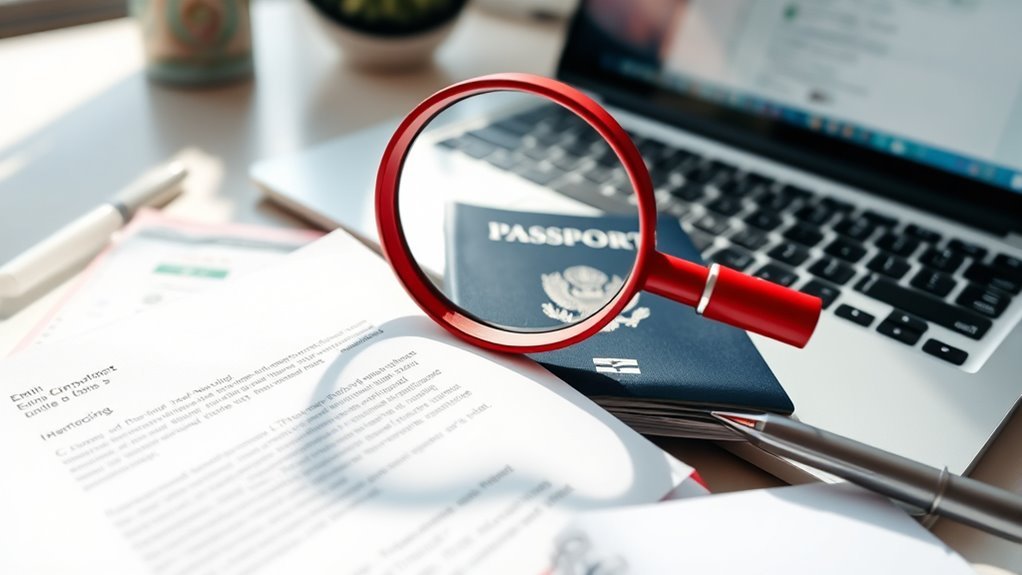
You’ll compare annotated excerpts to see what authentic email indicators look like versus red flag elements.
Pay attention to sender domains, personalized details, clear renewal instructions, and any mismatched links or urgent demands.
Use these contrasts to train yourself to spot legitimate TSA PreCheck renewal messages.
Authentic Email Indicators
When you compare real and fake TSA PreCheck renewal emails side by side, distinct cues jump out — sender domain, personalization, clear action links, and consistent branding. You’ll notice genuine messages use a government-affiliated domain, address you by name, include a secure renewal link that matches visible text, and display official logos and formatting.
Check headers for SPF/DKIM alignment and avoid clicking unexpected attachments. Trust emails that offer straightforward renewal steps and reference application numbers you recognize.
- Confirm sender domain and authentication headers
- Look for your full name and known details
- Verify links match visible URLs before clicking
Red Flag Elements
Although many scams mimic the look of official TSA PreCheck messages, you can spot red flags quickly by comparing short excerpts from real and fake emails; focus on mismatched sender domains, vague salutations, altered renewal links, and unexpected attachments.
When you examine real excerpts, you’ll see tsa.dhs.gov or similar official domains, your full name in the greeting, clear renewal deadlines, and HTTPS links matching the displayed URL.
Fake excerpts often use free-email domains, generic “Dear Member,” shortened or misspelled links, urgent language, and ZIP or EXE attachments.
Annotate examples side-by-side to train your eye and avoid clicking suspicious links.
Verifying Renewal Status on the Official TSA Website
Before you rely on an email about your TSA PreCheck renewal, check your status directly on the official TSA website so you can confirm whether action is actually needed.
Go to tsa.gov/precheck, sign in to your account, and review your membership expiration. Don’t click links in the email; use the site you trust.
Go to tsa.gov/precheck, sign into your account, and check your membership expiration — avoid clicking email links.
If your status shows active or a future expiry date, no renewal is required now. If it shows expiring, follow the site’s instructions to renew.
- Sign in with your known account credentials
- Verify expiration date and recent activity
- Use official renewal prompts only
Steps to Verify a Suspicious Email Without Clicking Links
Start by checking the sender details—look for slight misspellings or odd domains that don’t match tsa.gov. If anything looks off, inspect the email headers to confirm the true originating address and routing.
Then verify the message by contacting TSA directly through their official website or phone number instead of clicking any links.
Check Sender Details
When you get a suspicious TSA Precheck renewal email, don’t click any links — instead, inspect the sender details directly in your email client to spot red flags like mismatched display names, unusual domains, or subtle typos that impersonators use.
You should compare the visible name to the actual email address, watch for extra characters (like tsa-precheck@gmail.com vs tsa.gov), and be wary of free email providers claiming to be government. If anything looks off, don’t reply or follow instructions.
- Check the full email address, not just the display name.
- Look for domain misspellings or added words.
- Verify sender country indicators or unexpected subdomains.
Inspect Email Headers
If you suspect a phishing attempt, inspect the email headers to trace where the message actually came from and whether any routing looks suspicious. Open the full headers in your mail client (often “Show original” or “View source”).
Look for the Return-Path and Received lines to see the sending server and hop sequence; mismatched or obscure domains are red flags.
Check the Message-ID domain and SPF, DKIM, and DMARC results—failures or neutral results suggest spoofing.
You can paste headers into an online parser for readability, but don’t click links in the message itself while investigating.
Verify Without Links
Although you shouldn’t click any links, you can still confirm an email’s legitimacy using safe, direct methods. Start by noting suspicious phrasing, urgency, or requests for personal data. Then take these steps without interacting with any embedded links or attachments.
- Visit tsa.gov directly or call the known TSA enrollment center number to verify renewal requests.
- Log into your Trusted Traveler Program account by typing the official URL yourself; match messages to account notices.
- Forward the email as an attachment to the official TSA contact or report phishing via your email provider, keeping the original headers intact for investigation.
What Personal Data Scammers Try to Steal in Fake Renewals
Because scammers know that convincing renewal notices lower your guard, they’ll try to harvest any combination of data that lets them impersonate you or access your accounts.
They’ll ask for full name, date of birth, and Known Traveler Number to clone your TSA identity.
They’ll probe for passport or driver’s license numbers, Social Security digits, and mailing addresses to build complete profiles.
They may request login credentials, email addresses, and phone numbers for account takeovers and two-factor bypass.
Payment card details and billing info are targeted for fraud.
Keep responses minimal and verify through official channels before sharing anything.
How to Recover If You Clicked a Phishing Link or Gave Info
If you clicked a phishing link or shared information, act immediately to stop further harm by disconnecting the device and changing affected passwords.
Contact your bank or credit card companies to report potential fraud and place alerts or freezes if needed.
Then secure your accounts and devices—run antivirus scans, enable multi-factor authentication, and review recent account activity for unauthorized changes.
Immediate Actions To Take
When you realize you clicked a phishing link or shared sensitive information, act fast: disconnect the device from the internet, change passwords on affected accounts (starting with email and financial sites), and enable multi-factor authentication everywhere possible to block further access.
Next, scan the device with updated antivirus and anti-malware tools, remove suspicious apps or extensions, and restore from a known-good backup if you suspect compromise.
Monitor accounts and credit reports closely for unusual activity, and collect details about the phishing message for reporting.
Consider resetting other devices that used the same accounts or network.
- Revoke app permissions and browser extensions
- Report the phishing to authorities and the service provider
- Keep records of actions and communications
Notify Financial Institutions
After you’ve secured your devices and changed passwords, notify your banks, credit card issuers, and any payment services right away so they can freeze accounts, flag suspicious activity, and issue new cards or account numbers if needed.
Call the number on your statement or the institution’s website rather than links in emails. Tell them which accounts may be affected and when you clicked the link or shared info.
Ask to place fraud alerts, monitor for unauthorized transactions, and set temporary holds if available. Keep a record of call details and reference numbers.
Follow any written instructions they provide and confirm next steps.
Secure Accounts And Devices
Although it can feel overwhelming, you can regain control of your accounts and devices quickly by taking a few targeted steps.
First, disconnect affected devices from the network and run a full anti-malware scan.
Change passwords on all critical accounts using a different, uncompromised device, and enable two-factor authentication everywhere possible.
Review account activity and revoke suspicious sessions or app access.
If you gave financial or ID details, contact your bank and the relevant agencies immediately.
- Run scans and isolate devices
- Reset passwords and enable 2FA
- Report to banks and monitor accounts
Act fast to limit damage.
Lock Down Accounts After a PreCheck Phishing Incident
If you suspect your TSA PreCheck account was exposed in a phishing attack, act quickly to lock down all related accounts and limit further damage. Change your TSA PreCheck password immediately, then update passwords for any account using the same or similar credentials.
If your TSA PreCheck may have been phished, change its password immediately and update any reused credentials.
Enable strong, unique passwords and turn on two-factor authentication where available.
Check linked email, payment, and travel accounts for unauthorized changes or bookings. Revoke suspicious third-party app access and sign out active sessions.
Monitor financial statements and credit reports for unusual activity.
Keep records of what you changed and when, in case you need to prove a timeline.
Reporting Fake TSA PreCheck Emails to Authorities
When you get a suspicious TSA PreCheck email, report it right away to help authorities track and stop the scam. You should forward the message to the TSA at tsaprecheck@tsa.dhs.gov and to the FBI’s Internet Crime Complaint Center at ic3.gov, and include headers and screenshots. Don’t delete evidence. Authorities use reports to identify patterns and takedown targets.
- Forward the email with full headers and any links copied separately.
- File a complaint at ic3.gov and the Federal Trade Commission at reportfraud.ftc.gov.
- Keep a clean record of dates, sender addresses, and actions you took.
How to Confirm Renewal Charges on Your Bank or Card
Before you dispute anything, check your bank or card statement for the exact charge details—merchant name, date, and amount—and compare them to your TSA PreCheck account and renewal receipt so you can tell legitimate charges from fraud.
Before disputing a charge, check your statement for merchant, date, and amount to confirm legitimacy.
If the merchant matches “DHS/TSA” or a known enrollment provider and the amount equals the fee you paid, it’s likely valid.
Note any unfamiliar descriptors or duplicate charges. Save screenshots and download statements showing the charge.
Contact your card issuer to flag suspicious transactions and request a temporary hold or chargeback if needed.
Monitor your account for further unexpected activity.
When to Contact TSA Enrollment Services Directly
Because billing and account issues can have real travel consequences, contact TSA Enrollment Services directly whenever you see unexplained charges, can’t access your Trusted Traveler account, or need to confirm that a renewal processed correctly—especially if your boarding pass still isn’t linking to PreCheck.
If you get an email or call requesting payment details and you’re unsure, stop and verify with Enrollment Services before responding. Use official channels listed on tsa.gov, keep transaction records, and note reference numbers when you call.
- Call the official Enrollment Services number for account verification
- Use your Known Traveler Number and documents ready
- Record date, agent name, and confirmation ID
When Renewal Scams Spike (Seasonal Timing to Watch)
If you’re renewing around peak travel times—like summer vacations, holiday seasons, or just before long weekends—scammers ramp up their efforts, knowing more people are paying attention to travel docs and deadlines.
You’ll see more phishing emails, urgent-sounding texts, and fake reminders timed to create panic. They often copy TSA branding, use spoofed sender addresses, and emphasize short windows to renew.
Stay skeptical of unexpected messages, verify dates and official channels, and pause before clicking links. If something seems rushed or demands immediate action, step away and check your known TSA enrollment account directly to confirm.
Which Payment Methods and Pages Are Legitimate for Renewal
When you renew TSA PreCheck, use only the official TSA Enrollment Provider site (ttpa.dhs.gov) or the Trusted Traveler Programs (TTP) portal at ttp.cbp.dhs.gov, and pay with common, traceable methods like a credit or debit card; these are the payment options the government accepts and supports for disputes.
You should avoid links in unsolicited emails and any site asking for wire transfers, gift cards, or cryptocurrency. Check the URL, certificate, and payment page details before submitting info. If unsure, go directly to the official site.
- Credit or debit card on official portals
- PayPal only if listed on the government page
- No wire transfers or crypto
Final Quick Checklist: 6 Steps to Validate a PreCheck Renewal Email
So before you click anything, run these six quick checks to confirm a TSA PreCheck renewal email is legitimate. Verify sender domain, inspect links by hovering, confirm personalized details, avoid attachments, check for payment page authenticity, and contact TSA directly if unsure.
| Check | Action |
|---|---|
| Sender | Match domain to tsa.gov |
| Links | Hover, don’t click; compare URL |
| Personalization | Name, Known KTN, enrollment center |
| Payment | Use tsa.gov only |
Follow those steps calmly. If anything feels off, go to tsa.gov yourself or call the official number rather than responding to the email.
Frequently Asked Questions
Can TSA Precheck Renewal Ever Be Completed in Person at an Enrollment Center?
Yes — you can complete TSA PreCheck renewal in person at an enrollment center; you’ll schedule an appointment, bring required ID and documentation, complete fingerprints and interview, and they’ll process your renewal during that visit.
Do Family Members Receive Joint Renewal Notifications for TSA Precheck?
No, you won’t get joint renewal notices; TSA PreCheck renewals are individual. Each family member must receive their own reminder and complete their renewal separately, though you can coordinate appointments or renew multiple members at once.
Will TSA Ever Send Renewal Reminders via Text Message (SMS)?
No, TSA generally won’t text renewal reminders; they mostly email or mail notices and recommend checking your Trusted Traveler account. You should enable official communications, verify sender details, and avoid responding to unsolicited SMS or suspicious links.
Can Travelers Set Automatic Renewal for TSA Precheck Fees?
No, you can’t set automatic TSA PreCheck fee renewals; you’ll need to renew manually through the TSA Enrollment Center website or an approved provider. They’ll remind you, but you’ll have to complete payment and verification yourself.
Are Third-Party Agencies Authorized to Process TSA Precheck Renewals?
Yes — third-party agencies can assist you with TSA PreCheck renewals, but they’re not officially authorized to act as the government; you’ll still need to provide personal information and complete verification through TSA’s portals or enrollment centers yourself.
Conclusion
You’re right to be cautious. Always pause, don’t click, and verify sender details and links before responding. Legit TSA emails come from a tsa.dhs.gov domain, won’t pressure you, and won’t ask for unconventional payment methods—renewals go through the official TSA PreCheck or Trusted Traveler website. If anything looks off, call TSA Enrollment Services or log in to your known account directly. Trust but verify: take those six checklist steps before you act.