What Does Tsa Precheck Do
TSA PreCheck gets you through airport security faster by putting you in dedicated lanes where you won’t need to remove shoes, belts, light jackets, or small electronics, and you usually skip pulling out laptops and liquids. It uses a background check and biometrics tied to a Known Traveler Number so officers can focus on higher-risk travelers, cutting wait times and stress. Keep going to learn how it works, costs, and tips for families and international trips.
Does TSA PreCheck Speed Your Airport Security? Quick Answer
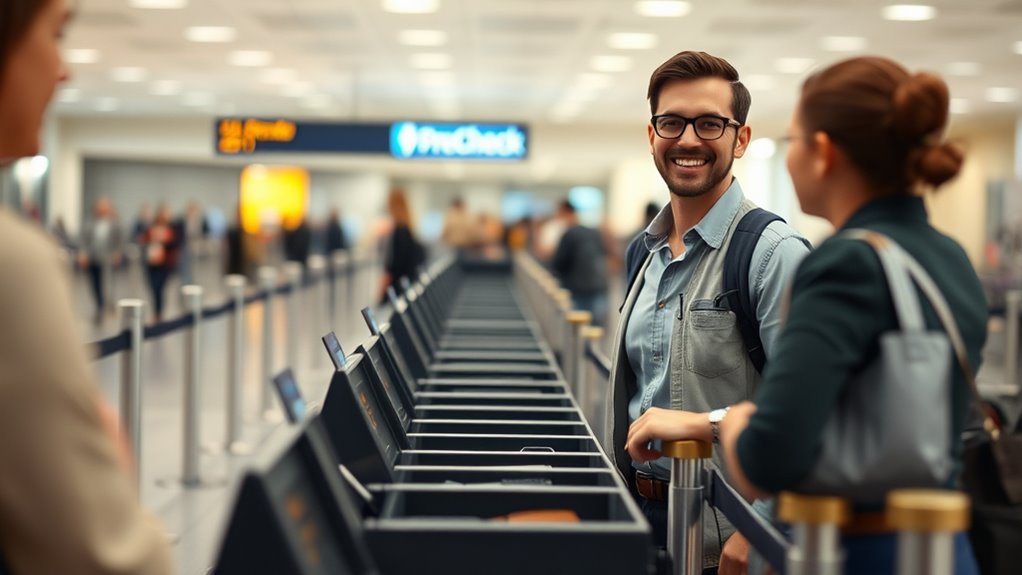
Wondering if TSA PreCheck actually speeds up your airport security? You’ll usually move faster through dedicated lanes, where fewer people wait and screening is streamlined. You don’t remove shoes, belts, light jackets, or laptops from carry-ons, cutting steps that slow standard lines.
Processing times vary by airport, time, and volume, so it won’t guarantee a sprint every trip, but on average you’ll spend less time in security. Enrollment requires a background check and fee, so weigh savings against cost and travel frequency.
If you fly often, you’ll find the time savings consistently worthwhile.
What TSA PreCheck Lets You Skip and Why It Matters
With TSA PreCheck, you’ll usually join much shorter security lines, which gets you to your gate faster.
You’ll skip some screening steps like removing shoes, laptops, and liquids, so you move through checkpoints with less hassle.
That combination cuts wait time and stress, especially on busy travel days.
Shorter Security Lines
Because TSA PreCheck streamlines the checkpoint process, you’ll move through security far faster than in regular lines. You join a dedicated lane with fewer travelers, predictable wait times, and officers focused on expedited screening.
That means less time standing, more reliable arrival schedules, and reduced stress before departure. Shorter lines also cut variability: you can better estimate when to leave for the airport and avoid long queues caused by families or unfamiliar procedures.
For frequent flyers or tight connections, the consistent speed of PreCheck turns security from an unpredictable hurdle into a quick, manageable part of your trip.
Fewer Screening Steps
How much time can you save at the checkpoint by skipping routine steps? You breeze through a lighter process: shoes, belts, jackets, laptops, and liquids usually stay with you. That reduces fumbling, repacking, and missed announcements, so you move faster and stress less.
Knowing what you won’t be asked to remove helps you prepare and choose practical clothing and bags. The experience is smoother, especially during tight connections or early flights.
- Keep shoes, belt, and light jacket on
- Leave laptop in your carry-on
- Pack liquids in standard containers, no separate bin
- Move through with less repacking
Why PreCheck Speeds Security
Why does TSA PreCheck get you through security faster? You move through dedicated lanes where fewer travelers and streamlined procedures cut wait times.
PreCheck prescreens you, so officers focus resources on unknown or higher-risk passengers. Standard steps like removing shoes, laptops, and belts are largely skipped, reducing checkpoints’ processing time per person.
Automated identity checks and trusted traveler verification speed document inspection. With predictable, consistent screening, staff handle lines more efficiently and equipment stays less congested.
What Items You Can Keep On With PreCheck Screening
With PreCheck, you can usually keep on shoes and belts, which shaves time at the checkpoint.
You’ll also be allowed to leave on light outerwear like sweaters or jackets.
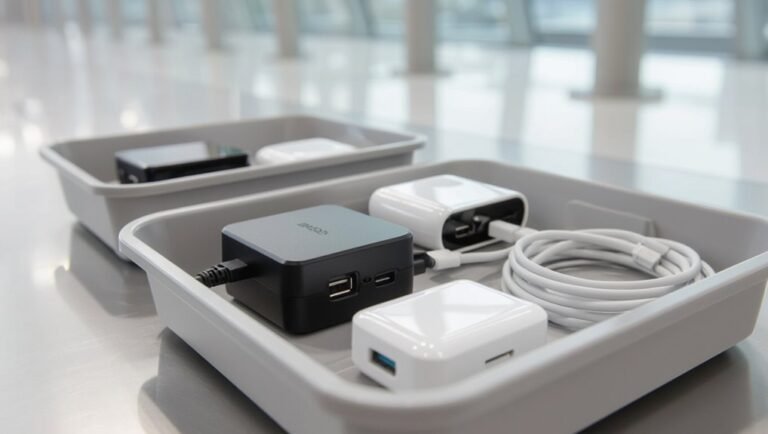
Small electronics such as phones and tablets typically stay in your bag or on you, so you don’t need to pull them out.
Shoes And Belts
If you’re enrolled in TSA PreCheck, you can usually keep on regular shoes and most belts during screening, which speeds up the security line and spares you from removing everyday items that would otherwise go through the X-ray bin. You’ll step through without baring socks or unlacing shoes, and belts with standard buckles stay on unless flagged.
Keep metal-heavy or chain belts at home to avoid secondary checks. Expect faster movement and fewer interruptions, but follow agent instructions if they ask otherwise.
- Regular leather or fabric shoes
- Simple belt with small buckle
- Slip-on shoes that stay neat
- Low-profile casual belts
Light Outerwear
You can also keep light outerwear on during TSA PreCheck screening, which keeps you moving through the checkpoint faster after you’ve walked through in shoes and belts.
You’ll usually leave on items like thin jackets, cardigans, hoodies without bulky linings, and lightweight vests. Make sure pockets are mostly empty and avoid heavy coats, parkas, or anything with metal or thick insulation that could trigger additional inspection.
If an officer asks you to remove a specific piece, comply promptly. Keeping appropriate outerwear on saves time and makes the process smoother while still allowing officers to maintain security standards.
Small Electronics
Wondering which small electronics you can keep on during TSA PreCheck screening? You’ll typically leave on devices that don’t trigger extra inspection and fit easily in bins or your pockets.
Keep essentials accessible and powered, since officers may ask you to power them up. Don’t expect exceptions for bulky gadgets; place anything large in a bin.
Follow officer directions if they request removal or additional screening.
- Smartphone
- Smartwatch
- Wireless earbuds
- Portable charger
Stick to these rules, keep items in reachable spots, and you’ll move through screening more smoothly with fewer interruptions.
How TSA PreCheck Handles Laptops and Liquids
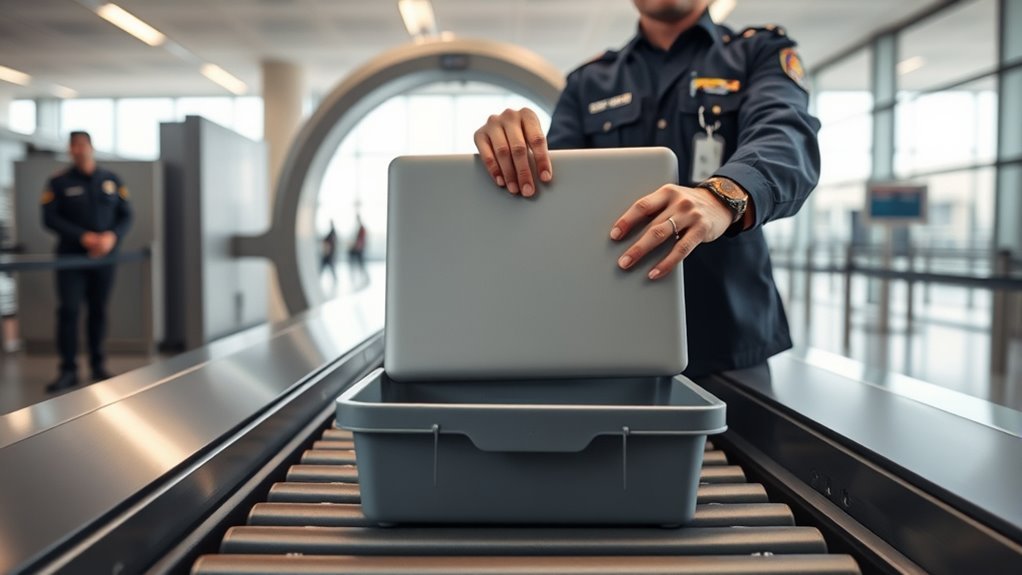
Curious how TSA PreCheck changes the laptop-and-liquids routine? You’ll usually leave laptops and most liquids in your carry-on.
Larger electronics screening is simplified: you keep devices packed, saving time and avoiding the bin shuffle.
For liquids, the 3-1-1 rule still applies—containers 3.4 ounces (100 ml) or less in a quart-size bag—so pack accordingly.
Security officers may still ask you to remove items in specific cases, but PreCheck lanes aim to minimize interruptions.
Stay prepared: place quart bags and fragile tech where they won’t shift, and you’ll pass through screening more smoothly and faster.
Which Airports and Airlines Participate in TSA PreCheck
You’ll find TSA PreCheck lanes at hundreds of U.S. airports, so check your departure and connection points before you travel.
Most major U.S. airlines participate, letting you keep the benefit across domestic itineraries.
A growing number of international partner airports also accept PreCheck on eligible flights, but rules vary by route and carrier.
Participating U.S. Airports
Which airports and airlines take part in TSA PreCheck? You’ll find PreCheck lanes at most major U.S. airports and many regional hubs, making travel faster when you’re eligible. Availability varies by terminal and can change, so check airport maps or the TSA site before you go.
Note that not every airline or flight at an airport participates, even if the airport does. Keep your Known Traveler Number in reservations to guarantee access.
- Major international airports often offer PreCheck
- Regional airports may have limited lanes
- Some terminals lack PreCheck signage
- Confirm participation for specific flights before travel
Major U.S. Airlines
While most major U.S. carriers participate in TSA PreCheck, participation can vary by airline, specific routes, and code-share partners, so always add your Known Traveler Number to reservations and verify enrollment details with your airline before you travel.
You’ll find PreCheck lanes offered by most large domestic airlines—American, Delta, United, Southwest, Alaska—and many regional affiliates on qualifying flights. When you book, check the reservation for the PreCheck indicator; if it’s missing, contact the carrier.
Note that codeshares or international segments mightn’t qualify even with PreCheck, so confirm eligibility for each flight leg before relying on expedited screening.
International Partner Airports
Curious whether TSA PreCheck helps when you’re flying internationally? You can use it at many U.S. airports for flights to and from partner countries, but availability depends on airlines and specific routes.
When you’re eligible, you keep the expedited screening benefits on participating international departures and return flights arriving at U.S. airports. Check both the airline and airport policies before you travel.
- Major U.S. hubs (e.g., ATL, LAX, JFK) often support PreCheck for eligible international flights.
- Participating U.S. carriers extend PreCheck to partner international routes.
- Some foreign airlines honor Trusted Traveler reciprocity.
- Confirm at booking or airline site.
Who Is Eligible for TSA PreCheck
Who can get TSA PreCheck and what does it take to qualify? You’re eligible if you’re a U.S. citizen, U.S. national, or lawful permanent resident meeting background-check standards.
You’ll need a clean criminal history and no recent immigration violations.
Certain trusted traveler program members (Global Entry, NEXUS, SENTRI) often receive PreCheck benefits.
Children under 12 traveling with an eligible parent or guardian also get expedited screening.
Some airline-specific criteria apply, so your carrier must participate.
Disqualifying factors include outstanding warrants, recent serious convictions, or unresolved security concerns.
Eligibility isn’t guaranteed; TSA reviews each applicant’s record before approval.
Apply Online: Step-By-Step
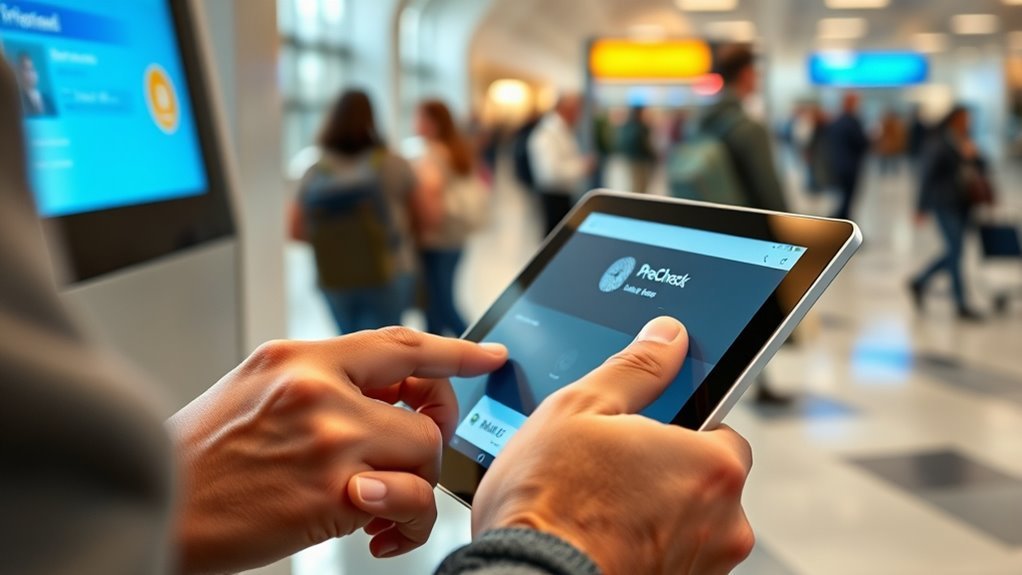
Now that you know who can qualify, you can start the online application. You’ll create an account, enter biographical details, and pay the nonrefundable fee. Be ready with ID numbers and travel documents to speed things up.
After submission, you’ll get a conditional approval notice with instructions for the next step.
- Create an account on the official TSA PreCheck site
- Complete the application fields accurately and save progress
- Pay the application fee with a card and note the confirmation
- Watch your email for conditional approval and scheduling instructions
Keep copies of confirmations and use a secure network when applying.
What Happens at the In-Person Enrollment Appointment
When you arrive for your in-person enrollment, you’ll present the required identity and citizenship documents the agent asks for.
They’ll also collect biometric data like fingerprints and a photo to verify your identity.
The whole appointment usually only takes a few minutes.
Required Documents Presented
Before your fingerprinting and photo, you’ll show the documents that prove your identity and citizenship or lawful status. The enrollment center staff will verify these and make copies as part of your file. Bring originals, not photos or scans, and keep paperwork organized so check-in is quick.
Staff will confirm names, birthdate, and document validity against your application.
- U.S. passport or passport card
- State-issued driver’s license or ID
- Birth certificate (original) or naturalization certificate
- Permanent resident card or valid foreign passport with visa
Have any additional supporting documents ready if requested.
Biometric Data Collected
After your documents are verified, the staff will collect biometric data to complete your enrollment. You’ll provide fingerprints—usually via a live-scan scanner—and have a digital photo taken for facial recognition.
The agent will confirm your identity against the records, then submit the biometrics to the TSA database. You won’t give DNA or iris scans; fingerprints and a photo are standard.
The process takes minutes, and staff’ll explain use and privacy basics if you ask. Once collected, the biometrics link to your Known Traveler Number, enabling expedited screening at participating airports while maintaining TSA security and identity verification.
What the Background Check and Fingerprints Mean for You
Curious what those background checks and fingerprints actually do for you? They confirm identity, screen criminal history, and verify travel eligibility so TSA can confidently place you in expedited lanes. You’ll get clearer notification about eligibility and fewer surprises at the airport.
The checks don’t monitor you afterward; they simply assess risk at enrollment.
- Confirms your identity to reduce fraud and misidentification.
- Screens for disqualifying criminal records affecting eligibility.
- Matches biometric fingerprints to prevent misuse of another’s status.
- Provides a one-time risk assessment used for PreCheck approval.
You keep responsibility for truthful information during enrollment.
Where to Add Your Known Traveler Number (KTN)
When you have a Known Traveler Number (KTN), add it to every airline reservation and TSA PreCheck will be applied more consistently during check-in. Enter your KTN in your airline profile, frequent flyer account, or during booking. Double-check spelling and traveler name format—it must match your ID. If you book through an agent or third party, provide the KTN at purchase or update the reservation afterward. Keep your KTN saved in mobile apps and travel sites to streamline future bookings. Use this quick reference:
| Where to Add | How to Do It |
|---|---|
| Airline profile | Edit account info |
| Booking page | Enter during checkout |
| Agent/OTA | Provide KTN to seller |
When TSA PreCheck Appears on Your Boarding Pass
Wondering where to look for TSA PreCheck on your boarding pass? You’ll usually see the PreCheck indicator near your name or in the flight details section.
Wondering where TSA PreCheck appears on your boarding pass? Look by your name or in the flight details.
If your Known Traveler Number matched the reservation, the pass will display “TSA PRECHK” or a similar code. Sometimes mobile boarding passes truncate info, so check the full view or PDF.
- Look by your printed name or next to the TSA/KTN fields
- Check the flight details area for the PreCheck label
- Open the boarding pass PDF if the app view seems incomplete
- Confirm KTN entry in your reservation if you don’t see it
Average PreCheck Wait Times and Lane Access
Although wait times can vary by airport and time of day, TSA PreCheck generally gets you through security much faster than standard lanes. You’ll usually wait minutes instead of tens of minutes, especially during peak hours. Priority lanes are marked; look for signs or ask staff. Not every checkpoint has a PreCheck lane, so plan extra time if your airport lacks one. Below is a simple comparison to visualize typical experiences.
| Scenario | Typical Wait |
|---|---|
| PreCheck lane available | 5–10 minutes |
| Standard lane at same time | 20–40 minutes |
| No PreCheck lane | Varies — allow extra time |
When You May Still Be Pulled for Full Screening
Even with PreCheck, you can still be pulled into full screening through random selection that applies to some passengers.
If there’s a security threat or an alert tied to your reservation or ID, agents will route you to standard screening.
Knowing these possibilities helps you stay prepared and avoid surprises at the checkpoint.
Random Selection For Screening
Why might you still get pulled for a full bag check or pat-down even with TSA PreCheck? You’re randomly selected to keep the system unpredictable and fair. Random checks verify procedures, deter misuse, and guarantee overall security without suggesting suspicion.
If selected, officers follow standard protocols; you’ll cooperate, get screened, then rejoin the expedited lane. These selections happen across all travelers, including PreCheck members, and they rotate to avoid patterns.
- Randomness maintains program integrity and fairness.
- Selections can occur at any checkpoint or time.
- Officers will briefly explain the process.
- Compliance is required to continue through screening.
Security Threat Or Alert
What happens if there’s a security alert? You may still be pulled from TSA PreCheck and sent to full screening. Agents monitor threats and intelligence in real time; if something flags your flight, ID, or behavior, they’ll require standard screening.
Expect belt, shoe, and bag checks, possible pat-downs, and removal of electronics and liquids. Follow officer instructions calmly and promptly to speed the process.
PreCheck privileges don’t override security protocols—safety takes precedence. After resolution, you might rejoin the expedited lane if your status still applies for the flight.
Keep documents handy and allow extra time for possible checks.
Cost, Renewal, and Membership Extensions
Curious about what TSA PreCheck will cost you and how long the benefits last? You pay a nonrefundable application fee (often around $78) for a five-year membership. You’ll attend a short enrollment appointment and await approval; once approved, you use the Known Traveler Number for eligible flights.
Pay a nonrefundable fee (about $78) for a five-year TSA PreCheck membership, then enroll and use your Known Traveler Number.
- Renewals can be done online up to six months before expiration.
- If renewal’s delayed, you’ll still reapply but might face another appointment.
- Some credit cards or employers reimburse the fee, so check benefits.
- Extensions for active-duty military or certain programs may apply; confirm eligibility online.
TSA PreCheck vs. Global Entry vs. CLEAR: Which to Choose
When you’re weighing expedited-travel options, pick the program that matches how and where you fly: TSA PreCheck speeds you through domestic security lanes, Global Entry adds fast customs clearance for frequent international travelers, and CLEAR expedites ID verification at select U.S. airports so you can skip the ID-check line entirely. Choose PreCheck if you fly mostly within the U.S.; pick Global Entry if you return from abroad often; add CLEAR when minutes matter at busy airports. Compare quickly:
| Program | Emotion |
|---|---|
| TSA PreCheck | Relief |
| Global Entry | Confidence |
| CLEAR | Urgency |
| Combo (PreCheck+Global) | Freedom |
Best Ways to Use PreCheck for Family Travel
If you’re traveling with kids, TSA PreCheck can turn a chaotic security line into a smooth pit stop—kids 12 and under get to stay with you in the PreCheck lane, letting you keep shoes and belts on and move through without juggling checked bags and impatient little ones.
Use family-friendly strategies to save time and stress. Pack carry-ons with easy-access snacks and wipes, assign one small backpack per child, and gate-check bulky items last.
Know airport layouts to hit family restrooms first. Communicate expectations to kids so handovers stay calm.
- Pack snacks and wipes
- Assign one backpack per child
- Gate-check bulky items
- Review airport layout ahead
Common Boarding-Pass Problems and Quick Fixes
Ever had your boarding pass vanish into the abyss of your phone right when the gate agent calls? You’ll stay calm: refresh your wallet app, reopen the airline app, or pull the confirmation email.
Ever had your boarding pass disappear at the gate? Stay calm: refresh apps or reopen your confirmation email.
If the barcode won’t scan, request a printed copy or ask the agent to manually enter your details.
For mismatched names or flight times, show your ID and confirmation; agents can often fix small typos.
If mobile boarding fails due to connectivity, switch to airplane mode then back, or use airport Wi‑Fi.
Keep screenshots and a paper backup to avoid last‑minute scrambling.
Is TSA PreCheck Worth It for Your Travel Habits?
You’ve handled boarding-pass hiccups—now think about the screening experience itself and whether TSA PreCheck fits your travel style. If you fly several times a year, value speed, and hate removing shoes or laptops, PreCheck usually pays off.
Consider occasional travelers or those who use small regional airports where PreCheck lanes are rare; benefits shrink. Factor cost, enrollment time, and whether your frequent airlines participate. Weigh convenience against batteries of short trips.
- Frequent flyers save time at busy hubs
- Families move through security together more easily
- Budget travelers may not recoup the fee
- Business travelers often gain clear value
Frequently Asked Questions
Can TSA Precheck Be Used for International Departures From U.S. Airports?
Yes — you can use TSA PreCheck for many international departures from U.S. airports when flying on participating airlines; you’ll keep expedited domestic security benefits before boarding international flights, though customs/immigration processes still apply at destinations.
Does TSA Precheck Expedite Re-Entry Into the U.S. After International Travel?
No, TSA PreCheck doesn’t expedite U.S. re-entry; it only speeds airport security screening before departures and connecting flights. You’ll still go through normal customs and immigration procedures when returning to the United States after international travel.
Are There Any Behavioral Restrictions While in the Precheck Lane?
Yes — you’ll follow standard airport rules in the PreCheck lane: keep shoes, belt, and light jacket on, remove laptops and large electronics if required, present ID, avoid prohibited items, and comply with officer instructions promptly.
How Does TSA Precheck Interact With Military ID or Veteran Status?
If you’re active duty or a veteran with a valid ID, you’re usually eligible for TSA PreCheck via DTS or Veterans Advantage; you’ll still need to be in the PreCheck program or have the TSA mark on your boarding pass.
Can TSA Precheck Be Transferred or Gifted to Someone Else?
No, you can’t transfer or gift TSA PreCheck; the Known Traveler Number is tied to the enrolled individual’s identity and verification. You can, however, sponsor someone’s application or reimburse their enrollment fee if you want to help.
Conclusion
TSA PreCheck usually makes airport security faster and less stressful for you. By letting you keep shoes, belts and light jackets on and leaving laptops and compliant liquids in your bag at many checkpoints, it trims time and hassle—especially if you fly often or with kids. If you value convenience, consider PreCheck or pair it with Global Entry; choose CLEAR only if you want the absolute fastest lane. For occasional travelers, weigh cost versus frequency.