What Happens if My Tsa Precheck Expires
If your TSA PreCheck expires, you lose expedited screening and must use standard security until you renew. Your Known Traveler Number won’t be recognized by TSA, though an airline boarding pass may still show PreCheck due to cached data. Expect to remove shoes, belts, and laptops and allow extra time at the airport. You can renew online up to six months early; check your Trusted Traveler account and confirm KTN is linked to reservations to avoid surprises if you want more detail.
What “TSA PreCheck Expired” Actually Means
When you see “TSA PreCheck expired,” it means your PreCheck membership has passed its official end date and you no longer qualify for the expedited security lane until you renew.
Your known traveler number (KTN) won’t be recognized for boarding passes after that date. You’ll still be allowed through standard security, but you won’t get PreCheck privileges like keeping shoes and belts on or leaving laptops in bags.
Airlines and TSA rely on current enrollment data, so expired status removes your eligibility automatically. Renewing restores benefits; until then, expect normal screening procedures and plan extra time for travel.
Quick Answer: Will Expiry Stop You Using PreCheck Today?
If your TSA PreCheck has technically expired but your airline still prints the known traveler number on your boarding pass, you may get into the PreCheck lane today; otherwise, expiration typically prevents you from receiving PreCheck privileges until you renew.
You’ll usually rely on the boarding pass and the airline’s transmission to TSA; if they include your KTN, agents might admit you. Don’t assume it’ll always work.
- Check your boarding pass for the PreCheck indicator before you travel.
- Call your airline if you’re unsure whether they transmitted your KTN.
- Carry proof of ID and enrollment just in case.
- Renew promptly to avoid risk.
How TSA Verifies PreCheck Status at the Security Line
When you get to the checkpoint, TSA will look for the PreCheck indicator on your boarding pass and match it to the name on your ID and Known Traveler Number.
If your PreCheck has expired or doesn’t match, you’ll be routed to the regular screening lane.
Even with a valid match, officers can still select you for random screening.
Boarding Pass Check
Because agents need a quick, reliable way to confirm your status, they scan or visually inspect the boarding pass at the security checkpoint to verify TSA PreCheck eligibility. You should present the same boarding pass the airline issued—printed or mobile—so scanners and officers can read the embedded barcode or the visible PreCheck indicator.
If your pass shows PreCheck, you’ll be directed to the dedicated lane; if not, you’ll follow standard screening. Keep your boarding pass accessible and unaltered to avoid delays. Officers may recheck if details don’t match flight records.
- Present boarding pass clearly
- Keep mobile screen bright
- Don’t fold the barcode
- Follow officer instructions
ID And Known Traveler
Although the boarding pass shows your PreCheck status, agents still confirm your identity by scanning your ID and checking your Known Traveler Number against TSA records.
You’ll hand over a government-issued photo ID (like a passport or driver’s license) so officers can match your name and date of birth to the travel document and the TSA system.
At the checkpoint, officers verify that the Known Traveler Number on your reservation matches their database.
If your KTN isn’t linked or your ID doesn’t match, they may deny PreCheck privileges for that screening.
Keep your ID current and make sure your KTN is entered in every booking.
Random Screening Possibility
Even with PreCheck on your boarding pass, TSA can still select you for additional screening at the checkpoint; officers use a mix of your Known Traveler Number, ID verification, and random security algorithms to decide who gets diverted.
You might be pulled for extra checks even if your KTN is current, because randomization and identity confirmation are layered safeguards. Expect brief questions, a bag check, or pat-downs if flagged. Stay cooperative, present ID promptly, and know that selection isn’t a judgment on you.
- ID and KTN cross-check
- Randomized algorithm triggers
- Officer discretion on the line
- Short supplemental screening
How Airports Read Your KTN on Boarding Passes
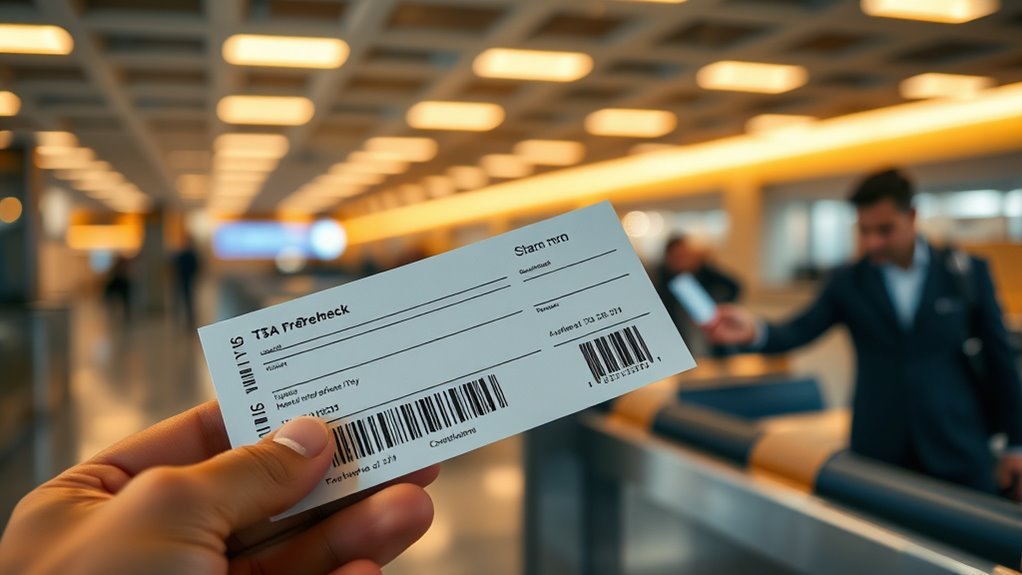
When you add your Known Traveler Number (KTN) to a reservation, airlines encode it into the boarding pass so airport systems can quickly verify your TSA PreCheck eligibility at security checkpoints. You’ll see a markup or code that scanners read; systems match that code to TSA databases, confirming status before lane assignment. If your KTN is valid, scanners flag PreCheck privileges; if not, you’re routed to standard screening. Keep your KTN current in profiles and confirmations so encoding remains accurate.
| Field | Purpose |
|---|---|
| KTN Code | Identification |
| Barcode | Scanner access |
| Name | Match record |
| Flight | Context |
| Status | Eligibility |
Why a Boarding Pass May Still Show PreCheck After Expiry
Because boarding-pass data often comes from the airline’s reservation record rather than a real-time TSA check, you might still see the PreCheck indicator after your membership has expired.
Airlines store your KTN and apply the PreCheck marker when they build boarding passes; they don’t always verify status with TSA at that moment. That marker can persist until you renew, change reservations, or the airline refreshes its records.
You should confirm eligibility at check-in or security, since the printed indicator isn’t definitive.
- Airline reservation cached KTN
- Batch processing of boarding passes
- Delayed sync with TSA
- Manual updates or reissues
Will an Expired PreCheck Cancel My Reservations?
Will an expired PreCheck cancel your reservations? No — your flight bookings, hotel stays, and car rentals won’t be automatically canceled because your TSA PreCheck lapses. Reservations are contractual agreements with airlines and providers, independent of trusted-traveler status.
However, you might lose expedited security benefits, which could affect tight connections or boarding timelines. It’s smart to notify your airline if timing is critical and to arrive earlier than usual.
If you renew PreCheck before travel, update passenger details so benefits apply. Otherwise, plan for standard security screening and confirm schedules to avoid missed flights or inconveniences.
Does an Expired PreCheck Invalidate Existing Boarding Passes?
If your PreCheck expires after you get a boarding pass, the pass itself usually stays valid for travel because boarding passes reflect your ticket and flight, not a live credential.
At the checkpoint, TSA agents will check your PreCheck status and may not honor the lane if the indicator is no longer active. If that happens, you’ll be redirected to standard screening or can request to update your status with the airline or try to reapply for PreCheck before future travel.
Boarding Pass Validity Rules
When your TSA PreCheck membership expires, it doesn’t automatically void boarding passes you’ve already received; the security indicator printed on them can still be honored at TSA checkpoints.
However, whether you’re allowed to use the expedited lane depends on how the airline encoded your status and the checkpoint agent’s discretion. You should verify before travel and be prepared for different outcomes.
Check your airline record, print or save proof of prior approval, and arrive early in case you need to use standard screening.
- Confirm the PASSENGER_NAME and TBP code in your reservation
- Screenshot boarding pass with indicator
- Contact airline for encoding questions
- Carry renewal or approval emails
TSA Checkpoint Procedures
You’ve already checked your reservation and saved proof of prior approval; now let’s look at what happens at the checkpoint if your PreCheck has lapsed.
At screening, agents verify boarding pass data and your ID. If your boarding pass still displays TSA PreCheck but your membership expired, agents can rescind the benefit and direct you to regular lanes.
You’ll then follow standard screening procedures: remove shoes, belts, liquids, laptops, and undergo normal security checks.
The boarding pass itself doesn’t grant instant immunity—status must match TSA records.
Stay calm, answer questions, and allow extra time for the regular line.
Options If PreCheck Expires
Curious whether an expired TSA PreCheck cancels the benefit shown on an existing boarding pass? If your Known Traveler Number expired after issuance, airlines may still print PreCheck on boarding passes until they update records. However, TSA can deny the lane if your membership isn’t active. You should confirm status before travel and have backup plans.
- Check your TSA PreCheck expiration date and renew early.
- Verify your KTN is correctly entered in your reservation.
- Bring proof of renewal confirmation or receipt.
- Be prepared to use standard security lanes if PreCheck is refused.
How Fast Airlines Update KTN Status After Expiry
If your TSA PreCheck Known Traveler Number (KTN) expires, airlines usually update their systems within a few days to prevent applying the benefit to new reservations, though the exact timing varies by carrier and reservation channel.
You should expect updates to propagate fastest for direct bookings and airline apps, often within 24–72 hours. Travel agencies, legacy reservations, and code-share segments can lag longer.
If you add or change a KTN after expiration, check confirmation emails and boarding passes; if PreCheck still appears, contact the airline before travel.
Carry proof of renewal to guarantee a smooth security experience.
Which Airlines Commonly Show Outdated PreCheck
You’ll notice some airlines take longer to update KTN status, so your PreCheck can still appear active after it’s expired.
Legacy carriers are often the ones showing outdated PreCheck because of slower backend refreshes.
Also watch third-party booking engines, which frequently pass along old PreCheck indicators without verifying current KTN validity.
Airlines With Slow Updates
While most carriers update TSA PreCheck status quickly, some airlines are slower to sync their boarding systems with the TSA database.
So, you may still see “TSA Pre✓®” missing on your boarding pass even when your Known Traveler Number is active. You should confirm your KTN is in your reservation and arrive at the airport early enough to resolve issues.
If the pass lacks PreCheck, ask the gate agent to recheck your profile or print a new boarding pass after they force an update.
Common slow-to-sync carriers include:
- Regional affiliates with separate systems
- Low-cost carriers using third-party platforms
- Airlines with legacy IT transitions
- Codeshare partners with mismatched data
Legacy Carriers Often Listed
Because legacy carriers often juggle older reservation systems and complex partner networks, they’re the ones most likely to show outdated TSA PreCheck on your boarding pass. You’ll commonly see this with big, global airlines and their regional affiliates—think carriers that merged or maintain separate reservation databases.
When your Known Traveler Number doesn’t sync across codeshares or interline segments, the PreCheck indicator can vanish or persist incorrectly. Check your reservation and frequent flyer profile, confirm KTN entry, and bring your membership card or approval notice to the airport.
Gate agents can often correct the boarding pass if you show valid enrollment documentation.
Third-Party Booking Engines
If you book through third-party sites or consolidators, don’t be surprised when TSA PreCheck info on your boarding pass is wrong—these engines often misroute or omit your Known Traveler Number when they push reservations to airlines’ systems.
You should verify your KTN on the airline record after booking. If it’s missing, add it directly or call the carrier.
Some aggregators won’t update legacy records, so check again before check-in. Watch for mismatched names or truncated fields that break KTN matching.
Consider booking directly if PreCheck matters to avoid last-minute hassles.
- Expedia and Orbitz reports
- Kayak aggregations
- Consolidator fares
- Corporate travel tools
How Long Before Travel Should You Check Your PreCheck Status?
When you’re planning a trip, check your TSA PreCheck status at least 72 hours before departure so you have time to resolve any issues like a pending renewal or enrollment update.
Also verify closer to travel—24 to 48 hours out—to confirm your Known Traveler Number is correctly linked to reservations and hasn’t been removed by itinerary changes or third-party bookings.
If your flight changes, recheck immediately.
At the airport, allow extra time if you suspect a problem; lines can vary.
Regularly checking within these windows helps prevent surprises and gives you time to contact airlines or TSA for quick fixes.
How to Find Your TSA PreCheck Expiration Date
To find your TSA PreCheck expiration date, check the Known Traveler Number (KTN) on your Trusted Traveler portal or your approval letter—your account shows the exact month and year your membership ends.
You can also retrieve the date by logging into your account, checking emails from TSA, or reviewing printed documentation from enrollment.
- Log into the Trusted Traveler Program (TTP) portal and view your profile.
- Search your email for the approval message that lists the expiration.
- Locate the physical approval letter or wallet card if you kept it.
- Contact the enrollment center or TSA helpdesk if you can’t find the info.
How to Check PreCheck Expiration Inside Your Airline Reservation
Check your airline profile to confirm your Known Traveler Number (KTN) is saved and current.
Then open your reservation details to see whether PreCheck was added to that specific flight.
Finally, verify your boarding pass—either digital or printed—to confirm the PreCheck indicator is present.
Locate KTN In Profile
If your TSA PreCheck is linked to your airline profile, you can usually find your Known Traveler Number (KTN) in the personal info or secure travel section of your account—open your profile, look for fields labeled “Known Traveler Number,” “TSA Pre✓® ID,” or “Redress/Traveller ID,” and confirm the expiration date shown there or in your saved traveler documents.
Check that the KTN matches your boarding pass name, and update any mismatches. If the expiration isn’t shown, use your account notes or uploaded files.
- Open account > Personal Info
- Look under Secure Travel
- Verify name/KTP match
- Review uploaded documents
Check Reservation Details
Wondering whether your TSA PreCheck is still valid for an upcoming flight? Open your airline reservation online or in the app, then view passenger details. Look for your Known Traveler Number (KTN) or PASSID listed with traveler info—if it’s present, it was added to that booking.
Check the reservation’s security or extras section for “TSA PreCheck” or a checkbox confirming enrollment. If you see neither the KTN nor a PreCheck indicator, your boarding may not include expedited screening.
Edit the reservation to add or correct your KTN, or contact the airline promptly to confirm it’s applied.
Verify Boarding Pass
Before you head to the airport, open your airline app or print your boarding pass and look for the TSA PreCheck indicator—usually an icon or the words “TSA PreCheck” near your name or under the passenger details.
If it’s missing, don’t assume you’re expired—check your reservation’s Known Traveler Number (KTN) entry and re-save the booking.
You can also contact the airline to confirm whether PreCheck was applied.
- Verify KTN appears correctly in your reservation.
- Refresh or re-download the boarding pass after updating KTN.
- Call the airline if PreCheck still isn’t showing.
- Bring ID and KTN proof to the airport.
How to Verify Your KTN on the TSA Enrollment Site
When you log into the TSA Enrollment site, you’ll quickly confirm whether your Known Traveler Number (KTN) is correctly linked to your profile and active for upcoming travel. Check the Profile or Manage Enrollment section, view the KTN field, and note the expiration date. If details match your ID and current name, you’re set. Save a screenshot for peace of mind.
| Field | What to Look For | Action |
|---|---|---|
| KTN | Correct number | Confirm visually |
| Name | Matches ID | Edit if needed |
| Expiration | Valid date | Note renewal window |
What to Do If Your KTN Isn’t Linked to a Reservation
If your KTN isn’t linked to a reservation, don’t panic—you can add it yourself through the airline’s website or by calling the carrier before check‑in.
Check your reservation online first; many airlines let you edit passenger info or add known traveler numbers. If online edits aren’t possible, call the airline’s customer service or visit the ticket counter at the airport.
Check your booking online to add your KTN; if not possible, call the airline or update at the airport counter.
Keep your KTN and ID handy to confirm identity quickly.
- Try the “manage booking” or “edit passenger” section.
- Use the airline app for faster updates.
- Call the carrier if changes don’t save.
- Arrive early to update at the counter.
How to Renew TSA PreCheck Online (Step‑by‑Step)
When it’s time to renew, you can start the process online by confirming your continued eligibility and updating your personal information.
You’ll complete the required forms, upload any documents if prompted, and then proceed to the secure payment page.
After you pay the renewal fee, you’ll get confirmation and next steps by email.
Renewing Eligibility Online
Ready to renew your TSA PreCheck online? You can confirm eligibility, update info, and submit your renewal quickly. Log into your Trusted Traveler account, check your expiration, and start the renewal application. You’ll verify identity, answer eligibility questions, and upload any required documents.
- Sign in at the official Trusted Traveler website
- Confirm personal details and citizenship status
- Answer eligibility questions about criminal history and travel
- Upload ID or passport scans if prompted
After submission, track your status in the account. If additional review is needed, expect an email with next steps. Keep copies of confirmations for your records.
Completing Payment Steps
How do you complete the payment for your TSA PreCheck renewal? You’ll pay online after confirming your application details.
Choose the secure payment option—credit/debit card or electronic check—enter billing info, and verify the name and address match your ID.
Review the renewal fee and any processing charges, then authorize the transaction.
You’ll get an on-screen confirmation and a receipt via email; save both.
If payment fails, retry with a different card or contact your bank.
Keep your receipt and confirmation number; you may need them for status checks or to resolve issues during the renewal process.
How to Renew TSA PreCheck by Phone or In Person
If your TSA PreCheck is nearing expiration and you prefer not to handle the renewal online, you can renew by phone or visit an enrollment center to complete the process in person.
You’ll call the Universal Enrollment Services number to speak with a representative who can confirm eligibility and guide next steps, or schedule an in-person appointment.
Bring your ID, current Known Traveler Number, and any requested documents to the enrollment center. An in-person visit lets you update biometrics if needed.
Expect clear instructions from staff and confirmation once your renewal is submitted.
- Call to speak with a representative
- Schedule an appointment
- Bring ID and KTN
- Update biometrics if required
Costs and Processing Time for PreCheck Renewal
When you renew TSA PreCheck you’ll want to know the renewal application fees and whether any discounts or credits apply.
Expect varying processing timeframes depending on whether you renew online, by phone, or in person, and we’ll explain typical wait times.
Also check for any document, appointment, or fingerprinting costs so there are no surprises.
Renewal Application Fees
Curious about what renewing TSA PreCheck will cost and how long it’ll take? You’ll pay a renewal fee (often reduced if eligible for online renewal), and you’ll complete a short application.
Fees vary slightly over time, so check TSA’s site before applying.
Expect options for online or in-person submission; payment is required upfront.
- Standard renewal fee: check current TSA rate before applying
- Online renewal: usually cheaper and faster if eligible
- In-person renewal: may require appointment and full fee
- Payment methods: credit/debit and electronic options accepted
Processing Timeframes Explained
Beyond fees and submission options, you’ll want to know how long renewal actually takes so you can plan travel and avoid lapses in benefits. Processing usually ranges from a few days to several weeks.
If you renew online and your background check clears quickly, you may get approval within days. In-person renewals that require interview slots can add time.
Expect around 7–30 days on average, though occasional delays push it longer. Check your Trusted Traveler account for status updates and email notifications.
If you have imminent travel, apply early or contact TSA Enrollment to inquire about expedited handling.
Document And Appointment Costs
Want to know what you’ll pay and what paperwork you’ll need? When renewing TSA PreCheck, you’ll generally pay the renewal fee (often reduced) and provide identity documents.
You can renew online or book an in-person appointment if fingerprints or verification are required.
Expect quick online processing; appointments may add days.
- Renewal fee: check current TSA amount and payment methods.
- ID documents: passport, driver’s license, or birth certificate as required.
- Appointment: schedule for fingerprinting or ID checks if flagged.
- Timing: online renewals are faster; in-person adds verification time and possible fees.
How Early You Can Renew Before It Expires
If your TSA PreCheck membership is coming up for renewal, you can start the process up to six months before the expiration date; doing so helps avoid any lapse in benefits and keeps your Known Traveler Number active while your renewal is processed.
You’ll log into your Trusted Traveler account or submit an application online, confirm personal details, and pay the fee.
Some applicants may need an in-person appointment for identity verification, which you should schedule promptly.
Starting early gives you flexibility for appointment times and resolves documentation issues without rush.
Renewing within that six-month window keeps your travel perks continuous.
What Happens If You Miss the Renewal Window?
When you miss the six-month renewal window and your TSA PreCheck expires, you’ll lose access to the program’s benefits until you successfully renew and your Known Traveler Number is reactivated. That means you’ll have to go through standard security lines and follow regular screening procedures on future trips.
You’ll need to submit a renewal application, pay any applicable fee, and wait for approval before benefits resume. In the meantime, expect delays and plan accordingly. Consider adjusting travel times and checking airline boarding passes for updated status.
- Longer security wait times
- Full screening procedures apply
- Possible gate-side issues
- Renewal processing delay
Temporary Options While Waiting for Renewal
If your TSA PreCheck lapses, you’ll need to use the regular security lines until renewal goes through.
You can also consider applying for Global Entry, which includes PreCheck benefits and might be worth the extra steps.
We’ll cover how both options affect your travel time and what to expect at the checkpoint.
Use Regular Security Lines
Although your TSA PreCheck has lapsed, you can simply join the regular security lines and follow standard screening procedures until your renewal is processed.
You’ll need to remove shoes, belts, jackets, and place laptops and liquids in bins. Be patient; lines may be longer, so allow extra time at the airport.
Consider arriving earlier, checking wait times if available, and spreading belongings out for smoother screening.
- Arrive earlier than usual to account for longer queues
- Organize electronics and liquids for quick bin placement
- Wear easy-to-remove shoes and minimal metal accessories
- Keep ID and boarding pass accessible for faster processing
Apply for Global Entry
You can also consider applying for Global Entry while your TSA PreCheck renewal is pending to regain expedited screening benefits for international travel. If you travel abroad, Global Entry gives faster customs processing and often includes TSA PreCheck eligibility. You’ll need to complete the online application, pay the fee, and schedule an interview; sometimes interviews are available quickly. If approved, you’ll get both Global Entry and renewed PreCheck access. Weigh the cost and timeline against your travel frequency.
| Benefit | Action |
|---|---|
| Faster customs | Apply online |
| Includes PreCheck | Schedule interview |
| Fee varies | Check eligibility criteria |
How Global Entry Affects Your PreCheck Status
Because Global Entry includes TSA PreCheck as a benefit, having Global Entry usually means you don’t need a separate PreCheck membership. If you enroll in Global Entry, your Known Traveler Number (KTN) will grant PreCheck access on participating airlines, so you’ll keep expedited screening even if a standalone PreCheck lapses.
Remember to add your KTN to reservations and check boarding passes for the PreCheck indicator. Global Entry’s validity and renewal schedule differ from PreCheck, so track both.
Benefits include:
- Single KTN for both Global Entry and PreCheck
- Faster customs when returning to the U.S.
- Fewer lines domestically
- Coverage on most airlines
Renew PreCheck vs. Apply for Global Entry: A Cost‑Benefit
When your PreCheck nears expiration, you’ll want to weigh the straight fee difference—renewal is cheaper up front, while Global Entry costs more but includes PreCheck and lasts longer.
Consider the time each path takes: renewals can be quick online, whereas Global Entry requires an application and an in-person interview that may take weeks or months to schedule.
Think about how often you travel and whether the higher upfront time and cost for Global Entry will pay off over its multi‑year term.
Cost Comparison
If your PreCheck is up for renewal, weigh the simple $78 renewal against the $100 Global Entry application fee — but don’t stop at price alone. You’ll compare immediate cost to long-term value: Global Entry includes PreCheck plus faster international re-entry, so the extra $22 can pay off fast if you travel abroad.
Consider frequency of domestic versus international trips, potential time savings, and eligibility for other family members or credits through credit cards.
- Renew PreCheck: cheaper upfront, keeps domestic convenience.
- Global Entry: slightly pricier, broader benefits.
- Value depends on travel habits.
- Factor in reimbursements.
Application Timeframes
Wondering how long each route will actually take? You can renew TSA PreCheck online in minutes, but conditional approval often takes days to weeks and an in-person appointment may be required; expect total turnaround of 1–4 weeks typically.
Applying for Global Entry means a longer initial process: your online application can take an hour, but background checks and interview scheduling often stretch from several weeks to a few months.
If you need a rapid fix, renew PreCheck first. If you travel internationally often and can wait, Global Entry gives PreCheck plus broader benefits despite the longer timeline.
Military and PreCheck Expiration Exceptions Explained
Although many travelers assume PreCheck rules are the same for everyone, military members follow distinct policies around enrollment and expiration that can keep their flights smoother. You should know how active duty status, CAC use, and changing periods affect your PreCheck eligibility so you don’t get surprised at the airport.
You’ll often retain benefits while on active orders and when your Common Access Card (CAC) links to trusted traveler records. Know that retiree and dependent rules differ, and reporting status changes matters.
Check base security or TSA updates to confirm continuity so you can plan renewals or verify access.
- Active duty may keep PreCheck longer
- CAC can grant lane access
- Dependents follow separate rules
- Report status changes promptly
Does International Travel Interact With Expired PreCheck?
If you travel internationally with expired TSA PreCheck, know it won’t speed you through reentry screenings and you’ll go through standard customs and security procedures.
Your PreCheck status doesn’t affect border inspections, so plan extra time for airport processes when returning to the U.S.
If you need to renew while abroad, you can start the application online but may still need to schedule an in-person appointment when back in the States.
International Travel Impact
How does international travel affect an expired TSA PreCheck status? If your PreCheck has expired, international trips won’t restore it. You’ll follow standard security procedures at U.S. airports and during outbound screening.
Renew before traveling to keep benefits; otherwise expect regular lines and additional checks. Consider timing, enrollment center visits, and renewals online.
- You won’t use PreCheck lanes on departure from U.S. airports.
- Some foreign airports offer their own fast-track programs separate from PreCheck.
- Global entry may still expedite reentry if active, but doesn’t revive expired PreCheck.
- Renewals can be completed online or at an enrollment center.
Reentry And Screening
What happens to your TSA PreCheck when you return to the U.S. after an international trip? If your PreCheck expired while you were abroad, you won’t regain benefits automatically on reentry. Customs and Border Protection (CBP) handles passport control; they won’t renew or restore PreCheck status.
You’ll be processed normally for immigration, then head to baggage/transportation without expedited security privileges. At the airport security checkpoint, you’ll follow standard lanes and screening procedures until you renew and re-enroll.
If your membership was active on boarding passes or Known Traveler Number matches, you might still see PreCheck lanes, but expiration generally prevents guaranteed access.
Renewal While Abroad
When your PreCheck expires while you’re overseas, you can still start the renewal process from abroad, but international travel adds a few practical considerations. You can renew online if eligible, but you might need an in-person appointment later. Plan around limited enrollment center hours and travel schedules. Keep documents and old Known Traveler Number handy, and expect possible gaps in benefits until renewal completes.
- Check online eligibility and submit renewal before returning home.
- Schedule any required interview at a convenient U.S. enrollment center.
- Bring passport and proof of identity to the appointment.
- Allow processing time; don’t assume instant reinstatement.
How to Handle an Expired PreCheck on the Day of Travel
Ever wondered what to do if your TSA PreCheck has lapsed right before your flight? First, check your boarding pass and airline app to confirm it’s gone.
Arrive early, because you’ll likely use standard security lanes, which take longer. Remove shoes, belts, jackets, and laptops from bags as required. Keep liquids packed per 3-1-1 rules and have ID and boarding pass ready.
If lines are long, ask airline staff about earlier or later flights with shorter queues. Consider enrolling in expedited screening again after travel, but today plan for regular checkpoint procedures and extra time.
What to Say to TSA Agents If Your PreCheck Expired
If your TSA PreCheck has expired, tell the agent calmly and show your ID and boarding pass right away so they can verify your status and advise next steps.
Say you renewed or are renewing, if true, and ask whether you should join regular screening or if any interim accommodations apply. Keep answers short and factual, avoid arguing, and follow their instructions promptly.
- State your name and travel details clearly.
- Mention renewal status (pending, submitted, or not started).
- Ask politely if any expedited lane is available.
- Offer additional ID or documentation if requested.
How to Request a Supervisor If Screening Seems Inconsistent
Should the screening feel inconsistent or unfair, calmly ask the agent for a supervisor and state the specific concern—contrast in procedure, contradictory instructions, or treatment that doesn’t match posted guidelines.
Remain polite, give concise facts (time, agent actions, any signage), and avoid arguing. If possible, note names or badge numbers. Ask whether there’s a policy exception or temporary change.
Requesting a supervisor won’t delay screening long; you’ll still follow directions. If the supervisor can’t resolve it, ask how to file a formal complaint later and request contact info.
Keep your demeanor measured; clear, factual requests get faster, more useful responses.
How Long Until Airlines Show Your Renewed PreCheck?
Once you renew, expect the enrollment update to take a few days to process before it’s pushed to airlines.
Airline systems can lag, so your Known Traveler Number mightn’t show up immediately in reservations or at check-in.
Bring your renewal receipt and ID to the airport just in case staff need proof while systems catch up.
Enrollment Update Processing Time
When you renew or update your TSA PreCheck, the change doesn’t always appear instantly in airline reservation systems. Processing typically takes a few days but can range from 24 hours to several weeks depending on the airline and how the update was submitted.
You’ll usually see updates faster if you provided your Known Traveler Number (KTN) at booking or updated it directly with the airline. If not, expect longer waits while data propagates through TSA and airline databases.
Check your reservation and boarding pass for the PreCheck indicator before travel.
- Submit KTN at booking
- Update via airline profile
- Confirm with TSA if delayed
- Keep documentation handy
Airline Systems Sync Delay
If you’ve renewed TSA PreCheck, airlines can take anywhere from a day to several weeks to show the updated status because they rely on batch updates and different database sync schedules.
Smaller carriers and older reservation systems tend to lag the most. You’ll often see the Known Traveler Number (KTN) applied immediately when you update profiles with major airlines, but reservations made through third-party sites, travel agents, or older systems mightn’t pick up the change.
Check upcoming itineraries online and call the airline if your KTN isn’t attached within a few days. At the airport, allow extra time until your boarding pass reflects PreCheck.
What To Bring Immediately
Because airlines can lag in showing your renewed PreCheck, bring both proof of your renewed membership and the ID they expect at the airport. Keep documents handy on your phone and printed copy so agents can verify your status quickly.
Arrive early to allow time for manual checks if your Known Traveler Number hasn’t propagated. Stay calm and polite; agents can usually resolve the issue on the spot.
- Printed renewal confirmation or email
- Digital screenshot of your TSA PreCheck account
- Valid government-issued photo ID that matches the reservation
- Boarding pass with your KTN entered
Troubleshooting When Renewed PreCheck Doesn’t Appear on a Boarding Pass
Wondering why your renewed TSA PreCheck isn’t showing on your boarding pass? First, confirm your Known Traveler Number (KTN) is in your airline profile and on the specific reservation—typos happen.
Make certain your name, DOB, and passport match the KTN record; even minor mismatches can block the indicator.
Check that your renewal processed fully; pending status won’t populate boarding passes.
If you booked through a third party, your KTN mightn’t have transmitted—update the reservation directly with the airline.
Finally, reissue or reprint your boarding pass after corrections so the PreCheck indicator can appear.
How to Contact Airlines and TSA About PreCheck Mismatches
When your renewed PreCheck still isn’t appearing, contact both the airline and TSA promptly so the issue gets resolved before travel. Start with the airline that issued your boarding pass and then reach out to TSA Enrollment Services if the problem persists.
Tell the airline your Known Traveler Number (KTN), reservation code, and travel dates so they can reissue your boarding pass.
If that fails, file an inquiry with TSA Enrollment Services online or by phone and reference your KTN and RECENT airline contact. Keep screenshots and confirmation emails handy.
- Give the airline KTN and booking code
- Ask for a reissued boarding pass
- Submit TSA inquiry promptly
- Save all confirmation screenshots
Can Expedited Lanes Accept Travelers With Expired PreCheck?
Can an expedited lane accept you if your PreCheck has expired? No—officially the benefit requires active status. If your boarding pass still shows PreCheck due to airline error, a TSA officer may redirect you to the standard lane when they verify enrollment.
Some checkpoints vary: officers might let you use the expedited lane in low-traffic situations, but that’s discretionary and not guaranteed. To avoid surprises, check your Known Traveler Number before travel and confirm your boarding pass reflects active PreCheck.
If expired, plan extra time for standard screening or seek a last-minute renewal or appeal through your airline or TSA enrollment center.
How PreCheck Expiration Affects Travel With Companions
If your PreCheck has expired, it only covers you—not your traveling companions—so you’ll need to plan for mixed screening lines and potential delays. You’ll likely split between lanes or lose the group’s expedited benefit, so decide who goes where and factor extra time. Communicate with companions about shoes, belts, and electronics to avoid surprises.
Expired PreCheck only helps you—expect mixed lanes, split groups, and extra time; coordinate shoes, belts, and electronics.
- Coordinate arrival times so everyone clears security together if possible.
- Be ready to handle carry-on items if someone without PreCheck faces additional checks.
- Consider seating or boarding changes if time gets tight.
- Keep documents handy to speed standard screening.
How Frequent Travelers Can Track Multiple KTNs and Expirations
Keeping track of multiple Known Traveler Numbers (KTNs) and their expiration dates can be simple with a consistent system: list each traveler’s KTN, enrollment date, and renewal deadline in a single calendar or spreadsheet you check monthly.
Include the traveler’s name, partial KTN for privacy, membership program (TSA PreCheck, Global Entry), and any grace periods.
Note passport or ID linkage and update entries after travel or status changes.
Audit the list quarterly to confirm accuracy and flag upcoming renewals three to six months out.
Share the file securely with authorized household members or assistants for coordinated upkeep.
Using Calendar Reminders and Apps to Prevent a Lapse
Now that you’ve centralized KTNs and renewal dates, set up automated reminders so you don’t rely on memory. Use calendar alerts, task apps, and password managers to ping you months, weeks, and days before expiry. Link reminders to contact details and renewal instructions so action’s immediate. Choose tools that sync across devices and let you snooze, repeat, or delegate.
- Add a primary alert 90 days out and secondary 30 days out
- Save renewal links and documents in the calendar event
- Use a travel app that tracks KTN expirations automatically
- Share reminders with a travel partner or assistant
How to Avoid Common Boarding‑Pass and KTN Errors
Wondering how a tiny typo can derail your expedited screening? Double‑check your name, date of birth, and KTN when booking or managing reservations.
A tiny typo can derail expedited screening—always double-check your name, birthdate, and KTN when booking.
If you copy‑paste your KTN, confirm no spaces or extra characters slipped in. Update frequent‑flyer profiles with your full name as it appears on your ID to avoid mismatches.
Print or save boarding passes after changes and verify the TSA PreCheck indicator is present.
At check‑in, confirm agents entered your KTN correctly; if not, ask them to reissue the boarding pass.
Keep a photo of your KTN to reference quickly when needed.
Practical Tips to Speed Through Security Without PreCheck
If you don’t have TSA PreCheck, you can still move through security faster by preparing before you reach the checkpoint. Pack essentials where you can access them, wear slip-on shoes, and keep electronics and liquids ready to place in bins. Know the rules to avoid surprises and choose lines for fewer items or families.
- Place liquids in a clear quart bag at the top of your carry-on.
- Wear simple shoes and avoid excessive jewelry.
- Keep laptops and tablets easily reachable for quick removal.
- Consolidate pockets and move IDs and boarding passes to an outer pocket.
How to Decide Whether to Renew Immediately or Wait
When your TSA PreCheck nears expiration, weigh how often you fly, how soon your next trip is, and how much hassle you’re willing to accept without it. If you fly monthly or have an imminent trip, renew now to avoid lines; if travel’s rare, you can wait and renew closer to your next journey. Consider cost, processing time, and potential delays in re-enrollment. Balance convenience against paying early for unused months. Use this quick comparison to decide.
| Factor | Renew Now | Wait |
|---|---|---|
| Frequency | Best | Acceptable |
| Cost timing | Immediate | Deferred |
| Risk of delay | Low | Higher |
Quick Checklist Before You Leave for the Airport
Before you head out, run through a quick checklist to avoid last-minute scrambling: confirm your boarding pass and ID (TSA PreCheck card or Known Traveler Number if needed), check flight status and bag rules, pack chargers and travel documents in an accessible spot, weigh and label checked luggage, and set timers so you leave with plenty of time for security and traffic.
You’ll want to verify whether your PreCheck is active; if it’s expired, prepare for standard lanes. Keep essentials handy, photocopies of IDs, and download boarding passes. Quick checks cut stress and delays.
- Confirm ID and boarding pass
- Pack essentials within reach
- Recheck flight and gate
- Allow extra time for security
Frequently Asked Questions
Can I Transfer Someone Else’s KTN to My Reservation Temporarily?
No—you can’t transfer someone else’s KTN to your reservation; it’s tied to that person’s identity and TSA PreCheck eligibility. You should have your own KTN or ask the other traveler to add theirs to your booking.
Does TSA Precheck Expiration Affect TSA Clear Membership?
No — your TSA PreCheck expiration doesn’t affect CLEAR membership. You’ll still use CLEAR independently, but you won’t get PreCheck screening benefits until you renew PreCheck and link your KTN; they operate as separate programs.
Will Connecting Through a Precheck-Enabled Airport Grant Expedited Entry?
If you’re eligible for TSA PreCheck on your boarding pass, connecting through a PreCheck-enabled airport will let you use expedited security for that connection; airlines and boarding pass data determine access, so you’ll need the PreCheck indicator.
Are Children’s Precheck Statuses Tied to a Parent’s KTN Expiration?
No — children’s TSA PreCheck status isn’t automatically tied to your KTN expiration; if their Known Traveler Number was added and remains valid, they’ll get PreCheck, but parents’ expired KTNs won’t extend child eligibility.
Does Car Rental or Hotel Booking Require a Valid TSA Precheck?
No, car rentals and hotel bookings don’t require TSA PreCheck; you’ll still reserve and rent normally. TSA PreCheck only affects airport security screening, so it won’t impact lodging or ground transportation reservations or eligibility.
Conclusion
If your TSA PreCheck expires, you might still see PreCheck on a boarding pass, but the system can reject it at the checkpoint — so don’t assume you’ll get the perks. Check your Known Traveler Number before booking, renew online if you fly often, or be ready to remove shoes and laptops at security. Renewing early avoids surprises; if you’re unsure, call your airline or the enrollment center before heading to the airport.